Last Updated: October 9, 2026
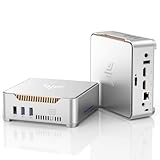
- Top Pick: KAMRUI Pinova P1 Mini PC, W-11 Pro AMD Ryzen R2544(Beat 10110U/N150/N95 up to 3.7GHz), 16GB RAM 256GB SSD Mini Desktop Computer Support 4K HDMI+DP+Type-C/WiFi/BT for Business Home Office Mini pc
- Best Value: KAMRUI AM21 Mini PC, Ryzen 7 8745HS, 16GB DDR5 RAM, 1TB NVMe SSD
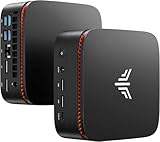
- Premium Choice: KAMRUI Pinova P1 Mini PC, W-11 Pro AMD Ryzen R2544 (Beat 10110U/N150/N95
Mini PCs have quietly become the smartest way to build a tidy, capable desk setup without spending laptop-tower money, and in 2026 the KAMRUI E3 sits right in the sweet spot of that trend. Built around an AMD Ryzen 5 3500U with 16GB of RAM and a roomy 1TB SSD, it aims squarely at people who want a real desktop experience for browsing, office work, media, and a little light content creation, all from a box that hides behind a monitor.
The pitch here is value, plain and simple. You are not buying bleeding-edge silicon, and KAMRUI does not pretend otherwise. What you get instead is a balanced, quiet, low-power machine that handles everyday computing comfortably while leaving cash in your pocket. In this review we break down how the E3 feels to live with day to day, where it shines, where it stumbles, and which alternatives are worth a look before you decide.
As an Amazon Associate we earn from qualifying purchases at no extra cost to you.






⚡ Save on Your Next PC — Amazon Prime
Prime members get fast free shipping on the systems above, plus early access to Prime Day & Black Friday PC deals. New members get a 30-day free trial.
📄 In This Review
Watch: KAMRUI E3 Mini PC Review — Video Review
Design & Build
See also: 1440p vs 4K Monitor for Gaming: Which Resolution Fits Your GPU, Desk and Budget • Best Monitor for MacBook Air: Two USB-C 4K Screens and Six Adapter-Dependent Alternatives
The E3 follows the familiar KAMRUI formula: a compact matte-black chassis roughly the size of a paperback that tucks neatly onto a desk, mounts behind a display with the bundled VESA bracket, or slides into a media cabinet. Build quality is plastic but reassuringly solid, with no creaks and a low-key look that suits both a home office and a living room. Connectivity is generous for the class, with dual HDMI outputs for a two-monitor setup, several USB-A ports, USB-C, Gigabit Ethernet, and a headphone jack, plus Wi-Fi and Bluetooth built in. Cooling relies on a small active fan that stays whisper-quiet during ordinary tasks and only becomes audible under sustained load. Crucially, KAMRUI keeps the E3 user-serviceable: pop the base and you can add a 2.5-inch SATA drive or swap the RAM, which is a welcome touch at this price and extends the machine’s useful life.
Everyday Performance
For the workloads this mini PC is designed around, the Ryzen 5 3500U paired with 16GB of RAM delivers a smooth, responsive experience. Windows 11 boots quickly off the 1TB NVMe SSD, and everyday multitasking, dozens of browser tabs, a spreadsheet, a video call, and a music stream running together, rarely causes stutter. The integrated Radeon Vega graphics comfortably drive 4K video playback and casual photo editing, and the E3 is fully capable of light content creation such as trimming clips, editing images, or writing and formatting long documents. Where you should temper expectations is heavy lifting: long 4K video renders, demanding modern games, or large software compiles will push this chip well past its comfort zone, and you will feel the wait. That is the honest trade-off of a budget mini PC in 2026. Treat the E3 as a daily driver rather than a workstation and it rewards you with quiet, dependable performance that punches above its price.
Pros & Cons
- Excellent value for a compact 16GB / 1TB configuration
- Quiet operation and low power draw
- Dual-monitor support with generous ports
- User-upgradeable RAM and extra drive bay
- Tiny, VESA-mountable footprint keeps desks clean
- Ryzen 5 3500U is an older, entry-level chip
- Not suited to demanding gaming or heavy rendering
- Integrated graphics limit serious creative work
- Plastic chassis feels functional rather than premium
Alternatives to Consider
If your budget can stretch, the KAMRUI AM21 steps up to a Ryzen 7 8745HS with 16GB of DDR5 and a 1TB NVMe SSD, offering far more headroom for multitasking and content creation while staying in mini-PC form. For a middle-ground upgrade, the KAMRUI E3B swaps in a Ryzen 7 7730U for noticeably stronger multi-core performance without a huge jump in price. And if you want to spend even less, the KAMRUI GK3PLUS with an Alder Lake-N95, 16GB RAM, and a 512GB SSD is a leaner, cheaper option for basic browsing and office duty, though it gives up the E3’s stronger everyday punch.
Frequently Asked Questions
Is the KAMRUI E3 good for gaming?
It handles older and lightweight titles at modest settings, but the integrated graphics are not built for modern AAA games. Buy it for productivity and media, not serious gaming.
Can I upgrade the RAM and storage?
Yes. The base opens easily so you can increase the RAM and add a 2.5-inch SATA drive alongside the existing 1TB SSD, which helps future-proof the machine.
Does it support dual monitors?
It does. Dual HDMI outputs let you run two displays at once, making it a practical choice for office and productivity setups.
Is 16GB of RAM enough in 2026?
For browsing, office apps, streaming, and light editing, 16GB is comfortable and rarely a bottleneck. Heavy creative or professional workloads would benefit from more, which is where the pricier alternatives come in.
Verdict
The KAMRUI E3 is an easy recommendation for anyone who wants a quiet, compact, genuinely usable desktop on a tight budget in 2026: it nails the everyday essentials, offers real upgrade room, and delivers dependable performance for daily work and light content creation, provided you go in knowing the older Ryzen 5 3500U is not meant for heavy gaming or professional rendering.
Related Reviews & Guides
Best Camera Microphone for Video Conferencing
Best Webcam for Low Light Conditions