Last Updated: October 9, 2026
- Top Pick: GEEKOM A6 Mini PC, Ryzen 7 6800H, 16GB DDR5 Upgradable RAM 1TB PCIe 4.0 SSD
- Best Value: KAMRUI Pinova P2 AMD Ryzen 7330U(Beats R2544/3500U/10110U)Mini PC 16GB RAM 256GB SSD, Up to 4.3GHz, 4C/8T, 8MB L3 Smart Cache Mini Computers,Triple 4K Display for Home/Business Mini Desktop Computers
- Premium Choice: GMKtec M6 Ultra Gaming Mini PC Ryzen 7640HS 32GB RAM DDR5 1TB SSD
Mini PCs have quietly become the smartest way to build a capable desktop in 2026. These palm-sized machines slip behind a monitor, tuck into a media cabinet, or ride a VESA mount out of sight, yet they now pack the same modern processors, DDR5 memory, and fast NVMe storage that full towers relied on just a couple of years ago. For everyday computing, home offices, web browsing, streaming, and light creative work, a good mini PC delivers everything most people actually need while sipping power and staying whisper quiet.
The catch is choice. The market is flooded with lookalike boxes at wildly different prices, and spec sheets bury the details that matter. To cut through the noise, we focused on compact models built for general home and office use rather than heavy gaming, weighing real-world responsiveness, memory and storage headroom, connectivity, and long-term value. The picks below span budget-friendly starters to snappy productivity machines, so you can match one to your desk and your wallet.
As an Amazon Associate we earn from qualifying purchases at no extra cost to you.







⚡ Save on Your Next PC — Amazon Prime
Prime members get fast free shipping on the systems above, plus early access to Prime Day & Black Friday PC deals. New members get a 30-day free trial.
📄 In This Review
Watch: Best Mini PC — Video Review
How to Choose a Mini PC
See also: Best Mini PC for Home Office in 2026 • Best Fanless Mini PC in 2026
- CPU for your tasks: Match the processor to your workload. An Intel Celeron or entry Ryzen 3 handles browsing, email, and video streaming comfortably, while a Ryzen 7 or Ryzen 9 chip is worth the premium if you juggle many tabs, edit photos, or run demanding office software all day.
- RAM: Treat 16GB as the practical minimum for smooth multitasking in 2026, and lean toward 32GB if you keep dozens of browser tabs open or work in memory-hungry apps. Prioritize models with upgradeable SO-DIMM slots so you can add more later.
- Storage: An NVMe SSD is non-negotiable for fast boots and instant app launches. Aim for at least 256GB, choose 512GB or 1TB if you store media locally, and value a spare M.2 slot or 2.5-inch bay for painless expansion.
- Ports and connectivity: Check that the box has enough USB-A and USB-C ports, dual or triple video outputs for a multi-monitor setup, and modern wireless. Wi-Fi 6E and 2.5GbE Ethernet keep networking future-proof, and a USB-C display output adds welcome flexibility.
- Size and noise: The whole appeal is a tidy, silent desk. Confirm the footprint and VESA mounting support, and read owner feedback on fan behavior, since a well-cooled mini PC should stay cool and quiet during normal office use.
The Best Mini PCs Reviewed
KAMRUI AK1PLUS
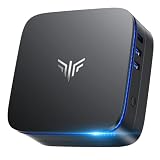
The AK1PLUS is the classic no-fuss starter box. Its Intel Celeron N5095 pairs with a generous 16GB of RAM and a 256GB SSD, which is plenty for web browsing, streaming, document work, and light multitasking. Dual 4K output and a 2.5-inch SSD expansion bay make it a tidy, affordable choice for a secondary desk, a home media hub, or a first mini PC where value matters most.
GEEKOM A6
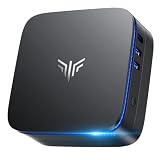
Step up to the GEEKOM A6 and you get a serious productivity machine. The Ryzen 7 6800H is a genuine eight-core performer, backed by fast DDR5 memory and a roomy 1TB PCIe 4.0 SSD that keeps large libraries and projects close at hand. It is the sweet spot for a demanding home office, comfortably handling heavy multitasking, video calls, and light creative work in a premium, well-built chassis.
KAMRUI Pinova P2
The Pinova P2 splits the difference between budget and power beautifully. Its Ryzen 7 7330U runs four cores and eight threads up to 4.3GHz with 8MB of cache, so everyday tasks feel snappy, while triple 4K display support makes it a standout for multi-monitor productivity. With 16GB of RAM and a 256GB SSD, it is a smart mid-range pick for professionals who want more screens without overspending.
GEEKOM A7 MAX
For power users who refuse to compromise, the 2026-edition A7 MAX brings the flagship Ryzen 9 7940HS to a tiny footprint. This is the box for serious multitasking, content creation, and workloads that would make lesser mini PCs stutter. If your desk doubles as a creative or engineering workstation and you want desktop-class muscle without a desktop-sized tower, this is the one to stretch your budget for.
GMKtec G10
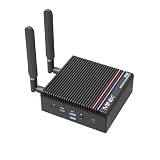
The G10 rounds out the lineup as a well-connected value champion. Its Ryzen 5 3500U delivers dependable everyday performance, but the real draw is the port selection: 2.5GbE LAN, triple 4K output, USB-C with Power Delivery, and HDMI 2.1. With 16GB of RAM and a 512GB SSD, it is ideal for a home office, HTPC, or business setup that leans on wired networking and multiple displays.
Frequently Asked Questions
Are mini PCs powerful enough for everyday work in 2026?
Absolutely. Modern mini PCs use the same processors, DDR5 memory, and NVMe storage as many laptops and desktops. For browsing, office apps, video calls, streaming, and light creative tasks, a model with a current Ryzen or Intel chip and 16GB or more of RAM feels every bit as responsive as a full-size PC.
Can I upgrade the RAM and storage later?
Most quality mini PCs are designed with a removable bottom panel for easy access. Many offer upgradeable SO-DIMM memory slots and a spare M.2 or 2.5-inch storage bay, so you can add capacity down the road. Always check the specific model, since a few compact designs solder memory in place.
Do mini PCs come with Windows and a warranty?
Yes, the models here ship with Windows preinstalled and are ready to use out of the box. Coverage varies by brand, so confirm the warranty length and check owner reviews for support responsiveness before buying, especially for the value-focused options.
Can a mini PC drive multiple monitors?
Most can. Many of these picks support dual or even triple 4K displays through a mix of HDMI, DisplayPort, and USB-C outputs. If a multi-monitor setup is important to you, count the video ports and confirm the maximum supported resolution and display count before ordering.
Final Thoughts
The best mini PC is the one that fits your workload and your desk. For a budget starter or media hub, the KAMRUI AK1PLUS delivers remarkable value, while the GMKtec G10 wins on connectivity for wired, multi-monitor offices. Step up to the GEEKOM A6 or the KAMRUI Pinova P2 for confident everyday productivity, and reach for the Ryzen 9 GEEKOM A7 MAX when you need true workstation power in a tiny box. Whichever you choose, a 2026 mini PC gives you a quiet, efficient, clutter-free desktop that punches well above its size.
Related Reviews & Guides

Best Hp All in One PC in 2026: How the Top Models Compare
Sight Bulb App for PC: How to Check Desktop Access