Last Updated: October 13, 2026
- Top 3 Picks
- Quick Comparison
- How We Chose
- 1. Reatan A8 (Ryzen 7 8745HS) – Best for a Balanced OCuLink Starter
- 2. GMKtec M8 (Ryzen PRO 6650H, Dual 2.5GbE) – Best for Networking Plus OCuLink
- 3. Reatan Mini PC Ryzen 7 255 (Barebone) – Best for DIY Builders
- 4. GMKtec K12 (Ryzen 7 H 255) – Best for Memory and Storage Headroom
- 5. GMKtec M8 (Ryzen 5 PRO 6650H, 1TB) – Best for Entry-Level OCuLink
- 6. MINISFORUM AI X1 Pro-370 – Best for Premium Integrated Graphics and AI
- 7. Reatan A8 Gaming (Ryzen 7 8745HS) – Best as an Alternate A8 Configuration
- 8. GMKtec K15 (Intel Core Ultra 5 125U) – Best for a Low-Power Intel Option
- 9. MINISFORUM UM880 Plus (Ryzen 7 8845HS) – Best for All-Round Flexibility
- How to Choose a Mini PC with OCuLink
- Common OCuLink Setup Mistakes
- Frequently Asked Questions
- Our Recommendation by Situation
The best mini PC with OCuLink for most buyers is the MINISFORUM UM880 Plus. It combines an eight-core, sixteen-thread Ryzen 7 8845HS, 32GB of DDR5 memory, a 1TB PCIe 4.0 SSD, and a rare mix of USB4, HDMI, DisplayPort, and an OCuLink port in one compact chassis. That mix lets it work as a capable desktop on its own and then step up to full desktop graphics when you plug in an external GPU dock. For a more modest build, the GMKtec M8 with a Ryzen 5 PRO 6650H gives you a six-core processor, 2.5-gigabit dual networking, and OCuLink in a compact package. If you want the most future-ready platform, MINISFORUM’s Ryzen AI 9 HX 370 model pairs twelve cores with Radeon 890M graphics and a dedicated AI engine. Below you will find all nine machines compared, plus a clear explanation of what OCuLink does, what you need to buy separately, and how to avoid the most common mistakes.
📄 In This Review
- Top 3 Picks
- Quick Comparison
- How We Chose
- 1. Reatan A8 (Ryzen 7 8745HS) – Best for a Balanced OCuLink Starter
- 2. GMKtec M8 (Ryzen PRO 6650H, Dual 2.5GbE) – Best for Networking Plus OCuLink
- 3. Reatan Mini PC Ryzen 7 255 (Barebone) – Best for DIY Builders
- 4. GMKtec K12 (Ryzen 7 H 255) – Best for Memory and Storage Headroom
- 5. GMKtec M8 (Ryzen 5 PRO 6650H, 1TB) – Best for Entry-Level OCuLink
- 6. MINISFORUM AI X1 Pro-370 – Best for Premium Integrated Graphics and AI
- 7. Reatan A8 Gaming (Ryzen 7 8745HS) – Best as an Alternate A8 Configuration
- 8. GMKtec K15 (Intel Core Ultra 5 125U) – Best for a Low-Power Intel Option
- 9. MINISFORUM UM880 Plus (Ryzen 7 8845HS) – Best for All-Round Flexibility
- How to Choose a Mini PC with OCuLink
- Common OCuLink Setup Mistakes
- Frequently Asked Questions
- Our Recommendation by Situation
Quick answer: For most people in 2026, the best mini pc with oculink is the Reatan A8 — our #1 rated choice. See the full ranked comparison, alternatives and buying advice below.
Top 3 Picks
Best overall: MINISFORUM UM880 Plus. Ryzen 7 8845HS with 8 cores and 16 threads, 32GB DDR5, 1TB PCIe 4.0 SSD, triple video outputs, USB4, and an OCuLink port. It is the most balanced machine here, strong enough as a standalone PC and flexible enough to pair with a graphics dock later.

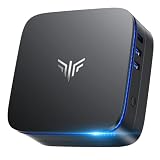
Reatan A8 Mini PC OCulink AMD Ryzen 7 8745HS 16GB RAM DDR5 1TB SSD 8C/16T
Included for 'Best Mini PC with OCuLink in 2026' as a relevant option in this category; details come from the product listing.
View on Amazon
GMKtec Mini PC M8 Desktop Computer AMD Ryzen PRO 6650H (6C/12T 4.50Ghz) Dual NIC LAN 2.5GbE, 16GB LPDDR5 RAM + 512GB Hard Drive PCle SSD, Oculink, USB4, HDMI, USB-C
Included for 'Best Mini PC with OCuLink in 2026' because the listing specifies 16GB LPDDR5 RAM + 512GB Hard Drive PCle SSD and Oculink, details this guide uses to compare options.
View on Amazon
Reatan Mini PC Gaming OCuLink AMD Ryzen 7 255 NO RAM,NO Storage,NO System
Included for 'Best Mini PC with OCuLink in 2026' because the listing specifies NO Storage and NO System, details this guide uses to compare options.
View on Amazon
GMKtec K12 Gaming Mini PC Oculink AMD Ryzen 7 H 255 (Upgraded 8745HS) 32GB DDR5 RAM 512GB SSD, Desktop Computer Radeon 780M Graphics, 3X M.2 2280 Storage Expansion, Dual NIC 2.5G, HDMI 2.1, USB4
Included for 'Best Mini PC with OCuLink in 2026' because the listing specifies Desktop Computer Radeon 780M Graphics and 3X M.2 2280 Storage Expansion, details this guide uses to compare options.
View on Amazon
GMKtec M8 Mini PC AMD Ryzen 5 PRO 6650H (Turbo 4.5GHz) 1TB SSD 16GB LPDDR5
Included for 'Best Mini PC with OCuLink in 2026' as a relevant option in this category; details come from the product listing.
View on Amazon
MINISFORUM AI X1 Pro-370 Mini PC AMD Ryzen AI 9 HX370 Up to 5.1GHz 12C/24T, Mini Desktop Computer AMD Radeon 890M, 32GB DDR5 1TB PCIe 4.0 SSD, 8K Quad Display, Dual 2.5 LAN/WiFi 7/BT5.4/Oculink
Included for 'Best Mini PC with OCuLink in 2026' because the listing specifies Mini Desktop Computer AMD Radeon 890M and 32GB DDR5 1TB PCIe 4.0 SSD, details this guide uses to compare options.
View on Amazon
Reatan Mini PC Gaming A8 Oculink AMD Ryzen 7 8745HS 16GB DDR5 1TB NVME SSD
Included for 'Best Mini PC with OCuLink in 2026' as a relevant option in this category; details come from the product listing.
View on Amazon
GMKtec K15 AI Mini PC Oculink Intel Ultra 5 125U 32GB DDR5 512GB SSD
Included for 'Best Mini PC with OCuLink in 2026' as a relevant option in this category; details come from the product listing.
View on Amazon
MINISFORUM UM880 Plus Mini PC AMD Ryzen 7 8845HS(8C/16T, up to 5.1GHz), 32GB DDR5 1TB PCIe4.0 SSD, HDMI+DP+USB4 Triple Outputs, OCuLink Port, 2.5G LAN, 5x USB Port, Radeon 780M Graphics Micro Computer
Included for 'Best Mini PC with OCuLink in 2026' because the listing specifies up to 5.1GHz) and 32GB DDR5 1TB PCIe4.0 SSD, details this guide uses to compare options.
View on AmazonBest budget pick: GMKtec M8 (Ryzen 5 PRO 6650H, 16GB, 1TB). A six-core, twelve-thread processor, 16GB of LPDDR5, a 1TB SSD, and OCuLink support make this a simple way into the platform. Dual network ports are a bonus for home-lab use.
Best premium pick: MINISFORUM AI X1 Pro-370. A Ryzen AI 9 HX 370 processor with twelve cores and twenty-four threads, Radeon 890M integrated graphics, 32GB DDR5, and a 1TB PCIe 4.0 SSD. It suits buyers who want the best integrated graphics now and an external GPU option later.
Quick Comparison
See also: Best Mini PC for Home Office in 2026 • Best Fanless Mini PC in 2026
| Product | Best for | Key specs (from the listing) |
|---|---|---|
| Reatan A8 | Balanced OCuLink starter | Ryzen 7 8745HS, 8C/16T, 16GB DDR5, 1TB SSD |
| GMKtec M8 (Dual NIC) | Networking plus OCuLink | Ryzen PRO 6650H, 6C/12T, dual 2.5GbE, 16GB LPDDR5, 512GB PCIe SSD |
| Reatan Ryzen 7 255 (barebone) | DIY builders | Ryzen 7 255, no RAM, no storage, no operating system |
| GMKtec K12 | Memory and storage headroom | Ryzen 7 H 255 (upgraded 8745HS), 32GB DDR5, 512GB SSD, Radeon 780M, multiple M.2 |
| GMKtec M8 (1TB) | Entry-level OCuLink | Ryzen 5 PRO 6650H, 16GB LPDDR5, 1TB SSD |
| MINISFORUM AI X1 Pro-370 | Premium integrated graphics and AI | Ryzen AI 9 HX 370, 12C/24T, Radeon 890M, 32GB DDR5, 1TB PCIe 4.0 |
| Reatan A8 Gaming | Alternate A8 listing | Ryzen 7 8745HS, 16GB DDR5, 1TB NVMe |
| GMKtec K15 | Intel-based low-power option | Intel Core Ultra 5 125U, 32GB DDR5, 512GB SSD |
| MINISFORUM UM880 Plus | All-round flexibility | Ryzen 7 8845HS, 8C/16T, 32GB DDR5, 1TB PCIe 4.0, HDMI, DP, USB4, OCuLink |
How We Chose
This ranking is built from product-listing details and widely published information about each processor and interface; we did not run our own performance trials. We looked first for a clearly stated OCuLink port, since that is the point of the category, then for the processor’s core count and graphics class, memory type and capacity, storage size, and extra connectivity such as USB4 and dual network ports. We gave extra weight to configurations that arrive ready to use (memory and storage installed) and to machines whose listings describe how many M.2 slots exist. We also considered the other side of an OCuLink setup: because the port carries only data, buyers still need a dock, a power supply, and a graphics card, so we favored machines whose CPUs are strong enough not to bottleneck a discrete GPU. Where a detail is missing, such as the PCIe generation of the port, we ask you to confirm it on the product page.
1. Reatan A8 (Ryzen 7 8745HS) – Best for a Balanced OCuLink Starter
As an Amazon Associate we earn from qualifying purchases at no extra cost to you.
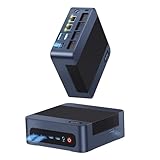
The Reatan A8 is a compact mini PC built around the AMD Ryzen 7 8745HS, an eight-core, sixteen-thread Zen 4 processor with Radeon 780M integrated graphics. The listing specifies 16GB of DDR5 memory, a 1TB SSD, and an OCuLink port. For a first OCuLink machine it hits the practical sweet spot: enough CPU to avoid choking a mid-range graphics card, and enough integrated graphics to be a perfectly usable computer before you ever add a dock.
Who it suits: a gamer or creator who wants to start with the integrated Radeon 780M for esports titles and 1080p gaming at modest settings, then add a desktop graphics card via a dock when budget allows. It also suits people who use a laptop-style workflow at a desk but do not want a laptop’s thermal limits.
Key specs from the listing
- AMD Ryzen 7 8745HS, 8 cores and 16 threads
- 16GB DDR5 RAM
- 1TB SSD
- OCuLink port (confirm PCIe generation on the product page)
- Radeon 780M integrated graphics (a feature of the processor)
Strengths: Zen 4 cores are efficient and strong for their size. The Radeon 780M uses RDNA 3 graphics, which is among the best integrated options available and handles many games at low-to-medium settings. When paired with a dock, the eight-core CPU is balanced for graphics cards from entry-level up to upper mid-range. A 1TB drive is a comfortable starting point for a small game library.
Setup considerations: OCuLink is a bare PCIe link, so it does not carry power and typically cannot be hot-plugged. Power the system down before connecting the cable, and turn on the dock’s power supply before powering up the mini PC. Some designs share PCIe lanes between OCuLink and an M.2 slot, so check the manual for any limitations.
Limits: 16GB is a sensible but not generous memory amount for modern games, and DDR5 SODIMM upgrades need verification of slot design. The brand is less established than the larger names in this list, so check warranty and support terms.
A realistic upgrade path. A sensible way to use this machine is in two stages. In stage one, run it on the Radeon 780M, which is capable of esports titles and older games at 1080p with reduced settings. In stage two, add an OCuLink dock and a mid-range desktop card, at which point the same computer becomes a far more capable gaming and rendering system. Because the dock and card are separate purchases, you can time them to your budget. Keep the original box and accessories, and note the length and connector type of any OCuLink cable that ships with the dock, since the cable is the part most likely to be mismatched.
What to confirm before ordering. Look for the number of SODIMM slots, the warranty length, the Wi-Fi standard, and whether Windows is preinstalled and activated.
Pros
- Eight-core, sixteen-thread Zen 4 processor
- Strong RDNA 3 integrated graphics as a fallback
- 1TB SSD and DDR5 memory included
- Good CPU balance for mid-range external GPUs
Cons
- 16GB of RAM limits heavy multitasking and some modern games
- Less established brand and support network
- No Thunderbolt-style hot-plug convenience with OCuLink
Its nearest alternative is the Reatan A8 Gaming listing (number 7), which names the same processor, memory, and storage; and the MINISFORUM UM880 Plus, which adds 32GB of memory and USB4 for more flexibility.
2. GMKtec M8 (Ryzen PRO 6650H, Dual 2.5GbE) – Best for Networking Plus OCuLink

This GMKtec M8 configuration highlights a pair of 2.5-gigabit Ethernet ports. The listing names the Ryzen PRO 6650H (six cores, twelve threads, boost up to 4.5GHz), 16GB of LPDDR5 memory, and a 512GB PCIe SSD, with OCuLink support mentioned in the product name. The processor is a Zen 3+ design with Radeon 660M graphics, a step below the 780M in the Zen 4 machines, but still sufficient for desktop use and light gaming.
Who it suits: a home-lab enthusiast or small-office user who wants dual network ports for routing, bridging, or separating traffic, and who may also add a graphics card for rendering or AI experimentation later. It also suits someone who wants a straightforward path to OCuLink without sacrificing wired network flexibility.
Key specs from the listing
- Ryzen PRO 6650H, 6 cores and 12 threads, turbo up to 4.5GHz
- Dual 2.5GbE LAN
- 16GB LPDDR5 RAM
- 512GB PCIe SSD
- OCuLink port
Strengths: dual 2.5GbE is uncommon in this category and useful for NAS-style tasks, VLAN testing, and software routers. The PRO designation implies business-oriented management features. The six-core processor can drive entry-level and mid-range graphics cards, though it will be the first component to bottleneck a high-end card in CPU-heavy games.
Setup considerations: LPDDR5 memory is usually soldered to the board, which means the 16GB amount is typically fixed. Verify this on the product page, and decide if 16GB will be enough for the lifetime of the machine. The 512GB drive is adequate for the operating system and a few games, but expansion will likely be necessary.
Limits: the Radeon 660M is much weaker than the 780M, so the machine relies more on an external GPU for gaming. Zen 3+ lacks the efficiency of Zen 4.
How the dual network ports help. Two 2.5-gigabit ports let one box sit between a modem and a switch as a basic router, or connect to a NAS on one port while keeping the other on the main network. Not everyone needs this, but the mini PC can serve as a combined desktop, light server, and game machine, which is useful in small apartments or home offices. If you plan to run virtual machines, remember that LPDDR5 cannot be expanded later, so 16GB is your ceiling. Plan the workloads accordingly: one or two lightweight virtual machines are fine, many are not.
Thermals. The 45-watt-class processor in a small case will spin its fan under load. Place the unit where air can move freely around it.
Pros
- Dual 2.5GbE ports for networking flexibility
- Six cores and twelve threads at a modest entry level
- OCuLink support for external graphics
- Business-oriented PRO processor
Cons
- LPDDR5 memory is likely not upgradeable
- Weaker integrated graphics than the Zen 4 options
- 512GB storage fills quickly with games
Compared with the other M8 listing in this guide (number 5), this version prioritizes the dual-network description while the other doubles the storage to 1TB. Choose by which attribute matters more to you.
3. Reatan Mini PC Ryzen 7 255 (Barebone) – Best for DIY Builders

The Reatan Ryzen 7 255 listing is a barebone: the title states there is no RAM, no storage, and no operating system. The Ryzen 7 255 is part of AMD’s refreshed lineup and shares its core design with the Ryzen 7 8745HS: eight Zen 4 cores, sixteen threads, and Radeon 780M graphics. GMKtec’s K12 listing describes the same chip as an upgraded 8745HS, which supports that comparison.
Who it suits: a builder who already owns DDR5 SODIMM memory and an NVMe drive, or who wants to choose exact parts, such as a high-capacity SSD, rather than accept bundled ones. It also suits users who plan to install Linux or a specific Windows license.
Key specs from the listing
- AMD Ryzen 7 255 processor
- No RAM, no storage, and no operating system included
- OCuLink port expected for this category (confirm on the product page)
- Compact mini PC chassis
Strengths: you get a modern eight-core processor and integrated RDNA 3 graphics, and every other part is your choice. You can match memory speed and capacity precisely, choose a high-endurance NVMe drive, and avoid paying for components you will replace.
Setup considerations: before buying, confirm what memory type and maximum capacity the board supports, which M.2 slot or slots exist and their PCIe generation, and whether an operating-system license is needed. Budget for both memory and storage, because the machine will not boot without them. Allow time for installing the operating system and drivers, including chipset and graphics.
Limits: you carry the compatibility risk of choosing parts yourself, and a barebone may not be the cheapest route once components are added. Beginners may prefer a ready-to-run unit.
A parts checklist. If you choose this barebone, assemble your parts list before ordering. You will need DDR5 SODIMM memory in a capacity and speed that the board supports, usually two matched modules for dual-channel operation; an M.2 NVMe SSD of the right length and interface; and a way to install an operating system, such as a USB installer created on another computer. Optionally add a Wi-Fi antenna check if the unit uses external antennas. Installing parts takes only a few minutes in most mini PC cases, but opening the chassis may need a small screwdriver and a careful approach to the ribbon cables.
When it makes sense. A barebone is a good fit for readers who have spare memory and a drive from an older laptop or desktop, since they can reuse compatible parts and spend only on the computer itself.
Pros
- Eight cores and Radeon 780M graphics
- Full control over memory and storage
- No unwanted preinstalled components
- Good for Linux or custom setups
Cons
- Does not work out of the box without memory and storage
- Compatibility research required
- Total cost depends entirely on parts you add
Compared with the Reatan A8 (number 1), which includes 16GB and 1TB, this barebone is for people who want the same silicon class without the bundled parts.
4. GMKtec K12 (Ryzen 7 H 255) – Best for Memory and Storage Headroom

The GMKtec K12 is a gaming-oriented mini PC listing the Ryzen 7 H 255, described by the seller as an upgraded 8745HS, with 32GB of DDR5 memory, a 512GB SSD, Radeon 780M graphics, and a reference to three M.2 slots. That last point is the distinguishing feature: the listing text mentions “3X M.2,” which suggests a multi-drive layout. Confirm on the product page how many slots are actually usable, their PCIe generation, and whether using the OCuLink port affects any of them.
Who it suits: a buyer who wants plenty of RAM from day one and expects to keep adding fast storage over time, for instance one SSD for the system, one for games, and one for project files. It also suits someone who wants the full 8-core, 16-thread Zen 4 platform and intends to attach a desktop GPU later.
Key specs from the listing
- Ryzen 7 H 255 (listed as an upgraded 8745HS), 8 cores and 16 threads class
- 32GB DDR5 RAM
- 512GB SSD
- Radeon 780M graphics
- OCuLink port, with multiple M.2 slots referenced
Strengths: 32GB is enough for modern games, content creation, and virtual machines at the same time. The processor is the same silicon class as the Reatan A8 but with double the memory included. Multiple M.2 slots, if they are all PCIe, let you grow storage without external drives.
Setup considerations: the OCuLink port should be paired with a dock that fits your graphics card and a power supply that meets its requirements. Plan how you will route cables, because an OCuLink cable is short, and the mini PC and dock need to sit side by side. Update the BIOS before first use if the seller supplies a new revision.
Limits: the 512GB starting drive is modest for a gaming machine. The sellers’ wording is promotional, so verify every spec. Fan noise under sustained load is a common trade-off with high-performance mini PCs.
Thinking about the storage plan. If the three M.2 slots are all PCIe, a typical layout is a 512GB system drive, a 2TB game drive, and a 1TB or 2TB drive for projects and backups. Check the maximum drive length each slot accepts, because some compact designs only fit shorter 2242 or 2230 modules in extra slots. Heat is also worth planning for: stacking several fast SSDs near a hot processor can raise temperatures, so use drives with a reasonable thermal profile and keep the case ventilated.
The seller’s language. The product name includes marketing phrases and an “upgraded” claim. Treat the chip as a processor in the same family as the 8745HS, and verify details such as clocks, memory speed, and port types on the product page.
Pros
- 32GB DDR5 included
- Eight-core Zen 4 class processor with Radeon 780M
- Multiple M.2 slots referenced for storage expansion
- OCuLink support for external GPU docks
Cons
- 512GB SSD is small for a gaming library
- Promotional wording requires spec verification
- Likely fan noise at full load
The nearest rival is the MINISFORUM UM880 Plus (number 9), which offers the same memory with twice the storage and USB4. The K12 is the better choice if the extra M.2 capacity is confirmed and you want to add drives at your own pace.
5. GMKtec M8 (Ryzen 5 PRO 6650H, 1TB) – Best for Entry-Level OCuLink

This second GMKtec M8 listing names the Ryzen 5 PRO 6650H with turbo up to 4.5GHz, 16GB of LPDDR5 memory, and a 1TB SSD. It is essentially the same platform as the dual-NIC listing earlier in this guide, with double the storage in the title. For many buyers, 1TB is the more practical configuration because games, projects, and operating-system files add up quickly.
Who it suits: a first-time eGPU buyer who wants a low-risk path into OCuLink. The six cores are enough for 1080p and many 1440p gaming scenarios when paired with a mid-range graphics card, and the PCIe-based design means the external GPU can use nearly all of its performance potential compared with slower connection types.
Key specs from the listing
- Ryzen 5 PRO 6650H, 6 cores and 12 threads, turbo up to 4.5GHz
- 16GB LPDDR5 RAM
- 1TB SSD
- OCuLink support (confirm the PCIe generation of the port)
Strengths: a larger drive helps with game installs and video projects, and the processor keeps the machine responsive in everyday tasks. Because the CPU is mid-range, it pairs well with mid-range graphics cards; you avoid overspending on a processor that a modest GPU cannot fully use.
Setup considerations: confirm whether the memory is soldered, as LPDDR5 typically is. Check the OCuLink port’s lane configuration, and consider a dock that includes its own power supply or accepts a standard ATX or SFX unit. With any eGPU, connect the monitor to the graphics card rather than the mini PC to get full performance.
Limits: six cores will be the bottleneck in CPU-bound titles with a powerful GPU, and the integrated Radeon 660M is only suitable for light gaming. There is no mention of USB4 in the listing.
Where this one shines. The 1TB configuration is the version of the M8 that works as a complete everyday machine. It handles office software, web browsing, streaming, photo editing, and light gaming without needing add-ons, and it leaves the door open for an external GPU. Because the Ryzen 5 PRO 6650H has a long history in laptops, drivers and operating-system support are mature, which reduces setup problems.
Who should look elsewhere. If you already know you will pair the system with a high-end graphics card, or if you run memory-hungry workloads, a machine with more cores and expandable DDR5 memory will age better. Those who need only light computing and want a simple setup are the target audience here.
Pros
- 1TB storage out of the box
- Six-core, twelve-thread processor suited to mid-range pairings
- OCuLink support with a mid-range processor
- Low-power, quiet design relative to full towers
Cons
- Memory is probably fixed at 16GB
- CPU may limit high-end GPUs
- Weaker integrated graphics
Against the dual-NIC M8 (number 2), you trade networking emphasis for storage capacity. Against the Reatan A8 (number 1), you get a weaker processor and iGPU but a similar memory amount.
6. MINISFORUM AI X1 Pro-370 – Best for Premium Integrated Graphics and AI

The MINISFORUM AI X1 Pro-370 is the premium option here. Its listed processor is the AMD Ryzen AI 9 HX 370 with up to 5.1GHz boost, twelve cores, and twenty-four threads, paired with Radeon 890M integrated graphics, 32GB of DDR5, and a 1TB PCIe 4.0 SSD. AMD describes this chip as including a neural processing engine of up to 50 trillion operations per second, aimed at local AI workloads and Windows AI features. Confirm that the exact configuration includes the OCuLink port you want, since the listing summary is cut short.
Who it suits: creators, developers, and gamers who want the best integrated graphics and CPU performance possible in a small footprint, and who may add an external GPU for heavy workloads. It is also a strong candidate for local AI experimentation, video editing, and multitasking.
Key specs from the listing
- Ryzen AI 9 HX 370, up to 5.1GHz, 12 cores and 24 threads
- Radeon 890M integrated graphics
- 32GB DDR5 RAM
- 1TB PCIe 4.0 SSD
- Mini desktop form factor
Strengths: this is the strongest CPU in the group, with a core count that will not bottleneck high-end graphics cards in most scenarios. Radeon 890M is a notable step up for integrated gaming. A 1TB PCIe 4.0 drive and 32GB of memory make it ready for demanding use immediately.
Setup considerations: because the integrated graphics are strong, some buyers will find they do not need an external GPU at all for casual gaming. If you do add one, check the OCuLink port’s PCIe generation and use a quality dock. Premium chips produce more heat; give the chassis airflow.
Limits: it is a flagship-class processor, and the value of its AI engine depends on software you actually use. An external GPU benefits less from a bigger CPU than from a simple, well-matched dock.
Using the AI engine. The Ryzen AI 9 HX 370 includes a neural processing unit that AMD rates at up to 50 trillion operations per second. That matters mainly for software that is written to use it, such as certain Windows features, noise suppression, background blur, and local models that support NPU acceleration. If your work does not involve those tools, treat the NPU as a bonus rather than a reason to buy. The more broadly useful features are the twelve cores and the Radeon 890M, which help with video encoding, compiling code, and gaming at moderate settings.
Dock pairing. If you add an external card, a premium CPU lets you choose a faster GPU later without worrying about the processor limiting it. Verify the port’s PCIe generation and lane count on the product page, and ensure the dock you choose accepts the length and power connectors of your card.
Pros
- Twelve-core, twenty-four-thread flagship mobile processor
- Radeon 890M is the strongest integrated graphics in the guide
- 32GB DDR5 and a PCIe 4.0 SSD included
- Dedicated AI engine for local workloads
Cons
- Flagship-class hardware that many users will not fully use
- May be more CPU than a mid-range eGPU needs
- Higher heat and fan activity under load
Its nearest alternative is the UM880 Plus (number 9) from the same brand, which has fewer cores but a track record and the same memory and storage amounts. Choose the AI X1 if integrated graphics performance and AI features are worth a flagship-class platform.
7. Reatan A8 Gaming (Ryzen 7 8745HS) – Best as an Alternate A8 Configuration

This second Reatan A8 listing carries a “Gaming” label and names the same Ryzen 7 8745HS, 16GB of DDR5, and 1TB NVMe SSD as the first A8. On paper, the two listings are nearly identical, so the practical question is what differs: the seller, the included accessories, the warranty terms, or minor hardware details. Compare the packages line by line on the product pages before choosing.
Who it suits: buyers who like the A8 platform and want to compare listings for the best bundle. Everything about performance follows from the processor and memory: eight Zen 4 cores, sixteen threads, RDNA 3 integrated graphics, and an OCuLink port for external GPUs.
Key specs from the listing
- AMD Ryzen 7 8745HS
- 16GB DDR5 RAM
- 1TB NVMe SSD
- OCuLink port
Strengths: you get the same balanced platform as the first A8 with a gaming-focused label. NVMe storage is the correct choice for fast load times, and DDR5 is a good baseline.
Setup considerations: Because the PCIe lanes feeding OCuLink may be shared, ask or check whether using the port reduces storage speed or disables a slot. Verify what is included in the box: power adapter, mounting plate, cables. When in doubt, use the documentation to confirm the OCuLink cable length and connector standard.
Limits: the same constraints as the first A8 apply: 16GB of memory limits some workloads, and brand support is less established.
How to compare near-duplicate listings. When two listings share the same processor, memory, and storage, build a short table of differences: seller name, return period, included accessories, operating-system status, and shipping timeline. Read the questions and answers on both product pages for details about ports and thermals. If everything matches, choose the seller with the clearer support terms. If you buy a mini PC from a smaller brand, register the product and keep your invoice, because warranty claims often require them.
Everyday use. Beyond gaming, eight Zen 4 cores make this class of machine pleasant for work: quick compile times for small projects, smooth multitasking with dozens of browser tabs, and capable photo and video editing at 1080p. A fast NVMe drive keeps application launches short, and DDR5 memory supports the integrated graphics well because the GPU shares system memory bandwidth. If you work with large files, consider adding a second drive.
Gaming expectations. On the integrated Radeon 780M alone, expect enjoyable 1080p performance in lighter and older titles with reduced settings. For demanding modern games at higher settings, plan on the OCuLink route.
Pros
- Strong eight-core Zen 4 CPU
- Fast NVMe 1TB drive
- OCuLink for GPU upgrades
- Good fallback integrated graphics
Cons
- Nearly identical to another listing, which can confuse comparison
- 16GB RAM only
- Smaller brand support network
The practical alternative is simply the first A8 (number 1). If both are available, pick the one with the clearer warranty, the more complete accessory list, and the better seller support.
8. GMKtec K15 (Intel Core Ultra 5 125U) – Best for a Low-Power Intel Option

The GMKtec K15 takes a different path from the AMD machines. It uses the Intel Core Ultra 5 125U, a low-power Meteor Lake processor with a mixed core design (two performance cores, eight efficient cores, and two low-power cores, fourteen threads in total), Intel integrated graphics, and an on-chip AI engine. The listing includes 32GB of DDR5 and a 512GB SSD, plus OCuLink.
Who it suits: buyers who prefer Intel software compatibility, want a quieter and cooler machine, or plan to use the mini PC for office work and light creative tasks with an optional external GPU for occasional heavy lifting. It also suits those who want an NPU-enabled processor for Windows AI features.
Key specs from the listing
- Intel Core Ultra 5 125U
- 32GB DDR5 RAM
- 512GB SSD
- OCuLink port
- Marketed with on-chip AI features
Strengths: low-power operation means less heat and fan noise, which matters for a desk machine. 32GB of memory supports multitasking, and Intel’s graphics, while modest, are adequate for office use and video playback.
Setup considerations: the 125U has only two performance cores, so it can limit gaming performance when paired with a powerful GPU, particularly in CPU-heavy titles. Treat this machine as better suited to eGPU use for rendering, AI, or lightly CPU-bound games, and verify the OCuLink port’s PCIe generation.
Limits: integrated graphics are weaker than the Radeon 780M and 890M in the AMD machines. For a gaming-first buyer, an 8-core AMD option is a better match.
Choosing Intel on purpose. Some workflows favor Intel hardware: certain video-editing and encoding pipelines, software that uses Intel-specific libraries, and users who simply prefer a particular driver ecosystem. The Core Ultra 5 125U also runs cool, so the K15 is a reasonable pick for a quiet desk or a bedroom setup. When using an external GPU for rendering or machine learning, the CPU’s role is lighter than in games, so the low core count of performance cores matters less.
Confirm the details. Because Intel’s U-series chips have limited PCIe lane budgets, ask or check how the OCuLink port is wired and at what speed it runs.
Pros
- Low-power processor with a quieter profile
- 32GB DDR5 included
- NPU for AI features
- OCuLink support
Cons
- Only two performance cores, which may limit gaming with a strong GPU
- Weaker integrated graphics than the AMD options
- 512GB storage is modest
Compared with the K12 (number 4), which shares the maker and the 32GB memory, the K15 is cooler and quieter but gives up CPU power and integrated graphics. Choose it for office-first use with occasional external GPU workloads.
9. MINISFORUM UM880 Plus (Ryzen 7 8845HS) – Best for All-Round Flexibility

The MINISFORUM UM880 Plus is our best overall pick for OCuLink. The listing names the Ryzen 7 8845HS (8 cores, 16 threads, up to 5.1GHz), 32GB of DDR5, a 1TB PCIe 4.0 SSD, triple outputs (HDMI, DisplayPort, and USB4), and an OCuLink port. The 8845HS is a Zen 4 processor with Radeon 780M graphics and an on-chip AI engine, and it is slightly higher-binned than the 8745HS found in the Reatan machines.
Who it suits: almost anyone shopping the category. It works well as a primary desktop for office work, light gaming, and content creation; it multiplies in value when paired with an OCuLink dock; and USB4 gives a second route to external devices, such as a Thunderbolt-compatible dock or fast external storage, without carrying a separate adapter.
Key specs from the listing
- Ryzen 7 8845HS, 8 cores and 16 threads, up to 5.1GHz
- 32GB DDR5 RAM
- 1TB PCIe 4.0 SSD
- HDMI, DisplayPort, and USB4 outputs
- OCuLink port
Strengths: this is the most complete configuration in the guide. Having both USB4 and OCuLink is helpful because you can choose the right link for each job: OCuLink for maximum GPU bandwidth, USB4 for hot-pluggable peripherals. Thirty-two gigabytes of memory and a 1TB drive remove the need for immediate upgrades. Minisforum is also a better-known brand in the category, which helps with support expectations.
Setup considerations: like all OCuLink systems, shut down before connecting the dock cable and power the dock first. If using USB4 displays, confirm which port supports video output.
Limits: it offers more hardware than the entry-level M8 options, which is reflected in the listing, and the Radeon 780M, while good, is not a replacement for a desktop GPU in demanding games.
Why USB4 plus OCuLink is valuable. If you travel between a desk and another workspace, USB4 gives you hot-pluggable docks and storage, while OCuLink gives you the fastest wired path to a desktop graphics card at home. Triple video outputs also let you drive several monitors from the mini PC alone. When you connect an eGPU, send the main display to the card for best results and keep secondary screens on the mini PC if needed.
First-day setup. Update the BIOS and graphics drivers, check the memory speed in the BIOS, and confirm the SSD runs at its rated PCIe 4.0 speed. Then test the OCuLink connection with a dock before the return window closes, so that any compatibility problem is caught while a return is still possible.
Pros
- Best all-round balance of CPU, memory, and storage
- USB4 and OCuLink together
- Triple video outputs
- Established brand
Cons
- More hardware than entry options, so check the current listing
- Integrated graphics cannot match a discrete card
- OCuLink still requires a separate dock and power supply
Against the AI X1 Pro-370 (number 6), the UM880 Plus offers most of the practical benefit for gaming and general use from a lower processor tier. Against the K12 (number 4), it adds a bigger SSD and USB4.
How to Choose a Mini PC with OCuLink
OCuLink is a cabled interface that exposes PCI Express lanes outside the computer. In a mini PC, it is usually a small port that connects through a short cable to an external graphics dock, which holds a desktop graphics card and its own power supply. The advantage over Thunderbolt or USB4 is directness: the link is a plain PCIe connection, so there is no protocol tunneling and less overhead. The trade-offs are that it carries no power, usually cannot be hot-plugged, and requires you to shut the computer down before connecting or disconnecting. Knowing those facts will shape every decision below.
Know exactly what you are buying besides the mini PC
None of the listings in this guide include a graphics card or an eGPU dock. A complete OCuLink gaming setup needs four things: the mini PC, an OCuLink dock (sometimes called an adapter board or enclosure), a desktop graphics card, and a power supply for the card, usually a standard ATX or SFX unit unless the dock has one built in. Plan for all four. Many first-time buyers focus on the mini PC and forget that the rest of the build can cost as much as, or more than, the computer itself.
Worked calculation: bandwidth and power
First, bandwidth. Each PCIe 4.0 lane runs at 16 gigatransfers per second with an encoding efficiency of 128/130. Four lanes therefore give 16 x 4 x 0.985, or about 63 gigabits per second, which is roughly 7.9 gigabytes per second each way. A PCIe 3.0 x4 link runs at 8 gigatransfers per lane, so it gives about 31.5 gigabits, or roughly 3.9 gigabytes per second. Thunderbolt 4 and USB4 are rated at 40 gigabits per second in total, and commonly reported PCIe throughput over those links is lower, in the range of 22 to 32 gigabits per second, because of tunneling overhead. So a PCIe 4.0 x4 OCuLink connection offers about twice the usable graphics bandwidth of Thunderbolt 4, and a PCIe 3.0 x4 OCuLink link is comparable to it. This is why you should confirm the PCIe generation of the port on any machine you consider.
Second, power. Suppose you plan to use a graphics card with a rated total board power of 200 watts. A common rule is to choose a power supply with about 30 to 50 percent headroom, so 200 x 1.4 gives 280 watts, and the next common size is a 350 to 450 watt unit. Because the dock powers only the GPU, the mini PC still uses its own adapter, typically in the range of 65 to 120 watts depending on the model. The wall draw under a full gaming load would therefore be roughly the GPU’s 200 watts plus the mini PC’s draw, so plan on a total in the range of 280 to 320 watts at the socket. If your outlet or surge protector is shared, check that it can supply this.
Match the processor to the GPU you plan to use
A graphics card cannot make up for a weak processor in CPU-heavy games. The six-core Ryzen 5 PRO 6650H machines are best paired with entry-level to mid-range cards. The eight-core 8745HS and 8845HS systems suit mid-range to upper mid-range cards. The twelve-core Ryzen AI 9 HX 370 can handle faster cards without becoming the limiting factor in most situations, and the Intel Core Ultra 5 125U, with only two performance cores, is best matched to rendering, AI, or lighter games. As a rule of thumb, spending more on the graphics card than the rest of the system combined tends to waste performance.
Check memory and storage design
LPDDR5 memory, used in the GMKtec M8 listings, is typically soldered and cannot be upgraded later, so pick the amount you need now. DDR5 SODIMM systems, such as the Minisforum and Reatan machines, may allow later upgrades, but confirm the slot count and maximum capacity. For storage, 1TB is a practical minimum for a gaming machine because modern titles can exceed 100GB each. A system that reserves a second M.2 slot gives you room to expand without external drives. Also ask whether using the OCuLink port disables or slows any M.2 slot, since some designs share lanes.
Decision steps
- Decide whether you will actually use an external GPU. If not, a Radeon 780M or 890M integrated machine may be all you need.
- Confirm the OCuLink port is PCIe 4.0 x4 on the product page, and avoid surprises with slower variants.
- Pick the processor tier based on your GPU: six cores for entry-level, eight for mid-range, twelve for high-end or heavy multitasking.
- Choose memory type: fixed LPDDR5 for simplicity, SODIMM DDR5 for future upgrades, barebone for full control.
- Add the dock and power supply to your budget, and check for the dock’s compatibility with your chosen card’s physical size.
- Check warranty, return policy, and seller support, especially for lesser-known brands.
Operating tips
Always power down the mini PC before plugging or unplugging the OCuLink cable. Turn on the dock’s power supply first, then boot the computer so that the card is detected during startup. Connect your monitor to the graphics card rather than to the mini PC for the best performance. Keep the OCuLink cable short and avoid sharp bends. Install the latest chipset and graphics drivers, and check the BIOS for any setting that selects the PCIe generation for the OCuLink lanes.
Common OCuLink Setup Mistakes
The most frequent error is buying a dock that does not match the card. Check that the card’s length, slot width, and power connectors fit the dock and the power supply you choose, and remember that very large modern cards may not fit compact docks at all. A second mistake is assuming that any OCuLink port runs at full speed; confirm PCIe 4.0 x4 on the product page, because a slower link reduces graphics performance noticeably with fast cards. A third is neglecting software: install the graphics drivers for the discrete card, set your games to use it, and make sure the operating system is not still rendering on the integrated graphics. A fourth is hot-plugging, which can crash the system and, in the worst case, risk data loss on open files. Finally, do not forget cooling and cable management. A dock with a high-power card, a power supply, and a mini PC all produce heat, and stacking them in a closed cabinet can cause throttling. Leave space around every unit, route the OCuLink cable without tight bends, and check temperatures during the first long gaming session.
Frequently Asked Questions
What is OCuLink on a mini PC?
OCuLink is a port that exposes PCI Express lanes through a compact external cable. It is mainly used to connect an external graphics dock to a small computer. It transfers data only, so the dock needs its own power.
Is OCuLink faster than Thunderbolt 4?
For graphics docks, it usually is. A PCIe 4.0 x4 OCuLink link offers about 63 gigabits per second of raw bandwidth, while Thunderbolt 4 is rated at 40 gigabits per second and commonly delivers less for PCIe traffic. Real-world gains depend on the graphics card and the game.
Can I hot-plug an OCuLink eGPU?
Generally no. Manufacturers such as Minisforum advise powering the computer down before connecting or disconnecting the cable. Unplugging during use can cause crashes or other problems.
Does the mini PC come with an eGPU dock?
Not in the listings covered here. You normally buy the dock, the graphics card, and a power supply separately, unless a dock with a built-in power supply is purchased. Check each product page for the contents of the box.
Do I need a powerful CPU for an external GPU?
You need one that matches the card. A six-core processor suits entry-level and mid-range cards, while eight or more cores are better for stronger cards. Games that rely heavily on the processor expose bottlenecks first.
Can I use OCuLink for something other than a graphics card?
In principle it carries PCIe, so docks for fast storage or other PCIe devices exist. Compatibility varies, so check the dock’s documentation. Most buyers use it for graphics cards.
Is 16GB of RAM enough?
It is workable for many games and everyday tasks, but 32GB gives more headroom for multitasking, content creation, and newer titles. Remember that LPDDR5 is usually fixed, so choose carefully at purchase.
Should I get a barebone model?
Choose a barebone if you already own compatible DDR5 memory and a drive, or if you want specific parts. Otherwise a ready-to-run configuration is simpler and removes compatibility risks.
Our Recommendation by Situation
For most buyers, the MINISFORUM UM880 Plus is the best all-round choice, with 32GB of memory, a 1TB PCIe 4.0 drive, USB4, and OCuLink. For a modest entry into the category, the GMKtec M8 with 1TB of storage is a practical starting point. If you want top-tier integrated graphics and AI features, the MINISFORUM AI X1 Pro-370 is the premium option. Builders who want to pick their own parts should look at the Reatan Ryzen 7 255 barebone, and those who prefer an Intel platform with a quieter profile can consider the GMKtec K15. Always confirm the OCuLink port details, memory design, and warranty on the product page before buying.
Ready to decide? Our #1 pick for 2026 is the Reatan A8.
Live price & availability on Amazon.
Related Reviews & Guides

8 Best Mini PCs (2026)
Best Mini PC for Home Office in 2026