Last Updated: October 13, 2026
- Top 3 Picks
- Quick Comparison
- How We Chose
- 1. MINIX NEO Z300-0dB – Best for the Most Capable Silent Desktop
- 2. Fanless Mini PC Stick (Celeron J4105, 8GB, 128GB, version one) – Best for Basic, Tiny Always-On Tasks
- 3. MeLE Cyber X1 (N150, 16GB, 512GB) – Best for a Quiet Everyday Desktop with a Unique Heatsink
- 4. MeLE Quieter4C (N150, 16GB, 512GB) – Best for a Value Silent Office PC
- 5. KINGDEL Fanless Industrial Computer (Core i7 8th Gen) – Best for Serial Ports, Kiosks and Industrial Use
- 6. Fanless Mini PC Stick (Celeron J4105, 8GB, 128GB, version two) – Best for Plug-Behind-the-Screen Use
- 7. MeLE SE Grade Quieter 4C (N150, 16GB, 512GB) – Best for a Business-Grade Variant of the N150 Family
- 8. MeLE PCG02 Business Grade PC Stick (N100, 8GB, 128GB) – Best for Digital Signage and Thin-Client Use
- How to Choose a Fanless Mini PC
- Fanless Cooling Explained
- Best Uses for a Fanless Mini PC
- Setup Tips and Common Mistakes
- Safety and Care
- Tuning Windows for a Low-Power Mini PC
- Stick, Palm-Sized Box or Industrial Case: Which Format?
- Frequently Asked Questions
- Our Recommendation by Situation
The best fanless mini PC in this group is the MINIX NEO Z300-0dB with an Intel Core i3-N300, 16GB of DDR4 and a 512GB PCIe SSD. The i3-N300 is an eight-core Alder Lake-N processor, so it has twice the cores of the quad-core N150 and N100 chips used by most rivals, and the MINIX adds a 2.5GbE network port, Wi-Fi 6, two HDMI outputs and upgradeable memory and storage inside a metal case that acts as its own heatsink. If you want a silent office or media PC for less demanding work, the MeLE Quieter4C with an Intel N150, 16GB and 512GB is the sensible value pick, and anyone who needs serial ports for equipment, kiosks or point-of-sale gear should look at the KINGDEL industrial model. The two Celeron J4105 sticks and the MeLE PCG02 stick are best treated as ultra-compact, lighter-duty devices. This guide compares all eight with their listed specifications and explains how fanless design really behaves.
📄 In This Review
- Top 3 Picks
- Quick Comparison
- How We Chose
- 1. MINIX NEO Z300-0dB – Best for the Most Capable Silent Desktop
- 2. Fanless Mini PC Stick (Celeron J4105, 8GB, 128GB, version one) – Best for Basic, Tiny Always-On Tasks
- 3. MeLE Cyber X1 (N150, 16GB, 512GB) – Best for a Quiet Everyday Desktop with a Unique Heatsink
- 4. MeLE Quieter4C (N150, 16GB, 512GB) – Best for a Value Silent Office PC
- 5. KINGDEL Fanless Industrial Computer (Core i7 8th Gen) – Best for Serial Ports, Kiosks and Industrial Use
- 6. Fanless Mini PC Stick (Celeron J4105, 8GB, 128GB, version two) – Best for Plug-Behind-the-Screen Use
- 7. MeLE SE Grade Quieter 4C (N150, 16GB, 512GB) – Best for a Business-Grade Variant of the N150 Family
- 8. MeLE PCG02 Business Grade PC Stick (N100, 8GB, 128GB) – Best for Digital Signage and Thin-Client Use
- How to Choose a Fanless Mini PC
- Fanless Cooling Explained
- Best Uses for a Fanless Mini PC
- Setup Tips and Common Mistakes
- Safety and Care
- Tuning Windows for a Low-Power Mini PC
- Stick, Palm-Sized Box or Industrial Case: Which Format?
- Frequently Asked Questions
- Our Recommendation by Situation
Quick answer: For most people in 2026, the best fanless mini pc is the MINIX NEO Z300-0dB — our #1 rated choice. See the full ranked comparison, alternatives and buying advice below.
Top 3 Picks
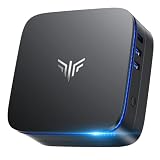
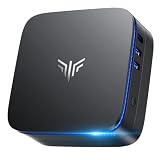
Best overall: MINIX NEO Z300-0dB (Core i3-N300, 16GB, 512GB). Eight cores, dual HDMI outputs, a 2.5GbE port, Wi-Fi 6 and a user-upgradeable memory slot and M.2 slot make it the most capable and flexible machine here. It suits a silent home office, a media center or a small server role.

MINIX NEO Z300-0dB Fanless Mini PC Intel i3-N300, 16GB DDR4 512GB PCIe SSD
Included for 'Best Fanless Mini PC in 2026' because the listing specifies 16GB DDR4 512GB PCIe SSD, details this guide uses to compare options.
View on Amazon
Fanless Mini PC Stick, Win 11 Pro Celeron J4105 8GB RAM 128GB eMMC Micro Desktop Computer, Full Functional Type-C, RJ45 Gigabit Ethernet 4K 60Hz, WiFi BT 5, HDMI 2.0 for Business, Office, IoT, Home
Included for 'Best Fanless Mini PC in 2026' because the listing specifies Full Functional Type-C and RJ45 Gigabit Ethernet 4K 60Hz, details this guide uses to compare options.
View on Amazon
MeLE Cyber X1 Fanless Mini PC N150 16GB DDR4 512GB SSD with Win 11 Pro | Dual HDMI+USB-C 4K Triple Display|WiFi 5 BT5.1|0dB Silent|Auto Power On WoL|VESA Mount|Industrial Business Astrophotography
Included for 'Best Fanless Mini PC in 2026' because the listing specifies Dual HDMI+USB-C 4K Triple Display and WiFi 5 BT5.1, details this guide uses to compare options.
View on Amazon
MeLE Quieter4C N150 Fanless Mini PC with Win-11-Pro 16GB RAM DDR4 512GB SSD
Included for 'Best Fanless Mini PC in 2026' as a relevant option in this category; details come from the product listing.
View on Amazon
KINGDEL Fanless Industrial Computer, Mini PC, core i7 8th Gen. CPU, 16GB RAM 512GB NVMe SSD, 4K: 4096x2304, HD Port, VGA, 4xUSB 3.0, 2xCOM RS232, WiFi+Bluetooth, Metal Case
Included for 'Best Fanless Mini PC in 2026' because the listing specifies Mini PC and core i7 8th Gen. CPU, details this guide uses to compare options.
View on Amazon
Fanless Mini PC Stick Win 11 Pro, Celeron J4105 8GB RAM 128GB eMMC Desktop Computer Stick, Support 4K HDMI, RJ45 Gigabit Ethernet, WiFi 5 for Industry IoT Media Business Office Digital Signage
Included for 'Best Fanless Mini PC in 2026' because the listing specifies Celeron J4105 8GB RAM 128GB eMMC Desktop Computer Stick and Support 4K HDMI, details this guide uses to compare options.
View on Amazon
MeLE SE Grade Quieter 4C Fanless Mini PC N150 (up to 3.6GHz) 16GB 512GB
Included for 'Best Fanless Mini PC in 2026' as a relevant option in this category; details come from the product listing.
View on Amazon
MeLE Business Grade PC Stick PCG02 Fanless Mini PC N100 8GB 128GB Win11 Pro
Included for 'Best Fanless Mini PC in 2026' as a relevant option in this category; details come from the product listing.
View on AmazonBest value: MeLE Quieter4C (Intel N150, 16GB DDR4, 512GB SSD). A quad-core N150 with up to 3.6GHz turbo, Windows 11 Pro and a tiny passive design give this MeLE the best balance of everyday speed and low power draw. It is a practical choice for browsing, documents, video calls and digital signage.
Best for industrial and legacy gear: KINGDEL Fanless Industrial Computer (Core i7 8th Gen, 16GB, 512GB NVMe). Two COM RS232 ports, VGA, HDMI, four USB 3.0 ports and an all-metal fanless case make it the one to pick for kiosks, machine control, point-of-sale and other setups that need serial connections.
Quick Comparison
See also: Best Mini PC for Home Office in 2026 • Best Mini PC for Plex Server in 2026
| Product | Best for | Key specs (per listing and manufacturer data) |
|---|---|---|
| MINIX NEO Z300-0dB | Most capable silent desktop | Core i3-N300 (8 cores), 16GB DDR4, 512GB PCIe SSD, dual HDMI, 2.5GbE |
| Fanless Mini PC Stick (J4105, 8GB, 128GB) – version one | Basic, tiny always-on tasks | Celeron J4105, 8GB RAM, 128GB eMMC, Windows 11 Pro, Type-C, Gigabit Ethernet, 4K output |
| MeLE Cyber X1 | Quiet everyday desktop with a plastic heatsink design | Intel N150, 16GB DDR4, 512GB SSD, Windows 11 Pro |
| MeLE Quieter4C | Value silent office PC | Intel N150, 16GB DDR4, 512GB SSD, Windows 11 Pro |
| KINGDEL Fanless Industrial Computer | Serial ports, kiosks and industrial use | Core i7 8th gen, 16GB, 512GB NVMe, HDMI, VGA, 4 x USB 3.0, 2 x COM RS232, Wi-Fi and Bluetooth |
| Fanless Mini PC Stick (J4105, 8GB, 128GB) – version two | Plug-behind-the-screen stick | Celeron J4105, 8GB, 128GB eMMC, Windows 11 Pro, 4K HDMI, Gigabit Ethernet, Wi-Fi 5 |
| MeLE SE Grade Quieter 4C | Alternative N150 with business-grade branding | Intel N150 up to 3.6GHz, 16GB, 512GB |
| MeLE PCG02 Business Grade PC Stick | Smallest stick for signage and thin-client use | Intel N100, 8GB, 128GB, Windows 11 Pro, fanless |
How We Chose
This ranking is built from published specifications and manufacturer documentation rather than from using the machines ourselves. For each of the eight listings we compared the processor generation and core count, the memory and storage configuration, the video outputs, the network and wireless hardware, the port selection and the cooling approach. We then considered how fanless design behaves in practice, including thermal limits, sustained load and the importance of airflow around a passive case. We weighed upgradeability, operating system support and the kind of user each machine best serves, such as a home office worker, a signage installer or an industrial integrator. Where listings differ from other published sources, for example in RAM type or USB counts, we note the difference and advise confirming the exact configuration on the product page before ordering.
1. MINIX NEO Z300-0dB – Best for the Most Capable Silent Desktop
As an Amazon Associate we earn from qualifying purchases at no extra cost to you.

The Z300-0dB uses an Intel Core i3-N300, an eight-core Alder Lake-N chip with up to 3.8GHz turbo and a 7-watt base power rating. The listing here pairs it with 16GB of DDR4 and a 512GB PCIe SSD. Published specifications describe two HDMI outputs for dual 4K displays, a 2.5GbE port, Wi-Fi 6, a microSD slot and a metal chassis that doubles as the heatsink. Memory sits in a SO-DIMM slot and storage in an M.2 slot, which means you can upgrade later rather than replace the whole box.
Who it suits: people who want a silent desktop with enough power for many browser tabs, office apps, light photo work, video playback and a modest home server. It also fits small offices that want a quiet workstation that can be mounted or tucked out of the way.
Key specs
- Intel Core i3-N300, 8 cores, up to 3.8GHz
- 16GB DDR4 SO-DIMM and 512GB PCIe SSD in this listing
- Two HDMI outputs, up to 4K at 60Hz
- 2.5GbE port, Wi-Fi 6, Bluetooth
- Two USB 3.2 (10Gbps) Type-A ports, a data-only USB-C port and two USB 2.0 ports, per manufacturer data
- Typical power around 12 watts, with a maximum near 25 watts, according to published specs
Strengths
Eight cores give it clear headroom over quad-core N100 and N150 machines when you run many tasks at once, such as a browser with dozens of tabs, a video call and a document in the background. A 2.5GbE port suits a home network with a faster switch or a NAS, and Wi-Fi 6 is a step above the Wi-Fi 5 found on most of the MeLE models. Upgradeable memory and storage extend its life.
Pros and Cons
Pros
- Eight cores in a silent design
- 2.5GbE and Wi-Fi 6 connectivity
- Dual HDMI outputs
- Upgradeable RAM and SSD
Cons
- The USB-C port is data only, so it cannot drive a third monitor
- The case can become hot under sustained heavy loads, as with any passive design
- Larger and heavier than the stick-style models
- Only one memory slot, so dual-channel is not possible
Questions to settle first: Does the listing include a Windows license, and which edition? Is the single memory slot already filled with the 16GB module, which would mean replacing rather than adding if you upgrade later? Do you need a third display, which the data-only USB-C port cannot provide? Answering these before you order avoids surprises, and the manufacturer notes that heavy sustained use warms the metal case noticeably.
Versus the nearest alternative: The MeLE Quieter4C is smaller, supports a third display over USB-C and costs less in energy terms, but has four cores and Wi-Fi 5. The MINIX is the better pick when multitasking performance and wired networking speed matter.
Real-world fit: Mount it behind a monitor with a VESA bracket if the bundle supports it, or place it on a shelf with several inches of free space around the case. Leave the top clear so heat can rise from the metal shell, and do not stack objects on it. Check the product page for what is included, such as power supply, cables and mounting hardware.
2. Fanless Mini PC Stick (Celeron J4105, 8GB, 128GB, version one) – Best for Basic, Tiny Always-On Tasks

This unbranded stick-style PC combines an Intel Celeron J4105, 8GB of RAM, 128GB of eMMC storage, Windows 11 Pro, a Type-C port, Gigabit Ethernet and 4K output in a fanless body. The J4105 is a four-core Gemini Lake processor from 2017 aimed at low-power desktops, with integrated Intel UHD 600 graphics and a modest turbo speed. It is capable of web browsing, office documents, video playback and digital signage, but it will feel slow with heavy multitasking.
Who it suits: users who want a very small Windows computer for a conference room, a reception display, a simple thin-client role or a media screen, and who are comfortable with a lesser-known brand. Treat it as a utility device rather than a main workstation.
Key specs from the listing
- Intel Celeron J4105, four cores
- 8GB RAM, 128GB eMMC storage
- Windows 11 Pro, Type-C, RJ45 Gigabit Ethernet
- 4K video output, fanless design
Strengths
The stick form factor hides behind a monitor or TV and draws very little power, so it can run all day without noise. Gigabit Ethernet is a reliable alternative to Wi-Fi for signage and kiosks. 8GB of RAM is roomy for the processor class.
Pros and Cons
Pros
- Extremely small and silent
- 8GB RAM is generous for the class
- Wired Gigabit Ethernet
- Low power use
Cons
- Older processor generation with weaker performance
- eMMC storage is slower than an SSD and usually not upgradeable
- Check Microsoft’s published Windows 11 processor list for the J4105, because Gemini Lake chips were excluded from official support
- Brand and support details are limited, so confirm warranty terms
Questions to settle first: Which Windows 11 build ships with it, and does Windows Update run normally? Is the eMMC storage soldered, and what does the seller’s warranty cover? With any device from a small brand, keep the original packaging, photograph the unit on arrival and test every port during the return window. For a signage role, configure the display to wake and sleep on a schedule, which reduces heat and extends the life of both the stick and the screen.
Versus the nearest alternative: The second J4105 stick in the list is nearly identical, with Wi-Fi 5 called out in its title. The MeLE PCG02 stick uses a newer N100 processor and is a clear step up for the same form factor.
Real-world fit: A stick-style PC is best treated as an appliance. Install Windows updates, disable unneeded startup programs, and give the stick some air by using the supplied HDMI extension cable or a short extender when the HDMI ports sit tight against a wall.
3. MeLE Cyber X1 (N150, 16GB, 512GB) – Best for a Quiet Everyday Desktop with a Unique Heatsink
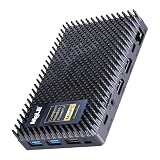
The Cyber X1 is notable for its cooling design. Published coverage describes a passive heatsink made of many plastic spikes rather than a finned aluminum shell, which is meant to expose more surface area to the air. The listing pairs an Intel N150 processor with 16GB of DDR4 and a 512GB SSD running Windows 11 Pro. The N150 is a quad-core Twin Lake chip with turbo up to 3.6GHz and a low power rating, intended for light desktop work.
Who it suits: home office users, students and small-business owners who want a quiet, compact PC for documents, web apps, video meetings and media streaming. It is also a good fit for a bedroom or living room where fan noise would be intrusive.
Key specs
- Intel N150, four cores, up to 3.6GHz
- 16GB DDR4 and 512GB SSD per this listing
- Published specifications describe two HDMI 2.0 ports and a USB-C port with DisplayPort output for up to three displays
- Gigabit Ethernet, Wi-Fi 5, Bluetooth 5.1
- M.2 2280 slot and microSD slot
- Variants differ in RAM type, so confirm the exact configuration on the product page
Strengths
The N150 is a clear step up from the older Gemini Lake chips and delivers smooth everyday performance. The combination of two HDMI outputs and a display-capable USB-C port lets you build a three-screen desk. The plastic heatsink design means the chassis does not feel like a hot metal block in the same way as an all-aluminum shell, although the device will still run warm under load.
Pros and Cons
Pros
- Silent operation with an unusual passive design
- Three-display support
- Modern quad-core processor
- Small footprint and low power use
Cons
- Four cores limit heavy multitasking
- Wi-Fi 5 and a single Gigabit port
- Power input arrangements differ across published sources, so check the adapter included
- Performance is not meant for gaming or video editing
Questions to settle first: Published listings for this model show different RAM types, including DDR4 and LPDDR5, and different power input arrangements, so compare the title line by line with the product page. Also check whether the SSD is a standard M.2 2280 that you can replace later, and whether a microSD slot is present for extra storage.
Versus the nearest alternative: The MeLE Quieter4C has the same processor, memory and storage on paper. The Cyber X1 is the better choice if you like its heatsink approach and port layout, while the Quieter4C is the better documented model with a metal case. The MINIX has more cores and faster networking.
Real-world fit: Use it as a main PC for office workloads and keep the room temperature reasonable. Passive cases rely on surrounding air, so avoid placing it in a closed cabinet or directly under a heat source.
4. MeLE Quieter4C (N150, 16GB, 512GB) – Best for a Value Silent Office PC

The Quieter4C is a palm-sized fanless PC that MeLE sells with an Intel N150, DDR4 memory, an SSD and Windows 11 Pro. Manufacturer data describes a body of roughly 131 by 81 by 18 millimeters weighing about 200 grams, two HDMI 2.0 outputs and a full-function USB-C port for a triple-display setup, Wi-Fi 5, Bluetooth 5.1, Gigabit Ethernet and a VESA mount. MeLE also states that surface temperatures can reach roughly 55 to 70 degrees Celsius under load, so the case is designed to run warm, and the company says this meets its safety standard.
Who it suits: shoppers who want a dependable, small and silent Windows machine for office tasks, video conferencing and light creative work, and who plan to mount it behind a monitor.
Key specs
- Intel N150, four cores, up to 3.6GHz turbo
- 16GB DDR4 and 512GB SSD in this listing
- Two HDMI 2.0 ports plus USB-C video for three displays
- Wi-Fi 5, Bluetooth 5.1, Gigabit Ethernet
- Passive cooling, VESA mount, USB-C power input
Strengths
The N150 handles general computing smoothly, and 16GB of RAM gives it more breathing room than the 8GB sticks. It is easy to mount and move, and power draw is low, which keeps running costs small for an always-on machine. MeLE advertises support for 24/7 operation.
Pros and Cons
Pros
- Small, silent and VESA-mountable
- Triple-display capability
- Low power consumption
- Good everyday performance for the class
Cons
- Case runs hot under load, by design
- Only four cores and Wi-Fi 5
- USB port counts differ among published sources, so confirm on the product page
- Not suitable for gaming or heavy editing
Questions to settle first: MeLE sells this body in many memory and storage configurations, and some use DDR4 while others use LPDDR5. Confirm the exact RAM type, the number and speed of USB ports in your version, and whether the power adapter is a 12-volt USB-C unit. A matching spare charger is worth having for an always-on machine. If you plan to run three displays, test the USB-C video output with your exact monitor and cable early in the return window, because adapters and long cables are the usual cause of a missing third screen.
Versus the nearest alternative: The SE Grade Quieter 4C is the same family with business-grade branding. The Cyber X1 is a slightly different design with a plastic heatsink. If you need more cores and 2.5GbE, step up to the MINIX.
Real-world fit: Because the case can become hot, mount it where it will not be touched casually, keep it clear of paper and fabric, and avoid placing it in a sealed enclosure. A few centimeters of free air on all sides help the passive design work as intended.
5. KINGDEL Fanless Industrial Computer (Core i7 8th Gen) – Best for Serial Ports, Kiosks and Industrial Use

The KINGDEL is a different kind of fanless PC. It uses an 8th generation Intel Core i7 processor, a quad-core chip with far more headroom than the Atom-class N-series, along with 16GB of RAM and a 512GB NVMe SSD. Its listing and published data highlight HDMI and VGA outputs, four USB 3.0 ports, two COM RS232 serial ports, Wi-Fi and Bluetooth, and a full metal case. Published information describes 4K output at 4096 by 2304, but at a lower refresh rate than modern 4K60 displays, so check the details if you plan to drive a high-refresh 4K monitor.
Who it suits: integrators and small businesses that need serial ports for scales, barcode readers, machine controllers or legacy peripherals, as well as kiosks, signage and point-of-sale stations that run for long hours.
Key specs
- Intel Core i7, 8th generation, quad-core
- 16GB RAM, 512GB NVMe SSD
- HDMI and VGA video outputs for dual displays
- Four USB 3.0 ports and two COM RS232 ports
- Wi-Fi and Bluetooth, full metal fanless case
Strengths
The processor is considerably stronger than the N100, N150 and J4105 chips in the rest of the roundup, so it can run heavier business software, virtual machines and multiple applications. Serial ports are rare on consumer mini PCs and are the main reason to choose this model. The all-metal case is built for continuous operation.
Pros and Cons
Pros
- Strongest processor in the list
- Two RS232 serial ports and VGA output
- Four USB 3.0 ports
- Industrial-style fanless build
Cons
- Older platform with older Wi-Fi and Bluetooth standards
- Larger and heavier than the stick and palm-sized models
- A 4K output at a low refresh rate is not ideal for fast motion
- Power draw and heat output are higher than the N-series machines
Questions to settle first: Do your peripherals use RS232 with standard cabling, and does the software expect specific COM port numbers? Do you need a modern Wi-Fi standard, given the published Wi-Fi and Bluetooth 4.2 specification? Is the warranty period suitable for business use? Industrial buyers should also confirm the operating temperature range from the manufacturer. Plan drivers for the serial ports and keep a copy of the vendor’s driver package, since industrial installations are often rebuilt years after the first setup.
Versus the nearest alternative: The MINIX Z300-0dB is the nearest in capability and is modern and efficient, but it lacks serial ports and VGA. Pick the KINGDEL if those ports matter and the MINIX if they do not.
Real-world fit: Industrial devices should be installed with ventilation in mind. Mount the case on a wall or under a counter with space around it, use grounded power and keep it away from liquids and dust.
6. Fanless Mini PC Stick (Celeron J4105, 8GB, 128GB, version two) – Best for Plug-Behind-the-Screen Use

The second J4105 stick offers a very similar specification to the first, but its listing highlights 4K HDMI, Gigabit Ethernet and Wi-Fi 5. Like the first, it uses a Celeron J4105 with 8GB of RAM and 128GB of eMMC storage and runs Windows 11 Pro. These two products look like variants from the same class of devices, so the choice between them should rest on the product page details, the seller and the return policy rather than on the headline specs.
Who it suits: buyers who want a stick PC to turn a monitor or TV into a basic Windows computer, for example for a shared family display, a small shop’s menu board or a meeting-room screen.
Key specs from the listing
- Intel Celeron J4105, 8GB RAM, 128GB eMMC
- Windows 11 Pro, fanless
- 4K HDMI output, RJ45 Gigabit Ethernet
- Wi-Fi 5 for wireless networking
Strengths
The wired port is a significant advantage for signage and kiosks that need a stable network. A stick form factor takes almost no space and consumes little power, and 8GB of memory keeps the system responsive for simple tasks.
Pros and Cons
Pros
- Tiny and silent
- Gigabit Ethernet plus Wi-Fi 5
- 8GB of RAM
- Easy to hide behind a display
Cons
- Old-generation processor with limited performance
- Slow eMMC storage and limited upgrade options
- Windows 11 eligibility for this processor should be checked against Microsoft’s list
- Limited published specifications for the brand
Questions to settle first: Is Windows pre-activated and genuine? Does the stick get hot enough to throttle behind a TV with poor ventilation? Is the Ethernet port reliable on your network? Because the brand is not widely documented, ask the seller about warranty handling and what happens if the unit arrives faulty. Wired Ethernet is the better choice for anything that must stay online, and Wi-Fi 5 is a sensible backup if the network cable is not within reach.
Versus the nearest alternative: The first J4105 stick is almost identical; the newer MeLE PCG02 offers a faster N100 chip in a similar form factor and is the better choice if a stick is what you want.
Real-world fit: Run Windows Update on arrival, set power options to avoid sleep if it serves as a display, and keep sticks away from a closed TV cabinet where heat builds up.
7. MeLE SE Grade Quieter 4C (N150, 16GB, 512GB) – Best for a Business-Grade Variant of the N150 Family

This listing is another entry in the Quieter 4C family. It names the Intel N150 with a 3.6GHz turbo, 16GB of RAM and 512GB of storage, and it carries the SE Grade branding that MeLE uses for its business-oriented range. The listing name does not mention the operating system, so confirm what is pre-installed. Published data for the Quieter 4C line describes the same compact body, dual HDMI outputs, USB-C video, VESA support and passive cooling as its siblings.
Who it suits: small offices and shops that want a handful of identical, silent, low-power PCs for staff desks or counters, and prefer a model aimed at business use.
Key specs from the listing
- Intel N150, up to 3.6GHz
- 16GB RAM and 512GB storage
- Fanless design, compact body
- Check the product page for operating system, ports and memory type
Strengths
Buying several identical PCs simplifies setup, support and spare parts. Low power draw makes a small fleet cheap to run, and silent operation suits quiet offices. The N150 provides smooth performance for browser-based tools, point-of-sale software, email and video calls.
Pros and Cons
Pros
- Business-oriented branding and compact size
- Same efficient N150 platform as the Quieter4C
- Silent and VESA-mountable
- Low power consumption
Cons
- Operating system is not stated in the listing name
- Four cores and Wi-Fi 5 limit heavy workloads
- Case runs warm by design
- Listing is short on detail
Questions to settle first: The short listing leaves out the operating system, RAM type and port count, so read the product page carefully. If you plan to buy several, order one first, confirm it behaves as expected, then place the larger order. Ask about bulk warranty support if the machines will serve a business. If your workload is only browser-based, this class of machine can replace a loud desktop tower with no visible change to your daily routine and a smaller desk footprint.
Versus the nearest alternative: The standard Quieter4C in this list names Windows 11 Pro explicitly, which makes it easier to evaluate. Choose the SE Grade only if the product page confirms the configuration you need.
Real-world fit: For a small fleet, label each unit, record its serial number, and configure a standard image so replacement is quick.
8. MeLE PCG02 Business Grade PC Stick (N100, 8GB, 128GB) – Best for Digital Signage and Thin-Client Use

The PCG02 is a fanless stick PC with an Intel N100, 8GB of RAM, 128GB of storage and Windows 11 Pro per the listing. The N100 is a quad-core Alder Lake-N chip with turbo up to 3.4GHz and a 7-watt power rating, which gives it a clear edge over older Celeron J4105 sticks. Published data for the PCG02 describes an HDMI 2.0 output, a full-function USB-C port that can drive a second 4K display, two USB 3.2 Type-A ports, Gigabit Ethernet and Wi-Fi 5, and notes that a VESA mount and an HDMI extension cable are bundled because the stick is fairly chunky. A Pro variant with two HDMI outputs also exists, so check which version you are buying.
Who it suits: installers of digital signage, meeting-room screens and thin-client desks, plus home users who want a small Windows computer hidden behind a TV.
Key specs from the listing
- Intel N100, four cores, up to 3.4GHz
- 8GB RAM and 128GB storage
- Windows 11 Pro, fanless design
- Ports and memory type vary by version, so confirm on the product page
Strengths
It is the most modern stick in the roundup and offers a meaningful performance and efficiency jump over the J4105 sticks. The VESA bracket makes it easy to hide behind a screen, and low power draw suits all-day operation. It can also be set to power on automatically after a power cut through BIOS options, a useful feature for signage.
Pros and Cons
Pros
- Newer, faster N100 processor
- Very compact with a VESA mount
- Good for signage and thin-client roles
- Low power usage
Cons
- Only 8GB of RAM and 128GB of storage
- Single HDMI output on the standard version
- Wi-Fi 5 rather than Wi-Fi 6
- A heavy-duty workload will exceed its capacity
Questions to settle first: Do you need one HDMI output or two? The standard PCG02 has one, while the Pro version has two. Is the HDMI extension cable in the box? Will the stick get airflow behind the display? Confirm RAM type and storage speed, since eMMC is slower than an SSD for updates and boot times. When the stick is plugged straight into a display, a stiff HDMI port can bend under its weight, so the extension cable and bracket included with this family are worth using.
Versus the nearest alternative: The Quieter4C has an N150, 16GB of RAM and a larger SSD in a slightly larger box, making it the better general-purpose desktop. The PCG02 is the better choice when the smallest possible stick matters.
Real-world fit: Check the HDMI extension cable and VESA bracket in the box, mount the stick where air can move around it and enable the auto power-on setting in the BIOS for unattended displays.
How to Choose a Fanless Mini PC
Start with the decision table, then use the sections that follow to check power draw, thermal limits and the details that listings leave out.
Decision matrix
| Your situation | Pick | Why |
|---|---|---|
| Silent main desktop with many tabs and apps | MINIX NEO Z300-0dB | Eight cores, 16GB RAM, 2.5GbE, Wi-Fi 6 |
| Quiet office PC at a sensible spec | MeLE Quieter4C or Cyber X1 | N150, 16GB, 512GB SSD, triple-display capable |
| A fleet of identical office or shop PCs | MeLE SE Grade Quieter 4C | Business-oriented N150 family |
| Serial devices, legacy gear, kiosks | KINGDEL Fanless Industrial | Two RS232 ports, VGA, HDMI, four USB 3.0 |
| Digital signage or a screen-back thin client | MeLE PCG02 PC Stick | N100 in the smallest form, VESA bracket |
| A basic always-on Windows stick on a tight setup | J4105 stick (either version) | Tiny and silent, with older performance |
Processor classes at a glance
- Intel Celeron J4105 (2017 era): four cores at low clocks, adequate for simple tasks, weaker with modern web pages and multitasking.
- Intel N100 and N150: four efficient cores with much better single-thread speed than J4105, suited to browsers, office software and light media work.
- Intel Core i3-N300: eight efficient cores in the same low-power family, noticeably better with many parallel tasks.
- Intel Core i7 8th generation (KINGDEL): four larger cores with higher clocks and hyper-threading, stronger peak performance but higher power and heat.
Choose by workload. A device that mostly shows a dashboard or a web page does not need an i7. A device that runs accounting software, a few browser windows and a video call at once will feel better on the MINIX or the KINGDEL.
Worked example: running cost and heat
Power draw shapes both running cost and heat. A machine that averages 10 watts uses 10 x 24 x 365 = 87,600 watt-hours a year, or 87.6 kilowatt-hours if left on all day. One that averages 25 watts uses 219 kilowatt-hours. Multiply either figure by your local electricity rate to estimate the yearly cost. The difference between a 10-watt N-series box and a 25-watt i7 system is about 131 kilowatt-hours a year, which matters if you run a small fleet. For ten machines, the gap grows to roughly 1,300 kilowatt-hours. Published figures put the MINIX Z300-0dB at about 12 watts typical and about 25 watts at its maximum, and sticks like the PCG02 are rated for a 7-watt processor, but real consumption depends on workload, so treat these as ballparks.
Every watt consumed turns into heat, and a fanless case has to shed it by conduction and convection. A 7 to 10-watt machine can do this with a compact metal shell or heatsink. A 25-watt machine needs a larger surface or a good airflow path. That is why the KINGDEL is bigger than the MeLE boxes, and why even small passive PCs run warm to the touch. MeLE states that surface temperatures of its Quieter4C can reach roughly 55 to 70 degrees Celsius under load, which is a reminder to place these devices out of reach of children and away from paper, cables and fabric.
Memory, storage and upgrade paths
For Windows 11, 8GB is a workable minimum and 16GB is comfortable. Check whether memory is soldered or socketed. The MINIX uses a SO-DIMM slot, while several MeLE variants use soldered LPDDR5 or a single DDR4 slot depending on the version. For storage, an NVMe or SATA SSD is much faster than eMMC, which is used on the sticks. If the machine will hold local data, prefer an SSD of at least 256GB. If you plan to add a second drive, check for a free M.2 or SATA slot. Remember also that the SSD in a passive case can run hotter than in a ventilated desktop, so a quality drive with good thermal behavior is a sensible choice.
Ports and displays
Count the displays you need, then check which ports can drive them. The MINIX has two HDMI outputs and a data-only USB-C port, so it supports two displays. The N150 MeLE boxes combine two HDMI ports with a display-capable USB-C port for three. The KINGDEL offers HDMI and VGA. Sticks usually have one HDMI output and sometimes a USB-C display output. Also check the network: Gigabit Ethernet is standard, 2.5GbE is a bonus for a NAS or fast LAN, and Wi-Fi 6 helps in crowded wireless environments. For legacy equipment, only the KINGDEL lists RS232 serial ports.
Operating system and licensing
Most listings include Windows 11 Pro. Confirm that the license is genuine and activated, because activation problems are a common complaint with lesser-known brands. For the J4105 sticks, check Microsoft’s published list of supported processors before you rely on Windows 11 updates. For the 8th-generation i7 in the KINGDEL, Windows 11 support applies, but check the BIOS and TPM settings that the seller has configured. Linux distributions generally run well on all of these platforms and can be a good fit for kiosks or home servers.
Fanless Cooling Explained
A fanless PC, sometimes called a passive or 0dB PC, has no moving parts for cooling. The processor’s heat flows into a metal or plastic heatsink that doubles as the case, and the case then releases the heat into the surrounding air. Without fans, there is no fan noise, no fan failure and much less dust drawn into the machine. The trade-off is that the heat budget is limited. If a processor works hard for a long time, the case warms up until the chip reduces its speed to keep temperatures safe, which is called thermal throttling. Chips with a 6 to 10-watt power rating, like the N100, N150 and N300, are chosen because they stay within what a small passive case can dissipate.
Placement matters. A passive PC needs free air, so avoid stuffing it into a closed cabinet or sandwiching it between devices. A vertical orientation with open space above helps hot air rise. A room that is cool and moves air will let the case shed heat more easily. In a hot room or direct sun, performance may drop. Because these devices can feel hot to the touch at idle and hotter under load, treat warmth as normal within the manufacturer’s stated limits but do not cover the case or place it on a soft surface such as a bed or sofa.
Different designs take different approaches. The MINIX uses its metal case as the heat spreader. The MeLE Cyber X1 uses a plastic spiked heatsink, and the Quieter4C uses a metal body with a larger dissipation area. The KINGDEL uses a heavy metal enclosure typical of industrial PCs. Each approach is a compromise between weight, size, cost and thermal capacity.
Best Uses for a Fanless Mini PC
- Silent home office: The MINIX and the N150 MeLE boxes are quiet enough for bedrooms and recording spaces.
- Digital signage: Sticks and compact boxes with VESA brackets hide behind screens and run for long hours.
- Home media and streaming: A fanless PC with a hardware video decoder handles most video playback without noise.
- Small home server: Ethernet, low power and silent operation suit file sharing, a home automation hub or lightweight self-hosted tools. The MINIX is the strongest candidate, with its 2.5GbE port.
- Point of sale and kiosks: The KINGDEL’s serial ports, VGA and USB 3.0 connections fit legacy peripherals.
- Dusty or sensitive environments: Workshops, studios and clinics benefit from the absence of fan intake, though the device still needs a clean environment and occasional dusting of the case.
Setup Tips and Common Mistakes
- Update firmware and Windows first. Install updates before loading software, and restart until no more updates appear.
- Set the BIOS options you need. Auto power on after power loss and Wake-on-LAN are valuable for signage and servers, and published data says MeLE and MINIX models support them.
- Use the supplied power adapter. Mini PCs are sensitive to voltage and connector type, and a wrong adapter can cause instability or damage.
- Disable unneeded startup items. Dual and quad-core low-power chips respond best to a tidy system.
- Mount for airflow. If using a VESA bracket, leave a gap between the PC and the monitor.
- Monitor temperatures. A free monitoring utility can show CPU temperature and throttling under load.
Mistakes to avoid include buying a J4105 stick for a demanding workload, placing a passive PC in a sealed cabinet, assuming every USB-C port outputs video, ignoring RAM type differences between variants of the same model name, and forgetting the cable you need for your display, such as a short HDMI extension or a USB-C cable.
Safety and Care
Treat a passive PC like a small heater that is usually mild but can run warm. Keep it clear of flammable materials, do not cover it and place it where children and pets cannot touch it while it is hot. Use only the supplied power adapter or a replacement with the same voltage, current and polarity. Do not open the case while it is connected to power, and unplug it before cleaning. Clean the case with a dry or lightly damp cloth, and remove dust from the surface with a soft brush. For industrial installations, make sure the equipment is grounded and installed according to local electrical rules, and ask a qualified electrician for any permanent wiring.
Tuning Windows for a Low-Power Mini PC
Low-power processors reward a lean Windows setup, and a few changes make the same hardware feel noticeably quicker. Begin by uninstalling preloaded software you do not need, because background updaters and trial programs compete for the same four cores. Use the startup tab in Task Manager to disable launchers that do not need to run at sign-in, and keep only one security product active. Choose a browser profile with a short extension list, since each extension adds memory use, and consider turning on the browser’s memory saver mode so inactive tabs release resources.
Next, look at power settings. A balanced power plan works for most uses, and desktop mini PCs rarely need aggressive sleep timers unless they are used as signage or servers. If the machine drives a display all day, disable display sleep in the screen settings and allow the PC to stay awake while connected to power. Turn off visual effects you do not need, since transparency and animation add a small but measurable load on integrated graphics.
Storage deserves attention too. Keep at least 15 to 20 percent of the drive free so the SSD has room to manage wear, and move large media libraries to an external drive or network storage when the internal disk is small. Run Windows Update monthly, and use the built-in storage cleanup after large updates. On eMMC models, avoid heavy swap activity by keeping enough memory free, because eMMC is slower than an NVMe drive at small random writes.
Finally, back up. A small PC that sits behind a screen is easy to forget, so schedule a regular image or file backup to a network location or cloud service. For signage and kiosks, create a recovery image after setup so a replacement unit can be restored in minutes if a drive fails or an update goes wrong. Record the Windows license information, the BIOS settings you changed and the cable layout so a technician can reproduce the installation without guesswork.
Stick, Palm-Sized Box or Industrial Case: Which Format?
The eight machines fall into three formats, and the format often decides more than the processor name. Stick PCs, like the two J4105 models and the MeLE PCG02, are about the size of a large flash drive or a small remote. They are easy to hide, but they have little surface area for cooling, a handful of ports and usually only eMMC storage. They are best for single-purpose jobs where the screen is the main attraction.
Palm-sized boxes, like the MeLE Cyber X1, the Quieter4C and the SE Grade, give the case more surface area and room for an M.2 SSD, extra video outputs and a second network or USB-C port. They are the sweet spot for most home and office users, because they balance size, silence and flexibility. The MINIX Z300-0dB sits at the top of this group, with a thicker metal shell that carries an eight-core chip.
Industrial cases, like the KINGDEL, trade compactness for expansion and durability. They tend to include serial ports, VGA, more USB ports and a heavy metal enclosure intended for continuous operation. They are overkill for a home office, but the right tool for kiosks and equipment control. When choosing between formats, ask two questions: how many ports and displays do you truly need, and how much heat does the workload generate? If the answers are few ports and a light workload, a stick will do. If you need three displays or fast networking, move up to a box. If you need serial connections, go industrial.
Frequently Asked Questions
Is a fanless mini PC really silent?
The cooling is silent because it has no fan. Other components can still make small sounds, such as coil whine from a power adapter, but the system is typically quieter than any fan-cooled machine.
Will a fanless PC overheat?
These systems are designed to manage heat by reducing speed when they get hot, so they throttle rather than fail. Good placement, a cool room and moderate workloads help them perform consistently.
Can I run two or three monitors?
It depends on the model. The MINIX supports two HDMI displays. The N150 MeLE boxes list two HDMI ports and a USB-C display output for three. The sticks usually support one or two. Check the video outputs on the product page.
Is 8GB of RAM enough?
For signage, a single-purpose kiosk or light browsing, yes. For general office use with many tabs, 16GB is more comfortable and extends the useful life of the machine.
Can I upgrade the memory or the SSD?
The MINIX has a socketed memory module and an M.2 slot, and MeLE models list an M.2 slot, but memory type varies by version. Sticks with eMMC storage are usually not upgradeable. Confirm before you buy.
Are these good for gaming?
They suit light, older or streamed games. The integrated graphics and power limits are not designed for demanding modern titles, and sustained gaming makes a passive case hot.
What is a COM port, and who needs one?
A COM or RS232 port is a serial connection used by older equipment such as scales, barcode scanners, card readers and industrial controllers. Only the KINGDEL in this list offers it, so it is the choice for those devices.
Can I leave a fanless PC on all day?
Most are designed for continuous use, and MeLE advertises 24/7 operation for some models. Keep the environment ventilated, update the operating system regularly and use a surge protector.
Our Recommendation by Situation
If you want one silent computer to do the most, choose the MINIX NEO Z300-0dB. If you want a smaller, efficient office machine, the MeLE Quieter4C or Cyber X1 is the sensible choice. For serial ports and legacy gear, the KINGDEL is the one to buy. For a hide-behind-the-screen signage player, the MeLE PCG02 stick is the best of the stick group, while the J4105 sticks suit only the lightest tasks. Always confirm RAM type, ports, operating system and warranty on the product page before ordering.
Ready to decide? Our #1 pick for 2026 is the MINIX NEO Z300-0dB.
Live price & availability on Amazon.
Related Reviews & Guides

Best Mini PC for Plex Server in 2026
Best Mini PC with OCuLink in 2026