Last Updated: October 13, 2026
- Top 3 Picks
- Quick Comparison
- How We Chose
- 1. KAMRUI AK1PLUS (Celeron N5095) – Best for Direct-Play 1080p Libraries
- 2. Dell OptiPlex 3050 Micro (Core i5-7500T) – Best for an Entry-Level Refurbished Server
- 3. Dell OptiPlex 7050 Micro (Core i5-6500T) – Best for Extra Memory on a Refurbished Budget
- 4. GMKtec G11 (Ryzen Embedded R2514) – Best for Direct Play and Light Extras
- 5. GMKtec G3S (Intel N95) – Best for Efficient Quick Sync Transcoding
- 6. Getorli Ryzen 5 3500U – Best for a Multi-Purpose Home Server
- 7. HP EliteDesk 800 G4 Mini (Core i5-8500T) – Best for Six-Core Refurbished Value
- 8. ACEMAGIC K1 (Ryzen 7330U) – Best for Docker-Heavy Setups
- 9. GMKtec Core i7-1185G7 – Best for 4K HDR and Heavy Transcoding
- How to Choose a Mini PC for Plex
- Frequently Asked Questions
- Our Recommendation by Situation
The best mini PC for a Plex server for most households is the GMKtec G3S, a compact box built around an Intel N95 processor. That chip belongs to Intel’s twelfth-generation family, so it carries a modern Quick Sync video engine with hardware decoding for HEVC and AV1 and efficient encoding for H.264, all at a very low power draw. It suits anyone who wants an always-on server that streams a mostly 1080p library to a few rooms, handles an occasional remote stream, and does not add noticeable noise or heat to the living room. If your library is heavy on 4K HDR remuxes or you regularly serve several remote viewers at once, the GMKtec Core i7-1185G7 model is the stronger pick. If you would rather recycle business hardware, the HP EliteDesk 800 G4 and the Dell OptiPlex Micro systems give you proven, quiet, upgradeable machines for less money than new. This guide walks through all nine options, explains what really matters for Plex (hardware transcoding, direct play, storage, and idle power), and ends with a decision table and calculation so you can match a machine to your own library.
📄 In This Review
- Top 3 Picks
- Quick Comparison
- How We Chose
- 1. KAMRUI AK1PLUS (Celeron N5095) – Best for Direct-Play 1080p Libraries
- 2. Dell OptiPlex 3050 Micro (Core i5-7500T) – Best for an Entry-Level Refurbished Server
- 3. Dell OptiPlex 7050 Micro (Core i5-6500T) – Best for Extra Memory on a Refurbished Budget
- 4. GMKtec G11 (Ryzen Embedded R2514) – Best for Direct Play and Light Extras
- 5. GMKtec G3S (Intel N95) – Best for Efficient Quick Sync Transcoding
- 6. Getorli Ryzen 5 3500U – Best for a Multi-Purpose Home Server
- 7. HP EliteDesk 800 G4 Mini (Core i5-8500T) – Best for Six-Core Refurbished Value
- 8. ACEMAGIC K1 (Ryzen 7330U) – Best for Docker-Heavy Setups
- 9. GMKtec Core i7-1185G7 – Best for 4K HDR and Heavy Transcoding
- How to Choose a Mini PC for Plex
- Frequently Asked Questions
- Our Recommendation by Situation
Quick answer: For most people in 2026, the best mini pc for plex server is the KAMRUI AK1PLUS — our #1 rated choice. See the full ranked comparison, alternatives and buying advice below.
Top 3 Picks
Best overall: GMKtec G3S (Intel N95). A new, fanned mini PC with a modern Intel integrated GPU, low power consumption, 8GB of RAM, and a VESA mount for hiding it behind a monitor or TV. It covers the common Plex scenario of one to three simultaneous streams, including transcodes, without drama.

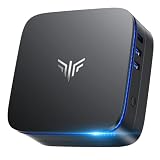
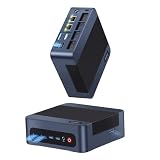
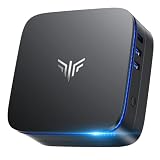
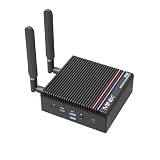
KAMRUI AK1PLUS Mini PC Computer, Intel Celeron N5095 (Up to 2.9GHz), 16GB RAM 256GB SSD, Dual 4K Mini Desktop Computer, Support 2.5'' SSD Expansion, WiFi, Bluetooth, Ethernet, Business Home Office PC
Included for 'Best Mini PC for Plex Server in 2026' because the listing specifies Intel Celeron N5095 (Up to 2.9GHz) and 16GB RAM 256GB SSD, details this guide uses to compare options.
View on Amazon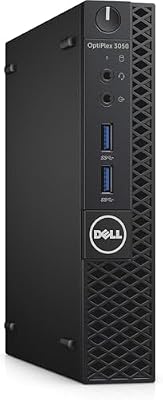
Dell OptiPlex 3050 Micro Form Factor Desktop Computer, Intel Core i5-7500T, 8GB DDR4, 256GB Solid State Drive, Windows 11 Pro (Renewed)
Included for 'Best Mini PC for Plex Server in 2026' because the listing specifies Intel Core i5-7500T and 8GB DDR4, details this guide uses to compare options.
View on Amazon
Dell OptiPlex 7050 Micro Computer, Intel Quad Core i5-6500T up to 3.1GHz, 16G DDR4, 256G SSD, Windows 11 Pro 64 Bit (Renewed)
Included for 'Best Mini PC for Plex Server in 2026' because the listing specifies Intel Quad Core i5-6500T up to 3.1GHz and 16G DDR4, details this guide uses to compare options.
View on Amazon
GMKtec G11 Mini PC AMD Ryzen Embedded R2514 (Beats 4300U/N150) | 16GB Dual DDR4 256GB NVMe SSD/ Dual RJ45 2.5G WiFi6E BT5.2/ USB3.2 HDMI AMD Radeon Graphic Desktop Mini Computers
Included for 'Best Mini PC for Plex Server in 2026' as a relevant option in this category; details come from the product listing.
View on Amazon
GMKtec G3S Mini PC Intel N95 Processor (Up to 3.4GHz) 8GB RAM 256GB M.2 SSD | Mini Desktop Computer with VESA Mount for Office Home Business HTPC Proxmox, Dual 4K Display, WiFi 5, Gigabit Ethernet
Included for 'Best Mini PC for Plex Server in 2026' because the listing specifies Dual 4K Display and WiFi 5, details this guide uses to compare options.
View on Amazon
Getorli Mini PC AMD Ryzen 5 3500U (4C/8T, Max 3.7GHz) Small Desktop Computer 16GB DDR4 RAM 512GB NVMe SSD Budget Micro Compact PCs 4K HD Dual HDMI WiFi 6 BT5.3 Prebuilt OS-Home Office Gaming Streaming
Included for 'Best Mini PC for Plex Server in 2026' as a relevant option in this category; details come from the product listing.
View on Amazon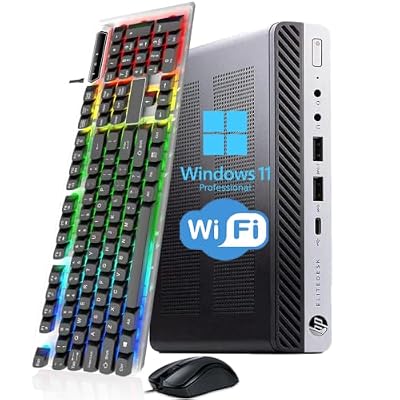
HP EliteDesk 800 G4 Mini PC, Core i5-8500T, 8GB RAM, 256GB SSD(Renewed)
Included for 'Best Mini PC for Plex Server in 2026' because the listing specifies Core i5-8500T and 8GB RAM, details this guide uses to compare options.
View on Amazon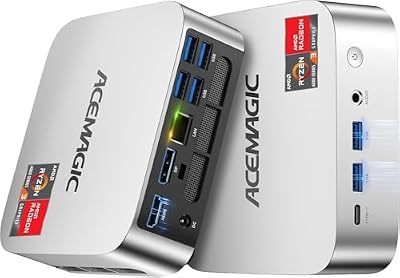
ACEMAGIC K1 Mini PC AMD Ryzen 7330U 16GB 256 SSD 4 Cores 8 Threads 4.3GHz
Included for 'Best Mini PC for Plex Server in 2026' as a relevant option in this category; details come from the product listing.
View on Amazon
GMKtec Mini PC Intel Core i7-1185G7 (Up to 8 GHz) 16GB DDR4 1TB SSD
Included for 'Best Mini PC for Plex Server in 2026' as a relevant option in this category; details come from the product listing.
View on AmazonBest value: HP EliteDesk 800 G4 Mini (Core i5-8500T, renewed). A six-core, 35-watt-class business desktop that Plex users have relied on for years. Its UHD 630 graphics support hardware HEVC decoding, and the chassis is designed for 24/7 office use. Because it is a renewed unit, confirm the seller’s warranty and return window.
Best premium: GMKtec Mini PC (Core i7-1185G7). A Tiger Lake chip with Iris Xe graphics, four cores and eight threads, and plenty of headroom for 4K HDR transcoding with tone mapping, multiple remote streams, and Docker containers alongside Plex.
Quick Comparison
See also: Best Mini PC for Home Office in 2026 • Best Fanless Mini PC in 2026
| Product | Best for | Key specs (from the listing) |
|---|---|---|
| KAMRUI AK1PLUS | Direct-play 1080p libraries | Intel Celeron N5095, 16GB RAM, 256GB SSD, dual 4K output, room for a 2.5-inch SSD |
| Dell OptiPlex 3050 Micro | Entry-level refurbished server | Core i5-7500T, 8GB DDR4, 256GB SSD, Windows 11 Pro, renewed |
| Dell OptiPlex 7050 Micro | Refurbished with more memory | Core i5-6500T quad-core, 16GB DDR4, 256GB SSD, Windows 11 Pro, renewed |
| GMKtec G11 | Direct play and light extras | AMD Ryzen Embedded R2514, embedded-class AMD APU |
| GMKtec G3S | Efficient Quick Sync transcoding | Intel N95 up to 3.4GHz, 8GB RAM, 256GB M.2 SSD, VESA mount |
| Getorli Ryzen 5 3500U | Multi-purpose home server | 4 cores/8 threads up to 3.7GHz, 16GB DDR4, 512GB NVMe, dual 4K output |
| HP EliteDesk 800 G4 Mini | Six-core refurbished value | Core i5-8500T, 8GB RAM, 256GB SSD, renewed |
| ACEMAGIC K1 | Docker-heavy setups | Ryzen 7330U, 4 cores/8 threads up to 4.3GHz, 16GB RAM, 256GB SSD |
| GMKtec Core i7-1185G7 | 4K HDR and heavy transcoding | Intel Core i7-1185G7, 16GB DDR4, 1TB SSD |
How We Chose
This roundup is built from published documentation and listing details. We started with the hardware limits that Plex documents publicly: hardware-accelerated streaming requires an Intel Quick Sync-capable processor and a Plex Pass subscription on the server owner’s account, while software transcoding falls back on raw CPU power. We then read each listing’s stated processor, memory, storage, and ports, and matched the processor generation against what is generally known about its integrated graphics and video engine. We weighted six factors: Quick Sync generation and codec support, CPU headroom for software transcodes, idle power draw and noise, memory and storage expandability, whether the unit is new or renewed, and how easily it can connect to a NAS or external drives. We did not reward raw gaming-style specs, because Plex rewards efficiency and codec support more than peak clocks. Where a listing does not state a detail, such as the exact number of storage slots, we say so and suggest confirming it on the product page.
1. KAMRUI AK1PLUS (Celeron N5095) – Best for Direct-Play 1080p Libraries
As an Amazon Associate we earn from qualifying purchases at no extra cost to you.

The KAMRUI AK1PLUS is a small desktop built around the Intel Celeron N5095, a Jasper Lake processor with four cores, four threads, and a power class of roughly fifteen watts. The listing pairs it with 16GB of RAM and a 256GB SSD, advertises dual 4K display output, and notes support for an additional 2.5-inch SSD. For a Plex server, the main attraction is the combination of low power use, ready-to-run memory, and the option to add a second drive without buying a separate enclosure.
Who it suits: households that mostly play files directly on capable clients such as a modern smart TV, streaming stick, or game console, where the server only reads files and hands them over. Direct play uses very little CPU, so a chip like this idles comfortably and costs little to run around the clock. It also suits someone who wants to learn self-hosting without committing to bigger hardware.
Key specs from the listing
- Intel Celeron N5095, up to 2.9GHz, four cores
- 16GB RAM and 256GB SSD
- Dual 4K display output
- Support for an additional 2.5-inch SSD
- Compact mini desktop form factor
Strengths: the N5095’s integrated graphics include a Quick Sync engine that can accelerate H.264 and 10-bit HEVC decoding, so a single 1080p transcode is realistic once you hold a Plex Pass. The 16GB of memory is generous for a Plex-only machine and leaves room for a few containers such as a download manager or a monitoring tool. The extra 2.5-inch bay is useful for a media drive, although you should confirm whether the bay uses a SATA connection and whether a bracket and cable are included.
Limits: this processor generation does not offer hardware AV1 decoding, and heavy HDR tone mapping is better left to newer silicon. If several family members stream at once to clients that cannot direct play your files, the quad-core CPU will be the first thing to run out of room.
Expanding it sensibly. If you add a 2.5-inch SSD, use it for the Plex database, thumbnails, and a modest local media folder, and keep the larger library on a NAS. Confirm whether the unit provides gigabit Ethernet, because a wired connection helps remote streaming more than any other upgrade.
Pros
- Low power draw and a quiet profile suited to always-on use
- 16GB of RAM is ample for Plex plus a few containers
- Room for an extra 2.5-inch drive according to the listing
- Hardware decoding for H.264 and 10-bit HEVC on the integrated GPU
Cons
- No hardware AV1 decode on this chip generation
- Limited headroom for several simultaneous 4K transcodes
- Only 256GB of internal storage, so media must live on external or network drives
Compared with its nearest alternative, the GMKtec G3S, the KAMRUI offers more memory out of the box but an older graphics engine. The G3S is the better pick if you expect to transcode newer codecs or care about efficiency; the KAMRUI makes sense if the 16GB of RAM and extra drive bay matter more than the newer silicon.
2. Dell OptiPlex 3050 Micro (Core i5-7500T) – Best for an Entry-Level Refurbished Server

The Dell OptiPlex 3050 Micro is a renewed business desktop in Dell’s tiny Micro form factor. The listing names a Core i5-7500T, 8GB of DDR4, a 256GB solid state drive, and Windows 11 Pro. The i5-7500T is a Kaby Lake chip with four cores, four threads, and a 35-watt thermal design power, paired with Intel HD Graphics 630. That graphics engine matters for Plex because Kaby Lake introduced hardware decoding for 10-bit HEVC, which is the codec used by most 4K HDR releases.
Who it suits: a first-time Plex builder who wants a reliable, well-documented machine, is comfortable with a refurbished product, and plans to keep media on a separate NAS or USB drive. Business desktops like this were designed to sit on a desk for years, and parts, drivers, and community guides are easy to find.
Key specs from the listing
- Intel Core i5-7500T, four cores, 35-watt class
- 8GB DDR4 memory
- 256GB solid state drive
- Windows 11 Pro, renewed condition
- Micro form factor business desktop
Strengths: Quick Sync on this generation is a proven platform for Plex. One or two 1080p transcodes, subtitle burn-in, and a handful of direct-play streams are well within its reach. The Micro chassis typically accepts two SODIMM memory modules and offers internal storage options beyond the included SSD, but exact slot layouts vary by configuration, so confirm on the product page before planning upgrades. Power comes from an external adapter, which keeps the unit small and cool.
Limits: 8GB of memory is adequate for Plex itself but tight if you add a database-heavy stack. Renewed hardware varies in cosmetic condition and battery-backed clock components, and the warranty is set by the seller rather than Dell. Hardware tone mapping for 4K HDR is better supported on later generations.
Setup notes. Refurbished business PCs are easiest to deploy when you treat the first day as a checkout. Update the BIOS if the seller has not, confirm that the SSD reports healthy status in the operating system, and run a long memory test overnight. Then enable the Plex hardware acceleration option, assuming you hold a Plex Pass, and play a 10-bit HEVC file to a client that forces a transcode. If the transcode shows as hardware in the dashboard, the platform is working as intended. This machine also works well headless, meaning without a monitor, once Remote Desktop or a similar tool is configured.
Who should skip it. Readers who expect to add many simultaneous remote viewers, or who want AV1 support for newer files, should look at the N95 or Core i7 machines instead.
Pros
- Mature Quick Sync generation with 10-bit HEVC hardware decoding
- Small, quiet business chassis built for continuous use
- Windows 11 Pro licensing included in the listing
- Widely documented hardware with strong community support
Cons
- 8GB of RAM leaves less room for add-on services
- Renewed condition means cosmetic wear and seller-dependent warranty
- No AV1 hardware decode and limited tone-mapping support
Its nearest alternative is the OptiPlex 7050 Micro below, which swaps a newer graphics generation for double the memory. If your library is mostly H.264 and 10-bit HEVC, the 3050 is the more capable media engine of the two; if you will run extra services, the memory in the 7050 helps, though you could also add RAM to the 3050.
3. Dell OptiPlex 7050 Micro (Core i5-6500T) – Best for Extra Memory on a Refurbished Budget

The OptiPlex 7050 Micro is the 3050’s higher-tier sibling in the same family. This renewed listing names an Intel Core i5-6500T quad-core processor with turbo to 3.1GHz, 16GB of DDR4, a 256GB SSD, and Windows 11 Pro 64-bit. The i5-6500T is a Skylake part with Intel HD Graphics 530. Skylake’s Quick Sync engine handles H.264 well and can decode 8-bit HEVC in fixed-function hardware, but 10-bit HEVC is handled less efficiently than on the Kaby Lake chip in the 3050.
Who it suits: someone who wants a sturdy refurbished machine for a library that is mostly H.264 files and 1080p HEVC, who values having 16GB of memory without buying extra modules, and who plans to run Plex alongside tools such as a torrent client, a reverse proxy, or home automation software.
Key specs from the listing
- Intel Core i5-6500T, quad-core, up to 3.1GHz
- 16GB DDR4 memory
- 256GB SSD
- Windows 11 Pro 64-bit, renewed
Strengths: the 16GB configuration is the main draw. Plex’s own memory needs are modest, but a server that also runs containers or virtual machines benefits from the headroom. Dell’s 7050 line was aimed at business buyers, so the Micro chassis is built for steady operation and generally offers a bit more expansion than the lower-tier 3050. Microsoft’s Windows 11 requirements are an important check on any renewed machine of this age: confirm on the listing that the installed license is genuine and that the system boots Windows 11 as advertised.
Limits: because Skylake graphics decode 10-bit HEVC less efficiently, a 4K HDR file that needs transcoding may lean on the CPU. With four cores and no hyper-threading, that can saturate quickly. For a server that mainly direct plays, this limitation seldom shows.
Making the most of 16GB. A Plex server alone seldom uses more than a couple of gigabytes, so the extra memory is best treated as room to grow. A common pairing is Plex plus a download client, a request manager, and a lightweight dashboard, all in containers. If you go that route, keep the Plex transcode temp folder on the SSD and place the Plex database on the SSD as well, since random reads against a spinning drive make library browsing feel slow. On a quad-core processor without hyper-threading, avoid running heavy background jobs, such as large file hashing, while family members are streaming.
Pairing advice. If you mostly play on devices that handle HEVC natively, this unit will rarely need to transcode and will sit near idle. That is where an older Skylake chip is perfectly comfortable.
Pros
- 16GB of memory included, useful for Plex plus add-on services
- Reliable business-class build with a long service history
- Low heat and noise at idle
- Windows 11 Pro listed for easy remote administration
Cons
- Older Skylake graphics are weaker for 10-bit HEVC transcodes
- Four threads limit software transcoding capacity
- Renewed unit with a seller-defined warranty
Against the 3050, the trade is clear: more memory here, better video silicon there. Against the HP EliteDesk 800 G4 further down this list, the 7050 loses on both CPU cores and graphics generation, so it is best when its 16GB configuration is the deciding factor.
4. GMKtec G11 (Ryzen Embedded R2514) – Best for Direct Play and Light Extras

The GMKtec G11 is built around the AMD Ryzen Embedded R2514, an embedded-class processor from AMD’s R2000 family with Zen-based cores and Radeon Vega graphics. The listing is terse, naming the chip and making a comparison claim against other low-power processors. That comparison is the seller’s own and is not something we can verify, so treat the exact memory, storage, and port configuration as details to confirm on the product page before you buy.
Who it suits: a reader who wants a quiet machine that direct plays media, runs a few lightweight services, and may double as a home lab box. Embedded-class AMD chips are designed for long duty cycles and efficient operation, which fits a server that never turns off. Because Plex hardware transcoding is primarily an Intel Quick Sync and NVIDIA feature, this machine should be thought of as a direct-play server first.
Key specs from the listing
- AMD Ryzen Embedded R2514 processor
- Radeon Vega-class integrated graphics (embedded Ryzen design)
- Compact GMKtec mini PC chassis
- Memory and storage configuration: confirm on the product page
Strengths: AMD’s integrated graphics are capable for local display and general desktop work, and the CPU side offers multi-threaded performance that suits file serving, backups, and containerized apps. The embedded designation suggests an emphasis on stability and moderate power use.
Limits: Plex’s own support documentation describes hardware-accelerated streaming in terms of Intel Quick Sync, and AMD support is limited and described by the company as limited. In practice that means that on this machine transcodes will most likely run in software on the CPU. A software transcode of a single 1080p stream is manageable on a four-core, eight-thread chip, but a 4K HDR tone-mapping job is not. If you value open alternatives, Jellyfin documents VAAPI-based acceleration on AMD graphics under Linux, which is worth investigating, but verify current support for your exact chip first.
How to evaluate it before buying. Because the listing is brief, build a short checklist: how many SODIMM or soldered memory slots exist, whether the storage is NVMe or SATA, whether there is a second drive slot, how many Ethernet ports are present and at what speed, and which operating system is preinstalled. Compare those answers with your needs. A server that will connect to a NAS needs a reliable wired port more than it needs an extra display output. If you intend to install Linux, check that the Wi-Fi and Ethernet chips have mainstream driver support.
Practical advice. Test software transcoding with a representative file right after setup by forcing a lower quality on a client. Watch CPU utilization in the Plex dashboard: if a single 1080p stream pushes it near full, you have your answer about how many streams this box can serve.
Pros
- Eight threads help with multitasking and software transcodes
- Embedded-class design aimed at continuous operation
- Good fit for direct play, file serving, and light containers
- Compact chassis suitable for shelf or desk placement
Cons
- Plex hardware transcoding on AMD is not officially supported to the same degree as Intel
- The listing gives few concrete specs, so you must check memory and storage yourself
- Comparison claims in the listing are the seller’s and unverified
The closest alternative is the Getorli Ryzen 5 3500U below, which uses a similar Zen+ class design but lists 16GB of RAM and a 512GB NVMe drive up front. If you want the AMD route, the Getorli listing is more complete; choose the G11 if you prefer GMKtec’s chassis and warranty handling.
5. GMKtec G3S (Intel N95) – Best for Efficient Quick Sync Transcoding

The GMKtec G3S is our top choice for most Plex households. It uses the Intel N95, a four-core, four-thread Alder Lake-N processor with turbo up to 3.4GHz, and the listing specifies 8GB of RAM and a 256GB M.2 SSD along with a VESA mount for office, home, or business use. Alder Lake-N chips share the Xe-based graphics architecture of twelfth-generation Intel processors. In practice that means Quick Sync hardware decoding of H.264, HEVC (including 10-bit), VP9, and AV1, plus efficient hardware encoding, all in a package designed for roughly fifteen watts.
Who it suits: the typical household with a mixed library, a Plex Pass, and a few clients such as phones, tablets, and an older TV that sometimes need transcoding. It also suits anyone who cares about electricity use, since a machine like this idles in the single-digit watt range in many reports.
Key specs from the listing
- Intel N95, up to 3.4GHz, four cores
- 8GB RAM
- 256GB M.2 SSD
- VESA mount included for mounting behind a display
- Mini desktop for office, home, and business
Strengths: modern Quick Sync is the headline. A Plex Pass unlocks hardware transcoding, and on this class of chip one-to-three 1080p transcodes and a single 4K stream to a compatible client are commonly reported as workable. AV1 decode support also future-proofs the box as more libraries and streaming-sourced files adopt that codec. The VESA mount lets you tuck the unit behind a TV or monitor, and an M.2 SSD means quick library scans and thumbnail generation.
Limits: 8GB is fine for Plex but not generous if you add many containers, and the N95 has only four efficiency-style cores, so software transcoding of 4K content is not realistic. Always check whether the memory is a replaceable SODIMM module and whether a second storage slot exists, because the listing does not say.
Setting it up well. After installing Plex, open the transcoder settings and enable hardware acceleration, then switch on hardware-accelerated decoding where the option appears. Verify the setting by starting a transcode and checking that the playback dashboard labels it as hardware. On Windows, keep graphics drivers current; on Linux, make sure the Intel media driver packages are installed and that the Plex service has access to the render device. Keep temporary transcode files on the SSD, and consider adding a USB or network drive for media.
Efficiency in practice. Low-power Intel chips like the N95 are popular in home labs because they leave room in the electricity budget for other devices such as a router or NAS. A machine running at a dozen watts or less is easy to leave on all year. That said, always confirm memory expandability and any thermal limits on the product page, since the listing states only a basic configuration.
Pros
- Modern Quick Sync with AV1 decode support
- Very low power draw for continuous operation
- VESA mount makes placement flexible
- New hardware instead of a renewed unit
Cons
- Four small cores limit software transcoding and heavy multitasking
- 8GB of RAM is modest if you add many services
- Limited upgrade detail in the listing
Relative to the KAMRUI N5095 unit, the G3S gives up 8GB of memory but gains a newer video engine and a more efficient chip. Relative to the Core i7 GMKtec at the end of this list, it trades raw power for lower running costs and a smaller footprint.
6. Getorli Ryzen 5 3500U – Best for a Multi-Purpose Home Server

The Getorli mini PC pairs an AMD Ryzen 5 3500U, a four-core, eight-thread Zen+ laptop processor with a boost clock of 3.7GHz, with 16GB of DDR4 memory and a 512GB NVMe SSD. The listing also references 4K output across dual displays. Radeon Vega 8 graphics handle desktop use well, but they are not Plex’s preferred hardware-transcoding target.
Who it suits: a reader who wants one small machine to do several jobs: Plex direct play, network file sharing, a Pi-hole style DNS filter, a few containers, and occasional desktop use. The combination of eight threads, 16GB of memory, and a reasonably large NVMe drive is balanced for that kind of mixed workload.
Key specs from the listing
- AMD Ryzen 5 3500U, four cores and eight threads, up to 3.7GHz
- 16GB DDR4 RAM
- 512GB NVMe SSD
- Dual-display 4K output
- Compact desktop form factor
Strengths: this is more storage and memory than most other machines in the list offer at the same performance tier, so day-one setup is straightforward. The eight threads give a software transcode of a single 1080p stream a fair amount of breathing room, and the NVMe drive makes metadata scans, thumbnails, and database operations snappy. Plex’s CPU guidance rates a 1080p, 10Mbps H.264 transcode at about 2,000 PassMark points, and the 3500U’s multi-threaded score sits comfortably above that for a stream or two, though you should check current PassMark numbers yourself.
Limits: it is a 2019-era laptop chip, so there is no AV1 decode, and hardware transcoding on AMD in Plex is limited. Tone mapping of 4K HDR to SDR is out of reach for software on this class of processor. Power draw under load is also higher than the Intel N-series units.
Getting value from the hardware. The 3500U-class chip rewards a lean software setup. Run Plex as a service, keep unneeded desktop applications closed, and use the NVMe drive for the Plex database and metadata. If you plan to share the machine as a network file server, set up a scheduled backup of the Plex data folder to an external drive. Software transcoding is a viable fallback, but to protect responsiveness, create optimized versions of problem files overnight rather than transcoding them live for each viewer.
A note on cooling. Budget mini PCs with laptop-class chips can run warm in closed cabinets. Give the case a few inches of clearance and check temperatures during a long transcode before you tuck it away.
Pros
- 16GB of RAM and a 512GB NVMe drive included
- Eight threads for multitasking and a software transcode or two
- Good for combined Plex, file sharing, and container workloads
- Dual 4K display output for occasional desktop use
Cons
- No official full Plex hardware transcoding on AMD graphics
- Older Zen+ generation without AV1 decode
- Higher load power than the Intel N-series options
Its closest rival is the ACEMAGIC K1, also an AMD laptop-class chip but with a newer core design and a smaller SSD. Choose the Getorli when the larger NVMe drive matters; choose the K1 for the higher clock speed.
7. HP EliteDesk 800 G4 Mini (Core i5-8500T) – Best for Six-Core Refurbished Value
The HP EliteDesk 800 G4 Mini is a renewed enterprise desktop that has become a favorite among home-lab builders. The listing names a Core i5-8500T, 8GB of RAM, and a 256GB SSD. The i5-8500T is a Coffee Lake processor with six cores, six threads, and a 35-watt thermal design power, paired with Intel UHD Graphics 630. That graphics block provides Quick Sync with hardware decoding for H.264 and 10-bit HEVC, which covers nearly every file type a typical library contains.
Who it suits: a Plex owner who wants meaningfully more CPU than a four-core N-series chip, a known-good platform, and a quiet, compact chassis. It is a sensible choice for a family where two to four people stream at once, some via transcode, and where upgrading memory later is a realistic plan.
Key specs from the listing
- Intel Core i5-8500T, six cores, 35-watt class
- 8GB RAM
- 256GB SSD
- Renewed condition
- HP EliteDesk Mini form factor
Strengths: six real cores give software fallback capacity that four-core chips lack, and UHD 630 is widely used and documented in Plex communities for hardware transcoding. HP’s business line typically supports two SODIMM slots and more than one storage option, but confirm the exact configuration of your unit. The mini chassis is built for 24/7 office use, and spare parts and manuals are easy to find.
Limits: it is renewed, so pay attention to the seller’s warranty, return window, and stated condition. It draws more power at idle than a modern N-series box, though typically still modest. The graphics generation lacks AV1 decode.
What to check on a renewed unit. Enterprise refurbished machines are plentiful, but quality depends on the seller. Check that the listing includes the power adapter, that the SSD is verified, and that the warranty period and return window are stated. Ask whether the BIOS is unlocked, because some managed corporate machines ship with passwords. After arrival, update the BIOS and firmware, run the manufacturer’s built-in diagnostics, and consider replacing the memory with a larger matched pair if you intend to run extra services.
Why people like it. The combination of six cores, an established Quick Sync engine, and a design meant for rows of desks is why this model appears so often in home-lab discussions. It tends to stay quiet at idle, and the compact case fits behind a monitor or on a shelf.
Pros
- Six cores offer the best software-transcode headroom among the refurbished options
- UHD 630 provides 10-bit HEVC hardware decoding
- Proven business-class design for continuous use
- Upgradeable memory and storage in most configurations
Cons
- Renewed hardware depends on seller quality and warranty
- Higher idle draw than the newest low-power chips
- No AV1 support
Compared with the Dell OptiPlex 3050 Micro, the HP adds two cores and a newer graphics generation for a similar footprint. Compared with the GMKtec G3S, it is stronger under heavy software load but less efficient and lacks AV1.
8. ACEMAGIC K1 (Ryzen 7330U) – Best for Docker-Heavy Setups

The ACEMAGIC K1 uses an AMD Ryzen 7330U, a four-core, eight-thread mobile processor with boost to 4.3GHz, according to the listing, along with 16GB of RAM and a 256GB SSD. It is a newer-branded chip than the 3500U but still sits in AMD’s value mobile tier with Radeon Vega graphics.
Who it suits: someone building a server that runs Plex alongside a larger set of containers such as Sonarr-style automation, a photo manager, and a password vault. The 16GB of memory and strong single-thread boost make the box responsive for web interfaces and database tasks.
Key specs from the listing
- AMD Ryzen 7330U, four cores and eight threads, up to 4.3GHz
- 16GB RAM
- 256GB SSD
- Compact mini PC chassis
Strengths: the 7330U’s high boost speed benefits interface responsiveness and library scans. Mobile Ryzen chips of this class sip power at idle, and the 16GB configuration is good for container-heavy builds. Software transcoding of a single 1080p stream is comfortable.
Limits: as with other AMD options, Plex hardware transcoding is limited, and no AV1 hardware decode is expected from this generation. The 256GB drive will fill up quickly with metadata, posters, and logs if you do not offload media to external storage.
A sensible container layout. With 16GB of RAM and eight threads, a good approach is to give Plex its own container or service and cap the other containers’ memory so that a runaway process cannot starve the media server. Keep the Plex data folder on the SSD, mount media read-only where possible, and schedule heavy jobs for off-peak hours. If you plan to stream remotely, set an upload bandwidth limit in Plex so that family members are not competing with a large file transfer.
Where it fits. The K1 is a sensible middle option for readers who already know they will rely on direct play and want an AMD platform for other home-lab projects, such as a self-hosted photo library, a home automation hub, or a small web server. If you can, check how Plex and your chosen operating system treat AMD graphics before you commit, since software and driver support changes with each release. Because the listing names few ports, count what you need: at least one wired network port, enough USB ports for external drives, and a display output for first-time setup.
Expansion. The 256GB drive will serve the operating system and databases, but plan an external or network library from day one. Verify on the product page whether a second M.2 or 2.5-inch slot exists.
Pros
- High boost clock helps with responsiveness
- 16GB of RAM suits multi-container setups
- Efficient mobile Ryzen idle behavior
- Good software-transcode capacity for a single stream
Cons
- Limited Plex hardware transcoding on AMD
- Small internal drive
- No AV1 hardware decoding on this generation
Versus the Getorli, the K1 trades 256GB of storage for higher clocks; versus the Core i7 GMKtec below, it loses both transcoding hardware and CPU power but keeps a smaller, cooler profile.
9. GMKtec Core i7-1185G7 – Best for 4K HDR and Heavy Transcoding

The GMKtec Core i7-1185G7 system is the most capable Plex machine in this roundup. The Intel Core i7-1185G7 is an eleventh-generation Tiger Lake chip with four cores, eight threads, and Iris Xe graphics. The listing pairs it with 16GB of DDR4 and a 1TB SSD. Iris Xe brings a modern Quick Sync engine with hardware decoding for HEVC 10-bit, VP9, and AV1, and it is a common recommendation for 4K HDR tone mapping on a small system.
Who it suits: owners with large 4K HDR libraries, families with several remote viewers, and anyone planning to serve a mix of local and external users. It also suits readers who want one box to handle Plex, a download client, and a small set of virtual machines without strain.
Key specs from the listing
- Intel Core i7-1185G7, four cores and eight threads
- 16GB DDR4 RAM
- 1TB SSD
- Iris Xe integrated graphics (processor feature)
Strengths: Plex’s own guidance says that 4K HDR transcoding in software demands about 17,000 PassMark points, so doing that work in Quick Sync hardware is the sensible route. Tiger Lake’s engine, with Plex Pass and hardware acceleration enabled, is the type of hardware generally used for this job. The 1TB drive is large enough for a library of metadata, a local cache, and some media.
Limits: it draws more power and produces more heat than the N-series boxes, so expect a more active fan under load. Confirm the memory is replaceable and check the thermal behavior in owner feedback.
Getting the best result. To benefit from the Iris Xe engine, enable hardware transcoding in Plex, switch on HEVC encoding if your version offers it, and enable tone mapping for HDR content. Test with a real 4K HDR file sent to a device that requires SDR, and watch the dashboard to confirm the work is hardware-based. If the fan becomes noisy, set the BIOS power profile to a balanced mode; Plex transcodes seldom need the highest sustained power limits when the video engine does the heavy lifting.
Value judgment. This is the machine to choose if you want to avoid replacing your server within a few years. For a small household with a few 1080p streams, the money is better spent on storage.
Pros
- Iris Xe Quick Sync with AV1 decode and strong HDR handling
- Eight threads and high turbo for software fallback
- Large 1TB SSD included
- Handles Plex plus virtual machines comfortably
Cons
- Higher power use and fan noise than low-power options
- Likely a greater cost than smaller machines
- Overkill for libraries that are mostly 1080p direct play
The G3S is its closest alternative. If you rarely transcode 4K, the G3S gives most of the benefits at a fraction of the power. If you do, the i7 is the more future-proof choice.
How to Choose a Mini PC for Plex
Choosing a Plex server comes down to one question: how often will the server have to convert video on the fly? Everything else, from memory size to case design, follows from the answer. Plex only transcodes when a client cannot play a file as it is, because of an unsupported codec, a bitrate higher than the connection allows, or subtitles that must be burned into the picture. When a client can direct play, the server reads the file and sends it, which uses a trivial amount of CPU. A machine with a four-watt idle draw can serve a dozen direct-play streams. The planning below is about the cases where direct play fails.
Step 1: Count your worst-case simultaneous transcodes
Look at the households and remote users who might stream at the same time, then decide how many of those streams will force a transcode. Remote viewers on a limited upload connection, older TVs, and phones on cellular networks are the usual culprits. Subtitles in image-based formats are another trigger. Write down a realistic peak number, not the theoretical maximum.
Step 2: Worked calculation for CPU headroom
Plex publishes rough CPU guidance based on PassMark scores: about 2,000 points for a 1080p, 10Mbps H.264 stream, about 12,000 for a 4K, 40Mbps SDR HEVC stream, and about 17,000 for a 4K HDR, 50Mbps HEVC stream with tone mapping. Suppose your worst case is two remote 1080p transcodes plus one 4K HDR stream going to a phone.
- Two 1080p transcodes: 2 x 2,000 = 4,000 points
- One 4K HDR transcode: 17,000 points
- Total software requirement: about 21,000 points
Few of the small machines in this guide reach 21,000 points in software, and that figure ignores everything else the server is doing. This is why hardware transcoding matters: with Quick Sync enabled, the video engine does most of the work and the CPU score stops being the limit. If your worst case contains no 4K HDR transcode, the requirement drops to 4,000 points, which nearly every machine in this list can meet even in software. That single decision, whether you transcode 4K HDR, usually separates the Core i7 or N-series Intel picks from the AMD and older Intel picks.
Step 3: Match the processor to the codecs you own
Intel’s Quick Sync has improved with each generation. Sixth-generation chips (Skylake) decode H.264 and 8-bit HEVC in hardware. Seventh-generation chips (Kaby Lake) add 10-bit HEVC, the format of most 4K HDR releases. Eighth-generation chips (Coffee Lake, like the i5-8500T) use the same engine with more cores. Eleventh-generation Tiger Lake and twelfth-generation Alder Lake-N chips add AV1 decode, a codec that is spreading through streaming-sourced files. If your library is mostly H.264 Blu-ray rips, any of these chips is enough. If you have a lot of HEVC 10-bit and some AV1, favor the newer ones. Check Plex’s own list of supported processors for your exact model, as support details change with software versions.
Step 4: Do not forget the Plex Pass
Hardware transcoding is a Plex Pass feature, tied to the account of the server owner. Without it, every transcode is software-only, and the CPU-score math above applies. Factor that subscription into your decision before choosing between a cheap CPU-heavy box and an efficient Intel one.
Step 5: Plan storage separately from the server
A Plex mini PC rarely holds the media itself. Its internal SSD holds the operating system, the Plex database, thumbnails, and optional transcode scratch space. A good practice is to size the internal drive at 256GB to 512GB and keep the media on a NAS or USB drives. If you use USB, choose a powered enclosure, avoid cheap bus-powered adapters for large spinning drives, and plan a backup. A server with only 256GB internal storage is fine as long as thumbnails and optimized versions are not accumulating there.
Step 6: Network and power
Wired Ethernet makes the biggest difference to remote streaming reliability. Gigabit is sufficient for most libraries, including a couple of high-bitrate 4K remux streams, because direct play of a 80Mbps file consumes less than a tenth of a gigabit link. Check whether the listing includes Ethernet at all; some compact units lean on Wi-Fi. For power, add a small uninterruptible power supply if your area has unstable electricity, since abrupt shutdowns can corrupt the Plex database.
Decision table
| Your situation | Best match | Why |
|---|---|---|
| Mostly 1080p files, one to three streams, electricity cost matters | GMKtec G3S | Modern Quick Sync at very low power |
| Large 4K HDR library with remote viewers | GMKtec Core i7-1185G7 | Iris Xe handles 10-bit HEVC and AV1 in hardware |
| Want a refurbished, repairable business machine | HP EliteDesk 800 G4 | Six cores and UHD 630 graphics |
| Refurbished and need 16GB for add-on containers | Dell OptiPlex 7050 Micro | 16GB included, quad-core CPU |
| Library mostly direct play, want extra drive space | KAMRUI AK1PLUS | 16GB RAM and an extra 2.5-inch bay |
| Prefer AMD and plan to run many containers | Getorli 3500U or ACEMAGIC K1 | Eight threads, 16GB RAM, software transcodes |
Common mistakes to avoid
- Buying for gaming-style CPU speed and ignoring the video engine.
- Assuming an AMD chip will hardware transcode in Plex the same way an Intel chip does.
- Skipping the Plex Pass and expecting hardware acceleration.
- Putting the whole library on the internal SSD of a 256GB machine.
- Forgetting that renewed hardware needs a warranty check and a battery-backed clock check.
Frequently Asked Questions
Do I need a Plex Pass to use a mini PC as a Plex server?
No, the server runs and streams without one. You do need a Plex Pass on the server owner’s account to use hardware-accelerated transcoding, and certain other features also require it. Without it, any transcode happens on the CPU.
Is an Intel N95 enough for a Plex server?
For most homes, yes. It supports modern Quick Sync decoding, including AV1, and handles several 1080p streams comfortably. It is not the right choice if you routinely transcode multiple 4K HDR streams.
Can an AMD Ryzen mini PC run Plex well?
Yes for direct play and for software transcoding of a few streams. Plex’s hardware transcoding support is oriented around Intel Quick Sync and NVIDIA, with AMD handled in a limited way, so do not count on hardware acceleration if you pick an AMD machine. Check current Plex documentation for your operating system.
How much RAM does a Plex server need?
Plex itself runs happily in 4GB to 8GB. Extra memory matters only if you run other services alongside it, such as containers, a database, or virtual machines. 16GB is a comfortable ceiling for most home servers.
Is a renewed business PC a good idea for Plex?
It can be an excellent choice because business desktops are built for long hours and quiet operation. Review the seller’s warranty and return terms, confirm the condition and included power adapter, and plan a quick stress run once it arrives.
Where should I store the media?
Keep media on a NAS or on external drives with their own power, and use the mini PC’s internal SSD for the operating system and Plex database. This protects your library if the server needs to be replaced, since a new machine can point at the same storage.
Does the server need an Ethernet connection?
It is strongly recommended. Wired gigabit gives more consistent remote streaming and local direct play than Wi-Fi, especially for high-bitrate 4K files.
How can I reduce power use?
Choose a low-power chip, keep drives in a spin-down mode when idle, and avoid unnecessary background tasks. N-series Intel chips and 35-watt-class T processors are the most efficient picks in this guide.
Our Recommendation by Situation
If you want one dependable answer, choose the GMKtec G3S. If you routinely serve 4K HDR to several viewers, step up to the GMKtec Core i7-1185G7. If you prefer repairable, quiet refurbished hardware, the HP EliteDesk 800 G4 is the strongest renewed option, with the OptiPlex 7050 Micro as a memory-rich alternative. If you plan to run many containers and mostly direct play, the Getorli 3500U and ACEMAGIC K1 offer ample threads and RAM. Always confirm memory, storage slots, and Ethernet details on the product page before buying.
Ready to decide? Our #1 pick for 2026 is the KAMRUI AK1PLUS.
Live price & availability on Amazon.
Related Reviews & Guides

Best Mini 3d Printer in 2026: Compared and Ranked
Sight Bulb App for PC: How to Check Desktop Access