Last Updated: October 4, 2026
The Ricoh fi-8170 is worth buying for offices that scan every day and need a reliable workgroup scanner that can be shared over the network. It feeds pages at 70 pages per minute, scans both sides in one pass for 140 images per minute, and connects by USB 3.2 or Gigabit Ethernet, so a whole team can use it without a dedicated PC. It typically sells somewhere around $600–$700.
For a home office that scans a few receipts a week, it is overkill; a compact personal document scanner costs far less and does that job. The fi-8170 makes sense when scanning is a daily workflow: accounts payable, HR files, medical or legal intake, or a back-file digitization project.

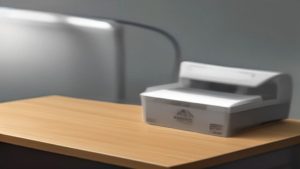
RICOH fi-8170 USB 3.2 Gigabit Ethernet LED Workgroup Scanner with ADF, Duplex, A4, 70ppm/140ipm
Included for 'Ricoh Fi-8170 Review (2026): Is It Worth Buying?' as a representative home product in this roundup; selection reflects the product set returned for this topic.
View on Amazon📄 In This Review
Who it is for
- Small to mid-size offices with several people scanning daily.
- Front desks and intake teams processing forms, IDs and mixed paperwork.
- Digitization projects that need to move boxes of paper into searchable PDFs.
- IT teams that prefer a networked scanner over one tethered to a single workstation.
Who should skip it
See also: Best Monitor for MacBook Air: Two USB-C 4K Screens and Six Adapter-Dependent Alternatives • Best Monitor for MacBook Pro: Eight Listings Sorted by Cable, Sharpness and Scaling
- Home users with light, occasional scanning.
- Photo archivists who need flatbed quality for prints, slides or fragile items.
- Anyone who mostly scans bound books, which need a flatbed or overhead scanner.
Key specifications
| Spec | Ricoh fi-8170 | Why it matters |
|---|---|---|
| Simplex speed | 70 ppm | Pages per minute, one side |
| Duplex speed | 140 ipm | Both sides scanned in a single pass |
| Feeder | ADF, about 100 sheets | Load a thick stack and walk away |
| Suggested daily volume | About 10,000 sheets | Sized for heavy workgroup use |
| Max paper size | A4 / Letter (plus long-page mode) | Standard office documents |
| Interfaces | USB 3.2 and Gigabit Ethernet | Direct or shared network use |
| Light source | LED | No warm-up time, ready quickly |
| Typical price | About $600–$700 | Mid-range workgroup class |
What stands out
Speed that matches real workloads
At 70 ppm and 140 ipm, a 50-page double-sided contract takes well under a minute to capture. Over a day of scanning, the time saved compared with a 30–40 ppm desktop model adds up to hours per week for a busy team.
Built-in network connection
Gigabit Ethernet is the feature that sets the fi-8170 apart from many personal scanners. Placing it on the network means multiple workstations can use it, and it does not need to sit next to one specific PC. USB 3.2 is there for direct, single-user setups.
Paper handling for mixed batches
The fi line, which Ricoh took over from Fujitsu, is known in offices for robust paper handling: multifeed detection to catch double-fed pages, and the ability to cope with mixed sheet sizes and thicknesses. That matters when your stack contains receipts, letters and cards together.
Software ecosystem
The fi series works with Ricoh’s PaperStream drivers and capture software, which handle image cleanup such as deskew, blank page removal and color dropout, plus profiles that let users scan to a set destination with one button. It also works with TWAIN and ISIS-compatible document management applications common in offices.
Trade-offs and limits
- Price. It costs several times more than a personal desktop scanner. The value is in speed, durability and network sharing.
- No flatbed. Books, passports and fragile originals need a separate flatbed or a carrier sheet.
- Consumables. Rollers wear with volume. Budget for replacement roller kits as part of the running cost.
- Setup time. Network setup and software profiles take some IT attention up front.
Setup and usage tips
- Decide USB or network first. If several people will use it, assign a fixed IP address on your network so it is always easy to find.
- Install PaperStream components from Ricoh’s official support site and keep firmware updated.
- Create scan profiles for common jobs, such as “Invoices to accounting folder, searchable PDF, 300 dpi.”
- Use 300 dpi for most documents. It balances legibility for OCR with file size; raise it only for small print.
- Fan and square the stack before loading, and remove staples and paper clips.
- Clean rollers on a schedule. A quick wipe with the recommended cleaner keeps misfeeds down.
Sizing a scanner to your volume
| Daily scanning | Scanner class | Typical speed |
|---|---|---|
| Under 100 pages | Personal desktop | 25–40 ppm |
| Hundreds to a few thousand pages | Workgroup (fi-8170) | 60–70 ppm |
| Many thousands, all-day batches | Departmental / production | 90 ppm and up |
FAQ
Does it work with Mac?
Ricoh offers driver options for different platforms, but compatibility varies by software. Check Ricoh’s current support pages for your OS before buying.
Can it scan plastic cards?
Workgroup document scanners in this class generally handle ID and insurance cards through the ADF; confirm card thickness limits in the manual.
Is the network connection worth it?
If more than one person scans, yes. It removes the need for a dedicated PC next to the scanner.
Total cost of ownership
The purchase price is only part of the picture for a workgroup scanner. Over a few years, you will replace pick and brake rollers, use cleaning supplies, and spend some IT time on driver updates and profiles. For a team scanning thousands of pages a week, these costs are small relative to the labor saved by faster scanning and fewer jams. Ricoh also offers extended service plans for the fi series in many regions, which can make sense for offices where scanner downtime would stop work. When budgeting, plan for roller replacement at heavy volume and check Ricoh’s recommended replacement intervals in the manual.
It is also worth considering where the scanned files go. Pairing the fi-8170 with searchable PDF output and a clear folder or document management structure is what turns fast scanning into faster work: staff can find a contract or invoice in seconds instead of searching filing cabinets.
Verdict
The Ricoh fi-8170 is a fast, network-ready workgroup scanner that suits offices where scanning is a daily task. Speed, paper handling and Gigabit Ethernet justify the price for teams; home users and light scanners will get better value from a smaller model.