Last Updated: September 27, 2026
The HyperDrive Next 10-Port USB-C Hub is a compact, bus-powered hub designed for laptops that need more ports without a full docking station. It offers a 4K 60Hz HDMI output, fast 10Gbps USB ports, SD and microSD readers, Ethernet and pass-through charging rated up to 140W. Note that Hyper sells two products with similar names: the standard HyperDrive Next 10-Port Hub and the HyperDrive Next 10-Port Business Class Dock. This review focuses on the standard hub and explains how the Business Class version differs.
📄 In This Review
Key specifications
| Feature | HyperDrive Next 10-Port USB-C Hub (per Hyper specs) |
|---|---|
| Connection | USB-C |
| Pass-through charging | USB-C PD port rated up to 140W (PD 3.1) |
| Video | 1 x HDMI, 4K at 60Hz |
| USB-C data | 2 x USB-C 10Gbps |
| USB-A | 1 x 10Gbps, 1 x 5Gbps |
| Card readers | SD 4.0 and microSD |
| Networking | Ethernet |
| Audio | 3.5mm jack |
| Typical price tier | Around $100 (check current pricing) |
Standard hub versus Business Class Dock
See also: 1440p vs 4K Monitor for Gaming: Which Resolution Fits Your GPU, Desk and Budget • Best Monitor for MacBook Air: Two USB-C 4K Screens and Six Adapter-Dependent Alternatives
| Feature | Next 10-Port Hub | Next 10-Port Business Class Dock |
|---|---|---|
| HDMI outputs | 1 x 4K60 | 2 (one 4K60, one 4K30) |
| Charging | Up to 140W pass-through | Up to 100W pass-through |
| Card readers | SD and microSD | SD |
| Dual displays on base M-series Macs | No | Yes, with drivers per Hyper |
Check Hyper’s product pages for the exact model you are buying.

HyperDrive Next 10 Port USB C Hub for Mac, PC, and Chromebook with 4K60Hz HDMI, 2 USB-A, USB-C Hub 10Gbps 140W Power Delivery, SD & microSD Card Reader, Ethernet, 3.5mm Audio Ports
Included for 'HyperDrive Next 10-Port Hub review' because the listing specifies and Chromebook with 4K60Hz HDMI and 2 USB-A, details this guide uses to compare options.
View on Amazon
HyperDrive Next 10 Port Business Class USB C Docking Station for PC/Mac/Chromebook, Pro-Grade 2X File Transfer w/ 10Gbps, 3X Fast Photo/Video Transfer w/SD 4.0, Charges w/ 100W PD Power
Included for 'HyperDrive Next 10-Port Hub review' because the listing specifies Pro-Grade 2X File Transfer w/ 10Gbps and 3X Fast Photo/Video Transfer w/SD 4.0, details this guide uses to compare options.
View on AmazonDesign and portability
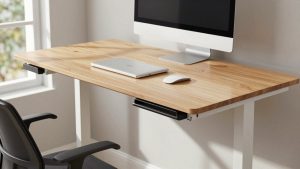
The hub is a slim aluminium bar with an attached USB-C cable. It is designed to travel in a laptop bag, and it draws power from the laptop unless you connect a USB-C charger to the PD port. It fits well on a standing desk too, clipped under the edge or placed next to a laptop stand.
Performance
Display
The single HDMI output supports 4K at 60Hz on hosts with suitable DisplayPort Alt Mode support. That is ideal for one external monitor. If you need two monitors, this hub is not enough.
Data transfer
10Gbps USB-C and USB-A ports provide fast transfers for external SSDs. The SD 4.0 reader supports faster card speeds for photographers.
Charging
The 140W PD rating allows high-wattage chargers to pass through to laptops that support it. The hub reserves some power for itself, so the laptop typically receives a little less than the charger’s rating. Use a quality USB-C charger for best results.
Heat
Like many compact hubs, it gets warm under load, especially with 4K video, Ethernet and charging all active. Some users have reported heat concerns. Allow airflow around it.
Strengths and weaknesses
Strengths
Compact, fast 10Gbps ports, 4K60 HDMI, high pass-through charging, SD and microSD readers and Ethernet in one travel-friendly hub.
Weaknesses
Only one display output, runs warm, no dedicated power adapter included and bus-powered ports share the laptop’s power budget.
Who should buy it
The HyperDrive Next 10-Port Hub suits travellers and hybrid workers who want one external monitor, fast storage, card readers and Ethernet from a single compact device. Users who need two or more displays should consider the Business Class Dock, a DisplayLink dock or a Thunderbolt dock.
Using it at a desk
Although it is designed for travel, the hub works well as a light desk dock for a single-monitor setup. Plug a USB-C charger of 96 to 140W into the PD port, connect the monitor via HDMI and your keyboard, mouse and webcam via the USB ports, and the laptop becomes a one-cable workstation. Use a certified HDMI 2.0 cable to hold 4K at 60Hz. Keep the hub on the desktop or fix it under the edge with a hook-and-loop strip so air can circulate. If the laptop has two USB-C ports, keeping one free for a second hub or direct charging gives flexibility on long working days. For users who later add a second monitor, the Business Class Dock or a Thunderbolt dock is the natural upgrade.
FAQ
Can the HyperDrive Next 10-Port Hub run two monitors?
The standard hub has one HDMI output. For two displays, look at the Business Class Dock version or a Thunderbolt or DisplayLink dock.
Do I need a charger for the hub to work?
No. It is bus-powered, but connecting a USB-C charger to the PD port charges your laptop and supports power-hungry peripherals.
Bottom line
The HyperDrive Next 10-Port Hub is a capable travel hub with fast ports, 4K60 HDMI and high pass-through charging. It is best for single-monitor setups; dual-monitor users should choose Hyper’s Business Class Dock or a Thunderbolt dock. Confirm the exact model and specs on Hyper’s site before buying.