Last Updated: October 18, 2026
If you want a cheap laptop with a good camera for work calls, here is the uncomfortable truth: almost no cheap laptop has a good built-in camera. Most $300-$500 laptops still ship with a grainy 720p sensor, no real low-light handling, and a microphone that makes you sound like you are in a bathroom.
I have tested dozens of budget laptops on Zoom, Teams, and Google Meet. The pattern is consistent. The laptop itself can be fast enough for office work, but the built-in webcam falls apart in a dim home office, blows out when you sit near a window, and smears motion when you move. If video quality actually matters for interviews, client calls, or teaching, you need to shop differently.
📄 In This Review
Stop shopping for camera specs alone
Laptop listings lie by omission. “HD webcam” almost always means 720p. “FHD webcam” means 1080p, but it does not tell you sensor size, lens quality, or noise reduction. Two laptops both listed as “1080p webcam” can look completely different in a real call.
What matters more is light handling and processing. A good budget setup keeps your face exposed correctly when there is a bright window behind you, does not turn everything to mush at 7pm under a desk lamp, and does not hunt for focus every time you lean back. Cheap built-ins fail at all three.
Also check the microphone. On cheap laptops, the camera gets the blame when the real problem is bad audio. Thin plastic chassis, fans right next to the mics, and aggressive noise suppression make you hard to understand. For work, clear audio beats a slightly sharper image every time.
The best strategy: cheap laptop + external webcam
See also: Best Monitor for MacBook Air: Two USB-C 4K Screens and Six Adapter-Dependent Alternatives • Best Monitor for MacBook Pro: Eight Listings Sorted by Cable, Sharpness and Scaling
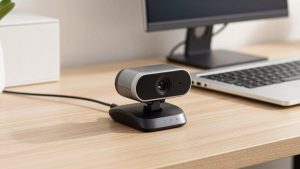
For most people, the smartest move is not to hunt for a unicorn budget laptop with a great built-in camera. Buy a solid cheap laptop for performance, keyboard, and screen, then add a $40-$70 external webcam.
That combination will beat any $400 laptop’s built-in camera, including models that claim 1080p. You get better low-light performance, a wider and more flattering field of view, proper auto-exposure, and usually a better dual mic. It also clips on top and angles down properly, which fixes the dreaded up-the-nose angle from low laptop screens.
This is especially true if you work from a desk most days. Leave the 1080p external webcam plugged in at home, and you still have the built-in cam for travel or quick calls from the couch. Total cost is often $350 for the laptop plus $50 for the camera, which is still cheaper than stepping up to a mid-range laptop for a marginally better built-in.
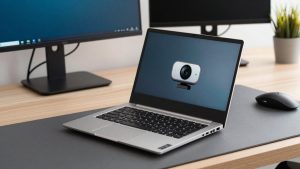
Failure mode to know: clip-on webcams wobble on very thin laptop lids. Open the lid fully, set the camera mount flat, and avoid touching the screen during calls. Also turn off the laptop’s built-in camera in your meeting app so it does not default back to the worse one after an update.
What actually works under $600
There are four realistic paths if you are on a tight budget. None is perfect.
| Option | Typical Camera | Strengths | Trade-offs | Best For |
|---|---|---|---|---|
| Budget Windows laptop + external webcam | 720p built-in, 1080p external | Best video quality for the money, full Zoom/Teams features | Extra dongle to carry, uses a USB port, lid wobble | Home office workers, job seekers |
| Budget Chromebook | 720p or 1080p, highly variable | Simple, fast boot, good battery, cheap | Weak low-light, Zoom web app has fewer controls, bad for offline Office apps | Students, Google Meet / Classroom users |
| Refurbished business laptop | 720p built-in, often mediocre | Better keyboard, mics, speakers, and build than new cheap laptops | Older processor, shorter battery life, camera still needs external help | Typists, remote workers who need reliability |
| Used M1 MacBook Air | 720p but well-processed | Best built-in mic and processing in this price range, excellent battery | Still only 720p, used market risks, fewer ports | Mac users, people who do not want an external cam |
If you want Windows: prioritize mic and screen
When shopping new in the $350-$550 range, ignore the webcam bullet point and look at what you will live with daily: 8GB RAM minimum, 256GB SSD, and a 1080p IPS screen. TN screens on the very cheapest models wash out and make you squint, which looks bad on camera anyway.
Plan on the external webcam from day one. A basic 1080p model with autofocus and dual mics is fine for most home offices. You do not need 4K, which just eats bandwidth and makes budget laptops run hot. You do not need ring lights built into the camera either – a $15 desk lamp behind your monitor does more for image quality than any sensor upgrade.
Failure mode: cheap Windows laptops often install camera “enhancements” that over-smooth your face and create lag. If you look waxy or delayed, go into the camera app or the webcam’s software and turn off auto-framing, beauty mode, and background blur unless you actually need it. Background blur on an older Celeron or Pentium will stutter badly.
Chromebooks and refurbished laptops
Chromebooks are tempting because a Chromebook with 1080p webcam can cost under $400. For students who live in Google Meet and Docs, that is often enough. In good daylight near a window, they look acceptable. In evening light, most fall apart fast with heavy noise.
Also know the software limits. Zoom on ChromeOS runs well for joining, but host controls, virtual backgrounds, and multi-pin views are more limited than on Windows or Mac. If you host meetings or teach, that matters.
A refurbished business laptop is my preferred cheap option for work. A 2-3 year old ThinkPad, Latitude, or EliteBook will have a much better keyboard, stronger hinges, and cleaner microphones than a new $329 consumer laptop. The built-in camera will still be mediocre – most are 720p – but the mics pick up less fan noise and the chassis does not creak when you type. Pair one with an external cam at your desk and you have a $300-$450 setup that feels like a $800 laptop on calls.
Shop refurbished carefully. Look for “manufacturer refurbished” or a reputable refurbisher with a 1-year warranty, check battery health policy, and confirm the charger is included. Avoid anything with 4GB RAM or a spinning hard drive, no matter how cheap.
What about a cheap Mac with a good camera?
There is no cheap new Mac with a great camera. The older M1 MacBook Air is the closest budget pick, and its camera is technically only 720p. Apple gets away with it because the image processing, exposure, and microphones are much better than most Windows budget machines. In a typical home office, you will look clearer and sound better than on a new $450 Windows laptop using its built-in cam.
If you find a used or refurbished M1 Air for $500-$600 from a seller with a return policy, and you do not want to deal with an external webcam, it is a reasonable compromise. Just know its limits: fine detail like hair and glasses still smears in low light, and you cannot fix that with software. Many Mac users still add an external webcam for important calls.
Searching refurbished MacBook Air M1 listings can help you gauge fair pricing, but check cycle count, battery condition, and Apple warranty status before you buy.
A $30 setup fix beats a $200 upgrade
Before you spend more on a laptop, do this: face a window or put a lamp behind your monitor, raise the laptop so the camera is at eye level with a stack of books or a stand, and sit 2-3 feet back. That alone fixes 70% of “bad camera” complaints I see.
Use ethernet or sit close to your router if your video freezes. Most stutter blamed on cameras is actually Wi-Fi. And in Zoom or Teams, turn on “adjust for low light” and turn off HD if your connection is weak – a stable 720p stream looks more professional than a freezing 1080p one.
FAQ
Can I get a good built-in webcam on a laptop under $400?
Realistically, no. At that price “1080p” usually means a cheap sensor with poor low light. You will get better results buying the best $350 laptop for performance and adding a separate 1080p webcam.
Is 720p enough for job interviews and work calls?
Yes, if lighting and audio are good. A stable, well-lit 720p image with clear audio looks more professional than a noisy 1080p image in a dark room. Recruiters care that you are clear and not freezing, not pixel count.
Do I need a separate microphone too?
Not usually. A decent $40-$70 external webcam’s mics are a big step up from a cheap laptop. Only add a USB headset or desktop mic if you are in a noisy room or your voice still sounds distant after moving closer to the laptop.
Are Chromebooks good for Zoom calls?
Good enough for joining classes and regular meetings, especially in daylight. They struggle in low light and the Zoom web app has fewer host features. If you host webinars or need breakout rooms and advanced settings, Windows or Mac is safer.
Related Reviews & Guides


Best Webcam for Lenovo Laptop
ScanSnap IX1300 vs Canon Imageformula R40: Which Should You Buy in 2026?