Last Updated: October 18, 2026
- What Reddit actually recommends
- Quick comparison of the common Reddit picks
- Best budget pick for most people: a proven 1080p webcam
- Best for all-day calls: 1080p/60fps with good auto-exposure
- When 4K makes sense – and when it does not
- What Reddit agrees on more than any model: setup matters more
- What to avoid according to work-from-home threads
- FAQ
If you search Reddit for the best webcam for working from home, you get the same pattern over and over: someone with a blurry laptop camera asks what to buy, and 50 people reply with what actually worked in daily Zoom, Teams, and Meet calls. I read through dozens of those threads across r/workfromhome, r/homeoffice, r/mac, and r/Zoom to pull out the consensus.
The short version: most remote workers do not need 4K. They need reliable autofocus, decent low-light handling, and a mic that does not make them sound like they are in a bathroom. Reddit favorites reflect that. The same two or three 1080p workhorses come up constantly, with 4K only recommended for specific cases.
📄 In This Review
- What Reddit actually recommends
- Quick comparison of the common Reddit picks
- Best budget pick for most people: a proven 1080p webcam
- Best for all-day calls: 1080p/60fps with good auto-exposure
- When 4K makes sense – and when it does not
- What Reddit agrees on more than any model: setup matters more
- What to avoid according to work-from-home threads
- FAQ
What Reddit actually recommends
Across threads from the last two years, the advice clusters around three groups. First, the budget 1080p plug-and-play crowd. Second, the step-up 1080p/1440p group for people on calls 4-6 hours a day. Third, a small group who bought 4K for content or large-monitor cropping and either loved it or returned it.
A common complaint: people bought a cheap no-name 4K webcam from Amazon because the specs looked better on paper, then went back to a brand-name 1080p camera because the image was softer, the colors were off, and the autofocus hunted every time they moved. Resolution is not image quality. Lens, sensor size, and processing matter more in a dim home office.
Quick comparison of the common Reddit picks
See also: Best Monitor for MacBook Air: Two USB-C 4K Screens and Six Adapter-Dependent Alternatives • Best Monitor for MacBook Pro: Eight Listings Sorted by Cable, Sharpness and Scaling
This is not every camera mentioned, just the types that come up most often and what trade-offs people report:
| Type | Typical resolution | Best for | Common complaints on Reddit | Price range |
|---|---|---|---|---|
| Basic 1080p workhorse | 1080p / 30fps | Daily Zoom/Teams, laptop upgrade | Narrow field of view, average low light, basic mic | $50-$80 |
| Mid-range 1080p with better lens | 1080p / 60fps | All-day calls, glasses wearers, backlit rooms | Needs good USB port, software can be buggy | $80-$130 |
| 1440p / 4K premium | 1440p or 4K / 30fps | Mac Studio Display alternative, streaming, cropping | Needs strong light, CPU load, over-sharpened look | $130-$200 |
| Built-in laptop camera | 720p to 1080p | Travel, backup | Bad angle, noisy in low light, fixed focus | $0 |
Best budget pick for most people: a proven 1080p webcam
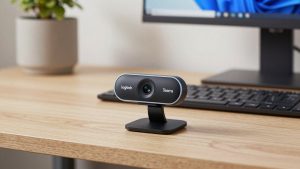
If you are on 2-4 hours of calls per day and just want to look clear and in focus, this is where Reddit tells people to stop. A well-known 1080p model with autofocus and dual mics is enough for a home office desk 2-3 feet from the screen.
Look for a 1080p autofocus webcam for Zoom with a physical privacy shutter, tripod thread, and UVC plug-and-play support so it works without drivers on Windows and Mac. That last part matters more than it sounds. A lot of frustration threads are about cameras that require a Windows-only app to change focus or field of view.
Failure modes to know: fixed-focus budget cameras are fine if you never move, but if you lean back, use a standing desk, or hold up documents, you will go soft. Also, most budget mics pick up keyboard clatter. Redditors who type during calls almost always end up switching to a headset or earbuds for audio and using the webcam for video only.
Who this suits: office workers, teachers, customer support, anyone replacing a grainy laptop camera. When the cheaper option is fine: if your room has a window in front of you and a neutral wall behind you, a $60-$70 1080p camera looks remarkably close to a $150 camera. Spend the difference on a $20 desk lamp.
Best for all-day calls: 1080p/60fps with good auto-exposure
This is the sweet spot for managers, recruiters, therapists, and anyone living in back-to-back meetings. Reddit users in this group care less about resolution and more about not looking washed out at 4pm when the sun moves.
The models that get praised here usually offer 1080p at 60fps, a wider 78-90 degree field of view option, and better HDR or low-light correction. The 60fps does not make you look more professional by itself, but motion looks smoother when you gesture or shift in your chair, which helps on large monitors.
Trade-off: these cameras are more sensitive to USB bandwidth and lighting. Plugging into an unpowered hub with a keyboard, headset, and external drive can cause freezing or downgrading to 720p. Plug direct into the laptop or a powered dock. Also, auto white balance can drift if you have a warm lamp on one side and daylight on the other. Pick one main light source in front of you.
Mac-specific note: many mid-range cameras work plug-and-play on Mac, but advanced features like background blur, zoom presets, or firmware updates often require Windows. If you are on a MacBook, check recent Reddit threads for your exact macOS version before buying. Apple’s Continuity Camera with an iPhone is also frequently suggested as a free alternative, and for short calls it is genuinely good, but it overheats and drains battery on long days.
When 4K makes sense – and when it does not
Reddit is split on 4K. Creators, coaches who record courses, and people who want to crop in tight without losing sharpness like it. Regular office workers often return it.
Why: 4K sensors in small webcam bodies need a lot of light. In a typical home office with one ceiling light, a 4K camera in auto mode will often look darker and noisier than a good 1080p camera. You also need more upload bandwidth and CPU for Zoom to actually send higher resolution, and most meetings are still received at 720p or 1080p anyway. Several users reported their company VPN or IT policy capped video quality, making 4K pointless.
If you do want premium, look for a 4K webcam for home office with a large sensor, good auto-framing you can turn off, and a desktop app that saves settings. Auto-framing is divisive. Some love it for standing desks and whiteboard demos. Others find the constant panning distracting and turn it off after a week.
Who this suits: YouTube tutorials, live training, anyone who records locally in OBS while also on Zoom. Who should skip it: if your office is dim, your laptop is 4-5 years old, or your calls are mostly internal check-ins. A cheaper 1080p camera plus better lighting will look better.
What Reddit agrees on more than any model: setup matters more
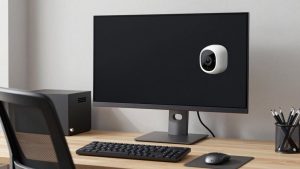
The most upvoted comments are rarely about models. They are about placement and light. Laptop cameras look up your nose because the laptop sits too low. Even a basic webcam on top of a 27-inch monitor at eye level looks immediately better.
Practical setup that comes up repeatedly: put your face 2-4 feet from the camera, window or lamp in front of you not behind you, camera at or slightly above eye level, and a non-cluttered background. If you have a bright window behind you, no webcam will save you without an HDR mode or closing the blinds. A simple shade or sheer curtain fixes more than upgrading from 1080p to 4K.
Audio is the other repeat theme. For work, clear audio beats sharper video. If coworkers say you cut out or echo, consider a USB headset for work from home and use the webcam mic only as backup. This is especially true in rooms with hardwood floors and bare walls.
What to avoid according to work-from-home threads
Three failure patterns show up constantly. First, ultra-cheap unbranded 4K cameras with fake reviews. Symptoms: autofocus pumping, plastic colors, mic hiss, and no firmware support when Zoom updates break something. Second, wide-angle-only cameras in small rooms. A 120-degree field shows your whole messy room and makes your face tiny. Look for 65-90 degrees with adjustable field of view. Third, buying for specs you cannot use. If your work laptop locks USB devices or you are always on Wi-Fi with 5 Mbps upload, prioritize stable 1080p/30 over 4K/60.
Also check mount compatibility. Thin laptop lids, curved ultrawide monitors, and Mac Studio Displays cause clip problems. A standard tripod thread and a small mini-tripod solve most desk setups and also help laptop users who dock to a monitor.
FAQ
Is a 1080p webcam enough for working from home?
For most Zoom, Teams, and Google Meet calls, yes. Most meetings are transmitted at 720p to 1080p, so good lighting and stable autofocus matter more than a 4K sensor. Get 4K only if you record video or need to crop.
Why do I look worse on my new webcam than my laptop?
Usually lighting or placement. New external cameras show more detail, including backlighting and low light noise. Move a lamp or window in front of you, raise the camera to eye level, and turn off competing lights behind you.
Do I need a separate mic if I buy a webcam?
Not for short calls in a quiet room, but for all-day calls most Reddit users prefer earbuds or a USB headset. Webcam mics pick up keyboards, fans, and room echo, especially in hard-floor rooms.
Will any webcam work with Mac and Windows laptops?
Most UVC-compliant 1080p cameras work plug-and-play on both, but advanced settings often need Windows software. If you are on Mac, confirm that focus, zoom, and field-of-view controls work without the app, or that the Mac app supports your macOS version.
Related Reviews & Guides
Best Webcam for Facetime
Buy Offices on Amazon: 6 Picks Worth Ordering (2026)