Last Updated: October 18, 2026
If you search Reddit for the best webcam for Zoom, you get the same pattern over and over: a few names come up constantly, then a long thread of people saying lighting and placement mattered more than the camera. That second part is actually the useful advice.
For Zoom specifically, you do not need cinematic video. You need sharp-enough 1080p, stable exposure when a window is behind you, a microphone that does not pick up your whole keyboard, and a camera that works without fiddling every morning on Windows, Mac, or a work laptop with locked-down software. Here is how Redditors tend to break it down once the hype is filtered out.
📄 In This Review
What Reddit actually recommends for Zoom
The most repeated advice on r/workfromhome, r/Zoom, and r/mac is boring: keep your laptop camera as backup, buy a basic external 1080p webcam if you take calls daily, and only pay more if you have a specific problem like a dark office, a large conference room, or you present to clients all day. Zoom compresses video heavily anyway, so a $300 camera still looks like Zoom after compression.
The other constant theme is failure modes. Budget no-name 4K cameras from marketplaces get called out a lot for fake resolution, harsh sharpening, autofocus that hunts every 10 seconds, and mics that sound echoey. Name-brand 1080p usually beats cheap “4K” for real calls. If you already bought one of those and people say you look waxy or blurry, it is usually aggressive noise reduction, not your internet.
The cheap option that is fine for most people: basic 1080p
See also: Best Monitor for MacBook Air: Two USB-C 4K Screens and Six Adapter-Dependent Alternatives • Best Monitor for MacBook Pro: Eight Listings Sorted by Cable, Sharpness and Scaling
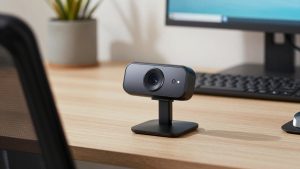
For 3-5 Zoom calls a week in a reasonably lit room, a basic 1080p webcam is enough. This is the category Reddit recommends most, often described as “just get a C920-style camera and move on.” You get 1080p at 30fps, dual mics, autofocus, and a clip that fits a monitor or laptop lid.
Trade-offs are straightforward. Low light is noisy. The field of view is around 75-78 degrees, which is good for one person but tight if you want to show a whiteboard. The built-in mics work in a quiet room but sound thin and pick up typing. The plastic clip is fine on a monitor, wobbly on a thin MacBook Air lid.
Who it suits: employees, students, and anyone on a managed work laptop who needs plug-and-play UVC support with no driver install. If your office has decent overhead light or a window in front of you, stop here. A budget 1080p webcam for Zoom covers daily standups, interviews, and telehealth check-ins without drama.
The work-from-home upgrade: better lens, better mics, better low light
The next step up, roughly double the price, is what full-time remote workers on Reddit tend to keep long-term. Same 1080p or 1440p resolution on paper, but with a larger sensor, better auto-exposure, and noise cancellation on the mics. On Zoom this shows up as less grain at 7am, less blowout when you sit near a window, and fewer “can you repeat that?” moments.
Common picks in this bracket include business-certified 1080p cameras with fixed-focus or fast autofocus, a privacy shutter, and a longer cable for desktop monitor arms. Mac users in particular mention fewer wake-from-sleep issues when they stick to one direct USB port instead of a cheap hub.
Failure modes to know: autofocus models can hunt if you gesture a lot or have a busy bookshelf behind you. Some “auto-framing” features crop in too aggressively on Zoom and make you look seasick when you lean. Turn tracking off for normal meetings. If you wear glasses, some models flare under overhead LEDs — tilting the light or camera down 10 degrees usually fixes it.
Who it suits: managers, teachers, therapists, recruiters, and anyone doing 4+ hours of Zoom a day. If you want one camera for a home office that just stays put, look at a business-certified 1080p webcam with better microphone rather than chasing 4K.
When 4K makes sense — and when it does not
Reddit is split on 4K webcams for Zoom. Zoom itself rarely shows you in full 4K unless everyone has bandwidth and you are pinned full-screen. What 4K does give you is headroom to crop, better digital zoom for whiteboard demos, and usually better color in good light.
The downside is real: higher price, more CPU load on older laptops and Intel Macs, more heat, and larger file sizes if you record locally. Several users report dropped frames when running 4K through a dock with an external monitor and hard drive attached. If you run an older MacBook Air or a thin work laptop, 1080p mode on a 4K camera is often more stable than full 4K.
Who it suits: creators who also record training videos, consultants who present to clients, and people with a large 27-32 inch monitor who sit a bit farther back and want to crop in. For a shared home office where two people sometimes sit in frame, the wider 90-degree mode helps. Otherwise, it is a nice-to-have. Check current options for a 4K webcam for home office Zoom calls only if you will actually use the cropping and have good lighting.
Quick comparison for Zoom use
Think in use-cases, not megapixels. Zoom rewards stability and good audio more than spec sheets.
| Category | Best for | Strengths | Watch out for |
|---|---|---|---|
| Built-in laptop camera | Travel, backup | Always there, no setup | Low angle, grainy in low light, thin audio |
| Budget 1080p external | Most Zoom users | Cheap, plug-and-play, big upgrade over laptop | Noisy at night, basic mics, narrow mount |
| Mid-range 1080p/1440p workhorse | Full-time remote work | Better low light, shutters, stable drivers for Mac/PC | Autofocus hunting, avoid auto-framing for meetings |
| Premium 4K | Presenting + recording | Crop/zoom headroom, better color in good light | CPU/heat load, dock issues, Zoom compresses benefit |
Setup tips Redditors repeat more than any model
Raise the camera to eye level. Laptop cameras shoot up your nose; a $20 stand or stack of books does more than a $200 upgrade. Put your main light source in front of you, not behind. If you cannot move desks, close blinds behind you and turn on a desk lamp bounced off a wall.
On Macs, plug the webcam directly into the Mac for testing before blaming Zoom. Many disconnects come from USB hubs and docks, especially with 4K. On Windows work laptops, check if your IT policy blocks third-party camera apps — in that case choose a camera that looks good with default settings, because you will not be able to run its tuning software.
For audio, even fans of good webcam mics usually switch to earbuds or a cheap USB headset for noisy homes. Webcam mics are 2-3 feet away; physics wins. Mute keyboard clicks by using push-to-talk or shorter key travel if you type during calls.
FAQ
Do I need 4K for Zoom?
No, for most people. Zoom compresses video heavily, and 1080p with good light looks sharper than 4K in a dark room. Buy 4K only if you want to crop in, record lessons, or fit two people in frame regularly.
Why do I look worse on Zoom than in the camera app?
Zoom adds noise reduction, sharpening, and compression, and it often defaults to 720p in group calls to save bandwidth. Improve lighting, set Zoom to HD in settings if your account allows it, and sit facing a window or lamp.
Will any webcam work with Mac and work laptops?
Most UVC-compliant webcams work plug-and-play on Mac, Windows, and ChromeOS without drivers. Advanced features like background blur, tracking, and mic tuning may need vendor software that work laptops block. If you cannot install software, pick a camera that performs well out of the box.
Is a headset more important than a webcam?
For being understood, yes. Reddit threads consistently say coworkers forgive mediocre video but not bad audio. If you can only upgrade one thing in a noisy home, get earbuds or a USB headset first, then a basic external webcam.
Related Reviews & Guides


Herman Miller Office Chair: Top Picks Compared in 2026
Best Camera for Virtual Meetings