Last Updated: October 18, 2026
If you are looking for a Bluetooth webcam for Mac, here is the honest answer from testing: a true Bluetooth-only webcam for continuous video calls does not really exist. Bluetooth does not have enough bandwidth for stable 1080p video, and macOS does not treat Bluetooth as a webcam input the way it treats USB, HDMI capture, or Continuity Camera.
What people usually mean by Bluetooth webcam is one of three things: no cable across the desk, a camera you can place away from the MacBook, or a remote to start and stop video without touching the Mac. All three are possible on a Mac, but you do it with Wi-Fi, Continuity Camera, or a camera with a Bluetooth remote — not with video sent over Bluetooth.
📄 In This Review
Why there is no real Bluetooth webcam for Mac
Bluetooth 5.x tops out around 2-3 Mbps in real-world conditions. A clean 1080p30 Zoom or Teams call needs 3-8 Mbps, and 4K needs far more. Over Bluetooth you would get heavy compression, 5-10 second delay, dropped frames, and audio drift. That is why no serious webcam maker sells a Bluetooth-video model.
When you do see Bluetooth mentioned on a webcam or action camera box, it almost always means Bluetooth is used for pairing, wake-up, or as a shutter remote. The actual video still travels over USB or Wi-Fi. If you buy expecting fully wireless video over Bluetooth, you will be disappointed.
On Mac specifically, the system is strict about camera sources. Zoom, Teams, Meet, and FaceTime look for USB Video Class devices, built-in FaceTime cameras, Continuity Camera iPhones, or virtual cameras from apps like Camo or EpocCam. A generic Bluetooth device will not show up in that camera picker.
The best wireless option for most Mac users: iPhone as webcam
See also: Best Monitor for MacBook Air: Two USB-C 4K Screens and Six Adapter-Dependent Alternatives • Best Monitor for MacBook Pro: Eight Listings Sorted by Cable, Sharpness and Scaling
For a MacBook or Mac mini on macOS Ventura or later, the simplest cable-free setup is to use an iPhone as your webcam with Continuity Camera. It connects over Wi-Fi and stays controlled with Bluetooth for discovery, which is as close as you get to a Bluetooth webcam workflow.
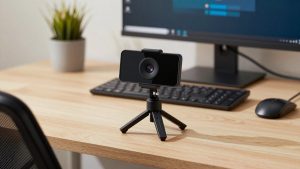
In practice, a recent iPhone beats almost every sub-200 dollar USB webcam for sharpness, exposure, and low light. Desk View, Center Stage, and Portrait mode all work directly in FaceTime, Zoom, and Teams without extra drivers. Mount it on top of your MacBook with a MagSafe puck or on a small tripod next to your monitor, select iPhone Camera in your meeting app, and you are live.
Failure modes to know: the phone gets hot after 45-60 minutes and may dim the screen or throttle, Wi-Fi congestion in an apartment or office can cause stutter, and the battery drains fast if you forget to plug it in. For daily standups and interviews it is excellent. For 4-hour workshops, plug the iPhone into power — at that point it is no longer fully wireless, but still cleaner than a dedicated camera with HDMI capture.
If you go this route, get a solid mount first before you buy anything else. A cheap clip that slips will ruin the image more than any sensor upgrade. Many Mac users start with a MagSafe iPhone mount for MacBook and find they do not need a separate webcam at all.
When an iPhone is not enough
There are three cases where you need something other than Continuity Camera. First, you want to walk around a room or whiteboard. Second, you share one Mac between people and do not want to tie up your phone. Third, IT policy blocks Continuity Camera on a work Mac.
For walking around, a Wi-Fi action camera or mirrorless camera with a wireless monitor app plus HDMI-to-USB capture on the Mac is the workable path. Video travels over Wi-Fi or HDMI, Bluetooth is only for remote start-stop. Image quality is great, but latency is 150-300 ms, audio needs a separate USB or Bluetooth headset, and setup takes 10 minutes every time. It suits creators and trainers, not someone who takes five quick calls a day.
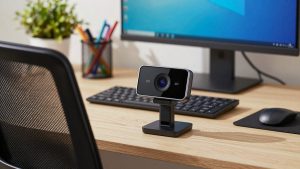
For a shared desk, a plain wired USB webcam is still more reliable than any wireless workaround. You lose the no-cable idea, but you gain instant connection, no pairing failures, and no phone overheating. Be honest here: if you just want fewer cables for a home office Mac mini setup, a short USB-C cable tucked behind the monitor is cheaper and more stable than chasing wireless.
Good middle ground for Mac users who want camcorder freedom without capture cards is a webcam app like Camo or EpocCam that turns an old iPhone or Android phone into a wireless USB-network camera. Video goes over Wi-Fi or USB, not Bluetooth. Quality is very good on local Wi-Fi, and you can place the phone on a bookshelf for a better angle than a laptop lid allows.
Comparison: practical wireless setups for Mac
Think in terms of setups, not single Bluetooth models, because no reputable Bluetooth-only model exists:
| Setup | How video travels | What Bluetooth does | Best for | Main drawback |
|---|---|---|---|---|
| iPhone Continuity Camera | Wi-Fi | Discovery and handoff | MacBook video calls, home office | Heat and battery drain on long calls |
| USB 4K webcam | USB-C cable | Nothing / remote on some models | Shared desks, IT-managed Macs | One cable to the Mac |
| Phone + Camo / EpocCam | Wi-Fi or USB | Nothing | Second angle, old phone reuse | Requires app + same network |
| Action / mirrorless + capture | HDMI to USB capture, or Wi-Fi | Remote shutter | Teaching, demos, movement | Latency, cost, setup time |
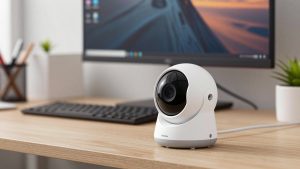
If you were hoping for a simple product link, this is why most Bluetooth webcam for Mac search results are misleading. They are either USB webcams with a Bluetooth remote included, or Wi-Fi security cameras that will not show up as a webcam in Zoom without extra software and delay.
What to buy for work from home
For laptop calls at a desk: use the iPhone you already own. Spend money on light and audio first. A 20-dollar mount and facing a window will improve how you look more than any camera upgrade. A dedicated mic or headset matters more than 4K.
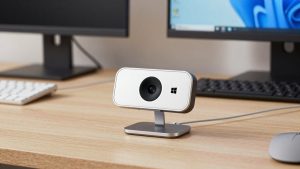
For a permanent home office with a Mac mini or Studio: buy a quality wired 1080p or 4K USB webcam and leave it plugged in. Look for native Mac support, USB-C, good auto-exposure, and a physical privacy shutter. You can add a USB webcam with Bluetooth remote for Mac if you present from a couch and need to mute or switch framing from a distance. Just understand the remote is Bluetooth, the video is not.
For moving around: do not buy a cheap no-name wireless cam. Use a GoPro-style camera or mirrorless you already own with the maker’s Mac webcam utility, and budget for a capture dongle and tripod. Test the full chain before an important call. Wireless video fails in boring ways — frozen at the worst moment, audio out of sync, or the Mac defaulting back to the built-in mic.
The cheaper option is fine if you only take 2-3 calls per week in a quiet room: stick with the built-in FaceTime camera and buy a USB headset. Do not chase wireless until cable clutter is actually hurting your work.
FAQ
Can I connect a webcam to a Mac via Bluetooth?
No, not for live video. You can pair Bluetooth audio devices and remotes, but macOS meeting apps need a USB, Continuity Camera, or virtual camera source. Any product claiming Bluetooth video for Zoom or Teams will be unstable or require a separate Wi-Fi app.
Why does my Bluetooth camera not show up in Zoom on Mac?
Because Zoom only lists recognized camera devices. Check if the camera needs Wi-Fi pairing, a companion app, or USB mode for webcam use. For iPhone, make sure both devices share the same Apple ID, Wi-Fi and Bluetooth are on, and you have selected iPhone Camera under Video settings.
Is Continuity Camera better than a USB webcam?
For image quality, yes in most home offices. A recent iPhone has a larger sensor and better processing than most USB webcams. For reliability on long calls or managed work Macs, a wired USB webcam is often better because it does not overheat or depend on Wi-Fi.
What is the lowest-hassle wireless setup for MacBook meetings?
iPhone on a MagSafe MacBook mount using Continuity Camera, plus AirPods or a USB headset for audio. Keep a short Lightning or USB-C cable nearby for charging on calls over an hour. Test once in FaceTime before you rely on it for work.