Last Updated: October 18, 2026
SpellTable is brutal on webcams in a way Zoom never is. You are not filming your face. You are filming a playmat full of small text from 2-3 feet away, usually under warm home lighting, for 2-3 hours straight. A webcam that looks great for work calls can be unreadable on SpellTable because it can’t hold focus on cards or it crops too tight to see your board.
You don’t need to spend a lot to be readable, but you do need the right mount and the right focus behavior. Most problems labeled as “bad camera” on SpellTable are actually bad positioning, autofocus hunting, or glare.
📄 In This Review
What SpellTable actually requires
SpellTable works best with a stable, top-down or high-angled view that shows your entire board at once, usually all lands, creatures, graveyard, and commander. That means field of view matters more than 4K. A narrow 70-degree office webcam mounted on your monitor cannot see your desk without being 4 feet in the air.
Focus distance is the second issue. Cheap fixed-focus webcams are tuned for faces at 2-3 feet and go soft on flat cards. Autofocus models do better, but many hunt constantly when hands move in and out of frame, which makes text pulse in and out during play. Manual focus or autofocus you can lock is ideal.
Light is the third issue. Overhead room lights create hot spots on sleeves, especially glossy and foil cards. If opponents complain about white glare rather than blur, a new camera won’t fix it. You need diffused light from the side and matte sleeves.
The 3 setups that actually work
See also: Best Monitor for MacBook Air: Two USB-C 4K Screens and Six Adapter-Dependent Alternatives • Best Monitor for MacBook Pro: Eight Listings Sorted by Cable, Sharpness and Scaling
Almost every readable SpellTable setup falls into one of three buckets: a regular webcam on a separate arm, a dedicated overhead document camera, or your phone as a second camera.
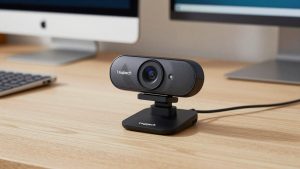
1. Webcam on an arm or tripod: This is the most flexible option for most players. You use a normal 1080p or 4K USB webcam, but instead of clipping it to your monitor, you put it on a desk arm, tall tripod, or shelf behind your play area and aim it down. When you want to take work calls, you move it back. Look for a model with autofocus you can turn off and a wide 85-95 degree field of view. Mount it high and slightly in front of you, not directly overhead, so your hands don’t block everything.
The failure mode here is wobble. Light tripods on the same desk you tap and shuffle on will shake every time you move. A heavier base or a clamp arm fixed to the desk or a shelf helps more than extra resolution. If you go this route, buy the mount at the same time as the camera and get a flexible tripod for webcam or small desk clamp arm that can hold the camera steady above your mat.
2. USB overhead document camera: This is the cleanest dedicated SpellTable solution. These are the goose-neck cameras teachers use to show paperwork. They are designed to look straight down at text from 18-24 inches, which is exactly what Magic cards need. Most have manual focus or single-press autofocus, no face-tracking to fight you, and they stay out of your way.
The trade-off is that they look terrible as a face camera, so you’ll still need your laptop camera for your face. They also tend to have smaller sensors, so low light gets noisy faster than a good webcam. If you only play SpellTable and want a set-and-forget board camera, this wins. Search for an overhead document camera for SpellTable with 8MP or higher and LED lights you can turn off, because built-in LEDs often cause sleeve glare.
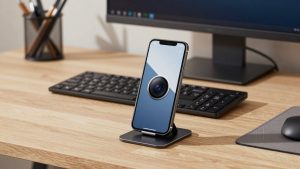
3. Phone as board camera: The cheaper option is genuinely fine here. A modern iPhone or Android phone has a better sensor and better close focus than most $80 webcams. With a tall phone tripod and EpocCam, Camo, Continuity Camera on Mac, or just joining SpellTable from your phone browser as a second participant, you can get a very sharp board view for the cost of a mount.
The failure mode is heat, battery drain, and calls interrupting your game. It also ties up your phone for 2 hours. Good for testing whether you like SpellTable before you buy anything, or for occasional play. Not great as a permanent setup if you play weekly.
Quick comparison
| Setup | Readability | Cost | Best for | Watch out for |
|---|---|---|---|---|
| 1080p webcam on arm/tripod | Good, if autofocus locks | Low to medium | Players who also need a work webcam | Wobble, narrow field of view, focus hunting |
| 4K webcam with manual focus | Very good | Medium to high | Regular SpellTable players, 3-4 player pods | Needs good light, uses more USB bandwidth |
| USB document / overhead camera | Very good for text | Medium | Dedicated board camera, leaves laptop free | Poor in low light, bad as face cam |
| Phone + tall tripod | Excellent in good light | Cost of mount only | Trying SpellTable, tight budgets | Battery drain, notifications, overheating |
What to buy for your situation
If you play once a month and already own a decent 1080p webcam for work, don’t buy a new camera first. Buy a better mount and a cheap daylight LED panel. Mount your current webcam 24-30 inches above the front edge of your mat, angle it down about 45 degrees, lock focus if you can, and join a test lobby. Most readability complaints disappear once the camera stops moving and the glare is gone.
If you play weekly and want one camera to do both jobs, get a 4K webcam with a wide field of view and manual focus control in software. 4K helps here not because opponents see 4K — SpellTable compresses heavily — but because you can digitally zoom and crop to your board without the text falling apart. Pair it with a 4K webcam with autofocus for streaming style model that lets you disable continuous autofocus. Continuous autofocus is the number one cause of “it was sharp then went blurry when I played a card.”
If you have space for a permanent play area, a two-camera setup is worth it: laptop camera for your face, document camera for the board. It sounds like more hassle, but it’s actually less fiddling during games because you never re-aim between work and Magic. Just leave the overhead camera clamped in place.
Mac users should check software before buying. Some budget webcam utilities are Windows-only, which means you can’t turn off auto-exposure, flip the image, or lock focus on macOS. UVC-standard cameras that work without drivers are safest. If you use Continuity Camera, test a full-length game before committing — some phones will aggressively refocus or dim after 30 minutes to save heat.
Setup matters more than specs
Mount the board camera high and back, not low and close. You want to see a full playmat plus a little desk margin. If you crop tight to just the cards, every hand movement knocks cards out of frame and opponents lose track of board state.
Turn off auto everything you can. Lock exposure, lock white balance, lock focus once cards are sharp. Hands moving through frame will otherwise trigger constant adjustments.
Light from the side, not from directly above the mat. A $25 dimmable daylight panel 2-3 feet to the left or right at desk height beats a ceiling light every time. If foils bloom white, tilt the light lower and turn off any LED built into a document camera. Matte outer sleeves help more than any sensor upgrade.
Use a wired connection when possible and keep board and face cameras on separate USB ports if your laptop struggles. Two 1080p feeds plus SpellTable card detection can stutter on old USB hubs and old MacBook Airs. Dropping the face camera to 720p while keeping the board camera at 1080p is a good trade.
FAQ
Do I need 4K for SpellTable?
No. 1080p is readable if focus is locked, lighting is diffused, and the camera sees the whole mat. 4K helps if you need to crop or digitally zoom, but a stable 1080p image beats a shaky 4K image.
Can I use two cameras at once?
Yes. The simplest way is to join from your laptop for your face and join a second time from your phone or a second USB camera for your board. Label the board feed with your deck name so opponents know which is which.
Why do my cards look blurry but my face looks fine?
Usually minimum focus distance or continuous autofocus. Your webcam is tuned for faces, not flat text up close. Move the camera a little farther back, add light so it can use a faster shutter, and lock focus on the cards if your software allows it.
Why do opponents see glare instead of my cards?
Direct overhead light reflecting off sleeves. Move your light to the side, diffuse it with a lampshade or softbox, use matte sleeves, and turn off any small LEDs built into an overhead camera. Tilting the mat a few degrees can also kill a hot spot.
Related Reviews & Guides
High Definition Camera for Laptop
6 Best Usb-C Docking Stations For Laptop 2026