Last Updated: October 18, 2026
If you are shopping for a webcam for work, “lens” is confusing. Brands throw around terms like glass lens, wide-angle, 120-degree FOV, f/2.0 aperture, autofocus — often without explaining what actually changes on a Zoom or Teams call.
For video calls, the lens decides three practical things: how much of your room shows behind you, how sharp your face looks when you lean in and out, and how usable you are in bad home-office light. Sensor and software matter too, but a good sensor behind a bad lens still looks soft and washed out.
📄 In This Review
What a webcam lens actually does
A webcam lens is a very small, fixed-focal-length lens. Unlike a camera for photography, you do not zoom it or swap it. What differs between models is focal length (expressed as field of view in degrees), aperture (expressed as f-number like f/2.0), focus system (fixed or autofocus), and build quality (plastic vs. glass elements and coatings).
Most office webcams sit in a narrow range: 65 to 90 degrees diagonal field of view, f/2.0 to f/2.8, focus distance of about 30 cm to infinity. That range exists for a reason. Tighter than 65 degrees and you have to sit far back to stay in frame. Wider than 90 degrees and your face gets small, the edges stretch, and coworkers see your laundry, hallway, and cat.
Add-on phone-style clip-on lenses for laptops are mostly a dead end. They vignette, soften corners, and fall off. If you do not like your built-in lens, replacing the whole webcam is more reliable than trying to fix it with extra glass.
The lens specs that matter for work
See also: Best Monitor for MacBook Air: Two USB-C 4K Screens and Six Adapter-Dependent Alternatives • Best Monitor for MacBook Pro: Eight Listings Sorted by Cable, Sharpness and Scaling
1. Field of view (FOV): This is the biggest day-to-day difference. A 65- to 78-degree lens shows head-and-shoulders at arm’s length and hides most of a messy room. A 90-degree lens is better if you present a whiteboard, want two people in frame, or sit far from a docked laptop. A 100- to 120-degree lens sounds impressive but is usually worse for solo calls — you look distant and the wide distortion is distracting.
2. Focus type: Fixed-focus lenses are set to be sharp from about 40 cm onward. No hunting, no pulsing, no noise. Autofocus lenses can look sharper if you move around, hold up documents, or lean close to show detail. Failure mode: cheap autofocus hunts constantly under LED lights, breathing in and out every few seconds. For a desk job where you sit still, fixed focus is calmer and often more reliable.
3. Aperture: Lower f-number means more light hits the sensor. f/2.0 will look noticeably cleaner than f/2.8 in a dim bedroom office at 7 a.m. But aperture is not magic. A wide aperture with a noisy small sensor still looks grainy, and very cheap f/2.0 lenses can have soft corners and flare from a window behind you.
4. Glass elements and coating: All-plastic lenses scratch easily and tend to haze after a year of wiping. Multi-element glass lenses hold contrast better and handle backlight from windows more gracefully. You cannot verify this from a spec sheet — look for reviews that specifically test backlight and edge sharpness, not just center sharpness in perfect light.
Comparison: which lens type suits which worker
| Lens type | Typical FOV | Best for | Trade-off / failure mode |
|---|---|---|---|
| Standard fixed-focus, 65-78 degrees | Narrow | Solo calls, small rooms, shared apartments | You must center yourself; leaning far back goes slightly soft |
| Autofocus, 75-90 degrees | Medium | Presenters, teachers, anyone who holds up products or notes | Cheap AF hunts in low light; can pulse during calls |
| Wide-angle, 95-120 degrees | Wide | Two-person desks, conference huddles, whiteboard demos | Face looks small, edges stretch, more background clutter |
| Large-aperture low-light lens, f/2.0 or wider | Varies | Early/late calls, basements, rooms with one lamp | Shallower depth of field; cheap versions flare with windows |
For most home-office workers on a laptop or Mac, the sweet spot is a medium, 70- to 80-degree fixed-focus or well-tuned autofocus lens with f/2.0 to f/2.4. It frames you tightly without demanding a perfect setup.
What to buy based on how you work
Solo calls in a small room: Get a narrow fixed-focus webcam. You sit 50-70 cm away, background stays cropped, and there is nothing to hunt or misfocus. This is also the best choice if you use background blur on Teams or Zoom, because a narrower view gives the software fewer edges to mess up. A basic 1080p fixed focus webcam for work is often sharper in practice than a cheap 4K autofocus model.
Teaching, demoing, moving around: Choose autofocus with a 75- to 90-degree lens. You want to be able to lean in with a document and have it snap into focus without holding it for five seconds. Spend a little more here — this is where cheap models fail. Look for reviews showing focus transitions, not just still photos. A proven autofocus webcam for video calls with face tracking will save you from constant manual adjustment.
Dim home office or night shifts: Prioritize aperture and sensor size over resolution. An f/2.0 lens paired with a larger sensor will beat a 4K lens at f/2.8 in a dark room every time. Still, do not expect miracles. No webcam lens fixes a single overhead light behind you. A $20 lamp in front of you does more than a $80 lens upgrade. If you consistently work in low light, look at a low light webcam for home office and test it in your actual evening lighting before the return window closes.
MacBook users: The built-in FaceTime lens is narrow and heavily processed — fine for one-on-one, soft for screen sharing detail. If you upgrade, pick a webcam with a Mac-compatible 78- to 80-degree lens and hardware-based exposure. Avoid ultra-wide business webcams that need Windows-only software to crop the FOV; on Mac you will be stuck with the full wide view.
When the cheaper lens is fine
If you take two to three calls a day, sit still, and have decent daylight or a lamp in front of you, the cheaper fixed-focus option is fine. 1080p through a clean 72-degree lens looks professional once you wipe the lens and set exposure correctly. Do not pay extra for 4K, 120 degrees, or “pro glass” if your bottleneck is Wi-Fi, a dirty lens, or sitting with a bright window behind you.
Clean your lens monthly with a microfiber cloth, not your shirt. Shirt fabric micro-scratches plastic lenses, which shows up as permanent haze in backlight. Also check privacy shutter design — sliding shutters that sit very close to the front element can smudge the center every time you open them.
What to avoid
Avoid ultra-wide lenses marketed for solo work, clip-on wide-angle adapters for built-in laptop cameras, and any listing that brags about megapixels but hides FOV, aperture, and focus type. Another red flag: “auto focus” with no focus distance listed and no demo video. That usually means slow, noisy contrast AF that will hunt during calls.
Also avoid mounting a wide-angle webcam too close. At 35 cm, a 95-degree lens distorts your nose and forehead noticeably. If your desk is shallow, go narrower, not wider, and push the webcam back on a small tripod or monitor mount.
FAQ
What field of view is best for Zoom calls?
For one person at a desk, 65 to 80 degrees. It keeps you centered and hides background clutter. Go 90 degrees only if you regularly share the frame or present.
Is autofocus or fixed focus better for work?
Fixed focus is better if you sit still — no hunting or pulsing. Autofocus is better if you move, teach, or hold up objects. Cheap autofocus is worse than good fixed focus.
Does a glass lens really matter?
Yes for contrast and durability, but only alongside a decent sensor. A well-made plastic lens with good coating can beat a poorly made “glass lens” with no coating. Look at backlight tests, not marketing words.
Will a better lens help in low light?
A wider aperture like f/2.0 helps, but only up to a point. A front-facing lamp and turning off a bright light behind you will improve image quality more than any lens upgrade alone.
Related Reviews & Guides
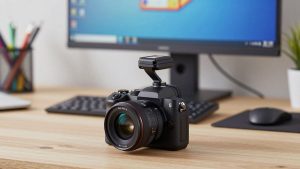
Best Mirrorless Camera for Webcam
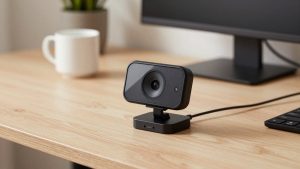
Best Webcam No Microphone