Last Updated: October 18, 2026
📄 In This Review
Why buy the webcam and headset together
On most laptops, the camera and microphone fail for the same reason: they are too far from you. A laptop mic picks up keyboard noise, room echo, and fans. A built-in camera shoots up your nose and falls apart in low light. Upgrading just one leaves the other as the weak link.
Buying them as a pair also avoids common compatibility headaches. A 4K webcam that eats USB bandwidth paired with a wireless headset dongle on the same unpowered hub is a classic recipe for frozen video or robotic audio. Plan for two free USB-A or USB-C ports, or a powered dock, especially on MacBooks with only two ports total. If you work from different spots, think about portability now rather than buying a desk-bound headset you will hate in a cafe.
The budget combo that is fine for most calls
See also: Best Monitor for MacBook Air: Two USB-C 4K Screens and Six Adapter-Dependent Alternatives • Best Monitor for MacBook Pro: Eight Listings Sorted by Cable, Sharpness and Scaling
For straightforward Zoom, Teams, and Google Meet calls in a quiet room, you do not need to spend much. A basic fixed-focus 1080p webcam and a wired USB headset with a boom mic will sound and look better than any laptop combo and most expensive earbuds.
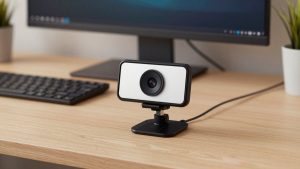
A simple 1080p webcam is sharp enough at arm’s length, has no autofocus to hunt during a call, and usually works plug-and-play on Windows and Mac. The trade-off is low light. In a dim bedroom office expect grain and soft detail. Put a lamp in front of you, not behind you, and it looks twice as expensive as it is. Failure mode to watch: cheap mounts that slip on thin laptop lids, and overly wide 90-degree lenses that show your whole messy room.
Pair it with a basic wired USB headset with mic. A boom mic close to your mouth beats any webcam mic for clarity and rejects keyboard clatter far better. The downsides are real: thin cables tangle, inline controls break first, and on-ear pads get hot after two hours. This suits call-center style days, students, and anyone who wants reliability over freedom to pace. If you wear glasses, try on-ear versus over-ear carefully, as clamping pressure causes headaches on long days.
The best combo for a daily home office
If you take 3-6 hours of calls a day from the same desk, step up to an autofocus 1080p or 1440p webcam with good auto-exposure, plus a comfortable over-ear wired or DECT wireless headset.
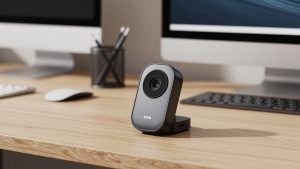
Autofocus helps if you lean in to share documents or move around a whiteboard. Good light correction matters more than 4K resolution, which mostly just crops better and taxes your CPU. Look for a physical privacy shutter, a standard tripod thread, and software that remembers your zoom and framing. On Macs, check that the vendor actually supports macOS for firmware updates. Many do not, which means you get stuck with default settings.
For audio, a proper office headset with a noise-canceling boom and sidetone, the ability to hear your own voice, is worth it here. Wired USB is still the most stable and the cheapest way to get great mic quality. Wireless DECT models give you 100+ meters of range to get coffee without dropping, but they cost more and need a base station on your desk. This is the right pick for managers, teachers, recruiters, and therapists who live on video. The main failure mode is comfort and heat, so prioritize light weight, replaceable ear cushions, and a mute button you can find without looking.
The portable combo for MacBooks and hybrid work
If you split time between home, office, and travel, bulk matters. A compact 1080p webcam with a small clip and a travel case plus lightweight Bluetooth earbuds or an on-ear Bluetooth headset with multipoint is easier to carry than a full office rig.
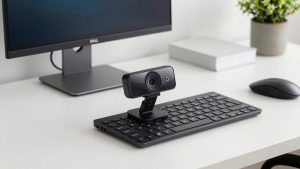
Compact webcams sacrifice low-light performance and field-of-view controls, but they survive in a laptop sleeve. Avoid clip-on 4K models that run hot and need USB-C to USB-C cables you will forget. For Mac users, USB-C native or a short, quality adapter matters. Cheap adapters cause the classic symptom: camera works, mic does not, or vice versa.
A pair of Bluetooth headset with boom mic for work devices are convenient but are the least predictable for calls. Bluetooth multipoint that stays connected to phone and laptop at once often drops when a Teams call starts, and many earbuds switch to a low-quality headset profile that makes you sound underwater. If you go this route, choose a model with a dedicated USB dongle for the laptop rather than native Bluetooth alone, and keep the phone Bluetooth off during important calls. This suits hybrid workers, consultants, and anyone who takes calls in shared spaces and needs to pack up fast.
Quick comparison
Use this to match the combo to your day, not to specs on a box.
| Combo | Webcam type | Headset type | Best for | Watch out for |
|---|---|---|---|---|
| Budget wired | 1080p fixed-focus, 70-80 degree lens | Wired USB stereo, boom mic | Quiet home room, students, 1-2 hrs calls | Poor low light, cable wear, on-ear heat |
| Daily home office | 1080p/1440p autofocus, auto-exposure, shutter | Over-ear USB or DECT wireless, noise-canceling boom | 4+ hrs calls, teaching, managing | Weight, cost, needs dock space for base |
| Portable / Mac | Compact 1080p, small clip, USB-C friendly | Light Bluetooth + USB dongle, multipoint | Hybrid, travel, hot-desking | Bluetooth drops, dongle loss, mic sounds thin |
Mistakes that ruin an otherwise good combo
Do not plug a webcam and a wireless headset dongle into the same cheap unpowered hub. Split them between ports on the laptop or use a powered dock. If video stutters when audio connects, that is usually USB power or bandwidth, not a broken camera.
Do not sit with a bright window behind you. No webcam, even 4K, can fix strong backlight without making your face dark. Face the window or close blinds and use a $20 desk lamp at 45 degrees. Test with your actual meeting app, because Zoom and Teams process video and noise reduction very differently from the camera preview.
Do not assume wireless earbuds made for music will work for meetings. Most have the mic in the earbud, three feet from your mouth, and pick up every echo. If coworkers say you fade when you turn your head, that is why. A boom, even a short one, fixes it immediately.
Simple setup that prevents 90 percent of complaints
Mount the webcam at eye level, about an arm’s length away. Stack your monitor on books if needed. Set the lens to eye height, not looking up from the laptop deck. In app settings, select the external mic and speaker explicitly. Windows and MacOS love to switch back to the laptop mic after an update.
Do a 30-second test recording before a big interview or presentation. Clap once to check sync, type a sentence to check keyboard pickup, and stand up and sit down to check autofocus hunting. Turn on mute-by-button on the headset, not just in software, so coughs and dogs do not broadcast. Keep a wired headset as backup in your bag even if you prefer wireless. Batteries die exactly when you cannot afford it.
FAQ
Do I really need a separate headset if my new webcam has dual mics?
Yes, for work. Webcam mics are 2-3 feet away and pick up room echo. A headset mic sits an inch from your mouth and will sound clearer on every platform, even if the webcam costs three times more.
Is 4K worth it for work calls?
Usually no. Most meeting apps send 720p to 1080p anyway. Better autofocus, exposure, and a good lens at 1080p look better than a noisy 4K sensor in a dim office and use less CPU, which helps older laptops and MacBook Airs stay cool.
Why does my Bluetooth headset sound great for music but bad on calls?
When the mic activates, many Bluetooth devices drop to a low-bandwidth call mode. The fix is to use the included USB dongle for laptop calls, stay close to the laptop, and disconnect the second phone connection during meetings.
What works best on a Mac with only USB-C ports?
Choose a webcam that is USB-C native or comes with a proper USB-C cable, and a headset with USB-C dongle or wired USB-C. Avoid stacking multiple cheap adapters. A small powered USB-C dock solves most camera freezing and mic dropout issues.