Last Updated: October 18, 2026
If you just need to look clear on Zoom, Teams, and Meet without thinking about settings, an entry-level webcam is enough. Most office work does not need 4K, AI tracking, or a big sensor. It needs reliable 1080p, decent auto-exposure, and a microphone that does not cut out when you lean back.
I have tested cheap webcams in real home offices: backlit spare bedrooms, kitchen tables, and MacBook Airs with the lid closed and docked. The difference between a good $40 webcam and a bad $40 webcam is not sharpness on paper. It is whether your face is blown out by a window, whether autofocus breathes during a call, and whether coworkers can hear you without you wearing a headset.
📄 In This Review
What entry-level actually means
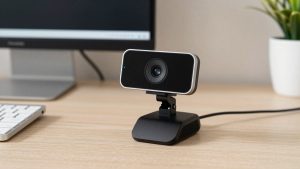
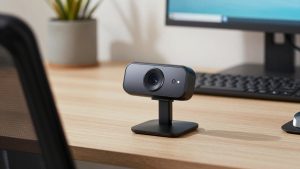
Entry-level in 2026 usually means 1080p at 30fps, fixed focus or basic autofocus, dual noise-reducing mics, and USB-A with an adapter for USB-C. Most plug straight into Windows and Mac with no driver. You clip them to a laptop lid or external monitor.
What you do not get: real low-light performance, wide dynamic range, fast autofocus, background blur done in-camera, or a truly wide field of view without distortion. If you work nights in a dim room or you present to clients all day, that matters. If you do two to five internal calls a day in a normal lit room, it does not.
What to check before you buy
See also: Best Monitor for MacBook Air: Two USB-C 4K Screens and Six Adapter-Dependent Alternatives • Best Monitor for MacBook Pro: Eight Listings Sorted by Cable, Sharpness and Scaling
Resolution is the least useful spec here. Almost everything says 1080p, but the lens and processing are what change the image. Look instead at focus type, field of view, and mount.
Fixed focus is underrated for work. It cannot hunt or pulse, which is the most distracting failure on cheap autofocus webcams. If you sit 2 to 3 feet away and do not move around, fixed focus stays sharp and calm. Autofocus is only better if you hold up documents, whiteboards, or move back and forth.
Field of view matters more than people expect. A 78 to 82 degree lens suits a single person on a laptop. It crops tighter and looks more natural. A 90 degree or wider lens fits two people but makes a solo caller look small and shows a messy room. Most cheap wide-angle webcams also soften the edges.
For laptops and Macs, check the mount and cable. Thin MacBook lids and ultrabooks make heavy webcams tip forward. A folding clip with rubber grip is more stable than a chunky tripod-style base. You also want at least a 5-foot cable if your dock is under the desk. Mac users should stick to UVC-compliant plug-and-play models. Special Windows software for background effects or manual controls often does not exist on macOS.
Entry-level webcams compared
This is the short list I would actually recommend for office work. All are 1080p, USB plug-and-play, and work with Zoom, Teams, Meet, and FaceTime via Continuity apps or direct USB.
| Webcam type | Best for | Strengths | Watch out for |
|---|---|---|---|
| Logitech C920s class 1080p with autofocus | General home office | Reliable exposure, good mics for price, physical privacy shutter | Autofocus can hunt in low light; cable is USB-A only |
| Logitech Brio 100 class 1080p fixed-focus | Laptops and MacBooks | Light, stable mount, no focus pulsing, simple setup | Softer detail up close; struggles in dim rooms |
| Anker PowerConf C200 class 1080p with dual mics | Calls without a headset | Louder, clearer mics; good auto-framing for one person | Colors run cool; wide mode distorts edges |
| Basic 1080p no-brand webcam | Kids, second PC, travel backup | Very cheap, works in a pinch | Harsh exposure, tinny audio, flimsy clip |
Which one to get for work
For most home offices, get the proven 1080p autofocus workhorse in the Logitech C920s range. It is not the sharpest anymore, but it nails the basics: skin tones look normal, windows behind you do not blow out as badly as cheaper models, and the mics are usable if your room is quiet. The failure mode is autofocus hunting when light drops below office level. If you notice pulsing, add a $15 desk lamp in front of you rather than buying a new camera. That fixes 80 percent of complaints.
If you use a MacBook Air, ultralight laptop, or you move desks a lot, get a lighter fixed-focus model like the Logitech Brio 100 range. It weighs almost nothing, sits flat on thin lids, and never breathes in and out of focus during screen shares. Image detail is a touch softer than the C920s class, especially if you sit very close, but on a 13 to 16 inch laptop call window no one will notice. It is also fully plug-and-play on macOS, which is what you want if you do not want to install Logi software.
If you hate wearing a headset and take calls from a quiet room, look at the Anker PowerConf C200 range. Its dual microphones pick up voice from 4 to 6 feet better than most entry models and do a decent job ignoring keyboard clicks. The trade-off is video: whites skew blue and the widest setting stretches faces at the edges. Keep it at the standard field of view and sit centered. Do not use it in a noisy living room and expect miracles. No entry-level mic array beats a $30 USB headset for echo and background noise.
When the cheaper option is fine
The cheaper option is fine when lighting is good and calls are short. A $29 to $35 basic 1080p webcam in a bright room at 10 a.m. looks almost as good as a $70 webcam. Pair it with a headset mic and turn off its internal mic in Zoom settings, and most of the downside disappears.
The cheaper option is not fine in three cases. First, backlight: if your desk faces away from a window and the camera faces the window, cheap sensors turn you into a silhouette. Second, night calls: cheap sensors get noisy and drop to what looks like 15fps. Third, all-day client calls: poor auto white balance makes you look tired or green over hours. In those cases, step up to the mid $60 to $80 tier or buy a lamp first.
Common failure modes to test in the first week: mount slip on curved monitors, USB disconnects through cheap hubs, and mic echo when using external speakers. Plug directly into the laptop if you get freezes. If coworkers hear themselves echo, lower speaker volume to 60 percent or switch to earbuds. If the image is dark on Mac, open FaceTime or Photo Booth to confirm it is not just Teams auto-exposure, then add frontal light.
Two-minute setup that matters more than the model
Put the camera at eye level, about arm’s length away. Raise a laptop on a stand and use an external keyboard if you use a clip-on webcam daily, otherwise coworkers stare up your nose. Face a window or lamp, do not sit with a bright window behind you. Set Zoom or Teams to 1080p if your connection allows it, and turn off touch-up and low-light correction at first. Those filters often add lag and smearing on entry hardware.
FAQ
Is 1080p enough for work calls in 2026?
Yes for almost all internal meetings, interviews, and classes. Most meeting apps still transmit at 720p to 1080p and compress heavily. Better lighting will improve your image more than moving to 4K.
Do I need autofocus?
No if you sit still at a desk. Fixed focus is calmer and avoids hunting. Choose autofocus only if you demo products, use a whiteboard, or move around during calls.
Will these work with MacBooks and USB-C docks?
Yes if they are UVC plug-and-play, which all the types above are. You may need a USB-A to USB-C adapter. Advanced tuning apps are often Windows-only, but basic plug-in and use works the same on Mac.
Should I use the webcam mic or a headset?
Use a headset or earbuds for important calls, shared spaces, or echoey rooms. The built-in mics are fine for quick solo-room check-ins, but they pick up room reverb and typing.