Last Updated: October 18, 2026
- What 5000 actually buys you
- What to check before you buy
- Quick comparison: which type suits work calls
- Best all-rounder for home office: 1080p with dual mics
- Best for dim rooms and evening calls
- Best if you move or show things: autofocus and wide angle
- Laptop and Mac compatibility notes
- How to get more from any sub-5000 webcam
- FAQ
If your budget is under 5000, you are shopping in the most crowded part of the webcam market. Almost everything here claims 1080p Full HD, autofocus, noise-canceling mics, and great low-light performance. In real home offices, about half of that is true.
For work calls on Zoom, Google Meet, Teams, and Mac FaceTime apps, you do not need 4K under 5000. What you need is reliable focus, natural skin tones, a mic that does not clip, and a mount that stays put on a laptop or monitor. Get those right and you will look better than most people with more expensive cameras.
📄 In This Review
- What 5000 actually buys you
- What to check before you buy
- Quick comparison: which type suits work calls
- Best all-rounder for home office: 1080p with dual mics
- Best for dim rooms and evening calls
- Best if you move or show things: autofocus and wide angle
- Laptop and Mac compatibility notes
- How to get more from any sub-5000 webcam
- FAQ
What 5000 actually buys you
Under 5000, and in India under Rs. 5,000, there are really three tiers. Around 1,500 to 2,500 you get basic 720p and entry 1080p fixed-focus cameras. They are fine for daily check-ins if your room is bright, but faces look soft and backgrounds blow out near windows. From 2,500 to 3,800 you get the sweet spot for work: true 1080p at 30fps, better lenses, dual microphones, and usually a usable clip plus tripod thread. From 3,800 to 5,000 you get extras like autofocus, wider 90-degree framing for small meeting rooms, QHD / 2K sensors, or better low-light correction.
The honest truth: for one-person calls from a desk, the middle tier is enough. Spend the extra 1,500 only if you take calls in a dim room, move around a lot, or need to show a whiteboard or two people in frame.
What to check before you buy
See also: Best Monitor for MacBook Air: Two USB-C 4K Screens and Six Adapter-Dependent Alternatives • Best Monitor for MacBook Pro: Eight Listings Sorted by Cable, Sharpness and Scaling
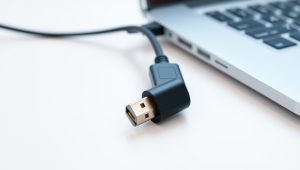
Resolution alone tells you very little. A good 1080p sensor with decent glass beats a cheap 2K sensor every time. Look for specifics: 1080p at 30fps, fixed or autofocus, field of view in degrees, mic type, cable length, and mount. For laptops and Macs, confirm USB-A vs USB-C. Most webcams under 5000 are still USB-A, so MacBook Air and MacBook Pro users will need a simple USB-C adapter or dock.
Field of view matters more than people expect. For a home office desk, 75 to 80 degrees keeps you centered without showing your whole room. Around 90 degrees is better if you sit farther back or share the frame. Wider than 95 degrees usually adds edge distortion and makes you look small.
Also check focus type. Fixed-focus is set for about 40cm to 2 meters. If you sit still at a desk, it is actually more reliable – no hunting or pulsing during calls. Autofocus is better if you lean in, hold up documents, or pace. Cheap autofocus is a common failure mode: it breathes in and out under office tube lights. If reviews mention focus hunting, skip it for work.
Quick comparison: which type suits work calls
| Type | Typical price | Best for | Watch out for |
|---|---|---|---|
| Basic 1080p fixed-focus | 1,500 – 2,500 | Daily Zoom / Meet from bright room, laptop users | Soft image in low light, narrow dynamic range, thin mic sound |
| 1080p with dual mic + privacy shutter | 2,500 – 3,800 | Most home office workers, long Teams calls | Check cable length and mount stability on thin laptop lids |
| 1080p autofocus, wide angle | 3,200 – 4,500 | Teachers, movement, showing papers or products | Cheap autofocus can hunt; needs good USB power |
| 2K QHD webcam | 4,000 – 5,000 | Want sharper stills, crop / digital zoom, better future-proofing | Many laptops downscale to 1080p anyway; low-light gains vary |
Best all-rounder for home office: 1080p with dual mics
If you just want one safe pick for work, get a well-reviewed 1080p webcam with dual mic and privacy shutter. This category hits the right trade-off: sharp enough for 13 to 27-inch viewing, mics that pick up voice from 1 meter without sounding hollow, and a physical shutter for privacy between calls.
Who it suits: analysts, developers, support staff, students, anyone doing 2 to 6 hours of calls per day. Plug it into a laptop or monitor, set it at eye level, and leave auto-exposure on. Failure mode to know: in mixed lighting with a bright window behind you, your face will go dark. No webcam under 5000 fully fixes backlight. Face the window or add a cheap desk lamp in front of you instead of buying a more expensive camera.
When the cheaper option is fine: if your laptop camera from the last 2 years is already 1080p and you only do short internal calls, a basic external camera will not look dramatically better. Buy only if your built-in video is grainy, your angle is unflattering, or your mic picks up fan noise.
Best for dim rooms and evening calls
Indian home offices, bedrooms, and rented flats often have one overhead light and a lot of shadows. Cheap sensors compensate by boosting brightness, which creates noise and waxy skin. If you regularly take US / EU shift calls at night, prioritize a larger sensor and low-light correction over higher resolution.
Look for listings that show real low-light samples, not just studio images. A useful setup is a low light 1080p webcam for work calls paired with a Rs. 800 to 1,200 LED panel or even a window-facing desk. That combination beats any sub-5000 camera trying to do it alone. Who it suits: night-shift workers, teachers recording early morning classes, Mac Mini and desktop users with no built-in camera.
Failure mode: auto white balance going orange under warm bulbs. Lock white balance in the camera app if you can, and avoid sitting under a yellow ceiling light directly overhead.
Best if you move or show things: autofocus and wide angle
If you teach, demo products, or share documents on camera, autofocus is worth it. A good autofocus 1080p webcam widescreen for laptop will keep your face sharp when you lean forward and refocus quickly when you hold paper up at arm’s length.
Who it suits: tutors, sellers, HR interviews where you move naturally. Who should skip it: if you sit still 60cm from the screen, fixed-focus is sharper on average and will not pulse mid-sentence. Another trade-off is audio. Wide-angle cameras often sit farther back on large monitors, so your voice sounds distant. If your room echoes, plan on earphones with a mic for important calls.
Laptop and Mac compatibility notes
For Windows laptops, almost anything USB 2.0 works with Meet, Zoom, and Teams without drivers. For Macs, stick to UVC plug-and-play cameras that explicitly list macOS support. Avoid cameras that require a Windows-only app for basic focus or zoom – on a Mac you will be stuck with defaults.
Mounting matters on thin laptops. Heavy webcams wobble on MacBook Air lids and some ultrabooks. Look for a clip with a flat back and rubber pads, plus a standard 1/4-inch tripod thread. That thread lets you put the camera on a mini tripod at eye level, which instantly improves how you look. Cable length is another overlooked spec: 1.5 meters is comfortable for a desktop; 1 meter feels tight if your dock is under the desk.
If you use an external monitor, mount the webcam on the monitor you look at, not on the closed laptop to the side. Eye contact suffers more from bad placement than from low resolution.
How to get more from any sub-5000 webcam
Set resolution to 1080p in the app, not 720p power-saving mode, and close other apps using the camera. Clean the lens with a microfiber cloth – dusty lenses cause most daytime softness. Keep the camera at eye level or slightly above, about an arm’s length away. Put the key light in front of you, not behind. In Zoom and Teams, turn off beauty filters and auto-adjust to high unless your room flickers, which usually means a mismatch between shutter and 50Hz room lighting.
For audio, test the webcam mic with a 20-second recording in your actual chair. If there is fan, cooler, or street noise, switch to wired earphones for client calls and keep the webcam mic as backup. That one habit matters more than any mic spec sheet under 5000.
FAQ
Is 1080p enough for work, or should I stretch to 2K?
For most video calls, yes. Meet, Zoom, and Teams compress video heavily, so a clean 1080p feed looks the same as 2K to the other person. Buy 2K only if you record locally, crop in, or want slightly sharper still photos.
Will these webcams work with MacBook Air and MacBook Pro?
Most UVC USB webcams do, with no drivers needed for basic video and mic. Since many models are USB-A, you will need a USB-C adapter or hub. Check the listing for macOS support before buying.
Why does my new webcam look worse than my phone?
Usually lighting and placement. Phones have much larger sensors and heavy processing. Put your webcam at eye level, face a window or lamp, avoid backlight, and clean the lens. If it is still grainy, your room is likely too dim for the sensor.
Do I need an external mic too?
Not for most calls. Dual-mic webcams under 5000 are fine in quiet rooms up to about 1 meter. If your room echoes, has constant background noise, or you present to clients, inexpensive wired earphones will sound clearer than any webcam mic.
Related Reviews & Guides
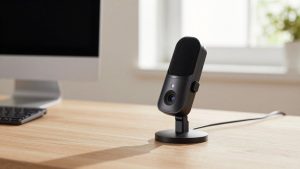
Webcam with Good Microphone
ACEMAGIC M1 Mini PC Review (2026)