Last Updated: October 18, 2026
- What Reddit actually agreed on in 2022
- Best overall for work calls: Logitech C920s
- When the cheaper option is fine: Anker PowerConf C200
- Step-up for 60fps and recording: C922 and StreamCam
- The 4K option people argued about: Logitech Brio
- Laptop and Mac setup notes from 2022 threads
- What to avoid based on those threads
- FAQ
If you searched Reddit for webcam advice in 2022, you saw the same threads over and over: blurry laptop cam for Zoom interviews, Logitech C920 out of stock or overpriced, and arguments about whether 4K is worth it for work calls. I read through those threads and tested the pattern myself during that period. The consensus was surprisingly practical.
Redditors who actually used webcams 6-8 hours a day for work cared far less about spec sheets than about autofocus that doesn’t hunt, exposure that doesn’t blow out your face next to a window, and a clip that fits a modern thin monitor. Resolution mattered, but lighting handling mattered more.
📄 In This Review
- What Reddit actually agreed on in 2022
- Best overall for work calls: Logitech C920s
- When the cheaper option is fine: Anker PowerConf C200
- Step-up for 60fps and recording: C922 and StreamCam
- The 4K option people argued about: Logitech Brio
- Laptop and Mac setup notes from 2022 threads
- What to avoid based on those threads
- FAQ
What Reddit actually agreed on in 2022
Three themes came up in r/WFH, r/Zoom, r/macsetups, and r/Twitch year after year, and 2022 was no different. First, the built-in camera on most Windows laptops and Intel Macs from that era was 720p and noisy in low light. An external 1080p webcam was a visible upgrade even on a compressed Zoom call. Second, microphone quality on webcams was universally described as usable for backup only. Even fans of Logitech and Anker recommended a separate headset or USB mic for all-day calls. Third, software was a failure point. Logitech Capture and G Hub got a lot of complaints for crashes, settings not sticking, and high CPU use on older laptops.
That explains why the most upvoted advice was boring: buy a proven 1080p model, clamp your lighting first, and don’t pay scalper prices for 4K unless you need cropping flexibility.
| Category Redditors recommended | Typical 2022 pick | Resolution / Focus | Who it suited | Common complaint |
|---|---|---|---|---|
| Best value for office calls | Logitech C920s | 1080p / Autofocus | Home office, students, most Zoom/Teams users | Autofocus hunts if you move a lot; narrow-ish field of view |
| Budget alternative | Anker PowerConf C200 | 1080p / Autofocus | Laptop users who wanted better low-light than C920 | Colors can look cool; mic picks up room echo |
| Step-up for streaming | Logitech C922 / StreamCam | 1080p60 / Autofocus | Part-time streamers, teachers recording lessons | Needs good light for 60fps to look clean |
| 4K for cropping / detail | Logitech Brio | 4K / Autofocus | Presenters who crop, multi-person framing | Expensive; Windows Hello quirks on Mac; gets warm |
Best overall for work calls: Logitech C920s
See also: Best Monitor for MacBook Air: Two USB-C 4K Screens and Six Adapter-Dependent Alternatives • Best Monitor for MacBook Pro: Eight Listings Sorted by Cable, Sharpness and Scaling
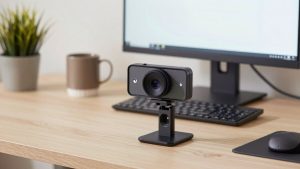
If you want the 2022 Reddit answer in one sentence, it was the C920s. Not because it was perfect, but because it failed the least. The Logitech C920s delivered sharp 1080p30 with dual mics, a physical privacy shutter, and a clip that actually held on Dell, Lenovo, and MacBook Air lids with a case on. In office lighting it produced natural skin tones without the waxy smoothing you got from no-name 4K cams on Amazon at the time.
Trade-offs were well documented. Autofocus could pulse if you leaned in and out or gestured with your hands near your face. Low-light performance was acceptable, not great – in a dim bedroom at night you looked soft and grainy. The 78-degree field of view was good for one person and a little home office background, but tight if you wanted to show a whiteboard. Reddit fix: lock focus and exposure in Logitech software if your model allowed it, then quit the software, or just add a $20 desk lamp bounced off a wall behind your monitor.
Who should buy it: anyone doing Zoom, Teams, Meet, or telehealth intake calls 2-6 hours a day who just wants to look clear without tweaking settings. Who should skip it: if you move constantly, present standing up, or need 60fps for smooth motion.
When the cheaper option is fine: Anker PowerConf C200
In 2022 threads about budget setups under $70, the Anker PowerConf C200 came up constantly as the C920 alternative when Logitech prices spiked. Image quality was very close in good light, and several users felt it handled mixed backlight from windows slightly better out of the box. It also had dual noise-reducing mics that were fine for a quick call, though tinny for all-day use.
Failure modes: color balance ran cool/blue for some skin tones, and the autofocus was slower to settle than Logitech when you switched from keyboard to holding paper up to the camera. Build quality was light plastic, and the mount felt less secure on thick curved gaming monitors. If you work on a laptop at a kitchen table and take calls in daylight, you will not see a $50 difference versus the C920s. Save the money and put it toward a headset.
Honest take from those threads: if your calls are mostly internal standups and your room is reasonably lit, a $60-70 1080p webcam from Anker or Logitech was indistinguishable to your coworkers after Zoom compression. Don’t pay double for a sharper sensor they will never see.
Step-up for 60fps and recording: C922 and StreamCam
Redditors who taught online, recorded Loom videos, or streamed on Twitch often recommended moving from the C920s to the C922 or Logitech StreamCam specifically for 1080p60 and better dynamic range. At 30fps they looked similar to the C920s, but at 60fps hand movement, writing on paper, or demoing product looked much smoother.
The catch was lighting. To actually hold 60fps without heavy noise, you needed a bright room or a key light. In a dim home office, both cameras would drop exposure quality fast and look worse than a C920s locked at 30fps. StreamCam also used USB-C and relied more on Logitech software, which caused headaches for Mac users in 2022 who just wanted plug-and-play in QuickTime or OBS. If you were on an M1 MacBook Air doing mostly Zoom, this was not worth the hassle.
The 4K option people argued about: Logitech Brio
The Logitech Brio was the default 4K recommendation in 2022, mainly because it did Windows Hello, had better HDR handling for bright windows, and allowed digital zoom/cropping while staying above 1080p. For solo presenters who wanted to crop in tight and still look sharp on a recorded video, that was useful.
For live work calls, most Redditors said it was overkill. Zoom and Teams compressed 4K to 720p or 1080p anyway, and the Brio ran hot during long meetings. Mac users also reported inconsistent feature support – you got a great plug-and-play image, but lost Windows-specific features. At roughly twice the price of a C920s, it only made sense if you recorded local 4K for YouTube, needed wide 90-degree framing for two people, or sat in front of a bright window all day and needed the HDR.
Other 2022 mentions like the Dell UltraSharp WB7022 and Anker PowerConf C300 got positive comments for image quality but had spotty availability and higher prices. For work, they didn’t change the value equation.
Laptop and Mac setup notes from 2022 threads
Mounting and compatibility caused more returns than image quality. Thin MacBook Air/Pro lids plus a hard case made some wide clips wobble. USB-A versus USB-C was a real issue – many newer ultrabooks needed a dongle, and cheap USB hubs caused dropouts at 1080p. Redditors recommended plugging directly into the laptop when possible, using the rear ports on desktops, and avoiding long unpowered extension cables.
For M1/M2 Macs in 2022, the safest path was a UVC-compliant camera that works without drivers. The C920s and Brio both worked in FaceTime, Zoom, and OBS, but advanced tweaks required Logi Tune or third-party apps. If you needed background blur, use the blur built into Zoom or Teams rather than camera software – it was more stable and used less CPU.
What to avoid based on those threads
The most regretted purchases were generic no-name 4K webcams promising autofocus and low-light magic for $35. They often used heavy sharpening and fake interpolation, looked harsh under office fluorescents, and had mics that picked up keyboard clatter. Also avoid paying 2021-style shortage markups in 2022 – if the C920s was listed at $130+, the Anker C200 at normal price was the smarter buy.
Finally, don’t expect any webcam to fix bad lighting. A 1080p camera with a window in front of you will beat a 4K camera with a bright window behind you every time. Face the light, put the camera at eye level with books or a stand, and turn off overhead-only lighting that casts shadows.
FAQ
Was the Logitech C920 still worth buying in 2022?
Yes for most office work. The C920s version added a privacy shutter and was widely available again after shortages. Unless you needed 60fps or 4K cropping, it looked as good as anything else once video was compressed by Zoom or Teams.
Is 4K worth it for Zoom calls?
Usually no. Zoom capped most calls at 720p or 1080p in 2022, so coworkers couldn’t see full 4K. 4K helped if you record locally, crop in, or need HDR against bright windows, but for daily standups a good 1080p camera in good light looked the same.
Why does my webcam look worse than reviews?
Almost always lighting and settings. Backlight from a window, dim warm bulbs, and auto-exposure hunting cause grain and washed-out faces. Face your main light source, lock exposure if possible, and plug directly into your laptop instead of a cheap hub.
Do I need a separate mic if I buy a good webcam?
If you talk more than an hour a day, yes. Reddit threads consistently rated even good webcam mics as echoey and distant. A basic wired headset or USB mic will improve how you sound far more than upgrading from 1080p to 4K.