Last Updated: October 18, 2026
Using a DSLR for Zoom meetings sounds like overkill until you have sat through a day of soft, noisy webcam video. A large sensor gives you cleaner low light, real background blur, and accurate skin tones that no small webcam sensor can match. But it also adds cost, cables, and failure points.
For most home office workers, a good webcam is still the smarter buy. A DSLR only makes sense if you present regularly, record, teach, or you already own a compatible camera body and lenses.
📄 In This Review
Do you actually need a DSLR for Zoom?
A webcam sits on your monitor, powers over USB, and just works when Zoom opens. A DSLR needs external power, a capture device or USB streaming mode, a tripod or desk mount, and often better lighting to look its best.
Get a DSLR setup if you host client calls, webinars, YouTube videos, or team trainings and want to look noticeably sharper. Stick with a webcam if you take 2-3 internal calls a day, move laptops between rooms, use a work laptop with locked-down USB drivers, or hate troubleshooting before meetings.
Honest trade-off: a $150 webcam in a well-lit room will beat a $700 DSLR in a dark room with the wrong settings. Light and placement matter more than sensor size after a certain point.
What matters for Zoom, not for photos
See also: Best Monitor for MacBook Air: Two USB-C 4K Screens and Six Adapter-Dependent Alternatives • Best Monitor for MacBook Pro: Eight Listings Sorted by Cable, Sharpness and Scaling
A great photo camera can be a bad Zoom camera. For video calls you need different features:
Clean HDMI or USB webcam mode. This is the deal-breaker. Many DSLRs overlay battery icons, focus boxes, and settings on the HDMI output. You need a body that can send clean video with no overlays. Newer bodies often have a USB webcam mode that works without extra hardware, older bodies need a capture card.
Unlimited power and no overheating. DSLRs are designed for short photo bursts, not 3-hour Zoom days. Look for support for a dummy battery / AC adapter. Without it, you will get 45-90 minutes then a dead battery mid-call. Overheating shutdown is also common in small rooms, especially at 4K.
Reliable continuous autofocus in video. Contrast-only autofocus will hunt and pulse during a call, which is distracting. Phase-detection or dual-pixel style autofocus that is smooth and quiet in video is what you want. You also want a quiet STM-type kit lens so the mic does not pick up focus buzz.
No 30-minute record limit issues. Older DSLRs stop video after 29:59 for tax reasons. That limit often does not apply when using clean HDMI to a capture card, but it does apply if you record internally. If you plan to record long meetings locally, confirm this.
Compare your realistic options
Do not shop by megapixels. Shop by how you will connect it and how long your calls run.
| Setup type | Best for | What you need | Main downside |
|---|---|---|---|
| Entry DSLR with USB webcam mode | Beginners who want simple setup | Camera + kit lens + USB cable + dummy battery + tripod | 1080p only, basic autofocus, can overheat |
| Mid-range DSLR with clean HDMI | Daily presenters, coaches, teachers | Camera + 24mm or 35mm equivalent lens + HDMI capture card for Zoom + AC power + light | Higher cost, more cables, needs tuning |
| Used DSLR you already own | Budget upgrade if compatible | Check for clean HDMI, buy capture card and power adapter | Old autofocus hunts, no USB webcam mode, short battery life |
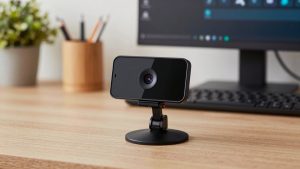
| High-quality webcam instead | Most office workers, MacBook users | Webcam + small ring or panel light | Less blur and low-light control than DSLR |
Best types of DSLR setups for Zoom
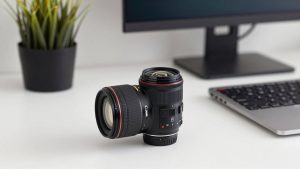
1. Simplest: entry-level DSLR with USB streaming. If you want the least hassle, choose a recent entry body that supports plug-in USB webcam use on Windows and Mac without a capture card. Pair it with the kit 18-55mm lens at 24-35mm, set it to 1080p30, and power it from the wall. Image quality will be clearly better than a laptop camera, especially in mixed home lighting.
This suits spare bedrooms and home offices where you can leave the camera on a small tripod behind your desk. Failure mode: USB modes often disable full manual control, run warm, and default to auto exposure that brightens the window behind you and darkens your face. Lock exposure and use a blind or curtain behind you.
2. Best quality: mid-range DSLR with clean HDMI and capture card. This is the setup you see from full-time creators. You run HDMI out from the camera into a USB capture device, which Zoom sees as a webcam. You get full manual exposure, sharper 1080p, and no compression artifacts.
Plan on buying a DSLR dummy battery AC adapter kit made for your specific battery type, plus a sturdy desk mount that does not creep down during calls. This suits you if you present 10+ hours a week and can leave gear set up. Failure mode: cheap no-name capture cards often add 200-300ms audio delay or drop to 720p on Macs. Buy one that explicitly supports 1080p30 UVC with no drivers.
3. Budget path: reuse what you have. If you own a DSLR from the last 6-8 years, check the manual for clean HDMI output before buying anything. If it has it, you only need power and capture. If it does not, do not force it. Converters that strip overlays look bad and add lag.
Older bodies also hunt for focus under LED office lights and produce moire on striped shirts. Test a 30-minute call before you rely on it for work. For many people, putting that $120 toward lighting and a 4K webcam for home office delivers 80% of the improvement with none of the cables.
Lens, light, and audio matter more than the body
Buyers obsess over the DSLR body and ignore the three things coworkers actually notice. Use a 24mm to 35mm full-frame equivalent lens placed 2-3 feet away at eye level. A 50mm in a small office forces you too far back and crops your shoulders.
Set aperture to f/2.8 to f/4. Wider than f/2.0 looks creamy but your nose will be sharp and ears soft if you lean in, and autofocus will constantly adjust. Shutter 1/60, ISO as low as you can while keeping brightness, white balance locked to 5200K or custom, not auto.
Add a single soft key light at 45 degrees. Without it, even a DSLR will crank ISO and look grainy. And do not use the DSLR mic three feet away. A $40 USB mic or headset close to your mouth will improve perceived quality more than upgrading the camera body.
Mac and laptop notes
Mac users hit the most compatibility problems. Some USB webcam modes require a vendor utility that lags behind macOS updates, and some capture cards only do 1080p on Intel drivers but fall back on Apple Silicon. If you use a work MacBook, test with a standard Zoom account before a client call, and bring a basic webcam as backup.
Laptops also struggle with heat when running Zoom + HD capture + screen share. Use 1080p30, not 4K. Zoom compresses to 720p-1080p anyway, so 4K output just adds heat and CPU load with no visible benefit to others.
FAQ
Can I use a DSLR for Zoom without a capture card?
Sometimes. Many recent DSLRs and mirrorless cameras offer USB webcam mode with the manufacturer’s free software. Older DSLRs almost always need an HDMI-to-USB capture card. Check for clean HDMI and USB streaming support for your exact body before you buy accessories.
Why does my DSLR turn off during long Zoom calls?
Usually auto power-off, overheating, or a dead battery. Disable auto power-off, use a dummy battery for wall power, shoot 1080p30 instead of 4K, and keep the LCD closed or dimmed. If it still shuts down after 30-40 minutes in a warm room, that body is not ideal for all-day meetings.
Will a DSLR work with Zoom on Mac?
Yes if the camera presents as a standard UVC device, either via USB webcam mode or via a UVC-compliant capture card. Avoid cards that need custom Windows drivers. Always test screen share, virtual background, and audio sync on your Mac, as some combinations add lip-sync delay.
Is a DSLR better than an expensive webcam for work?
For image quality alone, yes, especially in low light and for background blur. For reliability, no. A webcam wins on setup time, portability, and stability. If you do not want to manage batteries, focus, and exposure, the cheaper webcam plus a good light is fine and often the better work choice.