Last Updated: October 18, 2026
If you look washed out, grainy, or shadowy on video calls, the problem is usually light, not your laptop. A computer camera with a ring light puts a soft, even light source right where your webcam is, which fixes the harsh shadows and noisy image you get from overhead room lighting. For home office work, that matters more than jumping from 1080p to 4K.
There are two ways to get this setup: buy a webcam with a built-in ring light, or buy a regular webcam and add a separate ring light. The built-in option is tidier. The separate option almost always looks better. Which one makes sense depends on your desk space, how often you are on camera, and how bad your room light is.
📄 In This Review
What a ring light actually fixes
A ring light does not make a bad sensor good. It gives a good sensor enough clean light to work with. In a dim home office, your webcam raises ISO and drops shutter speed to compensate, which creates grain, motion blur, and dull color. A ring light 2-3 feet from your face lets the camera stay at low ISO, so skin tones look normal and text on screen share does not distract from a flickery face cam.
It also fixes direction. Most home offices have light coming from above or from a window to the side. That leaves one side of your face bright and the other dark, with shadows under eyes and chin. A ring centered on the camera fills those shadows because the light and lens are on the same axis. You will still see a small circular catchlight in your eyes and sometimes in glasses, but for work calls that is far less distracting than half your face in shadow.
What it will not fix: a very low-resolution sensor, bad autofocus hunting, or backlight from a bright window directly behind you. If you sit with your back to a window, close the blinds or reposition first. No small ring light will overpower daylight.
Built-in vs. separate: the core trade-off
See also: Best Monitor for MacBook Air: Two USB-C 4K Screens and Six Adapter-Dependent Alternatives • Best Monitor for MacBook Pro: Eight Listings Sorted by Cable, Sharpness and Scaling
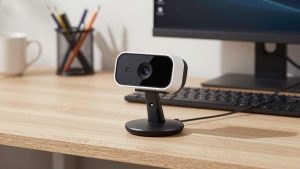
A webcam with built-in ring light is a single unit that mounts on top of your monitor. The light is a small LED ring around the lens, powered by USB. You turn it on with a touch button or twist ring and usually get 2-3 brightness levels. Setup takes a minute, there is one cable, and nothing else clutters your desk.
The limitation is physics. That ring is 2 to 3 inches across and sits 24 inches from your face. It is enough to lift shadows in an already decent room, but it is a small, relatively harsh source. Colors can look a little flat, and if you turn it to max in a dark room you can get shiny forehead hot spots and eye fatigue. Many built-in lights also share power with the camera, so brightness steps are coarse and you cannot move the light off-axis to reduce glasses glare.
A separate webcam plus a standalone ring light or small key light solves that. You can use a better 1080p webcam with larger pixels and better auto-exposure, then place a 6- to 8-inch ring just behind or beside the monitor at arm’s length. That larger source is softer and more flattering, and you can dim it steplessly and adjust color temperature from cool 5500K for daytime to warm 3200K for evening. The downside is desk space, one more stand or clip, and one more cable.
For daily Zoom, Teams, or Meet users on a laptop or Mac, the separate setup is worth it if you take calls 3+ hours a day. For occasional calls in a dorm, kitchen, or shared space, the built-in type is fine and you will actually use it because there is nothing to set up.
| Setup | Light quality | Camera quality for the price | Best for | Common failure mode |
|---|---|---|---|---|
| Webcam with built-in ring light, 1080p | Small, centered fill; good for mild shadows | Average; small sensor, basic autofocus | Occasional calls, travel, clutter-free desks | Glare on glasses, shiny skin at max brightness |
| 1080p work webcam + 6-inch clip-on ring | Softer, adjustable brightness and color temp | Better; you can pick proven work camera | Daily home office calls, laptops and Macs | Clip slips on thin laptop lids; extra cable |
| 2K / 4K webcam + 8-inch stand or monitor light | Softest, most even; works in dark rooms | Best detail, but needs good light to matter | Teaching, coaching, interviews, YouTube | Autofocus hunting, heavier mount sags on monitors |
What to look for if you buy built-in
Prioritize light control over resolution claims. Look for stepless brightness or at least 5 levels, plus adjustable color temperature. Three-step cool-only lights are the most common complaint: too blue at night, too harsh at full power. A physical shutter or lens cap matters more than you think if you work from home and do not want to fiddle with software kill switches.
On the camera side, 1080p at 30fps with fixed focus or simple autofocus is more reliable for work than cheap 2K/4K that upscales and drops to 15fps in low light. Check Mac compatibility explicitly. Many budget webcams work plug-and-play with macOS for video, but their settings app for zoom, exposure, and light control is Windows-only. You will be stuck with defaults on a MacBook.
Mount stability is the other failure mode. Lightweight monitor clips that rely on a single fold-out foot wobble every time you type. If you use a thin laptop screen or a curved ultrawide, look for a tripod thread in the base so you can put it on a small desk tripod behind the laptop instead. Microphones on these all-in-ones are usable for backup, but thin and echoey in a large room. If you talk all day, use earbuds or a USB headset anyway.
When a separate light is better
If you wear glasses, do evening calls, or have a dark office, skip built-in and pair a standard 1080p webcam for work video calls with a separate light. A clip on ring light for laptop webcam that circles the camera is the closest to built-in but usually larger and dimmable, while a small 6-inch ring on a mini stand just to the side of your monitor gives the softest result and lets you angle it to kill glasses reflection.
Set brightness so your face is clearly lit but the wall behind you is not blown out. Start at warm-neutral around 4000K at 30-40% power in a normal room, then raise until grain disappears. Place the light slightly above eye level, not below, to avoid horror-movie up-lighting. If your webcam software has auto-exposure, lock exposure after lighting is set so it does not pulse when you share a bright screen.
Be honest about desk reality: separate lights add clutter and another USB port. If you hot-desk or pack up daily, you will leave it in a drawer. In that case the cheaper built-in ring webcam is fine. It will beat any bare laptop camera in a dim room, and you do not need 4K for a 13-inch meeting tile.
Who should buy what
Buy a webcam with built-in ring light if: you make a few calls a week, work from a laptop in different rooms, hate extra gear, and your room already has some daylight or ceiling light. Keep expectations modest. It is fill light, not studio light.
Buy a separate webcam + ring light if: you are on camera daily, teach or present, wear glasses, or take calls after dark. You will get better skin tones, less noise, and control over glare. It costs a little more and takes 10 minutes to position, but the difference on a 27-inch monitor is obvious.
Do not buy either if your main issue is a bright window behind you or a 5-year-old laptop camera covered in fingerprints. Fix positioning and clean the lens first. If that does not help, spend on light before you spend on pixels.
FAQ
Is a webcam with built-in ring light good enough for job interviews?
Yes, if your room already has moderate light and you test beforehand. Set it to medium brightness and neutral color, frame head and shoulders, and check for glasses glare and shiny skin. For panel interviews or teaching, a separate larger light looks more even.
Will a ring light cause glare in my glasses?
Often, yes, especially small rings centered on the lens. Reduce brightness, move a separate light 6-12 inches off to the side and slightly higher, and tilt your monitor or glasses down a touch. Built-in rings give you less room to adjust, which is their main weakness.
Do these work with MacBooks and Mac Mini?
Most are plug-and-play over USB for Zoom, Teams, FaceTime, and Meet on macOS. The catch is settings software: exposure, zoom, and button customization are often Windows-only. If you need manual control on Mac, choose a camera known for Mac support or plan to control light separately.
Is 4K worth it for a webcam with light?
Usually not for work calls. Meeting apps compress to 720p or 1080p anyway. Better light with a clean 1080p sensor looks sharper than 4K in a dark room. Only pay for 2K/4K if you record, crop in, or present full-screen and have good lighting to feed it.
Related Reviews & Guides

Best Sony Camera for Webcam
Logitech Webcam Price for PC