Last Updated: October 18, 2026
If you use a desktop PC for work, you do not need a fancy camera — you need a webcam with a microphone that plugs in, gets recognized by Windows or Mac, and sounds clear without a separate mic. Most failures I see are not about resolution. They are about bad auto-exposure, thin echoey audio, and software that fights with Zoom or Teams.
For PC use, prioritize this order: microphone clarity, reliable autofocus and low-light correction, then resolution. A good 1080p webcam with dual noise-reducing mics will beat a cheap 4K webcam with a single tiny mic in real meetings. If you already own a good USB mic or headset, you can save money on the camera. If you want one cable and nothing else on your desk, spend more on the mic side.
📄 In This Review
What to look for in a PC webcam with microphone
Microphone: Look for dual omnidirectional mics with noise reduction. Single-mic budget models pick up keyboard clatter and room echo. None of these replace a headset in a noisy house, but the better ones are fine in a quiet home office at 2-3 feet distance.
Connection and compatibility: Stick to USB-A or USB-C UVC plug-and-play models. No drivers needed for Windows 10/11 and macOS. Avoid webcams that require a running app to keep 1080p or noise cancellation turned on.
Lens and field of view: 78-90 degrees suits one person at a desk. Wider than 95 degrees is useful only if you need to show two people or a whiteboard, but it makes you look small and distorts edges.
Common failure modes: Autofocus hunting during calls, overexposed face when a window is behind you, mic clipping when you laugh or speak loudly, and mounts that do not grip curved monitors or laptop lids. A physical privacy shutter is worth having on a shared PC.
Quick comparison
See also: Best Monitor for MacBook Air: Two USB-C 4K Screens and Six Adapter-Dependent Alternatives • Best Monitor for MacBook Pro: Eight Listings Sorted by Cable, Sharpness and Scaling
| Pick type | Video | Microphone | Best for |
|---|---|---|---|
| 1. Basic 1080p workhorse | 1080p / 30fps | Dual stereo | Daily Zoom / Teams on a budget |
| 2. Business-certified 1080p | 1080p / 30fps | Dual with noise reduction | Office laptops, Teams / Zoom certification |
| 3. Budget fixed-focus 1080p | 1080p / 30fps | Single or dual basic | Kids PC, second computer |
| 4. 1080p with light correction | 1080p / 30fps | Dual with noise reduction | Dark home offices |
| 5. 1440p mid-range | 1440p / 30fps | Dual with AI noise cancel | Sharper image without 4K price |
| 6. 4K business webcam | 4K / 30fps, 1080p / 60fps | Dual or triple array | Presenters, managers |
| 7. 4K auto-framing webcam | 4K / 30fps | Triple with AI isolation | Solo creators who move around |
| 8. PTZ tracking webcam | 4K / 30fps | Dual with zone pickup | Standing desks, demos |
| 9. Wide-angle conference cam | 1080p-4K | Long-range dual / array | Two people on one PC |
| 10. Ring-light streaming cam | 1080p / 60fps | Dual stereo | Low light, evening calls |
The 10 picks for PC
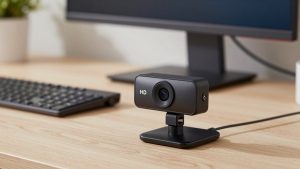
1. Basic 1080p workhorse for most PCs. This is the safe default: 1080p, autofocus, dual mics, 78-degree view, tripod-ready clip. Image is not cinematic, but skin tones look natural and audio is intelligible at arm’s length. Who it suits: anyone who wants to plug into a desktop and join calls. Skip if you work in a very dark room — the sensor gets grainy. When the cheaper option is fine: this is the cheaper option, and for most office work it is enough.
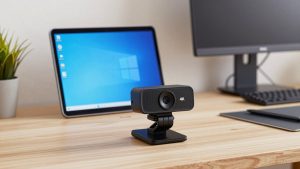
2. Business-certified 1080p model. Very similar on paper to No.1, but with tighter quality control, better echo handling, and certifications for Teams / Zoom. The mount is usually sturdier and the cable longer, which matters for tower PCs under a desk. If you buy a business certified 1080p webcam with microphone you are paying for reliability, not resolution. Good gift for a partner starting a remote job.
3. Budget fixed-focus 1080p. No autofocus to hunt, which is actually a plus for kids doing school on a shared family PC. Just sit 2-4 feet away and you stay sharp. Trade-off: single mics sound hollow and pick up fan noise, and low light is poor. Buy this for a second PC, not as your main work camera if you talk all day.
4. 1080p with strong low-light correction. If your office has one overhead bulb and no window, this category matters more than 4K. Larger pixels plus software brightening keep your face visible without blowing out the background. Watch for waxy skin smoothing you cannot turn off, and mics that over-suppress and clip the ends of words. Test with your actual desk lamp before an important call.
5. 1440p mid-range sweet spot. Noticeably sharper than 1080p when you crop or use background blur, but files and CPU load stay reasonable for older PCs. Most include dual mics with adjustable noise removal in their app. Failure mode: some default to 1080p until you change it in the vendor app, then Teams resets it. Set it once and check preview. Ideal if you present slides and want text behind you to stay readable.
6. 4K business webcam for PC and Mac. True benefit is not 4K streaming — Zoom rarely sends 4K — it is digital zoom, better lenses, and cleaner 1080p downscaled video. Mics are usually a step up, with beamforming that rejects keyboard noise. Downsides: needs good light to look 4K, runs warm, and needs USB 3.0 and a decent CPU. If your PC is 5+ years old, a quality 1080p model will actually look smoother. Browse 4K webcams with dual microphone for desktop only if you have the bandwidth and light to use them.
7. 4K auto-framing webcam. Uses AI to keep you centered when you lean or stand. Helpful for teachers, coaches, sellers doing demos. Mic arrays often include voice isolation that helps in echoey rooms. Trade-off: framing can drift if someone walks behind you, and gesture controls trigger accidentally. Turn off auto-zoom for normal sit-down meetings — your coworkers will thank you.
8. PTZ tracking webcam. A small gimbal head physically pans and follows you. Great for standing desks and workshop demos where you move between PC and whiteboard. Louder fan or motor noise can leak into the mic on cheap units, and the tracking app must run in the background on Windows. Not a good gift unless the person specifically wants to move on camera.
9. Wide-angle conference option for one PC, two people. 95-120 degree lens plus long-range mics that pick up voices at 8-10 feet. On a desk alone, you will look distant — sit closer or narrow the field of view in software. Audio will sound roomy compared to a close headset. Choose this only for shared home-office PCs or tiny meeting nooks, not solo work.
10. Streaming-style 1080p/60fps with built-in light. A ring light around the lens fills shadows for evening calls without a desk lamp. Video is smooth for hand gestures. The light is not flattering for everyone and can cause glasses glare, and mic quality varies widely — check reviews specifically for mic hiss. A practical pick for night-shift workers using a 1080p 60fps webcam with ring light and microphone in a dark bedroom office.
Which should you buy?
If you talk 3+ hours a day on a desktop PC in a quiet room, get pick 2 or 5. The mic noise reduction saves vocal fatigue from repeating yourself, and autofocus stays locked. If you already use a USB headset or dedicated mic, save money with pick 1 and mute the webcam mic in Windows Sound settings to avoid echo.
For older PCs, laptops on docks, and Mac minis, avoid 4K unless you have USB 3.0 and good lighting. A stable 1080p at 30fps with clean audio looks more professional than stuttery 4K. And if your room has hard walls and echo, no webcam mic will fix it — a $30 headset will outperform any camera on this list for audio.
FAQ
Do I need 4K for work calls on PC?
No, for most people. Zoom, Teams, and Meet compress video heavily. A good 1080p webcam with dual mics looks the same to coworkers and uses less CPU. Buy 4K only if you want to crop, zoom, or record locally.
Why do coworkers hear echo when I use my webcam mic?
Usually your PC speakers are feeding back into the camera mic, or both laptop and webcam mics are live. Use one mic only, lower speaker volume or use headphones, and move the webcam 2-3 feet away and facing you, not facing speakers.
Will these work with Windows and Mac without software?
Yes, if you choose UVC plug-and-play models. Windows 10/11 and macOS recognize them instantly in Zoom, Teams, OBS, and browsers. Vendor apps are optional for zoom, framing, and firmware updates.
Is a separate microphone better than a webcam microphone?
Yes, if your room is noisy or echoey. Webcam mics are 2-3 feet away and pick up everything. A headset or close USB mic will sound clearer. In a quiet, carpeted home office, a good dual-mic webcam is perfectly fine and simpler.