Last Updated: November 23, 2026
- How We Chose the Best Standing Desk for Beginners
- Beginner Standing Desks by Budget
- Beginner Standing Desks in Winter: What Changes
- Popular Standing Desks for Beginners: How to Read the Specs
- Why a Standing Desk Is Worth It for Beginners
- 8 More Top Rated Standing Desks for Beginners
- Also Consider
- Standing Desk Buying Guide for Beginners
- Beginner Standing Desk Reviews: How We Compared
- Standing Desk Setup Checklist for Your First Week
- Common Standing Desk Mistakes for Beginners
- Which Beginner Standing Desk Should You Buy?
- Best Standing Desks for Beginners: Spec Comparison
- Getting Started with Your New Standing Desk
- Frequently Asked Questions
- Related Articles
- Related Guides
Switching to a standing desk is one of the best moves you can make for your health and energy at work, but the sheer number of options can overwhelm a first-time buyer. Motor types, frame stability, programmable heights, price ranges, it is a lot to sort through when all you want is to stop sitting all day. This beginner’s guide cuts through the noise to help you choose a standing desk with confidence.
Below we compare the best standing desk options for beginners in 2026, focusing on ease of use, reliable adjustment, and value. We keep the jargon light and the advice practical, so you can pick a desk that gets you standing comfortably without overpaying for features you will never touch.

Best Seller
Updated November 2026 — The best standing desks for beginners are simple electric sit-stand desks with a single or dual motor, 4 memory presets and a 48 to 55 inch top. For most first-time buyers, the FlexiSpot EN1 One-Piece Standing Desk is the easiest start, the ErGear 48 x 24 Inch Electric Standing Desk is the budget pick, and the FlexiSpot E6 3-Stage Dual Motor Electric Standing Desk is the one to buy if you want a desk that will last past your first year.
Standing desks for beginners in one line each: pick a single-motor desk under $200 if you only stand for an hour or two a day, a dual-motor desk if you use two monitors, and a desk converter if you cannot replace your current desk.
ErGear Height Adjustable Electric Standing Desk, 48 x 24 Inches Sit Stand up Desk, Memory Computer Home Office Desk, Black

Editor's Pick
ErGear Height Adjustable Electric Standing Desk, 55 x 28 Inches Sit Stand up Desk, Memory Computer Home Office Desk, Black


As an Amazon Associate I earn from qualifying purchases.
📄 In This Review
- How We Chose the Best Standing Desk for Beginners
- Beginner Standing Desks by Budget
- Beginner Standing Desks in Winter: What Changes
- Popular Standing Desks for Beginners: How to Read the Specs
- Why a Standing Desk Is Worth It for Beginners
- 8 More Top Rated Standing Desks for Beginners
- Also Consider
- Standing Desk Buying Guide for Beginners
- Beginner Standing Desk Reviews: How We Compared
- Standing Desk Setup Checklist for Your First Week
- Common Standing Desk Mistakes for Beginners
- Which Beginner Standing Desk Should You Buy?
- Best Standing Desks for Beginners: Spec Comparison
- Getting Started with Your New Standing Desk
- Frequently Asked Questions
- Related Articles
- Related Guides
How We Chose the Best Standing Desk for Beginners
We picked standing desks that balance affordability, stability, and simplicity, favoring models a first-timer can assemble and operate without frustration. Overly complex or premium-priced desks were set aside in favor of beginner-friendly value. The table below compares five standout standing desks before we explain each pick in plain terms.
| Product | Best For | Standout Feature | Rating |
|---|---|---|---|
| FlexiSpot EC1 Standing Desk | First-time buyers | Simple reliable single motor | 4.7/5 |
| Vari Essential Electric Desk | Fast assembly | Near tool-free setup | 4.6/5 |
| FEZIBO Dual-Motor Desk | Value stability | Dual motors at low price | 4.5/5 |
| ApexDesk Elite Series | Wider surfaces | Spacious programmable top | 4.7/5 |
| SHW Electric Height Desk | Tight budgets | Affordable memory presets | 4.4/5 |
Beginner Standing Desks by Budget
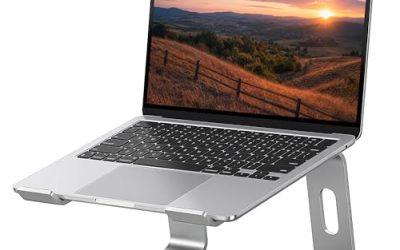
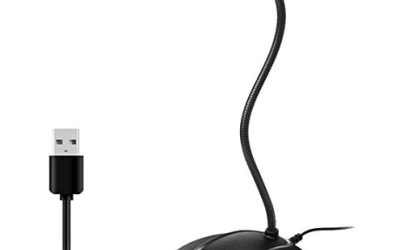
See also: 1 Best Aluminum Laptop Stand Ergonomic (November 2026) • 1 Best JOUNIVO USB Microphone for Desk Calls (November 2026)
This beginner standing desks list is grouped by price tier. Each pick has one spec line taken from the maker’s listing, so you can compare quickly. Size and capacity vary by configuration, so confirm both before ordering.
Best Beginner Standing Desks Under $150
- ErGear 48 x 24 Inch Electric Standing Desk — 48 × 24 in top · electric lift · memory presets
- FEZIBO Standing Desk 48 × 24 Inch — 48 × 24 in · splice board top · electric height adjustment
- DESINO Standing Desk 55 × 24 Inches — 55 × 24 in · splice board top · sit-stand
- Huuger 48 x 24 Inch Electric Standing Desk — 48 × 24 in · power outlets · USB-C port
- Furmax 55 Inches Electric Standing Desk — 55 in · memory presets · home office size
What to expect at this tier:
- A single-motor frame that lifts a laptop or one monitor and a small keyboard setup.
- Assembly with an Allen key in roughly 30 to 60 minutes with a helper.
- A top made from particleboard or a spliced board, not solid wood.
- Some wobble at full standing height if you type forcefully.
Best Beginner Standing Desks for $150 to $300
- FlexiSpot EN1 One-Piece Standing Desk — one-piece top · 4 memory presets · 176 lb capacity
- FlexiSpot E6 3-Stage Dual Motor Electric Standing Desk — 55 × 28 in · dual motor · 220 lb capacity
- DeskShow 60×28 In Electric Standing Desk — 60 × 28 in · 1 in thick top · double beam frame · 220 lb capacity
- Veken 55 Inch Large Electric Standing Desk — 55 in · large surface · height adjustable
What to expect at this tier:
- Dual-motor frames or thicker, one-piece tops.
- Higher listed weight capacity, around 176 to 220 lb.
- More stable at standing height with two monitors.
- Better warranty terms from the maker. Check the exact term before buying.
Best Beginner Standing Desk for an Existing Desk
- VIVO Manual Height Adjustable Standing Desk Converter, 32 in — 32 in top · manual lift · holds 33 lb
- FLEXISPOT Standing Desk Converter 36 in — 36 in riser · height adjustable · sit-stand workstation
A converter sits on top of the desk you already own. It costs less than a full desk, but it takes up surface space and holds less weight.
Beginner Standing Desks in Winter: What Changes
Cold weather changes how a standing desk feels, not how it works. Standing on a hard, cold floor is harder on your feet than sitting, so:
- Put an anti-fatigue mat under your feet. Foam or cushioned mats also insulate against cold tile or concrete.
- Wear shoes or thick socks at your desk rather than going barefoot.
- Keep the desk away from a drafty window. Cold air near the floor feels stronger while you stand.
- Do not lower the desk onto a space heater, boots or a pet bed. Clear the path under the frame before every adjustment.
- Start with 30-minute standing blocks, since heavy winter shoes and boots add fatigue.
Popular Standing Desks for Beginners: How to Read the Specs
Motor Count
Single-motor desks are enough for a laptop plus one monitor, up to roughly 100 to 150 lb of gear. Dual-motor frames lift faster, hold heavier loads and wobble less at full height.
Top Size
A 48 × 24 in top fits a laptop and one monitor. A 55 × 28 in top suits two monitors. A 60 × 28 in top suits two monitors plus accessories. Measure your room before choosing anything over 55 in.
Memory Presets
Presets let you save a sitting and a standing height. Two presets are enough for one person; four is helpful if two people share the desk.
Height Range and Your Body
Check the lowest and highest settings against your seated and standing elbow height. At seated height your elbows should be near 90 degrees, and the same at standing height. Tall users should confirm the top reaches 45 inches or more.
Why a Standing Desk Is Worth It for Beginners
Sitting for eight or more hours a day is linked to stiffness, low energy, and posture problems, and a standing desk offers a simple way to break that pattern. By letting you alternate between sitting and standing, it keeps your body moving and your energy steadier through the afternoon slump. You do not need to stand all day to benefit; even a few switches make a difference. Learn more in our sit-stand benefits guide.
For beginners, the key is choosing a desk that makes switching effortless, because a desk that is slow or wobbly quickly gets left in one position. An electric standing desk with smooth adjustment removes that friction, so you actually use the feature you paid for. Pair it with a good anti-fatigue mat and standing becomes genuinely comfortable.
FlexiSpot EC1: The Best Standing Desk for Beginners Overall
The FlexiSpot EC1 is our top beginner pick for its reliable single-motor lift, straightforward assembly, and friendly price. It raises and lowers smoothly and stays stable at typical desk heights. The single motor is a touch slower than dual-motor rivals and holds slightly less weight, but for a first standing desk it delivers everything a beginner needs without complexity. It pairs well with our essential desk accessories.
Vari Essential Electric Desk
Vari is known for near tool-free assembly, and the Essential model lets a beginner go from box to standing in well under an hour. The build feels solid and the controls are intuitive. It sits at a higher price than some budget rivals, which is the main tradeoff, but the ease of setup and trusted reputation make it a low-stress choice for anyone nervous about assembly.
FEZIBO Dual-Motor Desk
For beginners who want extra stability without a premium price, the FEZIBO dual-motor desk delivers two motors at a surprisingly low cost. The dual setup raises and lowers faster and holds height more firmly than single-motor desks. The desktop finish is basic, but the frame performance punches above its price. It is a smart value pick for those who want smooth, sturdy adjustment.
ApexDesk Elite Series
If you want more room to spread out, the ApexDesk Elite offers a wide, spacious surface with programmable height presets that let you save your favorite sitting and standing positions. It is stable and looks polished. The larger footprint needs adequate room, so measure your space first, but for beginners who value a generous work area, it is an excellent, comfortable choice for a productive workspace.
SHW Electric Height Desk
On the tightest budget, the SHW electric desk brings memory presets and electric adjustment at an entry-level price, proving you do not need to overspend to start standing. It is less sturdy at maximum height and better suited to lighter monitor loads, but for a beginner testing whether a standing desk fits their routine, it is a low-risk way to begin without a big investment.
8 More Top Rated Standing Desks for Beginners
The five picks above cover the basics. These eight cover the gaps: stronger frames, bigger tops, one-piece surfaces and a converter for people who cannot swap desks. Specs come from the listings; they are research-based, not measured by us.
FlexiSpot EN1 One-Piece Standing Desk — Best for First-Time Buyers

FLEXISPOT EN1 48"x24" One-Piece Standing Desk, White | 176 LBS Capacity, Seamless Desktop, Home Office, 4 Memory Presets, Dual Monitor Setup, Anti-Collision
Included for '13 Best Standing Desks for Beginners' as a representative home product in this roundup; selection reflects the product set returned for this topic.
View on Amazon- 48 × 24 in one-piece desktop
- Electric adjustment with 4 memory presets
- 176 lb capacity
- Listed as stable and quiet with a seamless top
A one-piece top means no seams for crumbs and no splice board to line up during assembly, which is one of the more fiddly steps for a first build. Four presets let you save sitting, standing and two in-between heights.
Pros: One-piece top; 4 presets; simple controls; mid-range footprint.
Pros: Enough capacity for a laptop and one monitor.
Cons: 48 in is tight for two monitors; single-motor lift is slower than dual-motor.
Skip it if… you plan to add a second monitor or heavy speakers.
FlexiSpot E6 3-Stage Dual Motor Electric Standing Desk — Best Upgrade for a Lasting First Desk

FLEXISPOT E6 3-Stage Dual Motor Electric Standing Desk 55 x 28 Sit Stand Up Desk, Holds 220 lbs, Adjustable Height w/Memory Presets, One-Piece Black Desktop & Black Frame, Ships in 2 Boxes
Included for '13 Best Standing Desks for Beginners' as a representative home product in this roundup; selection reflects the product set returned for this topic.
View on Amazon- 55 × 28 in top
- 3-stage dual-motor frame
- 220 lb capacity
- Memory presets for sit and stand heights
Three-stage legs and two motors give a taller range and a firmer feel at full height. It costs more than the entry tier, but a beginner who sticks with standing rarely wants to replace the desk within a year.
Pros: Dual motor; 220 lb capacity; wide 28 in depth for monitors and a keyboard.
Cons: Higher price than single-motor desks; heavier boxes to carry.
Skip it if… you only want to try standing for a few hours a week.
DESINO Standing Desk 55 × 24 Inches — Best Budget Wide Top

DESINO Standing Desk, 55 × 24 Inches Electric Height Adjustable, Sit and Stand Up, Computer Office Desk with Splice Board, White Frame/White TOP
Included for '13 Best Standing Desks for Beginners' because the listing lists an explicit depth/thickness, which is the attribute this article compares.
View on Amazon- 55 × 24 in top with a splice board
- Electric height adjustable, sit and stand
- Built for a computer or office desk
The extra width of a 55 in top gives you room for a laptop, a monitor and a notebook side by side at a budget-tier cost.
Pros: Wide top at a low cost; electric lift; simple setup.
Cons: 24 in depth is shallow for large monitors; splice board needs careful assembly.
Skip it if… you use a large monitor that needs more than 24 in of viewing distance.
Furmax 55 Inches Electric Standing Desk — Best Memory Presets at a Low Cost

Furmax 55 Inches Electric Height Adjustable Standing Desk Home Office Desk | Large Sit Stand Up Computer Desk Memory Preset with T-Shaped Metal Bracket, Black
Included for '13 Best Standing Desks for Beginners' because the listing lists an explicit depth/thickness, which is the attribute this article compares.
View on Amazon- 55 in electric height adjustable top
- Memory presets
- Large sit-stand computer desk for home use
Furmax pairs a wide surface with presets at a similar tier to DESINO. If a desk needs to serve both work and study, the 55 in width splits well between two people.
Pros: Presets; 55 in surface; home-office friendly.
Cons: Fewer extras than premium makers; check the listed depth.
Skip it if… you want a brand with a large support network.
Huuger 48 x 24 Inch Electric Standing Desk — Best for Built-In Charging

Huuger 48 X 24 Inch Electric Standing Desk with Power Outlets & USB-C Port | Height Adjustable Desk, Sit Stand Desk for Home Office, Computer & Gaming Desk with 2 Hooks, Stable Steel Frame, Black
Included for '13 Best Standing Desks for Beginners' because the listing lists an explicit depth/thickness, which is the attribute this article compares.
View on Amazon- 48 × 24 in top
- Power outlets and a USB-C port built in
- Electric height adjustment for sitting and standing
Built-in outlets mean one cable to the wall instead of a power strip taped under the desk, which also helps keep cables from snagging as the desk rises.
Pros: Built-in outlets and USB-C; compact size.
Cons: A 48 in width limits a two-monitor setup; outlet power is limited.
Skip it if… you already own a power strip and want a larger top.
Veken 55 Inch Large Electric Standing Desk — Best for Gaming and Dual Screens at a Moderate Cost

Veken 55 Inch Large Electric Standing Desk, Gaming Table, White | Height Adjustable Sit Stand Up Computer Tables for Home Office, Study , Writing, Suit students, employees and group work
Included for '13 Best Standing Desks for Beginners' because the listing lists an explicit depth/thickness, which is the attribute this article compares.
View on Amazon- 55 in large top
- Electric height adjustable sit-stand frame
- White finish
The white finish suits bright rooms, and the big top gives a beginner space for a keyboard, a mouse pad and a second screen.
Pros: Large surface; clean look; electric lift.
Cons: White tops show marks; verify the weight rating in the listing.
Skip it if… you prefer a dark wood finish that hides wear.
DeskShow 60×28 In Electric Standing Desk — Best Large Desk for Two Monitors

DeskShow Black 60x28 In Electric Standing Desk, 1 Inch Thick Tabletop | Double Beam Frame, Holds 220lbs, Sit Stand, 3 Memory Height Adjustment, Extra Deep Table Top, Black Frame
Included for '13 Best Standing Desks for Beginners' because the listing lists an explicit depth/thickness, which is the attribute this article compares.
View on Amazon- 60 × 28 in black top, 1 in thick
- Double beam frame
- 220 lb capacity
- 3 memory presets
The 1 in top and double beam frame add stiffness, and the 28 in depth is deep enough for two monitors without crowding the keyboard.
Pros: Large 60 × 28 in surface; 220 lb capacity; thick top.
Cons: Needs a wide space and two people to lift the box.
Skip it if… your room is smaller than about 70 inches wide.
VIVO Manual Height Adjustable Standing Desk Converter, 32 in — Best Without Replacing Your Desk

VIVO Manual Height Adjustable Standing Desk Converter, 32" Black Top | Desktop Holds 33 lbs, Height Adjustable, Stand Up Desk Riser, Wide Keyboard Tray, Black Frame, DESK-V000K
Included for '13 Best Standing Desks for Beginners' as a representative home product in this roundup; selection reflects the product set returned for this topic.
View on Amazon- 32 in desktop riser
- Manual height adjustment
- Holds 33 lb
- Sits on top of an existing desk
A converter lets a beginner try standing for less money and with no assembly beyond placing it on the desk. Its limit is capacity: 33 lb covers a laptop and one light monitor.
Pros: Fits an existing desk; no electric lift cost; easy trial.
Cons: Takes up desk surface; 33 lb capacity; manual lift takes effort.
Skip it if… you use a large monitor or want one-touch adjustment.
Also Consider
- Vari Pro Plus 36 Standing Desk Converter — 36 in · two-tier workspace · keyboard tray · spring-assisted lift. A premium converter for people who cannot replace their desk.
- VERSADESK PowerPro 40 Inch Electric Standing Desk Converter — 40 in · push-button height adjustment. An electric converter at a high price tier.
- Veken 63″x28″ Wider Large Standing Desk — 63 × 28 in · electric · brown finish. A bigger sibling of the 55 in Veken for a shared workspace.
What Beginners Should Prioritize
When choosing your first standing desk, prioritize smooth electric adjustment, adequate stability for your gear, and a size that fits your room. Programmable presets are a nice convenience but not essential at the start. Avoid overpaying for high weight capacities or premium finishes you may not need, and focus your budget on a reliable frame that makes standing easy, alongside a monitor arm to complete the ergonomics.
Standing Desk Buying Guide for Beginners
How Much Should a First Standing Desk Cost?
Plan on a budget tier of under $150 if you want to try standing, $150 to $300 if you want a desk that lasts several years, and more than that only if you need a very large top or special finishes.
Single Motor or Dual Motor?
Choose single motor for one monitor and a laptop, under about 100 lb of gear. Choose dual motor for two monitors, a heavy desktop PC or a top larger than 55 inches.
Which Desk Size Fits Which Room?
- 48 × 24 in: a laptop and one monitor, or a small bedroom desk.
- 55 × 24 to 28 in: a standard home office with one or two monitors.
- 60 × 28 in or bigger: two monitors plus a laptop and notes, if the wall is at least 70 in wide.
Features That Matter and Features That Do Not
Worth paying for: smooth lift, anti-collision sensors, a thick top and a solid frame. Nice but optional: built-in outlets, drawers, curved edges and an app. Skip: extremely high weight capacity you will never use.
Beginner Standing Desk Reviews: How We Compared
These picks are research-based. We compared published specs from each maker’s listing, the frame and motor type, top size, capacity, and listed features such as presets and collision protection. Where a spec was not published, we left it out.
Standing Desk Setup Checklist for Your First Week
- Assemble the desk on a clear floor with a helper, and check every bolt twice.
- Set the sitting height so your elbows sit near 90 degrees and wrists stay flat.
- Set the standing height the same way, with the monitor top at or just below eye level.
- Save both heights as presets.
- Stand for 15 to 30 minutes each hour at first, then adjust as you feel comfortable.
- Keep an anti-fatigue mat nearby and wear supportive shoes.
- Tidy cables so that none are stretched when the desk is raised.
Common Standing Desk Mistakes for Beginners
- Standing all day from day one. Increase gradually.
- Buying too small. A 48 in top is hard to expand later.
- Ignoring floor space. Check the clearance for a rolling chair.
- Letting cables hang loose. They snag when the desk rises.
- Forgetting the monitor height. Moving the desk up does not fix a monitor that is too low.
Which Beginner Standing Desk Should You Buy?
- Smallest budget: ErGear 48 x 24 Inch Electric Standing Desk or FEZIBO 48 × 24 Inch.
- Easiest first desk: FlexiSpot EN1 One-Piece Standing Desk.
- Two monitors: FlexiSpot E6 or DeskShow 60×28.
- Cables and charging: Huuger 48 x 24 Inch Electric Standing Desk.
- Keep your current desk: VIVO Manual Height Adjustable Standing Desk Converter or FLEXISPOT Standing Desk Converter 36 in.
Best Standing Desks for Beginners: Spec Comparison
| Desk | Top size | Motor / frame | Listed capacity | Best for |
|---|---|---|---|---|
| FlexiSpot EN1 | 48 × 24 in | Electric, one-piece top | 176 lb | First-time buyers |
| FlexiSpot E6 | 55 × 28 in | 3-stage dual motor | 220 lb | Long-term use, two monitors |
| DeskShow 60×28 | 60 × 28 in | Double beam frame | 220 lb | Large dual-monitor setups |
| DESINO 55 × 24 | 55 × 24 in | Electric, splice board | Check listing | Budget width |
| Furmax 55 in | 55 in | Electric, memory presets | Check listing | Study and work |
| Huuger 48 x 24 | 48 × 24 in | Electric, built-in outlets and USB-C | Check listing | Cable-free desktops |
| Veken 55 in | 55 in | Electric | Check listing | Bright rooms, gaming |
| VIVO 32 in converter | 32 in | Manual riser | 33 lb | Keeping your current desk |
Modern Standing Desks for Beginners: Which Style Suits Your Room?
Modern standing desks come in three styles. One-piece tops, such as the FlexiSpot EN1, look clean with no visible seam. Splice-board tops, such as the DESINO and FEZIBO, save money and offer simple wood-look finishes. Large white or dark tops, such as the Veken and DeskShow, suit gaming or two-monitor rooms. Pick the finish to match the room, but choose the frame first, because the frame decides stability for years.
Which Desk Suits Which Beginner?
- The cautious trial user: start with a VIVO converter, then upgrade once standing becomes a habit.
- The work-from-home beginner with a laptop: a 48 in desk such as the ErGear or FlexiSpot EN1 is enough.
- The beginner with two monitors: a 55 × 28 in or 60 × 28 in top, ideally dual motor.
- The student in a small room: a 48 × 24 in desk with built-in outlets keeps cables off the floor.
- The couple sharing one desk: four memory presets and a 55 in top let both of you save your own heights.
Questions to Ask Before You Click Buy
- Does the top reach my standing elbow height, not just the listed maximum?
- Is the box small enough to carry up the stairs?
- Is there room behind the desk for cables to move as it rises?
- Does the listed capacity cover every item I will place on it?
- What does the warranty cover, and for how many years?
Getting Started with Your New Standing Desk
Once your standing desk is assembled, resist the urge to stand for hours right away, since your body needs time to adapt. Start by alternating every thirty to sixty minutes, using an anti-fatigue mat and supportive shoes to keep standing comfortable. Set your surface so your elbows rest near ninety degrees and your monitor sits at eye level, which protects your wrists, shoulders, and neck. Our ergonomic setup checklist walks you through it.
Build the habit gradually and listen to your body. Some soreness is normal at first, but sharp discomfort means you are overdoing it or your ergonomics need adjustment. Within a couple of weeks, alternating between sitting and standing will feel natural, and you will wonder how you worked any other way. That easy rhythm is the whole payoff of choosing the right beginner standing desk.
- ▸ Open a free Amazon Business account
- ▸ Start an Audible Premium Plus free trial
What is the best standing desk for beginners?
The FlexiSpot EN1 One-Piece Standing Desk is the best all-round beginner desk in this guide. It has a one-piece top, 4 memory presets and a 176 lb capacity listed by the maker.
Are beginner standing desks worth it in winter?
Yes, if you add an anti-fatigue mat and supportive shoes. Cold floors make standing tiring, so start with 30-minute blocks and keep the path under the desk clear.
What size standing desk should a beginner buy?
A 48 × 24 in top suits one monitor and a laptop; a 55 × 28 in top suits two monitors. Measure your room first, because large tops need more floor clearance.
Is a standing desk converter better than a full desk for beginners?
A converter is better if you cannot replace your current desk or want a low-cost trial. A full desk is better for heavy monitors, since converters such as the VIVO 32 in hold about 33 lb.
How many memory presets do I need?
Two presets are enough for one person: sitting and standing. Four, as on the FlexiSpot EN1, suit a shared desk or someone who wants a perching height.
Frequently Asked Questions
How much should a beginner spend on a standing desk?
Beginners can find reliable electric standing desks across a broad price range, and you do not need to buy the most expensive model to get a good experience. Focus on a stable frame with smooth adjustment rather than premium finishes or high weight ratings you may not use. A mid-range desk usually offers the best balance of quality and value for a first purchase.
Do I need a dual-motor standing desk as a beginner?
Not necessarily. Single-motor desks adjust reliably and cost less, making them perfectly suitable for most beginners with standard setups. Dual-motor desks raise and lower faster, hold height more firmly, and support heavier loads, which benefits larger or multi-monitor setups. Choose based on your gear weight and how much you value speed and stability against your budget.
How long should a beginner stand at a standing desk each day?
Start slowly by alternating every thirty to sixty minutes rather than standing for long stretches at first, since your body needs time to adapt. Over a few weeks you can gradually increase your standing time as it feels comfortable. The goal is regular movement between sitting and standing throughout the day, not standing continuously, which can cause fatigue if overdone early.
Is a standing desk hard to assemble for a first-timer?
Most beginner standing desks come with clear instructions and require only basic tools, and some models offer near tool-free assembly that takes under an hour. Recruiting a helper makes handling the heavy desktop and frame easier. If you are nervous, choosing a desk known for simple setup, like a quick-assembly model, removes much of the stress from your first build.
Related Reviews & Guides

Best Camera Microphone for Video Conferencing
Best Budget Logitech Webcam