Last Updated: September 4, 2026
🛒 Best Price Today on Amazon
Prime members get fast, free shipping on everything above, plus member-only deals. New members get a 30-day free trial — cancel anytime.
📄 In This Review
Quick Comparison
| Product | Brand | Price | Rating |
|---|---|---|---|
| VIVO Electric 60 x 24 in Standing Desk | — | $199.99 | 4.4/5 |
| VIVO Electric 60 x 30 in Standing Desk | — | $269.99 | 4.4/5 |
| VIVO Electric 71 x 36 in Dual Motor Sit Stand Desk | — | $399.99 | 4.6/5 |
Why a Standing Desk Can Transform Your Workday
See also: Good Height for a Desk: Seated and Standing Numbers by Body Height • Best Desks for Posture: Height, Depth and Sit-Stand Options
Sitting for eight or more hours a day is increasingly linked to back pain, poor posture, and reduced energy levels. A standing desk lets you alternate between sitting and standing throughout the day, reducing spinal compression, improving circulation, and boosting productivity. Whether you work from home or a corporate office, investing in a quality height-adjustable desk is one of the most impactful ergonomic upgrades you can make.
As an Amazon Associate we earn from qualifying purchases.


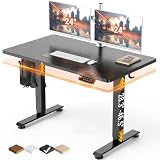

FlexiSpot E7 Pro Standing Desk
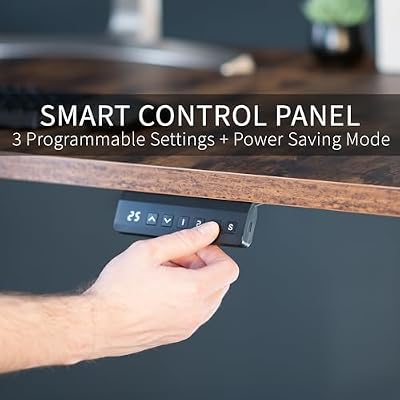
The FlexiSpot E7 Pro is a workhorse in the standing desk category. Its dual-motor system lifts up to 355 lbs and travels from 22.8 to 48.4 inches, covering virtually every user height. The sturdy steel frame resists wobble even at full extension, and the programmable handset stores four height presets so you can switch positions with a single button press. It ships with an anti-collision feature that stops the desk if it detects an obstacle during movement.


As an Amazon Associate we earn from qualifying purchases. Product prices and availability are accurate as of the date/time indicated.
UPLIFT V2 Standing Desk
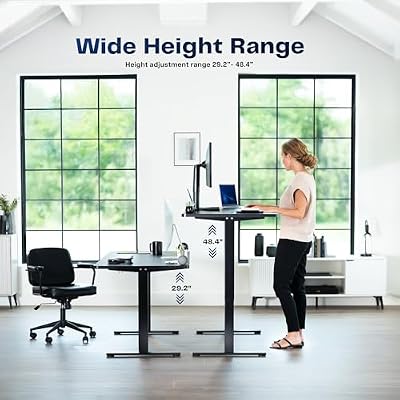
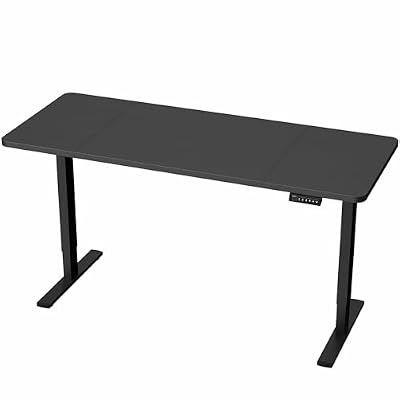
UPLIFT's V2 frame is a perennial top pick among remote workers and office professionals. It offers one of the widest height ranges on the market (25.5 to 51 inches), a rock-solid T-shaped crossbar design for stability, and an industry-leading 15-year warranty on the frame. The advanced keypad includes a digital height display, USB charging port, and four memory presets. Desktop options range from laminate to solid bamboo to reclaimed wood, making it easy to match your existing decor.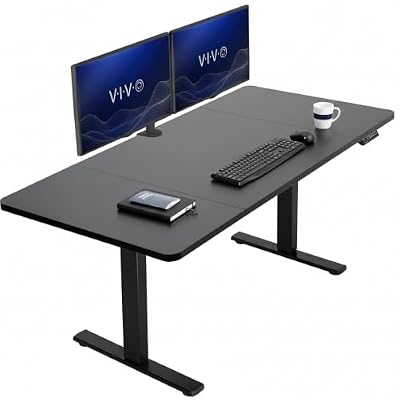


As an Amazon Associate we earn from qualifying purchases. Product prices and availability are accurate as of the date/time indicated.
Vari Electric Standing Desk
Vari's Electric Standing Desk is built for buyers who want a polished, ready-to-use solution. Assembly takes under five minutes — the legs arrive pre-attached to the desktop — and the three-stage legs are impressively stable. The smooth dual-motor lift handles loads up to 200 lbs and moves quietly between 25 and 50.5 inches. A built-in cable tray keeps cords organized from day one. It's an excellent pick for anyone who doesn't want to spend an afternoon with an allen wrench.




As an Amazon Associate we earn from qualifying purchases. Product prices and availability are accurate as of the date/time indicated.
Standing Desk Buying Guide
- Height range: Make sure the desk's minimum height lets you sit comfortably and the maximum puts your elbows at roughly 90 degrees when standing.
- Motor type: Dual-motor desks are more stable and faster than single-motor models — worth the small price premium.
- Weight capacity: Add up your monitors, desktop PC, and accessories to ensure the desk can handle your full setup.
- Desktop size: A 60" x 30" surface is the sweet spot for most dual-monitor setups.
- Stability at height: Look for a T-leg or crossbar bracing system if you plan to type or game while standing.
- Warranty: Premium brands back frames for 10 to 15 years; avoid brands offering fewer than 5 years.
Final Thoughts
A standing desk is a long-term investment in your health and focus. The FlexiSpot E7 Pro delivers outstanding value, UPLIFT's V2 earns its premium price with class-leading stability and warranty, and Vari is the effortless plug-and-play option. Any of these three will serve you well for years to come. Choose based on your height, budget, and how much assembly you're willing to do — then start breaking up that sedentary workday.
Frequently Asked Questions
How many hours a day should I use a standing desk?
Aim to alternate rather than stand all day; many ergonomists suggest standing for 15 to 30 minutes of each hour and sitting the rest. Standing nonstop can tire your legs and back as much as sitting too long. A desk with height presets makes switching between positions easy.
Is a single-motor or dual-motor standing desk better?
Dual-motor desks raise and lower faster, support heavier loads, and stay steadier at full height, which is why models like the FlexiSpot E7 Pro use them. Single-motor desks cost less and work for lighter setups. For daily sit-stand switching, the dual-motor stability is usually worth the small premium.
What height should a standing desk be set to?
When standing, the desktop should let your elbows rest at roughly 90 degrees with your forearms parallel to the floor and your screen near eye level. Programmable presets let you save that exact height. Getting this right is what prevents shoulder and wrist strain while standing.
Do standing desks wobble when raised to full height?
Cheaper frames can sway at maximum height, but quality desks with a T-leg or crossbar design, like the UPLIFT V2, stay solid even while typing. If you plan to work or game standing, prioritize a sturdy frame and check the listed stability features. A wider three-stage leg also helps.
How to Choose the Right Standing Desk
A standing desk only pays off if it moves smoothly and lands at the right heights for both sitting and standing. The motor, frame, and memory controls separate a desk you will actually use from one that stays parked in one position.
- Height range for your body — Check that the lowest setting suits seated typing and the highest reaches your standing elbow height; taller users especially need to confirm the top of the range.
- Single versus dual motor — Dual-motor frames lift faster, quieter, and handle heavier loads without straining, which matters once you add monitors and an arm.
- Stability at standing height — Wobble grows as the desk rises; a sturdy crossbar or wider feet keep your monitors steady when you type while standing.
- Memory presets — Programmable height buttons make switching between sit and stand effortless, which is the single biggest factor in whether you keep alternating.
Common Mistakes to Avoid
The classic mistake is buying the desktop and frame without checking weight capacity. Once you load two monitors, a laptop, speakers, and a heavy solid-wood top, a budget single-motor frame can stall or rise unevenly. Add up your gear’s weight plus the tabletop and leave a comfortable margin under the rated limit.
People also expect to stand all day and quickly burn out, then abandon the desk in the sitting position. Standing for eight hours is as fatiguing as sitting for eight. Aim to alternate every 30 to 60 minutes, pair the desk with an anti-fatigue mat, and rely on the memory presets so changing position never feels like a chore.
Related Reviews & Guides


3 Best USB Hub Multiports for Home Office and Laptops
Acer 7 in 1 USB C Hub Review (2026)