Last Updated: October 18, 2026
If you search Reddit for the best webcam for Mac, the same thread plays out over and over: someone with a MacBook Air or Mac mini is tired of looking soft and washed out on Zoom, they buy a random 4K webcam, then they return it because it looks worse than their iPhone. Macs are picky about cameras in a way Windows PCs are not, and Reddit has figured that out through trial and error.
The short consensus from r/mac, r/macsetups, and r/WFH is this: if you already own a recent iPhone, start with that. If you want a dedicated webcam you can leave plugged in, get a simple plug-and-play 1080p model with good autofocus. Only pay for 4K if you need framing flexibility or you sit far from your desk.
📄 In This Review
What Reddit actually recommends for Mac
Most highly upvoted comments are not about specs. They are about hassle. Mac users complain about three things: webcam software that does not run on macOS, cameras that default to over-sharpened 4K and then stutter in Teams, and microphones that pick up the whole room.
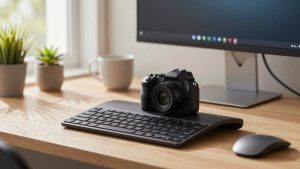
That is why the same patterns come up. Office workers who live in Zoom, Meet, and Teams tend to keep it simple: a UVC-compliant USB webcam with no driver required, physical privacy shutter, and dual mics. Streamers and YouTubers on Mac Studio or Mac mini go the opposite way and skip webcams entirely, using a mirrorless camera with a capture card. For everyone in between, the iPhone-as-webcam trick has replaced a lot of purchases.
| Setup type | Best for | Trade-off | Typical cost |
|---|---|---|---|
| iPhone via Continuity Camera | MacBook owners with iPhone XR or newer | Uses up your phone, needs mount and power for long calls | $15-$35 for mount |
| Basic 1080p USB webcam | Daily Zoom / Teams, home office | Not as sharp as iPhone, but always ready | $40-$80 |
| Autofocus 1080p / 2K workhorse | People who move, whiteboard, show products | Bigger lens, more room noise if you use built-in mics | $70-$130 |
| 4K USB webcam | Fixed home studio, cropping, future-proofing | Needs good light and USB 3.0, often looks worse in low light | $120-$200 |
| Mirrorless + capture card | Creators, coaches, heavy presenters | Expensive, complex, overkill for most calls | $400+ |
Option 1: Use your iPhone first
See also: Best Monitor for MacBook Air: Two USB-C 4K Screens and Six Adapter-Dependent Alternatives • Best Monitor for MacBook Pro: Eight Listings Sorted by Cable, Sharpness and Scaling
On Macs running macOS Ventura or later, Continuity Camera lets you use an iPhone as your Mac webcam wirelessly or wired. Reddit threads are full of people who bought a $120 webcam, compared it side-by-side, and returned the webcam. An iPhone from the last five years has a much larger sensor and better image processing than almost any webcam under $200, especially in a dim home office.
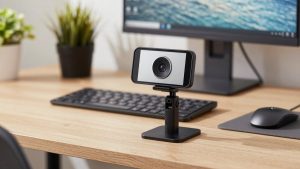
It suits laptop users best. If you take one or two calls a day from a MacBook on a kitchen table or couch, this is the cheapest upgrade. You just need a small iPhone mount for MacBook for Continuity Camera or a cheap tripod behind your monitor.
Failure modes are real though. Your phone gets hot on hour-long calls, notifications pop up unless you enable Do Not Disturb, and wireless mode can lag if your Wi-Fi is crowded. For all-day call schedules, plugging in via USB and keeping a charger handy fixes most of it. But if you need to use your phone during the call for notes or 2FA codes, a dedicated webcam is less annoying.
Option 2: A basic 1080p webcam for work
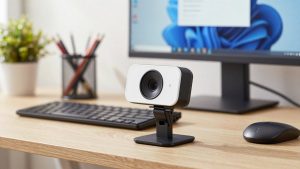
This is the Reddit workhorse pick for a reason. A no-frills 1080p, 30fps USB webcam that is UVC-compliant will work on a MacBook Air, MacBook Pro, Mac mini, and iMac with no app to install. You plug it into a USB-A or USB-C port, select it in Zoom, and you are done.
Who it suits: anyone who wants to look clear and stay in focus without thinking about settings. If your office has average overhead light or a window to the side, 1080p is fine. Zoom and Meet compress video heavily anyway, so extra resolution often never reaches the other person.
Be honest about light. A $50 webcam with a $20 desk lamp in front of you will look better than a $180 4K webcam backlit by a window. Failure modes here are fixed focus models that are sharp at 2 feet but blurry if you lean back, and auto-exposure that blows out your face when you have a bright screen. Look for autofocus, auto light correction, and a 75- to 90-degree field of view. Wider than 90 degrees makes a home office look cavernous and bends bookshelves.
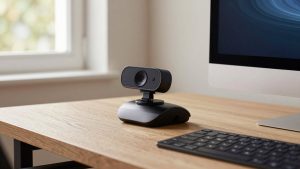
Shoppers on a budget usually do best with a simple 1080p webcam for MacBook with autofocus rather than chasing 4K. Sound will be thin, so use AirPods, wired earbuds, or a cheap USB mic for important meetings.
Option 3: The step-up 1080p / 2K webcam
Reddit separates these from budget cams by one feature: usable autofocus and usable low light. If you present, teach, move around, or hold things up to the camera, fixed focus will frustrate you. A mid-range autofocus model keeps your face sharp when you lean in to read and does not hunt and pulse every five seconds.
This is the right tier for managers, therapists, tutors, sellers on Etsy, and anyone on camera four-plus hours a day. You get a larger lens, better noise handling, and often a privacy shutter that actually stays shut in a bag.
Trade-off: these mics are more sensitive, which is bad in an echoey room. Reddit WFH regulars almost always mute the webcam mic and use a headset instead. Also check cable length and mount. Many complaints about Mac mini setups are not about image quality, they are about a 3-foot cable that will not reach from a 27-inch monitor to the back of the mini, or a clip that will not grip a Studio Display. A USB extension and a mini tripod solve it, but factor that in.
Option 4: 4K webcams, when they make sense
Reddit is skeptical of 4K webcams for Mac, and for good reason. On paper more pixels should help. In practice, most 4K webcams use small sensors. In a normal home office at 8 a.m. or 6 p.m., they produce noisier, darker video than a good 1080p camera unless you add a key light. They also demand more USB bandwidth and CPU, which can cause dropped frames on an older MacBook Air.
When 4K is worth it: you sit 4 to 6 feet away and want to crop in, you record local video for YouTube or courses and upload the full file, or you want digital zoom and pan without everything turning to mush. If you only do live Zoom calls, your coworkers will rarely see the difference.
If you go this route, treat lighting as part of the purchase. A basic 4K webcam for Mac with autofocus paired with a window or a cheap LED panel in front of you will outperform the same camera alone. Plug it directly into your Mac or a powered hub, not through a cheap monitor hub, to avoid stutter. And turn off beauty filters, auto-framing, and HDR in the vendor app if the image looks waxy. Most Reddit before-and-after posts improve just by disabling those defaults.
What to avoid on Mac specifically
First, avoid any camera that requires Windows-only software for basic functions like focus or zoom. On Mac it will be stuck on defaults. Check recent reviews or the App Store listing for a native macOS app before you buy.
Second, avoid ultra-wide 120-degree action-style cameras for desk work unless you stream a whole room. You will look tiny, and straight lines behind you will bend.
Third, do not expect the built-in mic to carry a meeting. Even good webcam mics sound hollow in rooms with hardwood floors. If people ask you to repeat yourself, the fix is usually a headset or desk mic, not a new camera.
Finally, if your MacBook camera already looks okay in daylight, spend nothing. Add light in front of you, raise the laptop so the lens is at eye level, clean the lens, and set Zoom to 16:9 HD. That solves about half the threads on Reddit without a purchase.
FAQ
Do I need drivers for a webcam on Mac?
Usually no. Choose a UVC-compliant USB webcam and macOS will recognize it in Zoom, Meet, Teams, FaceTime, and Photo Booth. Avoid models where key features only work through a Windows app.
Why does my 4K webcam look worse than my iPhone?
Small sensor plus poor light. iPhones do heavy computational processing and have larger sensors. Add a light source in front of your face, disable auto beauty filters, and drop the webcam to 1080p for live calls to reduce noise and lag.
Can I just use my iPhone as a Mac webcam every day?
Yes for light use. Use USB instead of wireless for long meetings, turn on Do Not Disturb, and keep it charged. If you are on calls all day or need your phone free, a dedicated plug-and-play USB webcam for Mac home office is more convenient.
Is 1080p enough for work calls in 2026?
Yes. Zoom, Meet, and Teams compress video aggressively, so 1080p with good light and autofocus looks clean to everyone else. Pay for 4K only if you record locally, crop heavily, or sit far from the desk.
Related Reviews & Guides
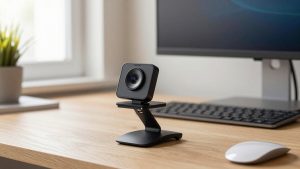
Webcam That Makes You Look Good
TP-Link AX1800 WiFi 6 Router vs GL iNet GL-AX1800: Which Should You Buy?