Last Updated: October 18, 2026
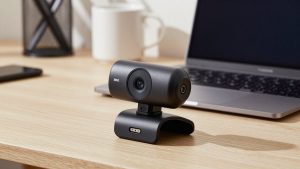
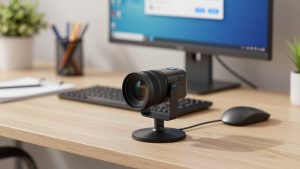
If you want that soft, blurry background you see on YouTube interviews — sharp face, everything behind you melted away — a normal work webcam will disappoint you. Most webcams are designed to do the opposite: keep everything in focus from your nose to the wall behind you.
That is not a flaw. For work calls, deep focus means whiteboards, documents you hold up, and a second person leaning in all stay readable. Shallow depth of field looks better, but it introduces missed focus, blurry hand gestures, and more fiddling. Buy for looks only if you are willing to trade some reliability.
📄 In This Review
What depth of field means on a webcam
Depth of field is how much of the scene is in focus in front of and behind you. Shallow depth of field means only a thin slice is sharp. Deep depth of field means almost everything is sharp.
Three things control it: sensor size, aperture, and distance to background. Webcams lose on all three. They use tiny sensors, slow f/2.0 to f/2.8 lenses stopped down for sharpness, and they sit two feet from your face with a wall three feet behind you. There is physically no room for real background blur.
That is why no plug-and-play USB webcam gives you true cinema blur like an f/1.4 full-frame lens will. You can get a mild version — softer background separation — but if you want heavy blur, you have to fake it with software or switch to a larger camera.
Software blur vs. optical blur
See also: Best Monitor for MacBook Air: Two USB-C 4K Screens and Six Adapter-Dependent Alternatives • Best Monitor for MacBook Pro: Eight Listings Sorted by Cable, Sharpness and Scaling
You have two paths, and they fail in different ways.
Software portrait / background blur, built into Zoom, Teams, Meet, or NVIDIA Broadcast, cuts you out and blurs what is left. It works with any webcam, including your laptop. It is free and the background separation can look dramatic. The failure mode is edge flicker: hair, glasses frames, hands moving fast, or a bookshelf with similar colors to your shirt will shimmer, cut off, or leave a halo. Good lighting reduces it, but does not eliminate it.
Optical separation, from a larger sensor webcam or mirrorless camera used as a webcam, blurs the background with the lens itself. Edges look natural, hands stay sharp when you move, and low light is cleaner. The failure mode is missed focus and setup hassle: you need autofocus that can track a face for an hour, continuous power, a capture device or clean USB streaming, and a tripod or mount. It also costs 3-10x more than a webcam.
For most home office workers, software blur on a decent 1080p webcam is enough. Go optical only if you are on camera all day for sales, coaching, teaching, or content, and you care how you look.
Your options compared
Think in tiers, not models. Webcam specs change yearly, but these categories have been stable.
| Option | How it gets blur | Image quality in good light | Biggest trade-off | Best for |
|---|---|---|---|---|
| Built-in laptop webcam + Teams/Zoom blur | Software | Okay, soft and noisy | Smudgy edges, bad in low light | Occasional calls, travel |
| 1080p autofocus USB webcam | Mild optical + software | Good, reliable focus | Background still mostly sharp without software help | Daily work calls on Mac/PC |
| Large-sensor 4K webcam | More optical separation + software | Very good, cleaner low light | Needs good light to shine, autofocus can hunt | Home office upgrade for on-camera pros |
| Mirrorless / DSLR as webcam | True optical | Excellent, real bokeh | Cost, heat, power, focus and framing work | Creators, coaches, executives with a fixed desk |
What to buy for work calls
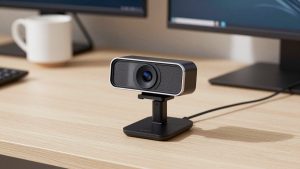
1. If you want simple and reliable: a 1080p autofocus webcam. Look for real autofocus, not fixed focus, 1080p30 or 1080p60, and a standard tripod thread plus a monitor clip that actually grips. Autofocus is what gives you slight background softness and keeps your face sharp when you lean in. Fixed-focus webcams keep the whole room sharp and look flat. This is where the cheaper option is fine — you do not need 4K for Zoom, which will compress you to 720p or 1080p anyway.
Shop in this category with a search for 1080p autofocus webcam for video calls and filter for Mac compatibility if you use macOS. Check recent reviews specifically for autofocus noise and hunting — some units click or pulse during calls, which is maddening.
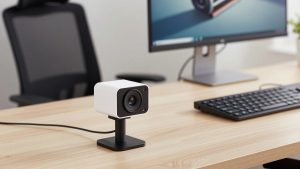
2. If you want the nicest USB-only picture: a large-sensor 4K webcam. These use a 1/2-inch to 1-inch type sensor, much larger than a basic webcam. You will not get f/1.2 blur, but at arm’s length with some distance behind you, backgrounds go noticeably soft, especially in 4K mode with good light. Turn on your app’s portrait blur on low strength to finish the job — combining mild optical softness with light software blur hides edge artifacts far better than maxing software blur on a tiny sensor.
Trade-offs are real: they need light. In a dim room they look no better than a 1080p cam and autofocus can drift to the background. They also run warm and can soften detail to control noise after 30-40 minutes. They suit a fixed desk where you can add a window or a key light. Browse 4K webcam with large sensor and autofocus and expect to pay double the basic tier.
3. If you want real depth of field: a mirrorless camera as a webcam. This is the only way to get creamy, optical bokeh on a call. A used APS-C body with a 24mm or 35mm equivalent f/1.8 lens at your desk will do more than any USB webcam. But do not buy into this lightly for work. You need continuous USB power or a dummy battery, a way to prevent auto-shutoff and overheating, clean HDMI or USB streaming that your Mac/PC recognizes, and face-tracking autofocus that does not breathe.
Failure modes I see constantly: camera shuts off at 30 minutes, battery dies mid-meeting, focus locks on a plant behind you, exposure pulses when you share screen and your face goes dark. If you go this route, keep a basic USB webcam plugged in as backup. Start your search with mirrorless camera webcam kit with dummy battery and budget for lens, tripod, light, and audio — the camera is only half the cost.
Setup matters more than the camera
You can double the background separation without buying anything. Move your chair so there are 6-10 feet between you and the wall, not 2 feet. Put the webcam 2-3 feet from you, at eye level. Open curtains or put a $30 LED panel at 45 degrees in front of you. The farther the background and the closer you are, the softer it gets, even on a small sensor.
For Mac users: prefer UVC-compliant webcams that need no driver. Some Windows-only tuning apps control background blur strength, HDR, and autofocus — on Mac those settings may be locked to default. If you rely on NVIDIA Broadcast background effects, you need a compatible NVIDIA GPU on Windows; Mac users should use Zoom or Teams built-in portrait blur instead.
Avoid stacking effects. Do not run webcam background blur plus Zoom background blur plus NVIDIA at once. Pick one. Stacking creates a waxy cutout and eats CPU. If your fan spins up and your video stutters, turn software blur down from High to Low — visually almost identical on a call, much lighter on your laptop.
FAQ
Can any webcam give true blurry-background bokeh?
No USB webcam gives true interchangeable-lens bokeh. Physics — tiny sensor and slow lens — prevents it. You get mild softness optically, and strong blur only with software. For real optical blur you need a larger camera with a fast lens.
Is 4K worth it for depth of field on Zoom?
Usually not for resolution alone, since Zoom compresses video. It is worth it if the 4K model has a larger sensor and better autofocus, which together give cleaner low light and more natural background separation. Do not pay extra for 4K on the same tiny sensor.
Why does my background blur flicker around hair and hands?
That is segmentation error. Low light, busy backgrounds, and low-contrast edges make it worse. Add frontal light, increase distance to the background, lower blur strength, and avoid pinstripes or a background that matches your skin or shirt tone.
Will a mirrorless camera work reliably for daily meetings?
Yes, but only with the right setup: dummy battery or USB-PD power, disabled sleep timers, face-tracking AF, and a backup webcam. If you move laptops often or take calls from different rooms, a USB webcam will be far more reliable.