Last Updated: October 18, 2026
📄 In This Review
Why true 4K 60fps is rare in webcams
Most webcams labeled 4K are really 4K at 30fps, not 60fps. That distinction matters if you specifically want 4K 60fps. 4K/30 sends about half the data of 4K/60, which is easier for the sensor, processor, USB connection, and your computer to handle without overheating or dropping frames.
For normal work calls, 4K/60 gives you almost nothing. Zoom, Teams, Meet, and Webex all compress your video heavily and typically show you at 720p or 1080p to other people, even if your camera captures more. Where 4K/60 does help is local recording, streaming, product demos, and cropping in post. Motion looks smoother, fast hand movements stay sharp, and you can punch in 2x on a 4K timeline and still deliver sharp 1080p.
The trade-off is heat, bandwidth, and CPU load. Sustained 4K/60 over USB generates real heat in a small webcam body. Many small cameras will run hot, get noisy in low light, or step down frame rate after 20-30 minutes. You also need good light to see the benefit. In a dim home office, a good 1080p or 4K/30 webcam with a larger sensor will often look cleaner than a cheap 4K/60 sensor pushing twice the pixels.
What to check before you buy
See also: Best Monitor for MacBook Air: Two USB-C 4K Screens and Six Adapter-Dependent Alternatives • Best Monitor for MacBook Pro: Eight Listings Sorted by Cable, Sharpness and Scaling
First, check whether it is true 4K/60 over USB, or 4K/60 only with compromises. Some products list 4K/60 on the box but only do it with MJPEG compression, with a narrow crop, with autofocus disabled, or only through specific software. Look for explicit specs: 3840×2160 at 60fps over USB 3.0 or USB-C, and what format it uses. MJPEG at 4K/60 can look softer and use more CPU than H.264 or H.265.
Second, check focus and lens. Many high-resolution webcams use fixed focus to keep costs down. That is fine at a desk if you sit 2-3 feet away, but frustrating if you need to show documents up close or move around. Autofocus models hunt in low light and can pulse during calls. If you present physical products, autofocus with a fast lock matters more than the 60fps number.
Third, check Mac and laptop compatibility. This is where buyers get burned. Some 4K/60 cameras need USB 3.2, a direct port instead of a hub, and a relatively recent Mac or Windows machine to sustain full frame rate. On Apple Silicon Macs, also check whether full settings – exposure, zoom, frame rate – are available in macOS or only in Windows software. Many webcam utilities are Windows-first.
Fourth, check audio, field of view, and mounting. Built-in mics on 4K webcams are usable for backup, but they pick up keyboard noise and room echo. For work, a $40 headset or USB mic usually improves calls more than going from 4K/30 to 4K/60. A 75-90 degree field of view suits one person at a desk. Wider than that is better for small rooms but makes you look small and shows more background.
Your real options for 4K 60fps
There are four practical ways to get 4K/60 for desk work. Each has a different failure mode.
| Approach | True 4K/60? | Strengths | Weaknesses | Best for |
|---|---|---|---|---|
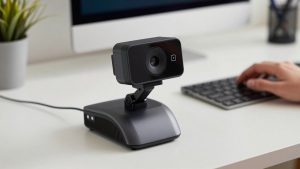
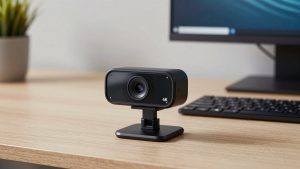
| Premium USB webcam advertised as 4K/60 | Yes, usually MJPEG over USB 3.0 | Simple, one cable, tripod clip mount | Runs hot, needs good light, Mac software often limited | Streamers and solo creators who want plug-and-play |
| High-quality 4K/30 webcam used at 1080p/60 | No, but often looks better on calls | Cooler, more reliable, better low light | Not true 4K/60 for recording | Office workers who want reliability over specs |
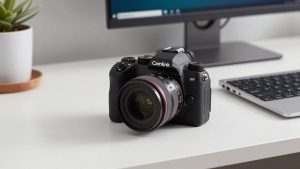
| Mirrorless or action camera + capture device | Yes, best image quality | Large sensor, real autofocus options, interchangeable lenses | Expensive, complex, needs power and HDMI/USB setup | Recording, YouTube, demos where image matters |
| PTZ conference camera | Sometimes, check specs | Optical zoom, remote control, made for rooms | Bulky on a desk, pricey, overkill for one person | Small meeting rooms and teaching setups |
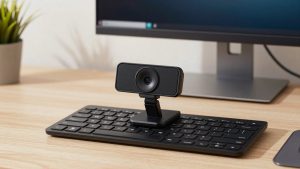
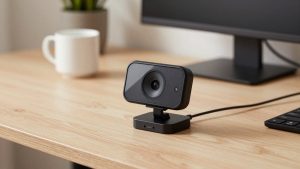
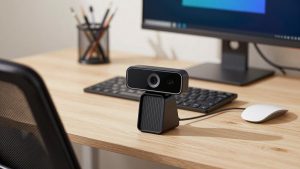
If you want simple, look at the current selection of 4K 60fps webcams and filter for USB 3.0, explicit 2160p60 support, and recent reviews that mention sustained use, not just unboxing. If you want better image quality and are willing to tinker, a camera-plus-capture setup usually beats any USB webcam, but it is not a casual purchase.
Who should buy what
For daily video calls only: do not buy 4K/60. A solid 1080p or 4K/30 webcam is fine, cheaper, cooler, and more compatible with laptops and docks. Spend the savings on light and audio. A $30 LED panel in front of you and a headset will make you look and sound more professional than any sensor upgrade in a dark room.
For streaming and local recording at a desk: a true 4K/60 USB webcam makes sense if your PC or Mac can handle it and you record locally in OBS, QuickTime, or similar. Expect to use a direct USB 3.0 or USB-C port, no cheap hub, and to manually set exposure. Auto exposure at 60fps in a dim room will crank gain and look grainy. Lock exposure, add light, and keep the camera within 3-4 feet.
For product demos, crafts, and overhead shots: frame rate matters less than focus and lens control. A 4K/60 camera with fixed focus can be a bad pick here. You want close focus distance, minimal focus breathing, and a standard tripod thread so you can mount it on an arm. Many buyers in this group are happier with an action camera or mirrorless camera used as a webcam paired with a capture device, because you get real autofocus and you can flip to overhead easily.
For small rooms and hybrid meetings: a PTZ-style 4K PTZ conference camera can do 4K/60 and optical zoom, but it is a different product from a desk webcam. It needs wall or TV mounting, a remote or presets, and usually AC power. Do not buy one for a laptop at a coffee shop. The common failure is buying room gear for personal use and then hating the size, fan noise, and setup.
Setup mistakes that break 4K/60
The most common failure is the USB chain. 4K/60 needs USB 3.0 bandwidth. Plugging into a USB 2.0 port, an old monitor hub, or a long passive extension will silently drop you to 4K/30, 1080p, or a stuttering feed. Use the included cable, plug directly into the computer, and if you must extend, use a powered USB 3.0 hub or active cable.
The second failure is heat and throttling. If your image gets soft or choppy after 30 minutes, touch the camera body. If it is very hot and the software shows a lower frame rate, that is thermal limiting. Improve airflow, move it away from a warm monitor top, lower the room temperature if you can, and avoid running beauty filters plus background blur plus 4K/60 at once.
The third failure is expecting others to see 4K/60. They will not on a live call. Test by recording locally. If your local recording is smooth and your live call still looks soft, that is normal compression, not a defective camera. For calls, switch the camera to 1080p/60. You will get smoother motion with less load, and no one will see a difference.
Finally, update firmware and check privacy features. Some 4K cameras ship with aggressive noise reduction or face tracking on by default, which looks waxy. Turn tracking off for desk work, set sharpness low to medium, and use a physical shutter or lens cap if you want privacy. Software shutters that rely on an app are easy to forget.
FAQ
Do I need 4K 60fps for Zoom or Teams?
No. Those platforms compress to 720p or 1080p for most participants. 4K/60 only helps if you record locally, stream, or crop into the image later. For calls alone, a reliable 1080p or 4K/30 camera with good light is usually the better buy.
Will 4K 60fps work on my MacBook or thin laptop?
Sometimes, but verify ports and software. You need a true USB 3.0 / USB-C port with enough bandwidth, a direct connection, and macOS support for full resolution. Some camera settings apps are Windows-only. Check recent Mac reviews before buying.
Why does my 4K/60 webcam look worse in low light?
Pushing 60 frames per second in dim light means shorter exposure per frame and higher gain, which adds noise. Add a simple front light, lock exposure manually, and sit closer. If you cannot add light, dropping to 30fps will often look cleaner.
Is a camera + capture card better than a 4K/60 webcam?
For image quality, usually yes. A larger sensor gives cleaner low light, better blur, and better lenses. For convenience, no. It costs more, needs power and mounting, and takes setup. Choose it for recording and demos, not for quick daily calls.