Last Updated: October 18, 2026
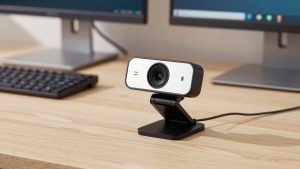
If you use video calls for work all day, the differences between webcams show up fast. Bad auto-exposure blows out your face near a window. Slow autofocus hunts every time you lean forward. Mics pick up keyboard clatter. I researched with this in mind: office lighting, mixed daylight, laptops and Macs, Zoom, Teams, and Meet.
Short version: most home office workers do not need 4K. A solid 1080p camera with good exposure and dual mics is enough. Pay more only if you present, teach, stream, or need a wider field of view for a shared desk.
📄 In This Review
Quick comparison
The table below covers resolution, focus type, and who each camera actually fits. All of these are UVC plug-and-play on Windows and macOS, but software features vary on Mac.
| Model | Resolution / Lens | Focus / FOV | Best for |
|---|---|---|---|
| Logitech C920s Pro | 1080p30 | Autofocus, 78° | Budget work calls |
| Anker PowerConf C200 | 2K, f/2.0 | Autofocus, 65-95° | Small rooms, laptops |
| Logitech C930e | 1080p30 | Autofocus, 90° | Small teams, wide desk |
| Logitech Brio 500 | 1080p30 | Autofocus, 82-90° | Hybrid work, Teams/Meet |
| Razer Kiyo Pro | 1080p60 | Autofocus, 103° max | Low light, 60 fps |
| Elgato Facecam MK.2 | 1080p60 | Fixed focus, 84° | Desk setup, natural image |
| OBSBOT Tiny 2 Lite | 4K30 / 1080p60 | Autofocus, PTZ tracking | Presenters who move |
| OBSBOT Tiny 2 | 4K30 / 1080p60 | Autofocus, PTZ tracking | Teaching, demos |
| Logitech MX Brio | 4K30 / 1080p60 | Autofocus, 95° | Best image for office |
| Elgato Facecam Pro | 4K60 | Fixed focus, 90° | 4K60, controlled light |
Budget 1080p workhorses
See also: Best Monitor for MacBook Air: Two USB-C 4K Screens and Six Adapter-Dependent Alternatives • Best Monitor for MacBook Pro: Eight Listings Sorted by Cable, Sharpness and Scaling
1. Logitech C920s Pro HD. Still the safe default for work. Sharp enough at arm’s length, reliable autofocus, and a physical shutter. Trade-off: dynamic range is narrow. If you sit with a bright window behind you, your face goes dark. No 60 fps, and the built-in mics are thin. Suits: office workers who just need to look clear on daily calls. If you only do 3-5 calls per day, the cheaper option is fine — do not pay double for 4K you will not use.
2. Anker PowerConf C200. Slightly sharper than the C920s in good light, with adjustable field of view. Useful on a laptop in a small room where 90 degrees shows too much background. Failure mode: auto low-light boost adds noise and makes skin look waxy. Turn auto low-light off if you have a desk lamp. Suits: laptop users and renters who want a compact 1080p webcam for laptop without a big mount.
3. Logitech C930e. A wider 90-degree lens than the C920s, built for business. Good for two people sharing one desk or a shallow home office where you sit close. Same 1080p sensor class, so do not expect better low light. RightLight helps, but it can over-brighten faces under warm LEDs. Suits: support staff, shared desks, and anyone who needs to fit a whiteboard edge in frame.
Midrange for daily meetings
4. Logitech Brio 500. This is the one I recommend most for hybrid work. 1080p looks cleaner than the C920s series because exposure and white balance are more stable, especially on Teams and Meet. Dual mics with noise reduction actually help with fan hum. Show Mode for tilting down to documents is handy. Failure mode: Logi Tune on Mac lacks some Windows features, and 1080p is still 1080p — it will not rescue a dark room. Suits: managers, recruiters, and anyone on camera 4+ hours.
5. Razer Kiyo Pro. Uses a larger Sony STARVIS sensor, so it holds up better in dim bedrooms and evening calls without blasting gain. Uncompressed 1080p60 looks smoother when you gesture. Trade-off: wide-angle mode distorts edges, and autofocus can hunt in very low light. The old circular light version is different — get the Kiyo Pro box version. Suits: night-shift workers, basement offices, and people who want 60 fps for smoother motion.
6. Elgato Facecam MK.2. Fixed focus, which sounds limiting but is a plus at a desk. Set it once at 30-120 cm and it never hunts when you lean in to type. Image looks more natural than Logitech — less over-sharpening. Needs decent light; in a dark room it gets noisy fast. No mic, so you need headphones or a USB mic. Suits: desk-bound workers with a 1080p 60fps webcam for home office and a separate audio setup.
Tracking cameras for presenters
7. OBSBOT Tiny 2 Lite. A gimbal camera that follows you. If you stand, pace, or demo at a whiteboard, it keeps you centered without a camera operator. 4K sensor downscaled to 1080p looks sharp. Trade-off: tracking motor makes faint noise in a silent room, and gesture control triggers accidentally if you wave a lot. Privacy mode points the lens down. Suits: coaches, trainers, and standing-desk presenters.
8. OBSBOT Tiny 2. Same tracking idea, but faster focusing, better HDR, and voice control. In side-by-side use, it holds highlights better when a window is in frame. Costs more, and the software can be fiddly on Mac — settings sometimes reset after reboot. If you sit still for meetings, save money and get the Lite or a fixed camera. Suits: teachers and creators who move around and need consistent framing.
Premium 4K for sharp image
9. Logitech MX Brio. The best all-around image for office work right now. Large sensor for a webcam, credible 4K30 and very clean 1080p60, plus much better backlight handling than Brio 500. Dual beamforming mics are usable for calls if you do not have a headset. Trade-off: it runs warm, needs a good USB 3.0 port, and full 4K will crop or stutter on older MacBook Airs. It is also overkill if your company caps video at 720p. Suits: executives, sales, and anyone whose face is the presentation in a bright 4K webcam for Mac home office setup.
10. Elgato Facecam Pro. True 4K60 with manual control over shutter, ISO, and white balance via Camera Hub. If you have controlled lighting and want Zoom calls to look like video, this delivers. Failure modes are real: fixed focus means you must stay in the focus zone, 4K60 needs USB 3.0 and CPU headroom, and low light is worse than the MX Brio. No mic. Suits: streamers, YouTube-style educators, and desk studios with a key light.
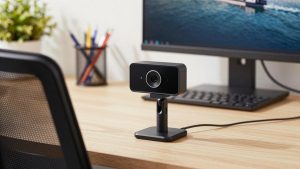
Practical buying notes: mount matters more than specs. Clip to the top of an external monitor at eye level, not low on a laptop looking up your nose. If your image is dark, add a $20 desk lamp bounced off a wall before buying a new camera. On Macs, check that the vendor app supports your macOS version — auto-framing and background blur often require the app running.
FAQ
Is 4K worth it for Zoom and Teams?
Usually no. Most calls are transmitted at 720p to 1080p. 4K helps if you crop, use digital zoom, or record locally. For daily work, better exposure and focus matter more than pixels.
Why do I look washed out or dark?
That is auto-exposure fighting a window or overhead light. Face the window, close blinds behind you, and put a warm lamp in front. Then lock exposure in the camera app if you can.
Do I need an external mic?
For 1-2 calls a day, a webcam with dual noise-canceling mics is fine. For all-day talk, a headset or USB mic sounds clearly better and picks up less room echo and typing.
Will these work with MacBooks?
Yes for basic video — they are standard USB video devices. Advanced features like tracking zones, background effects, and firmware updates depend on the vendor Mac app, which is often more limited than Windows.