Last Updated: October 18, 2026
If you search Reddit for budget webcam advice, the same pattern shows up in almost every thread: someone wants something cheap for Zoom, Teams, or Google Meet, and the comments quickly narrow to two or three safe 1080p options. Reddit is skeptical of no-name 4K claims and obsessed with microphones, autofocus problems, and Mac quirks.
I read through the recurring recommendations on r/workfromhome, r/buildapc, r/Mac, and r/videography to pull out what actually holds up for office work. The short version: for most people, a basic 1080p webcam from a known brand is fine. You do not need 4K, ring lights, or software effects for work calls.
📄 In This Review
What Reddit actually recommends on a budget
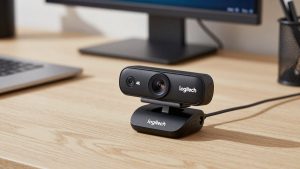
The most repeated name is the Logitech C920 series, including the C920s and C920e. It has been around for years, which is exactly why Redditors trust it. It does true 1080p at 30fps, has autofocus, dual mics, and a physical privacy shutter on the newer S version. On Windows it just works, and on Mac it works in Zoom, Teams, Meet, and FaceTime without drivers.
The second tier is cheaper fixed-focus 1080p cameras like the Logitech C270 or store-brand equivalents. Reddit users who bought these for kids’ school laptops or a second work laptop generally say the same thing: the image is softer and low-light is worse, but for $25-35 it is completely usable if your room is lit.
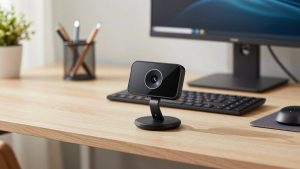
The third recurring pick is the Anker PowerConf C200 or similar budget 2K cameras from Anker and NexiGo. These get mentioned when someone wants slightly sharper image than the C920 without paying $100+. Reddit opinion is split here. Some love the extra detail, others say the autofocus hunts and the color looks cool or washed out.
What you rarely see Reddit recommend for work: no-name Amazon 4K webcams under $40, 60fps gaming webcams, or wide-angle streaming cameras used at a desk. The failure reports are consistent – fake upscaled resolution, aggressive face smoothing you cannot turn off, and mics that pick up keyboard and fan noise.
Quick comparison of the common budget picks
See also: Best Monitor for MacBook Air: Two USB-C 4K Screens and Six Adapter-Dependent Alternatives • Best Monitor for MacBook Pro: Eight Listings Sorted by Cable, Sharpness and Scaling
This covers the three categories that come up most. Prices move a lot, so think of these as tiers rather than exact prices.
| Category | Typical price | Resolution / focus | Strength | Weakness |
|---|---|---|---|---|
| Basic fixed-focus 1080p (e.g. Logitech C270 class) | $25-40 | 720p-1080p, fixed focus | Cheap, reliable, no focus hunting | Soft image, poor low light, narrow settings |
| Mid-range autofocus 1080p (e.g. Logitech C920s class) | $50-70 | 1080p30, autofocus | Best balance for work, good color, mature drivers | Autofocus can pulse, needs light, USB-A cable |
| Budget 2K (e.g. Anker / NexiGo class) | $60-90 | 1440p, autofocus | Sharper in good light, more crop room | Inconsistent autofocus, cooler color, heavier software |
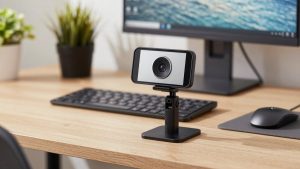
| Use your phone as webcam | $0 + mount | Varies, usually excellent | Best image for free | Setup hassle, battery heat, calls interrupt it |
If you only join calls 2-3 times a week from a laptop at a desk, the left column is fine. If you are on camera 4+ hours a day for work, the middle column is where Reddit lands most often for a reason. That budget 1080p webcam for work tier is the sweet spot between price and fewer headaches.
Concrete trade-offs Reddit gets right
Autofocus vs. fixed focus: Autofocus sounds better, but at arm’s length it can hunt. If you lean in and out or gesture with your hands, a cheap autofocus camera will visibly pulse. Fixed-focus cameras do not do this. For teachers, coders, and anyone who sits still about 2 feet away, fixed focus is actually less distracting.
Low light: This is where almost all budget webcams fail. A dim bedroom or home office with a single overhead light produces grain, lag, and gray skin. Reddit’s standard fix is not a more expensive camera, it is a $15 desk lamp or window in front of you, not behind you. No sub-$70 sensor can fix backlight from a bright window behind your head.
Microphone: Built-in webcam mics are usable but thin and pick up room echo. Reddit threads are full of people who upgraded the camera and still sounded bad until they switched to earbuds or a cheap USB headset. If coworkers say you sound distant, the camera is rarely the fix.
Mount and field of view: Cheap clip mounts wobble on thin laptop lids and ultrawide monitors. Check that the clip folds flat and has rubber grip. A 78-90 degree field of view is ideal for home office. Wider than that and your small home office looks cavernous, which streaming cameras often do.
Who should buy what
For laptop workers who just need to look presentable: Get the basic fixed-focus 1080p tier. It sits on top of your laptop or external monitor and you forget about it. The cheaper option is fine here, especially if you already use AirPods or a headset for audio. Look at a cheap fixed focus webcam for laptop if your internal camera is 720p or your laptop camera points up your nose.
For full-time remote workers on Zoom and Teams: Get the mid-range 1080p autofocus tier. The C920s class is the Reddit default because exposure and skin tones are predictable and IT departments already support it. Turn off RightLight or auto-exposure compensation if your face blows out when you wear a white shirt, and set it to 1080p in the app – many conferencing apps default to 720p to save bandwidth.
For Mac users: Stick to UVC-compliant cameras that need no drivers. The Logitech C-series and Anker C-series both qualify. Avoid cameras that require Windows-only software to enable 1080p, noise removal, or autofocus lock. On Macs, especially with USB-C hubs, use a direct port if the camera disconnects. Many Reddit Mac complaints are actually underpowered hubs, not the camera. If you have an Apple Silicon MacBook and only need occasional calls, try Continuity Camera with your iPhone first before buying anything.
For tight budgets where even $60 is too much: Do not buy a $19 no-name 1080p camera expecting a miracle. Reddit users report the same failure modes: 15fps at full resolution, plastic lens flare, and drivers that install adware control panels. A used C920 from a reputable seller or using your phone via USB is consistently better than a new ultra-cheap camera.
Setup matters more than the model
Almost every “this webcam looks bad” Reddit post ends with the same advice. Put a light source in front of you at eye level. Keep the camera at or slightly above eye level, about an arm’s length away. Close the blinds behind you or move so the window is to your side. In Zoom and Teams, uncheck “adjust for low light” auto and touch-up filters when testing, so you see what the sensor actually does.
If you bought a budget 2K camera for a bit more detail, resist the urge to run it at full 2K in meetings. Most work apps will compress it to 720p or 1080p anyway. Running at 1080p often gives you smoother frame rate and less autofocus hunting. That is also why many Redditors say a solid 1080p autofocus webcam for home office beats a cheap 4K-labeled camera in real calls – stable 30fps and natural color matter more than spec-sheet resolution.
FAQ
Is the Logitech C920 still worth it in 2026?
For work calls, yes. It is not the sharpest or best in low light anymore, but it is predictable, widely supported, and usually discounted. Buy it when it is $55-70. Above $85, compare it to newer budget 2K options instead of overpaying for an old model.
Should I get a 4K webcam on a budget?
Usually no for work. True 4K sensors with good lenses cost more, and Zoom and Teams rarely transmit in 4K. Cheap 4K-labeled cameras often upscale 1080p and drop to 15-20fps in low light, which looks worse than a clean 1080p30 image.
Why do I look blurry even with a 1080p webcam?
Most often it is low light, a dirty lens, being too close for autofocus to lock, or the meeting app set to 360p/720p for bandwidth. Clean the lens, add front light, sit 2-3 feet back, and check video settings in the app before blaming the camera.
Can I just use my phone instead of buying a webcam?
Yes, and image quality will usually be better. On Mac, Continuity Camera over USB is solid. On Windows, manufacturer apps work but can drop. The downsides are heat on long calls, notifications interrupting video, and needing a stable mount. For daily 6-hour call loads, a dedicated webcam is less hassle.