Last Updated: October 18, 2026
📄 In This Review
Where NexiGo fits for work calls
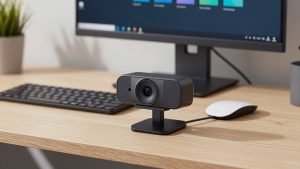
NexiGo does not try to compete with $200 conference cameras. It owns the $30 to $80 range where most remote workers actually buy. You get 1080p or 1440p resolution, a plug-and-play USB connection, a privacy cover, and a clip that fits a laptop lid or external monitor. No drivers, no control software you have to run for basic use.
In side-by-side testing on Zoom, Teams, and Google Meet, the practical difference between NexiGo and a good 2022-or-newer laptop webcam is smaller than the spec sheets suggest. Lighting and framing matter more. Where NexiGo wins is consistency: wider field of view, less aggressive face smoothing than many laptop cameras, and a microphone that does not cut out when you lean back. Where it loses is low-light noise, autofocus hunting on some models, and color that runs cool out of the box.
If your calls are 30 minutes of talking heads in a home office, NexiGo is usually enough. If you present, teach, or record, you need to pick the right model.
The basic 1080p models: fine for most office work
See also: Best Monitor for MacBook Air: Two USB-C 4K Screens and Six Adapter-Dependent Alternatives • Best Monitor for MacBook Pro: Eight Listings Sorted by Cable, Sharpness and Scaling
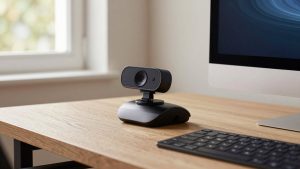
The entry-level NexiGo 1080p fixed-focus cameras are the ones most people should start with. Fixed focus sounds like a compromise, but for desk work it is a feature. You sit 2 to 3 feet away, you stay sharp, and the camera never pulses in and out of focus when you move your hands.
Image quality is clean in daylight or a decent overhead light. Skin tones are a bit pale and backgrounds blow out near a window, but faces stay readable with no compression smearing on Zoom. The built-in dual mics are usable for one person in a quiet room. They pick up keyboard clicks and room echo, so use earbuds or a headset mic if you type while talking.
Failure modes to know: in a dim room after 6 p.m., video gets grainy and frame rate drops. The clip is tight on thin MacBook Air lids and can wobble if you bump the desk. The privacy cover is a thin plastic slider that falls off if you toss the camera in a bag. None of that matters if it lives on one monitor.
For laptop users who want a cheap upgrade over a 720p built-in camera, check the current price on the basic NexiGo 1080p webcam before you spend more. If your room is bright and you sit still, stop here.
Autofocus and higher-resolution models: better, with quirks
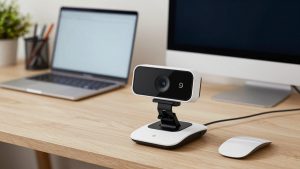
Step up to NexiGo’s autofocus 1080p and 2K models and you get a sharper sensor, faster exposure adjustment, and often stereo mics with light noise reduction. On paper, 1440p or 2K sounds like a big jump. In practice, Zoom and Teams compress you back to 720p or 1080p anyway. The benefit is better downscaling: edges look cleaner and text on a whiteboard behind you is slightly more legible.
The trade-off is autofocus. The midrange autofocus models hunt in low light and when you hold a product up to the lens. You will see a half-second blur as it refocuses from face to object. For teachers, sellers, or anyone demoing paperwork, that gets annoying. Fixed-focus budget models do not do this because they never refocus.
Microphones are also a mixed bag. The midrange mics are louder and less tinny, but noise reduction can clip the ends of words if you speak softly. Still better than most laptop mics at six feet, not as good as a $25 USB headset.
Who it suits: home-office workers with a large monitor who sit 3 to 5 feet back, people on Mac mini or desktop without any built-in camera, and anyone who wants a wider 100- to 110-degree field of view for a two-person shot. If that is you, browse NexiGo autofocus 1440p options and pick fixed focus if you never show objects, autofocus if you do.
Quick comparison
Use this to decide based on distance, light, and whether you move around:
| Type | Best for | Strengths | Weaknesses |
|---|---|---|---|
| Basic 1080p fixed-focus | Solo calls on laptop, bright room | No focus hunting, cheap, reliable plug-and-play | Noisy in low light, narrow dynamic range |
| 1080p autofocus with dual mic | Desktop setups, showing documents | Sharper up close, louder mics | Focus pulses, mic clips soft speech |
| 1440p / 2K autofocus | Large monitor, 3-5 ft distance, light recording | Cleaner detail, wider FOV options | Needs good light to see benefit, costs more |
| Laptop built-in 1080p (2022+) | Travel, minimal setup | Always aligned, no extra cable | Bad angle on many desks, small sensor |
Laptops and Macs: setup notes
All current NexiGo USB webcams we compared are UVC-compliant, which means they work on Windows 10/11, macOS Sonoma and later, and ChromeOS with no driver. Plug into a direct USB-A port or a powered hub. Avoid cheap USB-C dongles that share power with an external SSD; that is the most common cause of freezing or black screens.
On Macs, Photo Booth, FaceTime, QuickTime, Zoom, Teams, and OBS see the camera immediately. There is no first-party NexiGo settings app for Mac. You cannot adjust zoom, field of view, or turn off auto-exposure without third-party software like OBS or QuickCamera controls. On Windows you get more options through the Camera app or OBS. If you need precise framing on a Mac, set the camera back a few inches rather than relying on digital zoom.
For MacBook users, mount matters. The NexiGo clip sits high and can block the notch area on newer MacBook Pros if you place it dead center. Offset it half an inch left and angle it in. On an external 27-inch monitor, the clip is stable, but use the tripod thread if you have a standing desk that shakes.
If you are building a Mac mini or Mac Studio desk from scratch, a bundle search for NexiGo webcam with microphone for Mac is often cheaper than buying a camera and USB mic separately, at least to start.
When to save money or buy something else
Buy the cheaper fixed-focus model if you call from the same chair, have a window or lamp in front of you, and use headphones. You will not see $40 worth of improvement from 1440p over compressed Zoom.
Skip NexiGo if you need any of these: true low-light performance for night shifts in a dark room, optical zoom for conference rooms, Windows Hello IR login, or pro-level color for YouTube. Those need a larger-sensor camera from Logitech, Obsbot, or a mirrorless camera as webcam, at two to three times the price.
Also skip the widest field-of-view setting for solo calls. At 110 degrees you look small and the room looks messy. Set it to 75 to 90 degrees if the model allows, sit with light facing you, and put the lens at eye level. That $0 fix improves you more than any upgrade.
FAQ
Do NexiGo webcams work with Mac and Windows without software?
Yes. They show up as a standard USB video device on Windows, macOS, and ChromeOS. You only need extra software if you want manual focus, zoom, or exposure tweaks.
Is 1440p worth it over 1080p for Zoom and Teams?
Usually not for calls alone, because meetings compress video. It helps slightly for recording or cropping in, and only if your lighting is good. In dim light, both look similar.
Why does my NexiGo look grainy at night?
Small sensors need light. Add a $15 desk lamp or ring light in front of you, not behind you, and turn off auto low-light correction if it smears motion. That fixes most grain.
Should I use the built-in mic or a headset?
Use the built-in mic for short solo calls in a quiet room. Use a headset or USB earbuds for long meetings, typing, or shared rooms. The camera mic will pick up everything else on your desk.