Last Updated: October 9, 2026
- The Quick Verdict
- Head-to-Head Comparison
- When a Standard Desk Wins
- When an L-Shaped Desk Wins
- The Ergonomics Comparison
- Cost and Practical Considerations
- What About Standing?
- How Each Desk Shape Affects Your Daily Workflow
- Resale, Assembly, and Long-Term Flexibility
- Frequently Asked Questions
- Conclusion
- Related Articles
- Related Guides
⚡ Key Takeaways


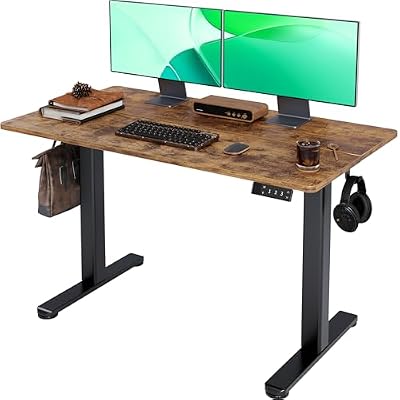


- If you have limited space, a single monitor, and value flexibility, a standard desk is usually the smarter choice.
- The classic rectangular desk remains the default for good reasons.
- An L-shaped desk shines when you need room to spread out.
- With a standard desk, you sit squarely facing your work, which makes neutral posture straightforward as long as the height and monitor placement are correct.
Choosing between an l-shaped vs standard desk is one of the first big decisions when planning a workspace, and the right answer depends heavily on how you work and the room you have. A standard rectangular desk is simple, flexible, and fits almost anywhere, while an L-shaped desk wraps around a corner to give you far more surface area and a natural division between tasks. Neither is universally better. This guide compares the two head to head across space, workflow, cost, and ergonomics so you can confidently pick the one that fits your needs and your room.
🛒 Best Price Today on Amazon
Prime members get fast, free shipping on everything above, plus member-only deals. New members get a 30-day free trial — cancel anytime.
📄 In This Review
- The Quick Verdict
- Head-to-Head Comparison
- When a Standard Desk Wins
- When an L-Shaped Desk Wins
- The Ergonomics Comparison
- Cost and Practical Considerations
- What About Standing?
- How Each Desk Shape Affects Your Daily Workflow
- Resale, Assembly, and Long-Term Flexibility
- Frequently Asked Questions
- Conclusion
- Related Articles
- Related Guides
The Quick Verdict
If you have limited space, a single monitor, and value flexibility, a standard desk is usually the smarter choice. If you have a corner to spare, use multiple monitors or spread out across several tasks, and want maximum surface area, an L-shaped desk earns its footprint. Most people fall clearly into one camp once they consider their room and workflow, which the rest of this guide will help you do.
Head-to-Head Comparison
See also: Best Monitor Under 300: Eight Listings Compared by Refresh Claims, Panel Type and Pixel Load • Best Adjustable Standing Desk Converters for Dual Monitors: Width, Weight and Fit Compared
| Factor | Standard Desk | L-Shaped Desk |
|---|---|---|
| Surface area | Moderate | Large |
| Footprint | Compact, flexible placement | Large, needs a corner |
| Best for monitors | One to two | Two or more |
| Workflow zones | Single zone | Two distinct zones |
| Cost | Lower | Higher |
| Room flexibility | High, easy to move | Low, hard to reposition |
| Standing desk options | Widely available | Fewer, more expensive |
When a Standard Desk Wins
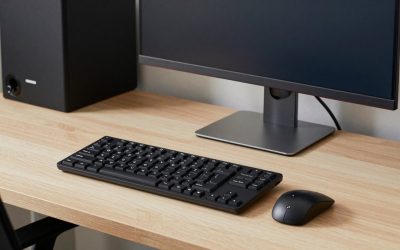
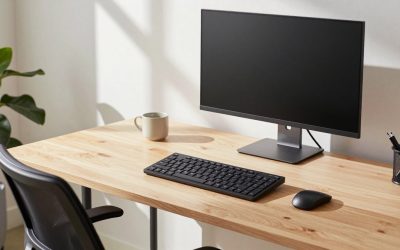
The classic rectangular desk remains the default for good reasons. It fits against any wall, slides easily into tight rooms, and works in nearly any layout. It is cheaper, comes in countless styles and sizes, and is far easier to convert to a sit-stand setup. For anyone with a single monitor or a laptop, a standard desk usually provides plenty of room without dominating the space.
Choose a standard desk if you:
- Have a small or oddly shaped room.
- Use one or two monitors and a moderate amount of gear.
- Want the freedom to rearrange your room later.
- Are working with a tighter budget.
- Plan to use a sit-stand desk or converter.
Even with a compact standard desk, you can maximize usable space by raising your screen on a laptop stand and clearing the surface of clutter.
When an L-Shaped Desk Wins
An L-shaped desk shines when you need room to spread out. The two perpendicular surfaces give you a natural way to separate tasks: a primary computing zone on one side and a writing, sketching, or secondary-screen zone on the other. The corner configuration also puts more surface within arm’s reach without making you stretch, which suits multitasking and multi-monitor work.
Choose an L-shaped desk if you:
- Run two or more monitors or a large multi-screen setup.
- Switch between distinct tasks, like coding and paperwork, or computing and crafting.
- Have a corner or dedicated office room to fill.
- Want generous surface area without an excessively long single desk.
The Ergonomics Comparison
Both desk types can be perfectly ergonomic, but they raise different considerations. With a standard desk, you sit squarely facing your work, which makes neutral posture straightforward as long as the height and monitor placement are correct. With an L-shaped desk, the temptation is to twist your torso to use the side return; avoid this by keeping your primary work directly in front of you and reserving the side for secondary or occasional tasks, swiveling your chair rather than twisting your spine.
Whichever you choose, the fundamentals stay the same: forearms parallel to the floor, screen at eye level, and feet supported. If your feet dangle at the right desk height, a footrest keeps your posture sound on either desk shape.
Cost and Practical Considerations
Standard desks are generally cheaper and easier to move, assemble, and replace. L-shaped desks cost more, weigh more, and commit you to a corner placement that is awkward to change later. Cable management also differs: an L-shaped desk has more surface and often more devices, so a tidy routing plan and a cable management box become more important to keep the larger surface looking clean.
What About Standing?
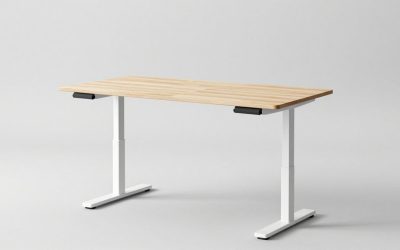
If standing to work matters to you, this can tip the decision. Sit-stand standard desks are abundant and affordable, while motorized L-shaped standing desks are fewer and pricier. One workaround is to keep a standard or L-shaped desk and add a standing desk converter on your primary work zone, giving you the standing option without committing to a specialized frame.
How Each Desk Shape Affects Your Daily Workflow
Beyond raw measurements, the two desk shapes change how you move and switch between tasks, and that subtle difference often matters more than surface area. A standard desk keeps everything in a single plane in front of you. This is excellent for work that revolves around one focal point, such as writing, coding on a single screen, or any task where you want your attention anchored straight ahead. The simplicity is a feature: there is one place to look and one zone to manage, which suits people who prefer a contained, distraction-free setup.
An L-shaped desk introduces a second plane, and that changes the rhythm of your day. The corner layout invites you to assign each surface a purpose. Many people put their main computer on one wing and reserve the other for paperwork, a second screen, or hands-on tasks. Switching between them is a swivel of the chair rather than a rearrangement of the surface, which makes context-switching feel natural. For roles that genuinely involve two distinct modes of work, this physical separation can sharpen focus, because each task has a dedicated space rather than competing for the same area.
The trade-off is that the side wing of an L-shaped desk can tempt poor posture if you treat it as a second primary zone and twist toward it for hours. Used as intended, for secondary or intermittent work, it adds capability without cost. Matching the desk shape to your workflow, single-focus versus multi-zone, is ultimately a more useful question than simply asking which desk is bigger.
Resale, Assembly, and Long-Term Flexibility
Practical ownership factors often get ignored in the excitement of choosing a desk, yet they shape how happy you are years later. Standard desks are simpler to assemble, easier to move between rooms or homes, and far easier to sell or give away when your needs change. Their universal shape fits almost any future layout. L-shaped desks are heavier, more complex to assemble, and committed to a corner, which makes rearranging a room or relocating more of an undertaking. If you rent, move frequently, or like to refresh your space, that flexibility tilts the decision toward a standard desk. If you have a stable, dedicated office and value the workspace above easy mobility, the L-shaped desk’s permanence is no drawback at all.
Frequently Asked Questions
Is an L-shaped desk worth it?
It is worth it if you genuinely use the extra surface, such as running multiple monitors or separating distinct tasks, and you have a corner to spare. If you have a single monitor or limited space, the added cost and footprint usually are not justified.
Does an L-shaped desk take up more space?
Yes. An L-shaped desk has a larger footprint and almost always needs a corner, which makes it harder to reposition. A standard desk is more compact and can sit against any wall, giving you more layout flexibility.
Which desk is better for dual monitors?
An L-shaped desk handles two or more monitors more comfortably because of its greater width and corner reach. A wide standard desk can also work for dual monitors, but you need to confirm it is wide and deep enough.
Are L-shaped desks more expensive?
Generally yes. They use more material, are larger, and standing versions in particular cost noticeably more than equivalent standard desks. A standard desk is the more budget-friendly option for most setups.
Can I use a standing desk converter on either desk?
Yes. A standing desk converter sits on top of either a standard or L-shaped desk and raises your screen and keyboard on demand. It is an affordable way to add standing to whichever desk shape you choose.
Conclusion
The l-shaped vs standard desk decision comes down to space, workflow, and budget. A standard desk offers flexibility, lower cost, and easy sit-stand options, making it the right pick for compact rooms and single-monitor setups. An L-shaped desk delivers generous surface area and natural task zones, rewarding multi-monitor users and multitaskers who have a corner to fill. Match the desk to how you actually work and the room you have, and either choice will serve you well for years.
Related Reviews & Guides




Stuffed Chicken Breast Recipes: 5 Easy Fillings

How to Get Malevolent Shrine in Jujutsu Zero