Last Updated: September 12, 2026
⚡ Key Takeaways
- Standard desks are typically around 29 to 30 inches tall, a height that suits writing by hand but is too high for most people to type comfortably.
- A well-positioned keyboard tray delivers several ergonomic advantages:
- The reason a keyboard tray works is that it lets every part of your upper body settle into a neutral position at once.
- On the other hand, if you already use a height-adjustable desk that you can lower precisely, or your desk happens to be at a comfortable typing height, a tray may be unnecessary.
A keyboard tray is one of those office accessories that looks minor but solves a surprisingly large ergonomic problem. It is a platform that mounts under your desk and slides out to hold your keyboard and mouse below the desktop surface. Why would you want your keyboard lower than the desk? Because most desks are simply too tall for comfortable typing, and a keyboard tray brings your hands down to the right height without forcing you to raise your chair so high that your feet dangle. If you suffer from wrist, shoulder, or forearm discomfort while typing, a keyboard tray may be the missing piece. This guide explains the benefits, how to tell if you need one, and what to look for.
🛒 Best Price Today on Amazon
Prime members get fast, free shipping on everything above, plus member-only deals. New members get a 30-day free trial — cancel anytime.
📄 In This Review
The Problem Keyboard Trays Solve
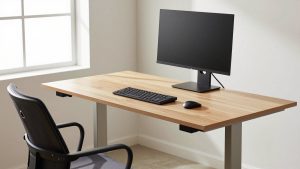
Standard desks are typically around 29 to 30 inches tall, a height that suits writing by hand but is too high for most people to type comfortably. When your keyboard sits on a tall desktop, you have to raise your arms to reach it, which lifts your shoulders, bends your wrists upward, and creates the awkward angles that lead to strain over time.
You could raise your chair to compensate, but then your feet no longer rest flat on the floor, which causes a different set of problems. A keyboard tray sidesteps the whole dilemma by lowering just the keyboard and mouse to the correct height while your chair stays set for your feet. It decouples your typing height from your desk height.
The Key Benefits
See also: Best Monitor Under 300: Eight Listings Compared by Refresh Claims, Panel Type and Pixel Load • Best Adjustable Standing Desk Converters for Dual Monitors: Width, Weight and Fit Compared
A well-positioned keyboard tray delivers several ergonomic advantages:
- Neutral wrists: The tray lets you position the keyboard so your wrists stay straight rather than bending upward.
- Relaxed shoulders: With the keyboard lower, your arms hang naturally and your shoulders drop instead of hunching.
- Negative tilt: Many trays angle the keyboard so the back edge sits lower than the front, the ideal posture that prevents wrist extension.
- Proper elbow angle: You can achieve roughly 90 degrees at the elbow with your forearms parallel to the floor.
- Free desk space: Tucking the keyboard under the desk clears the surface for paperwork and other tasks.
How a Keyboard Tray Affects Your Posture
The reason a keyboard tray works is that it lets every part of your upper body settle into a neutral position at once. Here is the correct typing posture a tray helps you achieve:
| Body Part | Ideal Position | How a Tray Helps |
|---|---|---|
| Wrists | Straight, neutral | Lowers and tilts keyboard to keep them flat |
| Elbows | About 90° | Sets keyboard at forearm height |
| Shoulders | Relaxed, down | Removes the need to lift arms |
| Feet | Flat on floor | No need to raise chair to reach keyboard |
Crucially, a tray lets you keep your feet planted, possibly with a footrest if your chair is on the taller side, while still getting your keyboard to the right height. Without a tray, achieving both is often impossible on a fixed-height desk.
Do You Actually Need One?
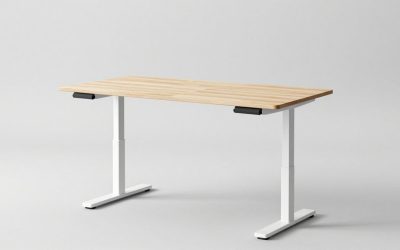
A keyboard tray is not for everyone. You probably benefit from one if any of these apply: your desk feels too tall and you lift your arms to type, you experience wrist or shoulder discomfort, raising your chair to a comfortable typing height leaves your feet dangling, or you want to free up desktop space. On the other hand, if you already use a height-adjustable desk that you can lower precisely, or your desk happens to be at a comfortable typing height, a tray may be unnecessary. Sit-stand desk users sometimes skip trays because they can dial in the surface height directly, though even then a tray can add negative tilt that a flat desk cannot.
Types of Keyboard Trays
Trays come in several styles with different levels of adjustability:
- Basic sliding trays: Mount on rails and slide in and out at a fixed height. Affordable and simple.
- Adjustable-height trays: Let you raise, lower, and tilt the platform, including negative tilt, for a precise fit. The most ergonomic option.
- Trays with separate mouse platforms: Keep the mouse at the same height as the keyboard so you do not reach up to the desk for it.
- Clamp-on trays: Attach without screws, useful for renters or those who cannot drill into the desk.
For the best ergonomic result, choose a tray with height and tilt adjustment plus an integrated mouse surface, so both your typing and mousing happen at the same correct height.
The mouse platform deserves special attention. Many people fix their keyboard height with a tray but leave the mouse up on the desktop, which forces them to reach up and out for it, reintroducing shoulder strain on the mousing side. A tray that holds the mouse at the same level as the keyboard, ideally on a platform wide enough to swap between left and right, keeps both hands in the same neutral zone. Some trays also offer a slight gel or padded edge for resting your palm during pauses, though as with any wrist rest it should be a resting spot between movements rather than something you lean on while actively working.
Installation and Desk Compatibility
Before buying, check that a tray will fit your desk. Most trays need a flat underside with enough depth to mount the track, and they require clearance for your knees once installed, so very thick desk aprons or center drawers can get in the way. Many trays attach with screws into the desk’s underside, which is permanent; clamp-on models avoid drilling but suit fewer desk styles. Measure the depth of your desktop and the space beneath it, and confirm your knees will still have room once the tray and its mechanism are in place. A tray that sits too low or juts out too far creates new problems, so a little measuring upfront pays off.
Pairing a Tray With the Rest of Your Setup
A keyboard tray solves the keyboard-height problem, but ergonomics is a system. With your keyboard now at the correct low height, make sure your monitor is still at eye level, since you may have been compensating with a high keyboard before. Raising a laptop on a laptop stand and using a separate keyboard on the tray is an excellent combination, putting the screen at eye level and the keyboard at hand level independently. Keep your mouse on the tray’s mouse platform so you do not reach up, and support your feet so your whole posture stays neutral from the floor up.
Top-Rated Picks


| Product | Brand | Rating | Reviews | Price |
|---|---|---|---|---|
| HyperX Alloy Origins 60 – Mechanical Gaming Keyboard,… | HyperX | ★ 4.7 | 15.1k | $59.99 |
| RK ROYAL KLUDGE RK61 Wired 60% Mechanical Gaming Keyb… | RKROYALKLUDGE | ★ 4.6 | 6.5k | $39.99 |
| MageGee Portable 60% Mechanical Gaming Keyboard, MK-B… | MageGee | ★ 4.3 | 11k | $26.99 |
| MageGee Portable 60% Mechanical Gaming Keyboard, MK-B… | MageGee | ★ 4.3 | 11k | $26.99 |
| DIERYA DK63 60% Wireless Mechanical Gaming Keyboard |… | DIERYA | ★ 4.4 | 0 | — |
Frequently Asked Questions
What does a keyboard tray do?
It mounts under your desk and holds your keyboard and mouse below the desktop surface, lowering them to a comfortable typing height. This keeps your wrists straight, shoulders relaxed, and feet flat without raising your chair too high.
Do I need a keyboard tray if my desk is normal height?
Possibly. Standard desks around 29 to 30 inches are often too tall for comfortable typing, which is why many people lift their arms or raise their chairs. A tray fixes this, though height-adjustable desks can sometimes achieve the same result.
What is negative tilt and why does it matter?
Negative tilt means the back edge of the keyboard sits lower than the front. It keeps your wrists from bending backward, which reduces strain. Many adjustable keyboard trays offer this, while flat desks cannot.
Can I install a keyboard tray without drilling?
Yes, clamp-on keyboard trays attach without screws, making them suitable for renters or desks you do not want to drill into. Check that the clamp style fits your desk’s edge and thickness before buying.
Will a keyboard tray fit any desk?
Not always. Trays need a flat underside, enough mounting depth, and knee clearance once installed. Thick desk aprons or center drawers can interfere, so measure your desk’s underside and clearance before purchasing.
Conclusion
A keyboard tray earns its keep by lowering your keyboard and mouse to the right height without forcing you to raise your chair and dangle your feet. The result is straight wrists, relaxed shoulders, a proper elbow angle, and a clearer desk surface. It is most valuable if your desk feels too tall or you have wrist and shoulder discomfort. Choose an adjustable model with negative tilt and a mouse platform, confirm it fits your desk, and pair it with a screen at eye level for a workspace that supports you from the floor up.
Related Reviews & Guides




Borderlands Vex Siren Guide: Skills, Build & Tips

What Is the Ideal Desk Height? A Guide by Your Height