Last Updated: October 9, 2026
- What Actually Causes Digital Eye Strain
- The 20-20-20 Rule
- Position Your Monitor Correctly
- Fix Your Lighting and Glare
- Adjust Your Display Settings
- Blink, Hydrate, and Use Drops if Needed
- Consider an Eye Exam and Proper Correction
- Build an Ergonomic Setup Around Your Eyes
- Frequently Asked Questions
- Conclusion
- Related Articles
- Related Guides
⚡ Key Takeaways


- Eye strain at a computer comes from a handful of overlapping causes.
- The single most effective habit for reducing eye strain is the 20-20-20 rule: every 20 minutes, look at something 20 feet away for at least 20 seconds.
- Screen distance and height matter more than most people realize.
- Glare is a major and often overlooked source of strain.
If your eyes feel dry, gritty, or tired after a long day at the computer, you are experiencing digital eye strain, also called computer vision syndrome. It affects a large share of people who spend more than two hours a day looking at screens, and the symptoms range from blurred vision and headaches to dry eyes and neck tension. The good news is that eye strain is almost entirely preventable. It is not caused by some mysterious property of screens but by predictable factors: how far away the screen sits, how bright it is relative to the room, how often you blink, and how long you stare without a break. This guide explains exactly how to reduce eye strain at the computer using changes you can make today.
🛒 Best Price Today on Amazon
Prime members get fast, free shipping on everything above, plus member-only deals. New members get a 30-day free trial — cancel anytime.
📄 In This Review
- What Actually Causes Digital Eye Strain
- The 20-20-20 Rule
- Position Your Monitor Correctly
- Fix Your Lighting and Glare
- Adjust Your Display Settings
- Blink, Hydrate, and Use Drops if Needed
- Consider an Eye Exam and Proper Correction
- Build an Ergonomic Setup Around Your Eyes
- Frequently Asked Questions
- Conclusion
- Related Articles
- Related Guides
What Actually Causes Digital Eye Strain
Eye strain at a computer comes from a handful of overlapping causes. Your eyes have small muscles that focus the lens, and holding focus at a fixed distance for hours fatigues them, much like holding any muscle in one position. You also blink far less when concentrating on a screen, sometimes dropping from a normal 15 to 20 blinks per minute to as few as 5, which dries out the surface of your eye. Add glare from windows or overhead lights, text that is too small, and a screen that is too bright or too dim for the room, and the strain compounds.
Notably, the most current research suggests that blue light from screens is a relatively minor contributor compared with these mechanical and behavioral factors. Fixing distance, lighting, and break habits delivers far more relief than blue-light glasses alone.
The 20-20-20 Rule
See also: Best Monitor Under 300: Eight Listings Compared by Refresh Claims, Panel Type and Pixel Load • Best Adjustable Standing Desk Converters for Dual Monitors: Width, Weight and Fit Compared
The single most effective habit for reducing eye strain is the 20-20-20 rule: every 20 minutes, look at something 20 feet away for at least 20 seconds. Shifting focus to a distant object relaxes the focusing muscles in your eyes, and the brief pause naturally prompts you to blink and re-moisten your eyes.
The hardest part is remembering to do it. Set a recurring timer, use a break-reminder app, or tie the habit to natural pauses in your work. Over a full workday these micro-breaks add up to only a few minutes but make a dramatic difference in how your eyes feel by evening.
Position Your Monitor Correctly
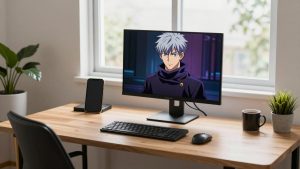
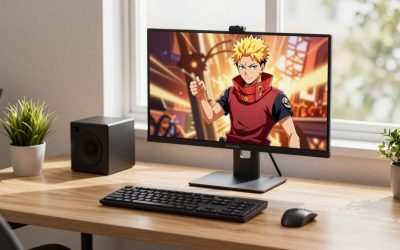
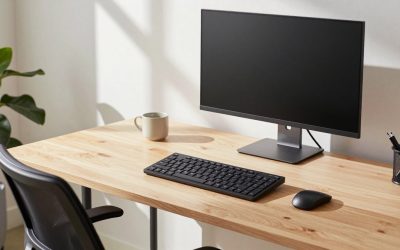
Screen distance and height matter more than most people realize. Your monitor should sit about an arm’s length away, roughly 20 to 28 inches from your eyes. Too close forces your eyes to work harder to focus; too far makes you squint or lean in.
Height matters just as much. The top of the screen should be at or slightly below eye level so your gaze drops downward by about 10 to 20 degrees when looking at the center. This downward angle is more comfortable, encourages a fuller blink, and reduces the amount of eye surface exposed to drying air. If your monitor sits too low, your neck strains; if too high, your eyes stay wide open and dry out faster. A laptop stand is an easy fix for laptop users whose screens sit far too low.
| Factor | Recommended Setting | Why It Helps |
|---|---|---|
| Viewing distance | 20–28 inches (arm’s length) | Reduces focusing effort |
| Screen height | Top at or below eye level | Encourages downward gaze and blinking |
| Brightness | Matched to surrounding room | Prevents contrast strain |
| Text size | Readable without leaning in | Stops squinting |
| Break frequency | Every 20 minutes | Relaxes focusing muscles |
Fix Your Lighting and Glare
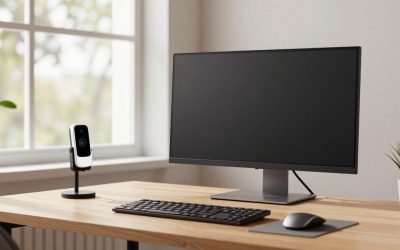
Glare is a major and often overlooked source of strain. Reflections from windows, lamps, and overhead fixtures force your eyes to work harder to pick out text. Position your monitor perpendicular to windows rather than facing or backing onto them, so light hits the screen from the side. Use blinds or curtains to control bright daylight, and avoid placing a lamp directly behind or in front of the screen.
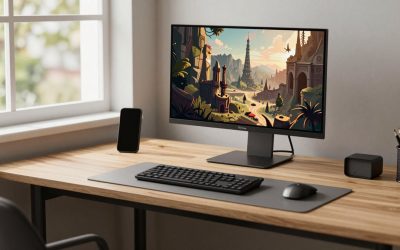
Ambient room lighting should be moderate, not harsh. A dim room with a bright screen creates a punishing contrast, while a brightly lit room with a dim screen makes you squint. Aim for a screen brightness that roughly matches the brightness of the wall behind it. Matte screen finishes and a tidy, evenly lit workspace, helped along by a non-reflective desk mat, further cut down stray reflections.
Adjust Your Display Settings
A few software tweaks can ease strain immediately:
- Brightness: Match it to your environment, not the maximum setting.
- Contrast: Higher contrast (dark text on a light background) is easiest to read.
- Text size: Increase it until you can read comfortably at arm’s length without leaning forward.
- Color temperature: Warmer tones in the evening reduce harshness, and most operating systems include a night mode that shifts color automatically.
- Refresh rate: Ensure your monitor runs at its native refresh rate to avoid subtle flicker.
Blink, Hydrate, and Use Drops if Needed
Because screen focus suppresses blinking, consciously blinking more often is one of the simplest remedies for dryness. Every time you take a 20-20-20 break, blink fully several times to spread tears across your eyes. Keep the room humidified if the air is dry, stay hydrated, and consider preservative-free artificial tears if your eyes feel persistently dry. Avoid pointing fans or air vents directly at your face, since moving air dries the eye surface quickly.
Consider an Eye Exam and Proper Correction
If eye strain persists despite good habits, an undiagnosed or outdated prescription may be the culprit. Even a small uncorrected refractive error makes your eyes work harder at a screen. An eye care professional can check whether you need correction specifically tuned to your computer’s viewing distance, which sits between reading distance and far distance. People who wear progressive lenses sometimes tilt their heads back to use the reading portion, which causes neck strain, so dedicated computer glasses can help.
Build an Ergonomic Setup Around Your Eyes
Eye comfort is connected to overall posture. When your chair, desk, and keyboard force you to lean toward the screen, your eyes end up too close and your neck cranes forward. Supporting your whole body, including your feet with a footrest if they do not rest flat, helps you sit back at the correct distance from the screen without slumping. A stable, upright posture keeps your eyes at the ideal distance and angle naturally.
Frequently Asked Questions
Do blue light glasses actually reduce eye strain?
Current evidence suggests blue light is a minor factor in digital eye strain compared with distance, glare, and reduced blinking. Blue light glasses may help with evening comfort, but fixing your screen position and taking breaks delivers far more relief.
How often should I take screen breaks?
Follow the 20-20-20 rule: every 20 minutes, look at something 20 feet away for 20 seconds. Longer breaks away from the desk every hour or two help even more.
Why do my eyes feel dry at the computer?
You blink far less when concentrating on a screen, sometimes a third as often as normal. This dries the surface of your eye. Blinking consciously, lowering your screen slightly, and avoiding direct airflow all help.
Is it better to work in a bright or dark room?
Neither extreme. Aim for moderate ambient light that roughly matches your screen brightness. A dim room with a bright screen, or vice versa, creates contrast that tires your eyes.
Can my glasses prescription cause eye strain?
Yes. An outdated or incorrect prescription forces your eyes to work harder. If strain persists despite good habits, an eye exam, possibly including computer-specific glasses, is worth considering.
Conclusion
Reducing eye strain at the computer comes down to a few reliable fundamentals: position your screen at arm’s length and the right height, control glare and lighting, match brightness to the room, blink and break often with the 20-20-20 rule, and correct any vision issues. None of these require expensive gadgets. Adopt them as habits and the dry, tired eyes that follow a long workday should become a thing of the past.
Related Reviews & Guides


How to Make Obsidian in Minecraft

How to Fix Back Pain From Sitting at a Desk