Last Updated: October 18, 2026
Black Friday is the one time of year when webcams actually get meaningful discounts. The rest of the year prices barely move, but in November you will see real $15 to $60 drops on the models people use for Zoom, Teams, Meet, and remote work.
The trick is not to buy on discount percentage. A 50% off no-name 4K webcam is still worse than a 20% off proven 1080p webcam. For work calls, reliability, autofocus behavior, and low-light performance matter far more than resolution on the box.
📄 In This Review
What deals to expect this Black Friday
Based on past years, expect three tiers of deals: sub-$50 budget 1080p cameras dropping to $25-$35, mid-range $80-$130 autofocus cameras dropping to $55-$90, and premium 4K cameras for Mac and home offices dropping from $180-$300 to $130-$220.
Retailers also bundle. Look for webcams packaged with a ring light, tripod, or headset. Those bundles are often a better gift value than a standalone camera discount, especially for someone setting up a home office from scratch.
Do not wait for a specific lightning deal if you need it for work. The popular workhorse models sell out in the $60-$90 range. Set a price target and buy when it hits, not when the countdown timer tells you to.
Under $50: For remote workers and students
See also: Best Monitor for MacBook Air: Two USB-C 4K Screens and Six Adapter-Dependent Alternatives • Best Monitor for MacBook Pro: Eight Listings Sorted by Cable, Sharpness and Scaling
This is the sweet spot for most people, and honestly where you should stop if your calls are 30 minutes a day in a reasonably lit room.
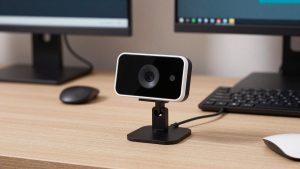
What you get: 1080p at 30fps, fixed focus or basic autofocus, dual mics, and a clip that fits a laptop or external monitor. In good light, these look perfectly fine on Zoom. Your face is sharp, colors are acceptable, and no one will complain.
Trade-offs: Fixed-focus models are set to be sharp from about 2 to 6 feet. If you lean in close to read, you will go soft. Low light is the failure mode – expect grain, washed-out skin, and laggy 15fps video in a dim bedroom at night. Built-in mics also pick up keyboard clatter and room echo.
Who it suits: Students, hybrid workers who mostly join from a laptop, and as a gift for a teenager or college student who is still using a grainy built-in laptop camera. It is a practical upgrade they will actually use daily. If you just need something dependable for video calls without overthinking it, browse this 1080p webcam for video calls selection during the sale and pick a well-reviewed 1080p option under $40.
$50 to $120: For daily Zoom and Teams users
If you are on calls 3-6 hours a day, this is where Black Friday pays off. You get autofocus that actually tracks, better lenses, and much cleaner audio handling.
What improves: Autofocus keeps you sharp if you move, gesture, or hold up a document. Wider 78-90 degree field of view fits two people without that stretched edge look. Light correction is noticeably better – you do not look orange under warm bulbs or blown out near a window.
Failure modes to watch: Some autofocus systems hunt. Every 10 seconds the image pulses soft-sharp as it re-locks, which is distracting. Look for reviews that specifically mention focus stability on Teams or Zoom, not just photo samples. Another common issue is aggressive noise reduction that makes you look waxy. A physical privacy shutter is worth prioritizing here – the software off button in Teams is not the same.
Who it suits: Managers, teachers, therapists, recruiters, and anyone presenting to clients. As a gift, this is the best tier for a partner or parent working from home. You are giving them fewer complaints of you are blurry and better presence without making them learn new software. Check the current prices on an autofocus webcam with microphone for work and you will often find last year’s $99 workhorse for $65-$75.
Premium $130+: For Mac users and dedicated home offices
Above $130 you are paying for larger sensors, true 4K, and better Mac integration. Worth it for some, overkill for most.
When it is worth it: If you record Loom videos, teach courses, stream office hours, or you have a big 27-inch monitor where 1080p looks soft in full-screen. The larger sensor holds detail in mixed lighting and gives you that slight background blur without fake portrait mode artifacts.
When it is not: 4K needs light and bandwidth. In a dark room, a $180 4K camera can look worse than a $70 1080p camera because it is trying to push four times the pixels with the same small sensor. 4K also demands USB 3.0 directly into your laptop or dock. Plug it into an old hub and you will get disconnects or forced 1080p anyway. Mac users should also double-check compatibility – some Windows Hello or AI-framing features only work on Windows.
As a gift, this tier suits a creator, consultant, or executive who cares how they look on camera and already has good lighting. Pair it with a simple desk light rather than relying on the sensor alone. You can compare current options in this 4K webcam for Mac search and filter for macOS support in the listings.
Quick comparison by use case
| Use case | What to buy on sale | Expect to pay | When cheaper is fine |
|---|---|---|---|
| Laptop calls, 1-2x per week | Basic 1080p, fixed focus, privacy cover | $25-$40 | Almost always fine if room has daylight or lamp |
| Home office, daily Teams/Zoom | 1080p/1440p with stable autofocus | $60-$90 | Yes, if you add a $20 desk lamp |
| MacBook + external monitor | Mac-compatible 1080p/4K, USB-C or USB 3.0 | $90-$170 | 1080p is fine, 4K only if you record |
| Teaching, coaching, presenting | Autofocus + wide angle + tripod thread | $80-$130 | No, focus hunting will distract clients |
| Gift for new remote worker | Mid-range + light or headset bundle | $70-$120 bundle | Bundle beats premium camera alone |
What to avoid, even on sale
Avoid any listing that promises 4K for $29.99 with no sample video and hundreds of generic five-star reviews. They are usually interpolated 1080p sensors that upscale, with terrible frame rates in low light and mics that hiss.
Avoid cameras without a standard clip or tripod thread if you use an external monitor or a curved ultrawide. The clip geometry matters. Cheap clips slip or point too high, and you will spend every call angled at your forehead.
Finally, do not buy a webcam for its built-in ring light. Those tiny LEDs create harsh hotspots on glasses and do almost nothing past three feet. A separate $18-$25 desk lamp or panel placed behind your monitor will improve any camera more than jumping up a price tier.
FAQ
Should I buy 1080p or 4K on Black Friday?
Buy 1080p if you only do live calls. Zoom and Teams compress video heavily, so the other person rarely sees 4K detail. Buy 4K only if you record videos locally or crop/zoom while presenting and want to stay sharp.
Will any webcam work with MacBook?
Most USB webcams work plug-and-play with macOS for video and mic, but companion apps for zoom, focus, and firmware updates are often Windows-only. If you use a Mac, confirm macOS support in the listing before buying for Black Friday.
Do I need a new mic too?
Not necessarily. Mid-range webcam mics are fine for meetings in a quiet room. If your room echoes, you have a mechanical keyboard, or others talk nearby, a basic USB headset will help more than a more expensive webcam.
Are Black Friday webcam deals good for gifts?
Yes, especially in the $50 to $100 range. Stick to easy setup with no driver install, include a gift receipt, and consider a bundle with a light. Avoid premium 4K models as surprise gifts unless you know the recipient’s laptop ports and lighting.
Related Reviews & Guides
4 Best HP Laptop Computer Docking Stations 2026
Best USB Camera for Laptop