Last Updated: October 18, 2026
If you do a lot of Zoom calls for work, the upgrade that matters most is rarely the camera. It is the microphone. People will tolerate a slightly soft 1080p image, but they check out fast when your audio is echoey, muffled, or cutting in and out. The good news is you do not need a studio setup to sound and look professional.
For most home office users, the sweet spot is a decent 1080p USB webcam clipped to your monitor plus a simple dedicated microphone placed close to you. That fixes the two biggest problems with laptops and Macs: a wide, noisy image shot from below, and a mic that picks up your keyboard, fan, and room echo.
📄 In This Review
What Zoom actually needs
Zoom compresses video aggressively. Even if you buy a 4K camera, the other person usually sees something closer to 720p or 1080p. Resolution matters less than light control, exposure stability, and a clean lens at eye level. For audio, Zoom can suppress background noise, but it cannot fix a distant mic in a reverberant room.
Start with placement before you buy anything. Put your laptop on a stand or stack of books so the camera is at eye level. Face a window or put a cheap lamp behind your monitor. Move your mic to within 6 to 12 inches of your mouth. If you do that and your current setup still looks dark or sounds hollow, then it is time to upgrade.
Camera options: when the upgrade is worth it
See also: Best Monitor for MacBook Air: Two USB-C 4K Screens and Six Adapter-Dependent Alternatives • Best Monitor for MacBook Pro: Eight Listings Sorted by Cable, Sharpness and Scaling
Built-in laptop cameras are fine for occasional calls in good light, especially on recent MacBooks. Where they fail is low light, backlight, and framing. The image gets grainy, your face goes dark when a window is behind you, and the wide angle makes a messy room more visible than you want.
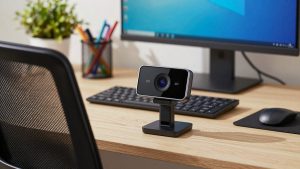
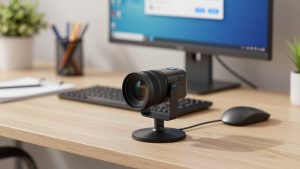
A basic 1080p USB webcam solves most of that for the least money. Look for autofocus, auto light correction, and a physical privacy shutter. You do not need 60 fps or fancy background blur — Zoom does that in software. Mount it on top of an external monitor, not off to the side on your laptop, or you will look like you are staring away from everyone.
A step up is a larger-sensor 1080p or 4K webcam for Zoom calls with better low-light performance. The benefit is not really the 4K label. It is cleaner color, less noise in a dim home office, and a wider dynamic range so you do not blow out when a window is nearby. Trade-off: they cost twice as much, need more USB bandwidth, and can look overly sharp on skin if you sit very close.
Failure modes to watch for: autofocus that hunts during the call and blurs you every time you lean back, auto-exposure that pulses when you share screen, and cheap clip mounts that droop on curved monitors. On Macs, check that the webcam supports macOS without requiring a Windows-only settings app. Many settings like field of view and focus get locked if the vendor app does not run on Mac.
Common Zoom setups compared
This is how most people should decide. Pick the row that matches how often you are on camera and how noisy your space is.
| Setup | Typical cost | Best for | Main limitation |
|---|---|---|---|
| Built-in camera + built-in mic | $0 | Occasional calls, quiet room, good daylight | Looks grainy in low light, picks up keyboard and echo |
| 1080p USB webcam + wired earbuds with mic | Low | Daily Zoom users in shared homes, laptop + Mac setups | Earbud mic can rustle, cable is short |
| 1080p / 4K webcam + dedicated USB mic | Medium | Managers, teachers, freelancers who host meetings | Picks up room echo if mic is too far away |
| Webcam + wireless headset with boom mic | Medium | Noisy homes, open offices, call-heavy support roles | Audio is clear but compressed, battery needs charging |
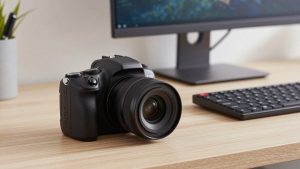
| Mirrorless / DSLR as webcam + USB mic | High | Presenters, courses, YouTube-style Zoom webinars | Complex, runs hot, overkill for internal meetings |
Microphone options: pick by room, not by price
If you work in a quiet, carpeted room with the door closed, a desk USB condenser mic sounds excellent. It gives you that full, present voice you hear on podcasts. But put that same mic in a hard-floored kitchen or near kids and a TV, and it will faithfully broadcast all of it. Distance is the enemy: at arm’s length it sounds thin and roomy, at 6 inches it sounds professional.
For most Zoom workers, a simpler choice is better. A wired earbud mic or a USB headset with microphone for Zoom puts the mic right at your mouth and rejects room noise automatically. You will not sound rich, but you will sound clear, and no one will hear your typing. This is the cheapest reliable fix for echo, and it is what IT departments hand out for a reason.
A standalone USB condenser microphone for work calls makes sense if you host, teach, or record. Put it on a small boom arm or mini stand close to you, slightly off-axis so breaths do not pop, and turn the gain down. Use cardioid mode if it has a pattern switch. Failure mode: people set gain too high, sit three feet away, then wonder why the room echoes. Closer and quieter beats expensive and far.
Avoid Bluetooth earbuds as your daily Zoom mic if you can. Many switch to a low-quality hands-free profile on Windows and macOS when the mic activates, so you sound thin and robotic. They are fine for joining from the couch, not for leading a client call. If you must use wireless, use a dedicated DECT or 2.4 GHz office headset with its own USB dongle, not standard Bluetooth.
What to buy for your situation
On Zoom 2 to 5 hours a day from a home office: get a 1080p webcam and a desk USB mic or good USB headset. Put the camera at eye level on your main monitor and light your face. This is where the cheaper option is genuinely fine — a midrange 1080p camera in good light beats an expensive 4K camera in a dark backlit room.
In a noisy house or open office: prioritize the mic. A boom-mic headset will do more for how professional you seem than any camera upgrade. Keep the webcam basic, use Zoom’s noise suppression on Low or Medium, and mute when you are not talking. Do not buy an open condenser mic for this environment.
On a MacBook: you have a third option. Continuity Camera lets you use a recent iPhone as your Mac webcam, and the image is often better than a budget USB webcam. It is great as a stopgap, but the mount is fiddly and calls drain the phone battery. If you are on Zoom all day, a dedicated USB webcam is less hassle.
Do not buy a mirrorless camera setup just for internal Zoom meetings. It looks great, but you add HDMI capture, power, overheating, and autofocus quirks. Unless you are presenting to clients or recording a course, the time spent managing it is not paid back in better meetings.
FAQ
Is 4K worth it for Zoom?
Usually no. Zoom compresses video, so the visible difference between good 1080p and 4K is small. Buy 4K only if you want better low-light and color from a larger sensor, and you have the USB bandwidth and light to support it.
Why do I sound echoey even with a good mic?
Almost always distance and room reflections. Move the mic closer, lower the gain, add soft furnishings, and wear earbuds or a headset so your speakers do not feed back into the mic. Zoom’s echo cancellation cannot fix speakers at full volume across a hard room.
Will a webcam work with Mac and laptop docks?
Most UVC webcams are plug-and-play on macOS and Windows, but avoid running them through an unpowered hub with a hard drive and other gear. If video freezes or the mic drops, plug directly into the laptop or a powered dock. Check that any vendor settings app supports Mac before you count on it.
What is the cheapest upgrade that actually helps?
Light and mic placement. Face a window, raise the camera to eye level, and switch from speakers + built-in mic to wired earbuds or a basic USB headset. That $0 to low-cost change fixes more calls than a new camera alone.
Related Reviews & Guides
Best Computer Camera with Microphone
Best Virtual Camera for Zoom