Last Updated: October 18, 2026
- What actually matters in a conference room
- Best for small huddle rooms: wide-angle USB camera or compact video bar
- Best for medium rooms: auto-framing video bar with extension mics
- Best for large boardrooms: PTZ camera plus separate audio
- Quick comparison by room size
- Setup mistakes that ruin even good cameras
- FAQ
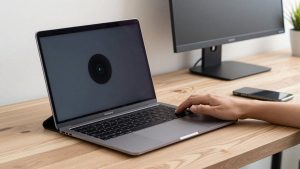
A laptop webcam is fine for one person. Put four to ten people around a conference table and it falls apart: faces on the far end are tiny, audio echoes, and Zoom’s noise suppression can’t fix a mic that’s 12 feet from the talker. For a real conference room you need wider field of view, distant mic pickup, and framing that keeps everyone visible without someone having to babysit the camera.
Most Zoom rooms fall into three sizes, and they need different hardware. Buy for your room size and how you run meetings — one cable to a room laptop, or a dedicated Zoom Rooms PC — not for the spec sheet with the biggest zoom number.
📄 In This Review
- What actually matters in a conference room
- Best for small huddle rooms: wide-angle USB camera or compact video bar
- Best for medium rooms: auto-framing video bar with extension mics
- Best for large boardrooms: PTZ camera plus separate audio
- Quick comparison by room size
- Setup mistakes that ruin even good cameras
- FAQ
What actually matters in a conference room
Field of view is first. For a small huddle room with 2-4 people around a small table, 90 to 110 degrees is enough. For a medium room with 6-8 people, you want 110 to 120 degrees or a pan-tilt-zoom camera that can find faces automatically. Anything narrower will cut off the people at the ends of the table, which is the most common complaint I hear.
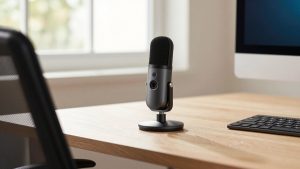
Audio matters more than 4K. Look for mic pickup rated for your table distance, usually 12-15 feet for small rooms and 20+ feet for medium rooms with extension mics. Single-mic pucks in the center work for small tables. Larger tables need either a video bar with a multi-mic array or add-on extension mics. Speaker volume also counts — a small webcam speaker will sound thin and strained in a 15 x 20 foot room.
Check Zoom certification and connection type. If you run Zoom Rooms on a dedicated mini-PC or Mac, most modern USB cameras work plug-and-play. If you want one-touch join, auto-framing, and remote management, get a device listed as Zoom Rooms certified. Avoid cameras that require their own proprietary wireless dongle unless your IT team has approved it; standard USB-C and HDMI are more reliable for shared rooms.
Best for small huddle rooms: wide-angle USB camera or compact video bar
See also: Best Monitor for MacBook Air: Two USB-C 4K Screens and Six Adapter-Dependent Alternatives • Best Monitor for MacBook Pro: Eight Listings Sorted by Cable, Sharpness and Scaling
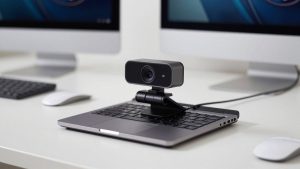
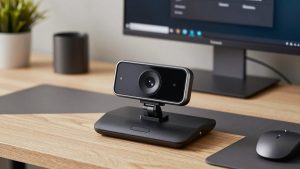
For 2-4 people in a room up to about 12 x 12 feet, you do not need a PTZ camera. A fixed wide-angle USB conference camera on top of the display is simpler, cheaper, and there is nothing to break or mis-aim. Mount it at eye level, plug one USB cable into the room laptop, and you are done.
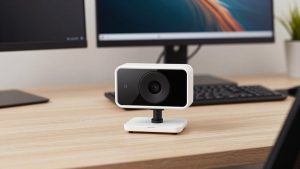
The trade-off is audio range and framing. Fixed cameras cannot optically zoom to a whiteboard across the room, and digital zoom gets soft fast. They also struggle if people sit more than 10-12 feet away — voices get distant and Zoom will hunt for who is speaking. This is where a compact all-in-one video bar helps: bigger mics and speakers in the same housing, often with auto-framing that crops in on active talkers.
Who it suits: teams that want a no-training setup for daily standups. Failure mode: buying too wide. A 150-degree lens in a tiny room bends faces at the edges and makes the back wall look huge. 90-110 degrees usually looks more natural. A good starting point is browsing a wide angle conference room webcam for Zoom and filtering for tripod mount, USB-C, and dual mics.
Best for medium rooms: auto-framing video bar with extension mics
For 5-8 people around a 6-10 foot table, this is the sweet spot for an all-in-one video bar. These combine a wide camera, mic array, and loud speaker in one bar under the TV. Most now include auto-framing or speaker-tracking, which digitally pans to whoever is talking. When it works, remote attendees see faces instead of a long empty table.
Concrete trade-offs: auto-framing can be jumpy if people fidget, eat, or walk in and out. Good bars let you turn tracking off and lock a wide shot, which many offices end up preferring. Also check mic expansion. A bar alone often covers about 12-15 feet cleanly. If your table is longer, you need a model that accepts a wired extension mic in the center of the table. Without it, the far end will sound hollow.
Who it suits: the standard 6-person conference room used for client calls. It is worth paying more here than in a huddle room because bad audio in client meetings costs you credibility. Look specifically for an all-in-one video bar Zoom certified if you use Zoom Rooms, so mute sync, volume, and camera controls show up correctly in the Zoom controller.
Best for large boardrooms: PTZ camera plus separate audio
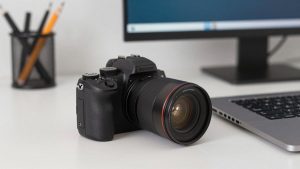
Once you pass 8-10 people or a room longer than 20 feet, stop trying to do it all from one bar. You need a true optical PTZ (pan-tilt-zoom) camera mounted high, plus ceiling mics or a tabletop conference phone system for audio. Optical zoom — 10x to 12x is common — stays sharp when focusing on someone presenting at the far end, where digital zoom turns to mush.
The failure modes here are installation and control. PTZ cameras need presets: wide shot of table, close-up on presenter, shot of whiteboard. If no one programs presets and shows staff how to use the remote or Zoom camera controls, the camera will sit pointed at a wall. They also need more cabling and often AC power, so budget for installation, not just the camera box.
An alternative for long rectangular tables is a 360-degree center-of-table camera. It sits in the middle and stitches a panoramic view so remote people see everyone face-on. It is great for inclusive discussion, but image quality drops in bright rooms and cable management in the middle of the table annoys facilities teams. For most boardrooms, a front-mounted PTZ conference room camera for Zoom with separate mics remains more reliable.
Quick comparison by room size
| Room type | Best camera type | Field of view / zoom | Audio to plan for | When cheaper is fine |
|---|---|---|---|---|
| Huddle, 2-4 people | Fixed wide-angle USB camera | 90-110 degrees, no PTZ needed | Built-in dual mics up to 12 ft | Almost always — simple is better |
| Medium, 5-8 people | Auto-framing video bar | 110-120 degrees + digital tracking | Mic array + optional extension mic | Only if table is short and room is quiet |
| Large, 8-12+ people | Optical PTZ camera | 70 degrees wide, 10x-12x optical zoom | Separate ceiling or table mics required | Rarely — audio will limit you first |
| Long table discussions | 360 center camera as supplement | 360-degree stitch | Built-in 360 mics, limited range | Fine as add-on, weak as only camera |
Setup mistakes that ruin even good cameras
Most bad Zoom rooms are not bad cameras — they are bad placement. Mount the camera at seated eye level, about 48 inches off the floor, not high in a corner. Backlight kills image quality, so do not put the camera facing a window without blinds. For audio, put an extension mic in the middle of the table, not next to the laptop at one end, and turn off table fans and HVAC noise if you can.
Test with a real call before you standardize. Join from a laptop at home, listen on headphones, and have people at the far end speak at normal volume. If you have to ask them to repeat, you need more mic, not more camera resolution. Also lock the room laptop settings: disable auto-sleep, pin Zoom to launch on login, and tape the USB cable with slack relief so it does not get yanked out.
If you only buy one upgrade for an existing room, make it audio. A $150 wide-angle camera with a good mic placed correctly will beat a 4K PTZ camera paired with a laptop mic 15 feet away. Resolution is easy to market; intelligibility is what ends meetings on time.
FAQ
Can I just use a laptop webcam for a small conference room?
For two people crowded around one laptop, yes for occasional calls. For regular meetings with 3+ people, no — the field of view is too narrow and the mic is too far from talkers. A dedicated wide-angle USB camera pays off quickly.
Do I need a Zoom certified camera?
Not strictly for joining Zoom meetings — any UVC USB camera works with Zoom on Windows and Mac. Certification matters if you run Zoom Rooms and want reliable mute sync, camera presets, and auto-framing controls from the touch controller.
Is 4K worth it for a conference room camera?
Sometimes, but not for the reason you think. 4K helps digital auto-framing stay sharper when cropping in. If you do not use tracking and just output a wide shot, most attendees watch in 720p or 1080p anyway. Prioritize lens quality, low-light performance, and mics first.
What cable setup is most reliable for a shared room?
One USB-C cable to a dedicated room laptop or mini-PC, with the camera mounted and powered permanently. Avoid passing the camera through cheap USB hubs or 15-foot passive extensions — they cause dropouts. Use an active USB extension or a camera with its own power supply for runs over 10 feet.