Last Updated: October 18, 2026
📄 In This Review
What counts as wide-angle for work?
For office webcams, normal is about 70 to 80 degrees diagonal. That frames one person at arm’s length and not much else. Wide-angle starts around 90 degrees and goes up to 120 degrees or more. At 100 degrees you can comfortably fit two people on a couch or at a desk without squeezing together. At 110 to 120 degrees you can cover a small huddle room table with three to four people.
The catch is that wider is not automatically better. A very wide lens stretches faces at the edges, bends straight lines behind you, and makes you look farther away if you sit alone. Most good work webcams now let you switch between 65, 90, and 110-degree views in software. That one feature matters more than the maximum number on the box. If you work solo most days but sometimes do whiteboard demos or sit with a coworker, get an adjustable field of view and leave it at 75 to 90 degrees for solo calls.
Who actually needs one, and who does not
See also: Best Monitor for MacBook Air: Two USB-C 4K Screens and Six Adapter-Dependent Alternatives • Best Monitor for MacBook Pro: Eight Listings Sorted by Cable, Sharpness and Scaling
Buy wide-angle if you regularly do any of these: share your camera with one other person in the same room, teach or demo something on a desk, use a deep desk and sit far back, or run small-room meetings from a laptop. In those cases a standard 78-degree webcam cuts off elbows, whiteboards, or the second person entirely.
Skip it if you take all calls solo from a laptop at a normal distance. A narrower 75 to 80-degree camera will make you look larger, sharper, and less distorted, and it shows less of your room. A lot of buyers get a 120-degree webcam for solo Zoom and then wonder why they look small and the room looks messy. The fix is usually just switching the camera to its narrow mode, but if you will never use the wide end, save money and get a simpler 1080p webcam with good autofocus and low-light handling instead.
What to check before you buy
First, check how the field of view is measured. Some brands list diagonal, some list horizontal, and some just say 120-degree wide without explaining. Diagonal sounds bigger. A true 95-degree horizontal view is usefully wide. A claimed 120-degree diagonal is often about 100 degrees horizontal in practice. Look for specs that list two or three selectable modes, like 65 / 90 / 110 degrees. That usually means the optics and software were actually designed for meetings.
Second, check distortion correction and focus type. Cheap ultra-wide webcams have fixed focus and heavy fisheye at the edges. Faces at the side of the frame look stretched and soft. Mid-range models add software de-warping and autofocus. It is not perfect, but it keeps straight door frames straight and keeps two faces reasonably sharp. If you will sit off-center, this matters more than 4K.
Third, check low light and exposure. Wide lenses let in more of a bright window or overhead light, which can fool auto-exposure. If your desk faces a window, you want a webcam with HDR or good backlight compensation. Without it, you become a silhouette when the camera widens to include the bright background. Also check Mac compatibility. Most UVC webcams work plug-and-play on Mac for Zoom, Teams, and Meet, but the utility app that controls zoom, field of view, and firmware is sometimes Windows-only. On a Mac you can get stuck at the widest setting with no way to narrow it.
The three types worth comparing
There are really three categories for work, not dozens of distinct models. A compact 1080p wide webcam around 100 to 110 degrees is fine for a duo desk or hot-desking. A 4K business webcam with adjustable field of view is better if you want auto-framing, a tighter solo crop from the same sensor, and cleaner digital zoom. A small conference cam with a wider base and better mics suits a 3 to 6-person huddle room where a laptop mic will not reach.
| Type | Typical field of view | Best for | Trade-off |
|---|---|---|---|
| Compact 1080p wide webcam | 100-110 deg, often fixed or 2 modes | Solo + occasional 2-person calls, tight desks | More edge stretch, weaker low light, basic mics |
| 4K adjustable business webcam | 65 / 90 / 110 deg selectable | Home office, teaching, whiteboard demos | Costs more, needs good USB port for full 4K, software features vary on Mac |
| Huddle / conference cam | 115-120+ deg with dual mics | Small meeting room, 3-4 people around table | Bulky on a laptop, looks too distant solo, can pick up room echo |
If you are solo 90 percent of the time, the cheaper option is fine. A basic 1080p wide angle webcam with 110 degree field of view will handle a guest appearing next to you once a week. You do not need 4K for that. Spend the savings on light placement instead, which does more for image quality than resolution.
If you present, teach, or switch between solo and group all day, step up to an adjustable model. A 4K business webcam with adjustable field of view and auto-framing lets you stay at 75 degrees for solo calls, then jump to 100+ degrees to show a second person or desk without moving the tripod. Auto-framing that follows you is useful, but turn it off for group calls. It tends to hunt and re-crop when two people move.
For a dedicated small room, do not try to stretch a laptop webcam. A wide angle conference webcam with microphone for huddle rooms on top of the room display works better because the mics are spaced to hear people 6 to 10 feet away. Expect to add a USB extension cable and to test echo cancellation in Teams or Zoom before the first real meeting.
Common failure modes to avoid
Edge softness is the biggest one. On cheap ultra-wide models, the person in the middle looks fine while the second person at the edge looks smeared. If you buy for two-person use, test this on day one: put both chairs where you will actually sit and record a 30-second clip. If the edge face is unusable, move the camera farther back rather than wider, or narrow the field of view one step.
Autofocus hunting is second. Some wide webcams constantly refocus when you gesture or lean back, which is distracting. For desk demos, manual focus lock or a slightly smaller aperture model helps. Microphone disappointment is third. A webcam mic three feet away in a quiet home office is fine. The same mic trying to cover four people around a conference table will sound hollow and pick up keyboard and HVAC noise. For rooms, use the conference cam’s mics or a separate speakerphone. Do not rely on a laptop plus a wide webcam at opposite ends of the table.
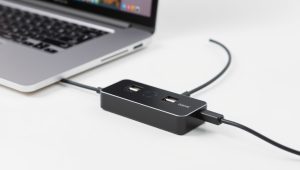
Finally, watch mounting and heat. Wide webcams are taller and heavier than normal ones. On a thin laptop lid they wobble and slowly tilt down. Use a small tripod behind the laptop or a monitor mount if you move around. And if you run 4K at 30fps for hours, some models get warm and drop frames on an underpowered USB hub. Plug directly into the laptop or a powered hub, especially on MacBook Air setups with dongles.
How to set it up for work calls
Place the camera 3 to 6 feet back for two people, 2 to 3 feet for solo. Eye level or slightly above is best. For solo calls, set 70 to 80 degrees and crop tighter. For duo calls, set 95 to 105 degrees and leave headroom. Turn on distortion correction if available, then turn off auto field of view unless you move constantly.
Light the faces, not the background. Close or diffuse a bright window behind you, and put a soft lamp in front of you at 45 degrees. In Zoom and Teams, uncheck automatic low-light boost if your image looks waxy, it often smears detail on wide shots. Do a test recording in the actual meeting app, not just the vendor preview, because Zoom and Teams crop slightly differently and apply their own noise reduction.
FAQ
Is 120 degrees too wide for Zoom calls?
For solo calls, yes. You will look small and show a lot of background. Use 70 to 90 degrees for solo, 100 to 110 for two people, and save 115 to 120 for small rooms. Adjustable field of view solves this.
Is 1080p enough for a wide-angle webcam?
Often yes for laptop calls. 1080p spreads pixels over a wider area, so it looks softer than a narrow 1080p shot, but it is still clear for faces and slides. Choose 4K if you want to digitally zoom or crop a solo frame from a wide sensor without losing sharpness.
Will a wide webcam work on Mac?
Basic video usually works plug-and-play on Mac in Zoom, Teams, Meet, and FaceTime. The issue is control software. Field-of-view switching, auto-framing, and firmware updates are sometimes Windows-only, so confirm Mac support for the utility app before you buy if you need those controls.
Do I need an external mic with a wide webcam?
For solo and duo desk use at close range, usually not. For three or more people or anyone more than six feet away, yes. A conference webcam with dual mics or a separate USB speakerphone will sound much clearer than a standard webcam mic at distance.
Related Reviews & Guides
Best External Camera for Desktop Computer
5 Best Monitor Arms for Beginners (2026)