Last Updated: October 18, 2026
📄 In This Review
What a combo actually means
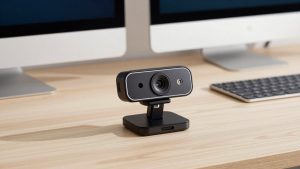
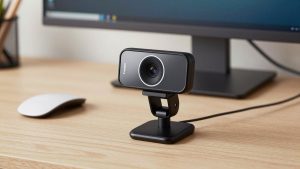
Almost every external webcam has a built-in microphone, but not all of them are usable for work. A true webcam microphone combo means you can plug in one USB cable and get both acceptable video and intelligible voice without adding a separate mic. For daily Zoom, Teams, Meet, and Webex calls, that is enough for most people.
What you are buying is convenience and consistency. A separate USB microphone will almost always sound better, especially in a noisy room. A combo wins because there is nothing to charge, no arm to adjust, and no input to forget to select. If you take three to six calls a day from a desk, that simplicity matters more than studio sound.
The failure mode to understand is distance and echo. Webcam mics sit 2 to 4 feet from your mouth. They pick up keyboard clicks, fan noise, room echo, and other people in the house. If your office is quiet and you sit close to the camera, a combo sounds fine. If you work from a living room, a kitchen table, or next to a loud laptop fan, a combo will expose that.
When the cheap option is fine
See also: Best Monitor for MacBook Air: Two USB-C 4K Screens and Six Adapter-Dependent Alternatives • Best Monitor for MacBook Pro: Eight Listings Sorted by Cable, Sharpness and Scaling
If your laptop is from the last three years and you only do internal calls, you may not need anything. Modern MacBook and ThinkPad mics with software noise removal are surprisingly good. An external combo makes sense when your built-in camera looks soft in low light, your laptop fan spins up on calls, or you use an external monitor and do not want to talk to the side of your laptop lid.
A basic 1080p webcam with dual microphones is fine for check-ins, teaching, telehealth admin work, and customer support. You do not get flattering low-light video or rich voice, but people hear every word. Do not pay extra for 4K if your company caps video at 720p, which most do to save bandwidth. 4K helps if you crop, present, or want sharper stills. It does not make your voice better.
One practical tip from testing: mount position matters more than specs. A $50 camera at eye level 24 inches away looks and sounds better than a $150 camera sitting low on a dock looking up your nose from 40 inches away. Fix placement first.
What to check before you buy
Resolution and focus are the first trade-off. Fixed-focus 1080p cameras are simple and never hunt for focus during a call, which is good if you sit still. Autofocus is better if you move, whiteboard, or hold products up to the camera, but cheap autofocus can pulse and distract. For desk work, a good fixed-focus lens is often less annoying.
For microphones, look for two mics instead of one, plus some form of noise reduction. Dual mics help with echo cancellation and directionality. Single-mic budget cameras tend to sound thin and pick up more room. No webcam mic will isolate your voice like a headset or a close USB mic. If the listing claims broadcast quality or studio sound from the camera, ignore it.
Check field of view, low-light performance, and Mac compatibility. A 65 to 78 degree field is best for one person at a desk. Wider 90 degree lenses fit two people but make you look small and show a messy room. Low-light correction matters more than raw resolution for early morning or basement offices. On Mac, confirm the camera is UVC plug-and-play and that any noise removal or framing app actually supports macOS. Many Windows-only utilities do not carry over.
| Type | Video / Audio | Best for | Watch out for |
|---|---|---|---|
| Basic 1080p combo | 1080p fixed focus, dual mics | Daily calls, students, support staff | Soft image in dim rooms, picks up fans |
| Midrange 1080p/2K with noise reduction | Better sensor, autofocus, beamforming mics | Home office workers, managers, teachers | Autofocus hunting, needs good USB port |
| 4K combo with advanced mics | 4K sensor, auto-framing, AI noise removal | Presenters, coaches, small group demos | Higher CPU use, features may be Windows-only |
| Headset instead of webcam mic | Uses existing camera, close mic | Noisy homes, open plans, loud keyboards | Wearing something on your head all day |
Best combo types for work
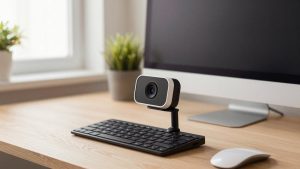
For most home offices, the sweet spot is a midrange 1080p or 2K camera with dual noise-reducing microphones. You get cleaner low-light video than a laptop, stable autofocus, and voice that stays intelligible without sounding hollow. A solid 1080p webcam with dual microphone for home office handles eight hours of meetings without driver fuss and works on both Windows and Mac as a standard USB camera.
If you present, teach, or record short Loom updates, consider stepping up to a 4K camera with auto-framing and stronger noise cancellation. The benefit is not really 4K streaming. It is a larger, better sensor that looks cleaner when your office light is poor, plus software that keeps you centered if you stand up. Look at a 4K webcam with noise cancelling microphone if you want that flexibility, but only if your computer is fairly new. Auto-framing and background blur can tax older laptops.
For shared desks or two-person offices, do not buy a narrow personal webcam and expect it to cover both of you. Either choose a wider 90 to 95 degree model with an omnidirectional mode, or accept that audio will drop when someone leans out of pickup range. In that case a small speakerphone on the desk usually beats any webcam mic.
Laptops, Macs, and setup
On Windows laptops, most combos work immediately over USB-A or USB-C. Plug directly into the laptop, not into a cheap hub, if you see freezing or robotic audio. 4K plus an external monitor plus a hub is a common cause of stutter. If you must use a dock, use a powered dock and set the camera to 1080p in Teams or Zoom to cut bandwidth.
On Macs, stick to UVC-compliant cameras with no required driver. macOS will see video and audio as separate devices. In Zoom, set both the camera and microphone explicitly. Do not leave it on Same as System, because macOS will sometimes switch back to the MacBook mic after sleep. Turn off extra Mac voice isolation if you already use the camera app noise removal, or your voice can sound over-processed and watery.
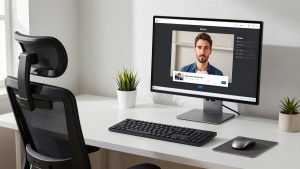
Set realistic expectations for software features. Background blur, auto-framing, and AI noise removal help, but they vary by app. Teams has strong built-in noise suppression. Zoom handles echo well. Meet is more sensitive to weak CPUs. Test your actual tools for 10 minutes before an important call. Sit 20 to 30 inches from the camera, raise it to eye level, put a lamp in front of you rather than behind you, and mute keyboard notifications.
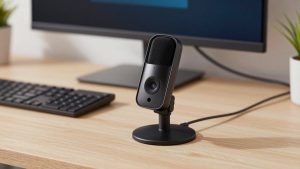
If you work in a noisy house and cannot fix the room, be honest with yourself: no webcam mic will save you. A wired headset or a basic USB desk mic placed 6 inches from your mouth will outperform any camera mic. You can still use the webcam for video and select the headset only for audio. Many people run that hybrid setup. If you want one purchase that covers both quiet and noisy days, pair an affordable budget webcam with microphone for laptop with a simple wired headset for backup.
FAQ
Is a webcam microphone good enough for Zoom interviews?
Yes, if the room is quiet and you are close to the camera. Do a test recording and listen for echo, fan noise, and keyboard clicks. If interviewers will be listening closely, use a headset or external mic for safety.
Why do I sound far away on my external webcam?
Usually distance and gain. Move within 30 inches, select the webcam mic in the meeting app, turn up input volume to 70 to 85 percent, and reduce room echo with a rug, curtains, or a closer seating position. Avoid sitting under an air vent.
Do I need 4K for better audio?
No. Video resolution does not determine mic quality. Some 4K models have better mics because they are premium products, but a good 1080p combo often sounds the same or better. Buy for sensor quality and noise reduction, not the 4K label.
Can I use the webcam for video but a different mic for audio?
Yes, and that is often the best setup. In Zoom, Teams, or Meet, set Video to the external webcam and Audio Input to your headset or USB mic. It takes 20 seconds and avoids most combo mic limitations.