Last Updated: October 18, 2026
If you take video calls all day, the laptop matters more than most people think. Not because of processor speed, but because of the camera position, microphone pickup, speakers, and how hot and loud the machine gets after 40 minutes on Zoom or Teams.
We test laptops the way office workers actually use them: back-to-back calls, plugged in, with Slack, Chrome, and Outlook open in the background. The best laptop for video calls is the one that still looks and sounds clean in that second hour, not just in a quiet 5-minute test.
📄 In This Review
What actually matters for video calls
Webcam resolution is misleading. A sharp 1080p sensor with bad processing looks worse than a good 720p sensor with solid auto-exposure. What you notice on a call is exposure stability, color, and frame rate under office lighting. Cheap camera modules blow out windows behind you, turn your face orange under warm bulbs, and drop to 15 fps in a dim room.
Microphones matter more. Most modern laptops have dual or triple-array mics with noise reduction. Good ones isolate your voice from keyboard clicks and HVAC hum. Bad ones make you sound distant if you lean back 2 feet, or they aggressively gate your voice so the first syllable of every sentence gets clipped on Teams.
Speakers, thermals, and Wi-Fi also count. Thin laptops with upward-firing speakers are much easier to hear in a group call without earbuds. And if the fans spin up loudly after 20 minutes of video encoding, your mic will pick that up even with noise suppression on. Intel Core Ultra, Apple M-series, and recent AMD Ryzen chips handle this far better than older Intel U-series machines.
The webcam reality: most built-ins are just okay
See also: Best Monitor for MacBook Air: Two USB-C 4K Screens and Six Adapter-Dependent Alternatives • Best Monitor for MacBook Pro: Eight Listings Sorted by Cable, Sharpness and Scaling
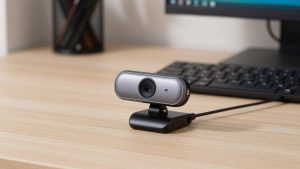
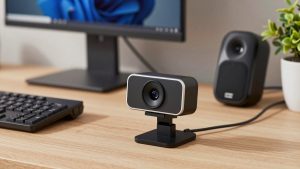
Let’s be blunt: no built-in laptop webcam looks as good as a decent $60-80 external webcam. Laptop lids are too thin for large sensors, and the lens sits too close to the top bezel. Even Apple, which now ships 1080p and 12MP Center Stage cameras on MacBooks, still produces a soft, processed image compared to a separate camera at eye level.
Where built-ins win is convenience. You will actually take calls from the couch, the kitchen, or an airport when you don’t have to plug anything in. The question is not which laptop has a DSLR-level camera – none do – but which ones are reliable enough that you don’t need an external camera for daily internal meetings.
If you present to clients, teach, or record, plan on an external camera regardless of which laptop you buy. If you mostly do standups and 1:1s, a good 1080p built-in with solid mics is enough, and will save you desk clutter.
Quick comparison by use case
This is a category guide, not a single-model shootout, because specific configurations change every few months. Buy based on the camera/mic system and platform you already live in.
| Category | Typical camera / audio | Strengths for calls | Trade-off |
|---|---|---|---|
| MacBook Air / Pro (M3/M4) | 1080p or 12MP Center Stage, 3-mic array, excellent speakers | Consistent exposure, best mics and speakers, silent under load | Center Stage can look over-processed; fewer business IT controls |
| Business Windows (ThinkPad, Latitude, EliteBook) | 1080p IR camera, dual mic with noise reduction, Teams-certified | Good low-light, physical shutter, easy IT management | Speakers often weak; image softer than Mac in daylight |
| Mainstream thin-and-light (Zenbook, XPS, Yoga) | 1080p camera, dual mic | Light to carry, sharp enough in good light | Fans get audible on long calls; mics pick up keyboard noise |
| Budget $500-700 Windows | 720p or basic 1080p, basic mics | Fine if you add headset + external cam | Do not rely on built-in camera for client work |
Best if you want the simplest good calls: MacBook Air
For most remote workers who live in Zoom, Meet, or Teams in a browser, the MacBook Air with M3 or newer is the safest pick. The 1080p camera is not amazing, but it is predictable. It holds exposure when you move near a window, skin tones look natural, and frame rate stays stable in dim home offices where many Windows laptops start to stutter.
The bigger advantage is audio. The three-mic array isolates voice well without that underwater noise-suppression sound, and the speakers are good enough to follow a 5-person call without earbuds. It also stays silent. No fan noise bleeding into your mic is a bigger upgrade than going from 1080p to 4K.
Failure modes: Center Stage on newer models crops in to follow you, which can look slightly soft and wobbly if you fidget. Low-light still smears detail. And if your company requires Windows-only VPN or Teams plugins, check with IT first. You can browse current MacBook Air configurations on Amazon to compare RAM and storage pricing, but buy 16GB RAM if you keep 20 Chrome tabs open during calls.
Best for Teams offices: business-class Windows laptops
If you work in a Microsoft-centric office, a business line like ThinkPad T/X series, Dell Latitude, or HP EliteBook is usually a better fit than a flashy consumer ultrabook. They are tuned and certified for Teams, have IR cameras for Windows Hello that also tend to handle office fluorescent light better, and almost always include a physical camera shutter.
Image quality is a step behind Mac in good light – a little softer, a little more noise reduction – but voice pickup in noisy offices is often better because the noise reduction is more aggressive. Keyboards are also quieter, which your colleagues will appreciate.
Trade-offs: speakers are the weak point. Most 14-inch business laptops sound thin and get harsh at full volume. Plan on earbuds for listening. Also avoid the base 720p camera configurations that still show up on corporate SKUs to save $20. Insist on 1080p + IR. Check listings for business laptops with 1080p webcam and Teams certification and read the specs carefully, not just the title.
When the cheaper option is fine
If your calls are mostly internal and you wear a headset anyway, do not overspend for a better built-in webcam. A $550-700 Ryzen or Core Ultra laptop with a mediocre camera plus a $25 headset will sound better to other people than a $1,500 laptop using its built-in mics from three feet away.
The honest setup for budget buyers: buy for RAM, SSD, screen, and keyboard comfort, not camera megapixels. Then add a basic external 1080p webcam for your desk. You get a better image than any built-in, proper eye-level framing, and you can leave the laptop lid closed with an external monitor.
Failure mode to avoid: ultra-cheap laptops with single mics and loud fans. Test this in the first week. Join a call, unmute, type for 30 seconds, and ask a friend if they hear clacking and whirring. If yes, return it or commit to a headset with a boom mic. For a desk setup, look at affordable external 1080p webcams for laptop calls rather than replacing an otherwise fine laptop.
What to check before you keep it
Do a 10-minute test call in your actual room, at your usual call time. Sit where you normally sit, turn on the lights you normally use, and record in Zoom. Look for pulsing brightness when clouds pass, lag when you move your hands, and harsh fan noise after 10 minutes. Check backlight handling: sit with a window behind you and then with it in front of you. Most built-ins fail the behind-you test.
Also test mic distance. Lean back in your chair and talk normally. If your voice gets thin or cuts out, that laptop will punish you on long days. In that case, budget $40 for wired earbuds with a mic – they beat any built-in array for consistency.
FAQ
Is 720p enough for work calls?
For internal standups, yes, if lighting is decent and you use a headset. For client-facing, interviews, or teaching, no. 1080p with good processing looks noticeably more professional, especially on large monitors.
Mac or Windows for video calls?
MacBook Air is simpler and more consistent for camera, mics, and silence. Business Windows laptops are better if your IT requires Windows management, Teams Rooms features, or Windows Hello. Pick the platform first, camera second.
Do I still need an external webcam?
If you present, record, or meet with clients weekly, yes. Even the best built-in sits too low and too close to the screen. A separate camera at eye level improves framing more than any sensor upgrade.
What matters more than camera resolution?
Lighting, mic quality, and fan noise. A $20 lamp in front of you and a quiet room will improve how you look and sound more than upgrading from one premium laptop to another.
Related Reviews & Guides
Best External Camera for MacBook Pro

Ergonomic Chair Herman Miller Aeron: Top Picks Compared in 2026