Last Updated: October 18, 2026
- What to watch for with Lenovo laptops
- What actually matters for work calls
- Quick comparison
- Best overall: 1080p autofocus webcam
- Best for presenters: 4K with auto-framing
- Best budget: basic 1080p fixed-focus
- Best for Yoga and travel: small cam you will actually carry
- Setup tips that matter more than the model
- FAQ
Most Lenovo laptops — ThinkPads, IdeaPads, Yogas, and Legions — ship with a usable 720p or 1080p webcam. It’s fine for a quick Teams check-in, but it falls apart in low light, washes you out near a window, and picks up keyboard and fan noise. If you do client calls, teach, or present all day, an external webcam is one of the cheapest upgrades you can make.
The good news: Lenovo laptops are easy to shop for. Almost everything is plug-and-play over USB on Windows 10 and 11. You don’t need drivers, you don’t need Lenovo-specific models, and you don’t need to spend $200 unless you actually want 4K or pro framing.
📄 In This Review
- What to watch for with Lenovo laptops
- What actually matters for work calls
- Quick comparison
- Best overall: 1080p autofocus webcam
- Best for presenters: 4K with auto-framing
- Best budget: basic 1080p fixed-focus
- Best for Yoga and travel: small cam you will actually carry
- Setup tips that matter more than the model
- FAQ
What to watch for with Lenovo laptops
Three practical quirks come up again and again. First, USB ports. Many newer ThinkPads and Yogas are USB-C heavy with only one or two USB-A ports. Most webcams still ship with USB-A. That works fine, but if your dock or hub is already full, look for a webcam that includes a USB-C adapter in the box or plan on a short adapter. It sounds minor until the camera cable won’t reach your dock.
Second, lid thickness and clip fit. ThinkPads and Legions often have thicker, squared-off lids. Yoga 2-in-1s in tent or tablet mode have almost no lip to clip to. A webcam with a wide, rubberized universal clip and a tripod thread matters more than specs. Cheap narrow clips slide around or point at your ceiling.
Third, Windows camera fights. Lenovo Vantage, Windows Camera, Zoom, and Teams can all grab the camera at once. If your new webcam shows black in Zoom, it’s usually because Lenovo’s built-in camera is still set as default, or another app is holding the external cam. Set the external cam as default in Windows Settings > Bluetooth & devices > Cameras, then pick it again inside Zoom/Teams.
What actually matters for work calls
See also: Best Monitor for MacBook Air: Two USB-C 4K Screens and Six Adapter-Dependent Alternatives • Best Monitor for MacBook Pro: Eight Listings Sorted by Cable, Sharpness and Scaling
Ignore digital zoom, beauty modes, and inflated megapixels. For 8-hour days on Zoom, Meet, and Teams, focus on this: true 1080p at 30fps minimum, autofocus if you move or show product, a 78-90 degree field of view, dual mics with noise reduction, and a physical privacy shutter. Autofocus is worth paying for if you lean in and out or whiteboard. If you sit still at a desk, fixed focus is sharper and hunts less.
Low-light correction is the real divider. Home offices are dimmer than you think, especially with a Lenovo plugged in at a back wall. A larger sensor with good auto-exposure will look better than a cheap sensor claiming higher resolution. That is why a good 1080p camera often beats a cheap 4K camera in a real living room at 5 p.m.
Quick comparison
These are categories, not one perfect model, because Lenovo fit depends on your desk and light more than your exact ThinkPad or IdeaPad number.
| Use case | What to buy | Resolution / focus | Who it’s for |
|---|---|---|---|
| Everyday workhorse | 1080p autofocus webcam with dual mics and shutter | 1080p30, autofocus, ~78-90 deg | Teams/Zoom all day, ThinkPad dock users |
| Presenter upgrade | 4K autofocus webcam with auto-framing | 2160p30 / 1080p60, autofocus | Trainers, sellers, YouTube-style demos |
| Tight budget / second laptop | Basic 1080p fixed-focus webcam | 1080p30, fixed focus, ~80 deg | IdeaPad users, kids’ school laptop |
| Travel / hot-desking | Compact 1080p webcam + small tripod | 1080p30, autofocus preferred | Yoga users, consultants, hybrid workers |
Best overall: 1080p autofocus webcam
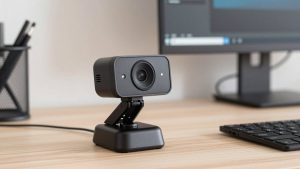
For 80 percent of Lenovo owners, this is the sweet spot. You get a sharp image at arm’s length, autofocus that doesn’t pulse during calls, usable mics for small rooms, and a shutter for peace of mind when the ThinkPad lid stays open on a dock.
Look at the long-running Logitech C920 class of cameras — that 1080p, autofocus, dual-mic formula has been the office standard for years for a reason. When you browse, search for an 1080p autofocus webcam for laptop calls and check three things in reviews: no focus hunting, a clip that actually grips a thick lid, and a cable at least 5 feet long.
Trade-offs: you don’t get 60fps smoothness or background blur as clean as 4K. Mics will still pick up a Legion’s fans under load and ThinkPad clacky keys. Failure mode: in a dark room, auto-exposure pumps up gain and you look grainy. Fix it with a $20 desk lamp behind the laptop, not a more expensive camera. Cheaper fixed-focus is fine if you never move — don’t pay for autofocus you won’t use.
Best for presenters: 4K with auto-framing
If you teach, sell, or record Loom videos from a Lenovo, step up to a 4K autofocus model like the Logitech Brio class. The advantage isn’t really watching yourself in 4K — Zoom compresses it anyway. It’s the cleaner 1080p downscale, better dynamic range near windows, and auto-framing that keeps you centered if you stand or pace.
This suits Legion and IdeaPad Slim users with powerful machines, because 4K + background blur + noise removal uses real CPU. On an older Celeron IdeaPad or a thermally throttled ultrabook, 4K can stutter. Drop the camera to 1080p in its app if that happens.
Trade-offs: price, heat, and cable clutter. Many need USB 3.0 for full 4K. If your hub is USB 2.0 only, you will be capped at 1080p anyway. Failure mode: auto-framing can be jumpy with two people in frame. Turn it off for interviews. A good way to shop is to compare a 4K webcam with autofocus and auto-framing against a top 1080p model — in bad light the gap is smaller than marketing suggests.
Best budget: basic 1080p fixed-focus
If your Lenovo already has a decent mic setup or you wear a headset — which you should — save money here. A basic 1080p fixed-focus cam looks dramatically better than old 720p ThinkPad cameras and just works: plug into USB-A, select it in Teams, done.
Who it’s for: IdeaPad for school, a second bedroom laptop, or a shared family machine you don’t want to over-invest in. Be honest about light: put your desk facing a window and this $40-60 class is perfectly fine.
Trade-offs: no autofocus means if you lean back beyond 4-5 feet you soften. Narrower dynamic range means bright windows blow out behind you. Failure mode: ultra-wide budget models claim 120 degrees and make you tiny in a big empty room. For solo calls, 80 degrees is more flattering. Shop in the budget 1080p webcam with privacy shutter range and prioritize a real shutter and long cable over extra resolution claims.
Best for Yoga and travel: small cam you will actually carry
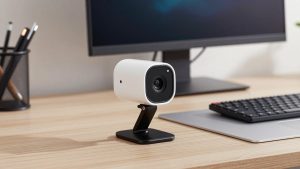
Yoga 2-in-1s are great for travel but terrible for clip-on cams in tablet mode. A compact, lightweight 1080p camera with a mini tripod or display-mount puck is more useful than a big studio bar. It sits on a hotel desk, clips to an external monitor when docked, and doesn’t stress the thin Yoga lid.
Get one with USB-C compatibility or pack a tiny USB-A to C adapter. Test it once at home in Windows Camera before a trip. Common failure on the road: hotel Wi-Fi plus 1080p plus virtual background equals frozen video. Drop to 720p in Zoom settings when bandwidth is bad — you will look better than a stuttering 1080p feed.
Setup tips that matter more than the model
Mount the camera at eye level, about an arm away. Stack your Lenovo on a stand if you use the external cam on top — looking up your nose negates a $150 camera. Turn off Lenovo’s auto battery-saver dimming during calls, plug in power for 4K, and use a headset mic if you have fan noise, mechanical keys, or echo in a bare room. In Zoom, enable HD, turn off Touch Up when light is poor because it smears detail, and close Lenovo Vantage camera effects if you get double-processing.
FAQ
Do I need a 4K webcam for my Lenovo for Zoom and Teams?
No, for most people. Zoom and Teams compress to 1080p or lower. A good 1080p camera with decent low light looks as good as 4K on a call. Buy 4K only if you record, crop, or present and want cleaner detail.
Will any USB webcam work with ThinkPad, IdeaPad, and Yoga?
Yes. Almost all modern webcams are UVC plug-and-play on Windows 10 and 11. Just plug in, then select the new camera in Windows Settings and inside Zoom/Teams. If you are short on USB-A, get a camera with a USB-C adapter.
Why does my new webcam look worse than my phone?
Usually lighting and exposure, not a defect. Face a window or lamp, avoid a bright window behind you, wipe the lens, and set exposure to auto. Phones do heavy processing — webcams need a bit more light to match them.
Can I use the webcam mic or should I use a headset?
Webcam mics are fine in a quiet small office at 3-4 feet. Use a headset or USB mic if you have echo, Legion fan noise, an open office, or you type loudly on a ThinkPad during calls.