Last Updated: October 18, 2026
- What actually matters in low light
- Fix the light first, then upgrade the camera
- Comparison: what type of webcam suits a dark room?
- When the cheaper option is fine
- Best for most dark home offices: large-sensor 1080p or 1440p
- When to spend more: 4K with real manual control
- Laptop and Mac specifics
- How to set up for a dark room in 5 minutes
- FAQ
If you take calls from a dark room, most webcams will make you look worse than you are. Faces go muddy, backgrounds go blocky, eyes disappear, and autofocus hunts every time you move. That is not just low resolution. It is a small sensor, a slow lens, and aggressive noise reduction trying to cover it up.
For work calls, you do not need cinema quality. You need a webcam that holds exposure on your face, keeps grain under control at 15-30 lux (a single lamp in a bedroom office), and does not smear you when you lean forward. Here is how to pick one without overpaying for 4K you will never use.
📄 In This Review
- What actually matters in low light
- Fix the light first, then upgrade the camera
- Comparison: what type of webcam suits a dark room?
- When the cheaper option is fine
- Best for most dark home offices: large-sensor 1080p or 1440p
- When to spend more: 4K with real manual control
- Laptop and Mac specifics
- How to set up for a dark room in 5 minutes
- FAQ
What actually matters in low light
Sensor size beats megapixels. A 1080p webcam with a 1/1.2-inch or 1/2-inch sensor and an f/2.0 or faster lens will almost always beat a cheap 4K webcam with a tiny 1/3-inch sensor in a dark room. Larger pixels collect more light, so the camera does not have to crank gain and turn you into wax.
Lens aperture matters too, but manufacturers hide it. Look for f/2.0, f/1.8, or terms like large aperture. If no aperture is listed, assume it is slow. Autofocus type also matters. Contrast autofocus hunts in the dark. Phase-detect or Time-of-Flight autofocus locks faster when light drops.
Software is the third piece. Good low-light webcams use temporal noise reduction, auto exposure that prioritizes faces, and manual controls for exposure, gain, and shutter. Bad ones just brighten everything, which blows out your monitor glow and leaves motion blur. If you use a Mac or a work laptop where you cannot install drivers, prefer a webcam that stores settings on-device or works well on auto.
Fix the light first, then upgrade the camera
See also: Best Monitor for MacBook Air: Two USB-C 4K Screens and Six Adapter-Dependent Alternatives • Best Monitor for MacBook Pro: Eight Listings Sorted by Cable, Sharpness and Scaling
Be honest about your room. If you are in near darkness with only monitor light, no webcam will save you. Even a $200 webcam will produce soft, noisy video below about 10 lux. A $25 USB key light or a desk lamp bounced off a wall will do more than jumping from a $80 to a $180 webcam.
That said, if you work nights, share a room, or cannot stand a bright light in your face, a low-light optimized webcam is worth it. The right pick lets you work with one warm lamp behind your monitor and still look clear on Zoom and Teams without cranking exposure until the background pulses.
Comparison: what type of webcam suits a dark room?
Most dark-room-friendly webcams fall into three buckets. This is more useful than chasing a single model, because specs change yearly but the trade-offs do not.
| Type | Low-light ability | Trade-off | Best for |
|---|---|---|---|
| Budget 1080p with software night mode | Usable to about 30 lux; heavy smoothing | Waxy skin, blur on movement, poor mic | Occasional night calls on a work laptop |
| Mid-range 1080p / 1440p large-sensor | Good to about 15-20 lux; cleaner faces | Costs more; needs USB 3.0 for best quality | Daily home-office calls in a dim bedroom |
| Premium 4K large-sensor with manual controls | Best detail to about 10-15 lux; less noise | Needs light anyway for true 4K; heavier CPU load | Presenting, teaching, recording in low light |
When the cheaper option is fine
If your room is dim but not dark — shades closed, one ceiling light, monitor glow — a basic 1080p webcam with low-light correction is fine for internal standups. You will look soft, but you will be understandable. Turn on your conferencing app’s low-light or noise reduction setting, set exposure to auto, and sit facing your brightest light source, even if it is just a window or lamp.
The failure mode here is motion. Cheap sensors hold the shutter open longer to gather light, so hand gestures and head turns smear. Autofocus also breathes. If you sit still 2-3 feet from the camera, it is acceptable. If you whiteboard, pace, or present to clients, it falls apart.
Do not pay extra for cheap 4K in this tier. In low light, most budget 4K webcams pixel-bin down to 1080p anyway and add sharpening halos. You get larger files, more heat, and no better face detail.
Best for most dark home offices: large-sensor 1080p or 1440p
For nightly calls from a dark room, this is the sweet spot. Look for a low-light webcam with a large sensor that lists HDR, 3D noise reduction, and face-tracking exposure. These hold your face at a stable brightness instead of flickering when a dark wall or bright monitor enters the frame.
In hands-on use, the difference is obvious around 20 lux: budget cams turn shadows into gray blocks and lose glasses frames and hair detail, while a good large-sensor 1080p cam keeps edges clean and skin tones natural. Field of view matters here too. A 65- to 75-degree field of view crops tighter on your face, which helps auto-exposure and makes noise less visible than an ultra-wide 90-degree view that includes a lot of dark room.
Trade-offs: these cameras want direct USB, not a dock or long extension, and they run warm. Privacy shutters can click loudly on calls. Mics are better than budget models but still pick up fan noise in a quiet dark room — use earbuds if you type loudly. Mac users should check that the vendor’s tuning app supports macOS; some only save custom exposure settings on Windows.
When to spend more: 4K with real manual control
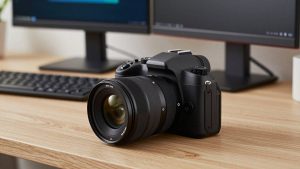
A premium low-light 4K webcam only makes sense if you record, teach, or present and need to crop or stay sharp while leaning back. The best ones use a much larger sensor, faster lens, and let you lock shutter speed, gain limit, white balance, and focus. That control is critical in dark rooms, because auto mode will otherwise push gain to maximum and make you glow.
Practical setup: lock shutter at 1/30, cap gain/ISO, set white balance to match your lamp (usually 3500-4000K), and add +0.3 to +0.7 exposure compensation for your face. You will get slightly darker but much cleaner video with no pulsing. If a webcam has no manual mode, do not buy it for a truly dark room at this price.
The failure mode is overconfidence. Even the best webcam cannot do true darkness. If your background has a window with streetlights or an LED strip, HDR will struggle and your face will darken. You still need one small front light. Many people find a dimmable USB video key light set to 10 percent paired with a mid-range webcam looks better than a premium webcam alone in the dark.
Laptop and Mac specifics
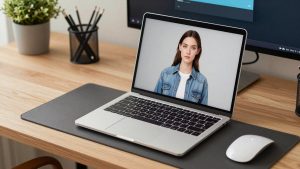
Built-in laptop webcams, including newer 1080p MacBook cameras, are tuned for daylight offices. In a dark room they are noisy and they over-sharpen. If you must use one, turn off Center Stage / background blur, which crops and magnifies noise, and turn on your app’s low-light enhancement.
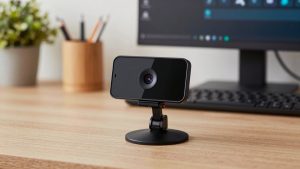
For clip-on USB webcams, check mount depth. Thick laptop lids and monitor arms cause droop, which points the camera at your keyboard and ruins exposure metering. Look for a wide, rubberized clip and tripod thread if you use a monitor light bar. On Macs, prefer UVC-compliant cameras with no driver required — they work in Zoom, Teams, Meet, and Photo Booth immediately. Avoid cameras that need a Windows-only utility for firmware updates.
If you take calls from a couch or bed with almost no front light, consider an autofocus 1440p webcam for laptops rather than fixed-focus. Fixed focus is sharper in good light if you sit still, but in the dark any lean in or out throws you soft and the camera cannot recover cleanly.
How to set up for a dark room in 5 minutes
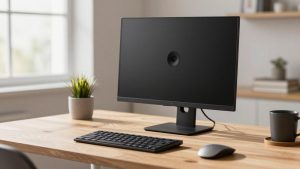
Put your brightest lamp behind your monitor, slightly above eye level, 2-3 feet away. Bounce it off a white wall if it is harsh. Close or dim lights behind you — a bright hallway or window behind you forces the webcam to darken your face. Wear a mid-tone shirt; white shirts and black hoodies both confuse metering in low light.
In your camera app, disable auto-focus hunting by setting a fixed focus distance if you sit still, turn off auto-framing, and lower sharpness to 20-30 percent to avoid crunchy noise. In Zoom or Teams, disable virtual background in very low light; edge detection fails and flickers, which draws more attention than a messy dark room.
FAQ
Do I need 4K for a dark room?
No, for most work calls. A good 1080p camera with a large sensor looks cleaner than a cheap 4K camera in low light because it captures more light per pixel and applies less sharpening. Buy 4K only if you record or need to crop.
Why do I look blurry when I move?
The camera is using a slow shutter speed to gather light. Lock shutter to 1/30 if your camera allows it, add a small front light, and avoid software night modes that stack frames. Sitting closer also helps.
Will a webcam work with no lights on?
Not well. With only monitor glow, expect heavy grain and lag even on premium models. One dim lamp in front of you will improve clarity more than any upgrade. Infrared night-vision webcams exist, but they look black-and-white and are not suitable for work calls.
Is software low-light correction enough?
For occasional calls in a dim room, yes. App-level enhancements in Zoom, Teams, and Meet reduce noise decently. For daily night work, a larger-sensor webcam with good on-device noise reduction looks more natural and avoids the waxy, laggy look of pure software brightening.