Last Updated: October 18, 2026
📄 In This Review
Why Mac needs a different webcam
MacBook cameras got better with the move to 1080p FaceTime cameras, but they are still small sensors stuck behind a thin lid. In a bright home office they look fine. In a typical work call — backlit window, overhead LEDs, late afternoon — they fall apart into soft detail, noisy shadows, and blown-out highlights. Desktop Macs like the Mac mini, Mac Studio, and Mac Pro have no built-in camera at all.
Mac compatibility also matters more than Windows users expect. A lot of webcam features — background blur without Teams/Zoom doing it, AI framing, manual exposure, firmware updates — only work through a Windows-only app. On a Mac you get plug-and-play UVC video and mic, but the extra tuning software may be missing or read-only. That is why the best webcam for Mac is not just about image quality. It is about what works over plain USB-C, what remembers settings without software running, and what plays well with macOS apps like FaceTime, Zoom, Teams, and QuickTime.
What to look for on macOS
See also: Best Monitor for MacBook Air: Two USB-C 4K Screens and Six Adapter-Dependent Alternatives • Best Monitor for MacBook Pro: Eight Listings Sorted by Cable, Sharpness and Scaling
Resolution is overrated. A good 1080p sensor with large pixels and good auto-exposure will beat a cheap 4K sensor in a dim home office every time. 4K only helps if you want to crop in for digital zoom, or you record content and want extra detail for YouTube and Loom videos. For daily standups and client calls, 1080p at 30fps is enough and far more reliable on older MacBooks and crowded USB hubs.
Focus type matters for how you work. Fixed-focus 1080p webcams are set to be sharp from about 40cm to a few meters. You sit down and you are always in focus, no hunting. That is ideal for calls. Autofocus 4K models can look sharper for product demos and whiteboards, but cheap autofocus will pulse and breathe during a call when you lean forward. If you move around a lot, look for face-tracking autofocus that is tuned conservatively, not aggressively.
Check the mic strategy and the mount. Most webcam mics are usable for backup only — thin, echoey, and bad at rejecting keyboard clicks. If you already use AirPods or a USB mic, ignore dual-mic marketing. For mounts, MacBook lids are thin and Studio Displays have a specific bezel shape. A heavy 4K camera with a stiff clamp can wobble or press on the screen. A tripod thread (1/4-inch) is genuinely useful for iMac and external monitor setups where a clip sits too high.
Picks for work, by use case
The reliable 1080p workhorse for most MacBook users
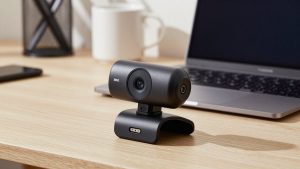
This is where most people should stop. A mid-range 1080p camera with good auto light correction, fixed focus, and a privacy shutter covers 90 percent of office work. Image is consistently brighter than the built-in FaceTime camera, skin tones are more natural under office LEDs, and there is no driver to install. Plug it into a USB-C port or dock and select it in Zoom. Failure mode: in very low light they smear motion to keep brightness up, so fast hand gestures blur. Who it suits: full-time remote workers who want fewer “you’re frozen/blurry” complaints without thinking about settings. A cheaper option here is fine if your room is already well lit from the front. Do not pay extra for 4K you will downscale to 720p in Teams anyway. Browse current options for a 1080p webcam for MacBook and stick to models that explicitly list macOS support and UVC compliance.
A 4K option for presenters and content recording
Step up to 4K if you present, teach, or record. The real benefit is not “sharper Zoom” — Zoom will compress it anyway — it is cleaner downscaled 1080p, better digital zoom for framing head-and-shoulders on a 27-inch monitor, and more detail for recorded demos. Look for a larger sensor, autofocus you can lock, and on-device settings memory so you do not need the vendor app open on Mac. Trade-off: these run warmer, need more USB bandwidth, and can stutter on older Intel MacBooks or through cheap USB-A adapters. If you use a Thunderbolt dock, plug direct to test first. Failure mode I see often: owners leave auto-framing on and the camera slowly drifts during screen shares. Turn it off for formal meetings. A well-reviewed 4K autofocus webcam for Mac makes sense for a home studio desk, not for a kitchen-table laptop you unplug daily.
Use your iPhone as the webcam
For Macs running recent macOS, Continuity Camera is often better than any sub-$150 webcam. A modern iPhone main camera has a vastly larger sensor, better stabilization, and better low-light handling than any dedicated webcam at the same price. Desk View and Center Stage are genuinely useful for demos. Trade-offs are ergonomic: you need a solid mount, your phone is tied up during calls, and battery drains unless you use MagSafe charging while mounted. Calls over wireless can also add 100-200ms delay versus USB. For best results use a wired USB connection and a dedicated Continuity Camera mount for iPhone and Mac rather than balancing the phone on the lid. Who it suits: Mac mini or Mac Studio owners who already own a recent iPhone and only need a camera a few hours a day. Failure mode: notifications and calls interrupting video, and overheating on long 4K calls — set Do Not Disturb and use 1080p unless you are recording.
Quick comparison
Use this to match the category to your desk, not to chase specs:
| Setup | Best for | Strength on Mac | Watch out for |
|---|---|---|---|
| 1080p fixed-focus USB webcam | Daily Zoom/Teams/Meet | Plug-and-play, no hunting focus, low CPU load | Soft in dim rooms, limited zoom |
| 4K autofocus USB webcam | Presenting, teaching, recording | Cleaner image, crop/zoom, better optics | Needs good light and USB bandwidth, runs hot |
| iPhone via Continuity Camera | Mac mini/Studio, occasional calls | Best sensor for the money, no extra camera to buy | Mount fuss, battery drain, phone unavailable |
| Built-in MacBook FaceTime camera | Travel, backup | Always there, Center Stage on newer models | Weak in backlight and low light, fixed angle |
Mac setup tips that matter more than the model
Light yourself before you upgrade. A $30 LED panel or simply facing a window will improve a $60 camera more than jumping to a $200 camera in a dark room. Put the brightest light behind your monitor, not behind you. If you cannot move your desk, close blinds behind you — Mac webcams overexpose windows aggressively.
On macOS, control what you can without vendor software. In Zoom and Teams, turn off “adjust for low light” auto-brightness if you look washed out, and let the camera expose naturally. Keep only one 4K camera on a USB hub at a time, and favor USB-C to USB-C cables rated for data, not charge-only cables that come with lamps. If your camera looks great in Photo Booth but dark in Teams, it is Teams compression and auto-exposure, not a defective unit — lock exposure in the vendor web app if offered, or add front light.
For privacy and reliability, prefer a physical shutter over software kill switches, and unplug or cover desk cameras when not in use. If you switch between a laptop camera and external camera often, rename audio inputs in Sound settings mentally — macOS will happily keep using the webcam mic while showing the iPhone video. Do a 10-second test recording in QuickTime Player before important calls.
FAQ
Do I need webcam software on Mac?
Usually no. Most webcams work as standard UVC devices for video and mic. Vendor apps add framing, zoom, and firmware updates, but many are Windows-only or limited on Mac. Choose a camera that looks good with default settings.
Why does my 4K webcam look like 720p in meetings?
Zoom, Teams, and Meet downscale to save bandwidth, often to 720p or 1080p. 4K still helps with clarity and cropping, but do not buy 4K expecting others to see full 4K on a live call.
Will any USB webcam work with Mac mini or Mac Studio?
Yes, if it is UVC-compliant USB. No drivers needed. You will still need speakers or headphones, since those Macs have no built-in display audio path for monitoring.
Is Continuity Camera good enough for work?
For most people, yes. Wired iPhone video beats most standalone webcams under $150, especially in low light. Get a stable mount and use Do Not Disturb to avoid interruptions.
Related Reviews & Guides

Best External Camera for Desktop Computer
Best Cheap Webcam for Working from Home