Last Updated: October 18, 2026
📄 In This Review
Why backlight is so hard for webcams
If you sit with a window behind you, your webcam has to expose for two very different brightness levels at once: a bright window and a much darker face. Most small webcam sensors cannot do both, so they pick one. Either your face goes dark and silhouetted, or your face looks okay and the window blows out to pure white. For work calls, the first failure is worse because no one can read your expression.
This is common in home offices because the best place for a desk is often facing into the room with a window behind you. Closing the blinds works, but if you do not want to live in the dark, you need a camera that handles high contrast well, plus a couple small setup changes. No webcam fully fixes a person sitting directly in front of full sun, but the right one makes a backlit room perfectly usable.
What actually helps with backlight
See also: Best Monitor for MacBook Air: Two USB-C 4K Screens and Six Adapter-Dependent Alternatives • Best Monitor for MacBook Pro: Eight Listings Sorted by Cable, Sharpness and Scaling
Three features matter more than resolution. First is HDR or wide dynamic range. A true HDR webcam takes multiple exposures and combines them, keeping highlight detail in the window while lifting shadows on your face. Digital “backlight compensation” is weaker — it just brightens the whole image — but face-priority auto-exposure is genuinely useful because it meters for skin tones instead of the average brightness of the room.
Second is a larger sensor and decent lens. Bigger pixels collect more light with less noise, which matters when the camera is lifting a dark face. This is why cheap 1080p webcams often look grainy in backlight: they brighten shadows digitally and noise comes with it. Third is manual control. A webcam app that lets you lock exposure, lower highlights, and adjust contrast gives you far more control than plug-and-play auto modes, especially on Mac where some camera settings are buried.
Do not overvalue 4K here. 4K helps with sharpness, but a good 1080p sensor with HDR will beat a cheap 4K sensor without HDR in a backlit room every time. Autofocus, microphone quality, and field of view matter for daily use, but they do not solve backlight on their own.
Best overall: a 4K HDR webcam with face exposure
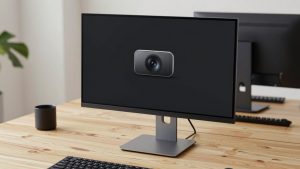
For someone who cannot move their desk and has a bright window or glass door behind them all day, the safest buy is a premium 4K HDR webcam for video calls. These models combine HDR processing with face tracking or face-priority metering, so they hold your face at a stable brightness even when clouds move and light changes minute to minute.
The trade-off is price and processing. HDR can add slight lag and a processed look, with flatter colors and occasional haloing around your head against a bright window. Some people also dislike the heavy smoothing these cameras apply by default. Turn off beauty filters and auto-framing first, then adjust exposure manually if your face still pulses brighter and darker.
This suits managers, teachers, therapists, and anyone on camera four or more hours a day where looking clear is part of the job. If you only take two calls a week, it is overkill. A cheaper option plus a curtain will look just as good.
Best value: 1080p webcam with HDR and manual software
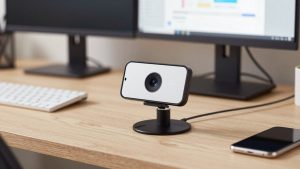
The cheaper option is fine for most home offices: a mid-range 1080p HDR webcam with privacy shutter from a work-focused brand. You get real backlight compensation, usually 1080p at 30fps or 60fps, and a companion app for exposure, white balance, and flicker control.
Expect two limitations. Fine detail will be softer than 4K, especially if you crop or use digital zoom. And in very harsh backlight — direct sun hitting the lens — the window will still blow out. The camera will save your face, but the background will be white. That is an acceptable trade for $60 to $120 versus $180 to $250.
Failure mode to watch: aggressive auto-exposure hunting. If your ceiling light and window compete, some value webcams slowly breathe brighter and darker. Lock exposure in the app once you look good, rather than leaving everything on auto. This suits hybrid workers, students, and families sharing one desk where simplicity matters more than perfect background detail.
For laptop and Mac users: software control matters
Built-in laptop cameras, including recent MacBook cameras, have improved a lot with computational processing, but they still have tiny sensors and wide lenses that include too much bright background. If you use a MacBook on a stand or a Windows laptop at a kitchen table, an external webcam on a small tripod or monitor mount gives you two advantages: better HDR and better placement.
Look specifically for macOS-compatible software or on-camera controls. Some webcams only offer full HDR and exposure settings on Windows. On Mac, you may need a third-party camera app to lock exposure and white balance. Also check USB-C compatibility and cable length — a short captive cable is annoying if your dock is under the desk.
A good alternative if you hate buying hardware is to keep the laptop camera and add light on your face. A simple video conferencing key light for home office reduces the contrast the camera has to handle, which often helps more than upgrading from 1080p to 4K. If your face and window are closer in brightness, even a basic camera can cope.
| Use case | What to buy | Strength in backlight | Weakness |
|---|---|---|---|
| Bright window always behind you | Premium 4K HDR webcam | Keeps face exposed, preserves some window detail | Expensive, can look processed |
| Mixed home office, blinds partly open | Mid-range 1080p HDR webcam | Good face brightness for the price | Background may still blow out in direct sun |
| Laptop / MacBook at different desks | Portable external webcam + app control | Better placement and manual lock | More setup, check Mac software support |
| Renters who cannot move the desk | Keep current camera + add key light | Lowest cost, fixes root cause | Extra desk gear, needs power outlet |
Setup matters as much as the camera
Before you return a webcam for “bad backlight,” try three fixes. First, shrink the bright area in frame. Move the camera slightly higher and tilt down, narrow the field of view from 90 degrees to 65 or 78 degrees, or shift your chair six inches so the window is not centered behind your head. Less bright background means easier exposure.
Second, add a sheer curtain or reposition blinds. You do not need blackout. A white sheer drops highlights by one or two stops while keeping the room pleasant, and that is often enough for HDR to work cleanly. Third, raise light on your face to match. Sit facing a white wall, turn on a soft desk lamp bounced off the wall, or use a low-brightness video light at 4000K to 5000K. Keep it out of the camera frame and below eye glare level.
Avoid sitting with direct sun hitting the webcam lens — that causes flare no HDR can fix — and avoid virtual backgrounds as a crutch. Blur and replacement get jumpy in high contrast because edge detection struggles between dark hair and bright windows. Fix exposure first, then add blur if you still want it.
FAQ
Does 4K help with backlight, or is HDR more important?
HDR and face-priority exposure matter more. 4K adds sharpness, but without HDR a 4K image will still give you a dark face or a white window. If you have to choose on a budget, pick good HDR at 1080p.
Why does my face keep getting brighter and darker on calls?
That is auto-exposure reacting to changing light behind you, like clouds or a ceiling fan shadow. Open the webcam software, turn off auto-exposure once lighting is stable, and lock white balance. Slightly lower exposure is usually more flattering than auto.
Should I put the window behind me or in front of me?
In front or to the side is best. Facing a window gives you soft, free key light. If the window must be behind you for room layout reasons, use a sheer curtain, narrow the camera field of view, and add a small light on your face.
Will a new webcam fix direct sun behind me?
Not completely. Even the best HDR webcams blow out when full sun is in frame. In that case the cheaper option is fine: close a sheer, shift your desk angle, or schedule calls away from peak sun. Save the upgrade for when you have indirect but persistent backlight.