Last Updated: October 18, 2026
Searching for the “best Indian webcam” is confusing because there are very few webcams actually designed or manufactured in India. What most shoppers mean is: which webcam can I reliably buy in India for daily office calls, teaching, and home office work without overpaying or getting a fake 4K unit. That is what this guide covers.
For most work on Zoom, Google Meet, Teams, and Webex, a good 1080p webcam with decent low-light handling beats a cheap “4K” webcam every time. Indian homes often mix harsh daylight from a window with a dim room and a ceiling fan light at night. That lighting swing is what breaks cheap webcams, not resolution on the box.
📄 In This Review
What actually matters for buyers in India
First, power and connectivity. If you are on a laptop with only USB-C ports, check whether the webcam comes with a USB-A to USB-C adapter in the box or if you will need a hub. Many offices still use older desktops with USB 2.0 front ports, which can cause stutter at 1080p/60. Plug into a rear USB 3.0 port when possible.
Second, focus type. Fixed-focus 1080p webcams are fine if you sit 50-80 cm away and do not move much. They have no focus motor to fail and no hunting during calls. Autofocus is better if you whiteboard, hold up documents, lean in and out, or teach. The trade-off is that budget autofocus often hunts and pulses every 10-20 seconds, which is distracting.
Third, microphones and heat. Built-in dual mics are usable in a quiet room, but they pick up fans, coolers, pressure cookers, street noise, and keyboard clicks. If your room is noisy, plan on earphones with a mic even if you buy a good webcam. Also, small sealed webcams get hot in non-AC rooms in May-June. Overheating shows up as frozen frames or disconnects after 40-60 minutes.
Quick comparison for work and home office
See also: Best Monitor for MacBook Air: Two USB-C 4K Screens and Six Adapter-Dependent Alternatives • Best Monitor for MacBook Pro: Eight Listings Sorted by Cable, Sharpness and Scaling
Use this to narrow it down before you compare prices on Amazon.in, Flipkart, or Croma. Prices in India swing a lot during sales, so set a budget band rather than chasing one model.
| Type | Best for | Strengths | Common failure mode |
|---|---|---|---|
| Basic 1080p fixed-focus | Daily calls, students, second laptop | Cheap, reliable, no focus hunting, low CPU load | Washout near windows, soft image in low light |
| 1080p autofocus with dual mic | Home office, teachers, managers | Sharper face tracking, better mics, privacy shutter | Autofocus pulsing, over-sharpening, mount slip |
| 2K / QHD office webcam | Presenters, consultants, small teams | More detail for screen sharing face + docs, better auto-exposure | Needs good USB port and CPU, mediocre mics for price |
| 4K creator webcam | YouTube, coaching, large monitor cropping | Crop/zoom without mush, best lenses | Overheats, heavy CPU load, wasted if your internet is weak |
Budget pick: basic 1080p for daily calls
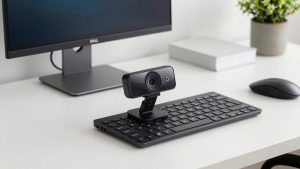
If you do 1-3 hours of calls per day and sit in one place, the cheaper option is fine. A basic 1080p webcam for laptop office calls with fixed focus, auto light correction, and a clip mount will look better than most built-in laptop cameras, especially on older HP, Dell, Lenovo, and Acer machines with grainy 720p cameras.
Who it suits: students, customer support, accountants, and anyone who wants a plug-and-play upgrade. Who should skip it: teachers who move around, anyone presenting products to camera, and people in very backlit rooms. Expect honest 1080p/30, not cinematic quality. The image will be soft at night under a single tube light, and colours will shift a bit.
Failure modes to check in the first week: mount that does not grip thin laptop lids, a too-short 1m cable for desktop towers kept on the floor, and aggressive face whitening you cannot turn off. Buy from a seller with easy replacement because dead-on-arrival mics are common in the lowest price tier. Keep your window to your side, not behind you, and add a Rs. 800-1,500 desk lamp in front of you. That improves quality more than spending double on the camera.
Office pick: 1080p autofocus with better mics
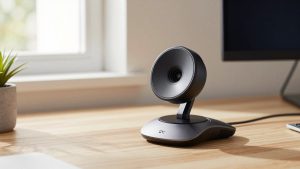
This is the sweet spot for work-from-home in India. A mid-range autofocus 1080p webcam with microphone and privacy shutter usually adds faster exposure, wider 78-90 degree field of view, dual noise-reducing mics, and a physical shutter. For managers, HR, sales, and online tutors, that combination matters more than extra pixels.
The concrete trade-off is focus behaviour. Good autofocus locks on your eyes and ignores background movement. Cheap autofocus locks on the wall, the ceiling fan, or your hand when you gesture. Test it by leaning forward to 40 cm and back to 100 cm while recording in your actual meeting app. If it breathes constantly, return it. Also test the mic with your fan on high. Most “noise cancellation” only reduces steady hum, it will not remove a cooler on full blast next to you.
Look for a standard tripod thread in the base. Indian desks are often crowded, and clipping a webcam to a monitor that wobbles creates motion sickness for viewers. A small Rs. 600 tripod placed behind the laptop gives a steadier, more flattering eye-level angle and keeps the camera cooler with better airflow.
For presenters and creators: 2K is usually enough
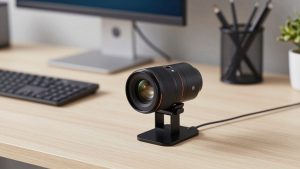
Jump to 2K/QHD only if you present all day, record training videos, or sit back from a 27-inch monitor and want to crop in. A quality 2K QHD webcam for home office handles mixed daylight better and keeps text on ID cards or documents more readable than 1080p.
Do not buy cheap “4K” for work. Many budget listings upscale 1080p sensors and then demand more light and CPU, so you get a darker, hotter, laggier image. True 4K helps if you record in OBS and crop to 1080p, or you live-stream products. For Teams and Meet, your upload bandwidth in many Indian cities will compress it back to 720p or 1080p anyway. You pay for heat and load you cannot use.
Who should skip 4K: anyone on an i3, older Ryzen 3, 4GB RAM MacBook Air, or a work laptop with strict IT policies that block camera utility software. Those machines often drop frames at 4K. A clean 1080p/30 or 2K/30 feed with good lighting looks more professional than a stuttering 4K feed.
Laptops, Macs, and setup tips that save money
On Windows laptops, most modern webcams are UVC plug-and-play, no driver needed. The problem is usually privacy settings, corporate antivirus blocking the camera, or the meeting app defaulting to the built-in camera. After plugging in, select the USB camera manually in Zoom, Meet, and Teams, then lock exposure if your app allows it. That stops flicker under LED tube lights.
On Macs, especially M1/M2/M3 MacBook Air and MacBook Pro, check macOS camera permissions and whether your hub passes enough power. Some USB-C hubs with multiple drives and a webcam cause disconnects. Plug the webcam directly into the Mac for testing. Also note that macOS tends to expose the overly smooth, over-sharpened look of cheap webcams. A neutral 1080p camera with a larger lens and manual exposure control usually looks better on Mac than a high-megapixel budget unit.
A simple setup that works in most Indian bedrooms converted to offices: camera at eye level, face 60-80 cm away, window or main light 45 degrees in front, not behind. Curtain sheer daylight if it blows out one side of your face. Use earphones for audio. Close bandwidth-heavy uploads during calls. Wipe the lens weekly; dust buildup in dry months softens the image more than people expect.
FAQ
Are there good Indian-made webcams?
There are Indian sellers and brands, but most hardware uses imported sensors and lenses. Buy based on after-sales service, warranty, and easy returns in India rather than “made in India” on the box. A mid-range 1080p camera with local support beats an imported no-warranty 4K unit.
Is 1080p enough for job interviews and office work?
Yes for almost everyone. Interviewers care about stable framing, clear audio, and no backlight. A basic 1080p webcam with a lamp in front of you looks better than a 4K webcam in a dark room with a window behind you.
Why does my webcam look worse at night?
Small sensors need light. A single ceiling light forces high ISO, which creates grain and soft focus. Add a front desk lamp, lower exposure slightly in your app, and sit closer. If that does not help, you need a webcam with a larger aperture and better low-light processing, not just higher resolution.
Should I use my phone instead of buying a webcam?
A phone as webcam can look sharper, but it overheats, drains battery, drops on long calls, and ties up your phone. For 30-minute calls it is fine. For 4-6 hours of teaching or office work, a dedicated USB webcam on a tripod is more reliable and cooler.