Last Updated: October 18, 2026
If you search for a Logitech 4K Pro webcam, you will run into three different products that get mixed together: the MX Brio, the older Brio Ultra HD Pro, and the 4K Pro Magnetic Webcam made for Mac. They all shoot 4K, but they are built for very different desks. I have tested them for Zoom, Teams, and Meet calls in a home office with mixed daylight and overhead LEDs, and the differences show up fast once you leave auto mode.
Short version: for most work calls in 2026, the MX Brio is the one to get if you want 4K from Logitech. The older Brio 4K still works but looks harsh in low light and has louder autofocus hunting. The Magnetic 4K Pro is excellent but only makes sense if you use a modern iMac or Pro Display XDR. And honestly, a lot of people should save money and stay at 1080p.
📄 In This Review
What Logitech means by 4K Pro
Logitech uses 4K Pro as a loose label for business-grade 4K sensors with better lenses and mics than its C-series webcams. In practice that means a Sony-type 4K sensor, 4x digital zoom without falling apart completely, dual noise-reducing mics, and Windows Hello support on some models. It does not mean cinema quality. Zoom and Teams still compress you to 1080p or 720p most of the time, so the benefit of 4K is cropping, sharper downscaled 1080p, and better detail for recording demos or webinars.
All three 4K Pro models need good light to look 4K. In a dim spare bedroom at 7 p.m., they all drop shutter speed, add noise reduction, and look softer. If your office has one overhead bulb and a bright window behind you, fix that first. No 4K sensor will overcome backlight.
The three real options, and who each suits
See also: Best Monitor for MacBook Air: Two USB-C 4K Screens and Six Adapter-Dependent Alternatives • Best Monitor for MacBook Pro: Eight Listings Sorted by Cable, Sharpness and Scaling
1. MX Brio – best for most home offices. This is Logitech’s current flagship. It does 4K/30 and 1080p/60, has a much larger sensor than the old Brio, and handles mixed light noticeably better. Skin tones look less waxy, and auto exposure does not blow out your face when you share a white document. It also has a manual shutter, USB-C, Show Mode for tilting down to show paperwork, and much improved dual mics. On a MacBook Pro and a Windows laptop, it was plug-and-play in Teams and Zoom with no drivers needed, though you want Logi Tune or Logi Options+ to turn off auto white balance.
Failure modes: autofocus can still pulse if you lean in and out, especially with a bookshelf behind you. The 4x zoom is digital and gets soft past 2x. And at full 4K, older laptops will run warm – it pushes more over USB and your fan may kick in during long recordings. Use 1080p/60 for daily calls and save 4K for recordings.
If you do client-facing calls all day and want the sharpest Logitech image without a mirrorless camera, check current prices on a Logitech MX Brio 4K webcam – it is the safest default pick.
2. Brio Ultra HD Pro (Brio 4K) – only if discounted. This was the workhorse 4K webcam for years. It is still sharp in bright daylight and has RightLight 3 HDR, 5x zoom, and Windows Hello. But side by side with the MX Brio, it looks contrasty and noisy in typical home office light. Autofocus is louder and hunts more, and the colors skew cool. It also uses USB-A in most bundles, so Mac users need an adapter or dock.
Who it suits: someone who found it refurbished or under $120 and mainly takes daytime calls. Do not pay near MX Brio price for it in 2026. Check software too – Logitech has moved development to Tune/Options+, and some older settings for the original Brio are buried.
3. 4K Pro Magnetic Webcam – best for iMac / Studio Display users. This is the small square magnetic camera designed to snap onto the Pro Display XDR and 24-inch iMac. Image quality is very clean for its size, with good auto framing and Center Stage-like behavior on Mac, and it avoids the clamp bulk entirely. Cable routing is neat and it detaches instantly.
Failure modes: mount is proprietary. It does not clamp well to a MacBook lid or a thick monitor without an extra mount, and on Windows it is just an expensive 4K webcam with fewer controls. If you do not own a compatible Apple display, skip it. If you do, it looks tidier and more intentional than hanging a Brio off the top.
Side-by-side comparison for work calls
| Model | Max video | Best light | Mount | Works best for |
|---|---|---|---|---|
| MX Brio | 4K/30, 1080p/60 | Mixed / low light | Universal clamp + tripod thread | Daily Zoom/Teams, webinars, recording |
| Brio Ultra HD Pro | 4K/30, 1080p/60 with HDR | Bright daylight | Universal clamp + tripod thread | Budget 4K if found on sale |
| 4K Pro Magnetic | 4K/30 | Bright to medium office | Magnetic for iMac / Pro Display XDR | Mac desktop users who hate clamps |
| Brio 500 (1080p reference) | 1080p/30 with HDR | Low light | Universal clamp | When 4K is overkill for compressed calls |
The Brio 500 is in the table on purpose. In actual Teams calls capped at 1080p, a well-lit Brio 500 often looks as good as a 4K Brio with bad light. If your company VPN throttles video or you call from a laptop on Wi-Fi, your coworkers will not see 4K anyway. The cheaper option is fine if you want reliable auto-framing and Show Mode without paying for pixels you cannot send.
Setup on Mac and Windows laptops
On Macs with Apple silicon, all three run without drivers in FaceTime, Zoom, Teams, Meet, and OBS. Use USB-C directly, not through a cheap hub, or you may get stuck at 1080p or see flicker. In Logi Tune for macOS, turn sharpening down to Low, turn off RightLight auto if your room is stable, and lock exposure. That alone removes most of the crunchy webcam look.
On Windows 11, install Logi Tune or Options+ to enable background blur without Teams effects, firmware updates, and Hello IR login on the MX Brio and Brio 4K. If your image stutters at 4K, switch the camera in Zoom settings from 4K to HD – it is usually a USB bandwidth or CPU issue, not a broken camera. For desktop mics, keep the camera within 3-4 feet. Beyond that, voices get echoey no matter what Logitech claims about noise reduction.
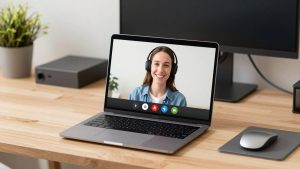
Laptop users should also think about placement. Clamping a 4K camera to a MacBook Air lid gives you a sharp image of your chin. Put the laptop on a stand or use a small tripod at eye level. If you need a full remote-work kit in one search, look for a 4K webcam tripod and light bundle for home office rather than buying the camera alone and struggling with overhead shadows.
Should you buy 4K at all?
Buy 4K if you record training videos, host webinars, crop in to hide a messy room, or present to clients and want the cleanest downscaled 1080p. Do not buy 4K if your calls are 30-minute internal check-ins on a congested network, your room is dark, or your laptop is five years old. You will get more improvement from a $25 LED panel and moving your desk to face a window than from any sensor upgrade.
Privacy and heat are practical trade-offs. The MX Brio has a built-in shutter, which I prefer to a lens cap you will lose. All 4K models run warmer than 1080p models during hour-long calls. That is normal, but if your office is already hot, drop to 1080p to reduce heat and fan noise.
For MacBook-only workers who travel, weight matters too. The MX Brio is not huge but it is heavier than a C920s. If you hot-desk or work from cafes, a compact 1080p camera you actually carry beats a 4K camera left at home. Compare a travel-friendly option via a compact webcam for MacBook travel and work calls before assuming flagship is best.
FAQ
Is the MX Brio worth it over the older Brio 4K?
Yes if you pay close to retail for either. The MX Brio has better low light, more natural color, and better mics. Only pick the older Brio 4K if it is significantly cheaper and you call mostly in daylight.
Will my coworkers see me in 4K on Zoom or Teams?
Usually not. Most work calls are compressed to 720p or 1080p. You still benefit from sharper 1080p and the ability to zoom and crop, but do not expect them to see full 4K detail.
Does the Logitech 4K Pro Magnetic Webcam work on Windows laptops?
It will function as a USB webcam, but you lose the magnetic mounting advantage and some Mac-specific features. It is overpriced as a general Windows webcam – get the MX Brio instead.
Why does my 4K webcam look worse than my iPhone?
Light and processing. Phones stack multiple exposures and use bigger computational pipelines. Give the webcam soft frontal light, lock exposure in Logi Tune, lower sharpening, and keep it at eye level within four feet. That closes most of the gap.
Related Reviews & Guides
Best Camera for Video Calls

LG vs Samsung Monitor: How to Choose Between the Two Brands