Last Updated: October 18, 2026
If you stream for a living, your camera is your storefront. Viewers decide in seconds whether to stay, and bad video — soft focus, noisy low light, washed-out skin — costs you money. You do not need cinema gear to fix it, but the built-in camera on a laptop or MacBook will not cut it.
For this kind of daily, hours-long use, reliability matters more than spec sheets. A camera that overheats after 90 minutes, loses focus when you move, or needs to be fiddled with every time you go live is a bad buy even if the image looks great for five minutes.
📄 In This Review
What actually matters for full-time streaming
Resolution is overrated. Most platforms compress you to 720p or 1080p anyway. What viewers notice is clean low-light performance, stable autofocus, natural skin tones, and smooth 30fps or 60fps without stutter.
Second is heat and runtime. A lot of photo cameras are not designed to run for 3-4 hours straight as a video feed. They overheat and shut off. True webcams and a few creator-focused cameras are built for continuous use.
Third is ease of start. If you go live daily, plug-and-play over USB wins. Every extra step — dummy battery, capture card, HDMI handshake, camera app crashing on macOS — is something that will fail at 9pm when you have viewers waiting.
Quick comparison
See also: Best Monitor for MacBook Air: Two USB-C 4K Screens and Six Adapter-Dependent Alternatives • Best Monitor for MacBook Pro: Eight Listings Sorted by Cable, Sharpness and Scaling
Most full-time streamers end up in one of three setups. Here is how they trade off:
| Setup type | Image quality | Setup hassle | Reliability for long sessions | Who it suits |
|---|---|---|---|---|
| Good 1080p webcam | Good, clean but flat | Low — USB, works with Mac and PC | Excellent, made to run for hours | Starting out, or streaming 4+ hours daily |
| 4K USB webcam | Better detail, digital zoom and crop | Low to medium — needs good USB port and light | Very good, can run warm | Solo frame from a home office, product close-ups |
| Mirrorless camera as webcam | Excellent — shallow depth of field, great low light | High — HDMI/USB streaming, power, tripod, lens | Mixed — overheating and battery limits unless set up right | Established earners who want a premium look |
Start here: a good 1080p webcam
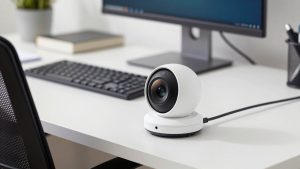
For most people doing this full-time, a quality 1080p webcam is the right buy and you can stop there. It stays in focus, handles auto-exposure without pumping, and just appears in OBS, Zoom, Chrome, and cam sites without drivers.
Look for: 1080p60 (not just 1080p30), a larger sensor for low light rather than “digital enhancement,” dual noise-reducing mics you will probably not use, and a standard tripod thread plus a solid clip. Autofocus should be fast and quiet. Fixed-focus cheap webcams look sharp if you never move, then go soft the moment you lean back.
Failure modes to know: small sensors fall apart in a dim bedroom. The image goes grainy and skin looks waxy from noise reduction. And cheap no-name 1080p cams often lie about resolution — they upscale 720p and look worse than a laptop camera. The cheaper option is fine if you stream in a well-lit room and stay centered, so shop a proven 1080p webcam with autofocus for streaming from a known webcam brand rather than the cheapest listing.
Upgrade pick: 4K USB webcam
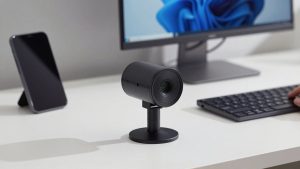
A 4K webcam makes sense for one reason: framing flexibility. You can shoot wide and crop in to a chest-up shot in software without the mush you get cropping 1080p. Useful if you show products, outfits, or a desk setup and move around.
In practice, you will still stream at 1080p. The benefit is sharper downscaled 1080p and better digital zoom. Low-light is only slightly better than good 1080p cams unless you add light.
Trade-offs: 4K needs more USB bandwidth and CPU. On older MacBook Airs and cheap USB hubs, you will get dropped frames or the camera will silently fall back to 1080p. Plug it directly into the laptop, not a $15 hub, and close other camera apps. These also run warm over 3 hours, but rarely shut off like mirrorless cameras can.
Who should buy it: you have good lighting already, you want to punch in without moving the tripod, and your computer is from the last 3-4 years. If your room is dark, spend the price difference on a light instead. A decent 4K webcam for streaming is a luxury, not a requirement.
The pro look: mirrorless camera as a webcam
Nothing else looks like a large-sensor camera with a fast 35mm or 50mm lens: soft background, clean low light, accurate skin. If top earners look “TV quality,” this is usually why.
But be clear about the cost beyond the camera. You need continuous power (dummy battery or USB-PD power that actually keeps up), a clean HDMI output or reliable USB streaming mode, a tripod or desk mount, and often a capture card for Macs. That is $200-$400 in extras and cables.
Failure modes are real: overheating shutdowns at 45-70 minutes on many photo cameras, autofocus hunting in low light that pulses in and out, and batteries dying mid-show. Some cameras limit video to 30 minutes unless in webcam mode. Test a 2-hour dry run before you rely on it. For long shifts, webcams still win on set-and-forget reliability.
Who it suits: you stream from a fixed home studio, you can leave a rig set up, and you are willing to learn exposure and white balance. If you move apartments often or stream from a laptop on the go, skip it.
Lighting and audio matter more than the camera
A $120 webcam with a $60 key light will beat a $900 camera in a dark room. You do not need a full studio: one large soft light at face level, slightly off-center, plus a dim lamp behind you so you do not blend into a dark wall. Avoid overhead-only lighting — it hollows out eyes.
For audio, do not use the camera mic for paid shows. A simple USB condenser or lavalier close to you eliminates room echo and keyboard noise. Viewers forgive 1080p video, they do not forgive harsh, distant audio.
If you are building a small, reliable kit on a laptop or Mac, start with webcam plus light and mic, then upgrade the camera last. Search for a combined key light and USB microphone for streaming before you spend up on a new camera body.
Mac and laptop notes
On Macs, stick to UVC-compliant USB webcams — no driver required. Most are plug-and-play on macOS Sonoma and later, but 4K60 often needs USB 3.0 directly, not through a display hub. Mirrorless USB streaming apps are buggier on Mac than Windows; HDMI to a USB capture device is usually more stable.
On Windows laptops, check CPU load in OBS. 4K webcams with background blur and auto-framing can eat 15-25% CPU on older i5 machines. Turn off the vendor effects and do noise removal in your streaming app instead.
FAQ
Is 4K worth it if my site only streams in 1080p?
Usually not for image quality alone. Buy 4K if you want to crop and reframe without moving the camera. Otherwise put the money into lighting, which improves every camera you will ever own.
Can I just use a DSLR or mirrorless I already own?
Yes if it has clean HDMI or a stable USB webcam mode and you can power it continuously. Do a 2-hour heat test first, set a fixed white balance, and use manual focus or narrow-area autofocus to prevent hunting.
Why do I look grainy even with a good webcam?
Almost always low light. The camera raises gain to expose your face and adds noise. Add a soft key light in front of you and lower exposure compensation a touch. Do not rely on “low-light correction” in the settings.
What is the most reliable setup for 4-hour streams?
A wired 1080p or 4K USB webcam plugged directly into the computer, powered USB mic, and one key light. No batteries to die, no overheating timer, and you can be live again in seconds after a reboot.
Related Reviews & Guides


5 Best Desk Accessories for Women (2026)
Satechi USB-C Dock review