Last Updated: September 18, 2026
- Top Pick: Faux Leather Large Mouse Pad, Office Desk Mat, 31.5"x15.7", Bold Flowers
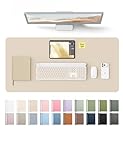
- Best Value: YSAGi Leather Desk Pad Protector, Large Mouse Pad, Non-Slip PU Leather Desk Blotter, Waterproof Writing Pad for Office and Home (31.5" x 15.8", Eggshell)
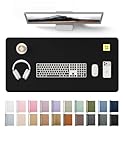
- Premium Choice: YSAGi Leather Desk Protector, Office Mat, Large Mouse Mat, Non-Slip PU Leather Blotter, Laptop Desk Mat, Waterproof Writing Pad for Office and Home (Black, 31.5" x 15.8")
Shopping for a desk mat seems simple until the first one arrives too small, curls at the edges, slides during use, or absorbs every coffee spill. The most common mistake is choosing by color or price alone. A mat that looks attractive in a product photo may not leave enough room for your keyboard and mouse, while a thin faux-leather pad may feel fine for a week but reveal stiff edges and a strong odor over time.
This guide explains what to look for in desk mats so you can compare dimensions, materials, construction, comfort, and long-term value before buying. The best choice depends on your desk, devices, and habits—not simply on whether the surface is labeled “premium.”
As an Amazon Associate we earn from qualifying purchases at no extra cost to you.


📄 In This Review
Decide These 3 Things First
- How much of the desk should it cover? Measure the usable desktop, not the full width. Account for monitor stands, speakers, desk shelves, and anything you do not want sitting on the mat.
- What will it protect against? Writing, coffee spills, keyboard friction, and daily mouse movement each favor slightly different materials and thicknesses.
- What is your realistic budget? A basic PU leather mat can cost $10 to $20, while thicker leather, wool, cork, or specialty mats may cost $40 to $150 or more.
These decisions narrow the field quickly. A compact laptop station might need a 24-by-12-inch mat, while a full keyboard-and-mouse setup usually works better with a 31.5-by-15.7-inch or 35.4-by-15.7-inch model.
Size and Layout
See also: Best Racing Style Chairs: Ten Listings Compared by Footrest, Weight Rating and Fit • Wall Mounted Cable Organizer for Home Office: Raceways, Racks, Clips
Size is the first decisive factor in what to look for in desk mats. Measure from the front edge of the desk to the point where the mat can stop without interfering with a monitor base or desk shelf. Then measure the available width.
- Small: About 23 to 27 inches wide by 12 to 14 inches deep. Suitable for a laptop, compact keyboard, and mouse.
- Standard large: About 31.5 by 15.7 or 15.8 inches. This is a practical size for a full-size keyboard, mouse, and some writing space.
- Extra large: About 35.4 by 15.7 inches or larger. Better for wide desks, low-profile keyboards, and users who want generous mouse movement.
Do not assume a larger mat is always better. Leave at least 1 to 2 inches of clearance from the desk’s front edge if the mat’s surface is slippery or likely to catch on clothing. Check whether the mat will cover cable grommets, a wireless charging pad, or height-adjustable desk controls. A 31.5-inch mat may fit a 48-inch desk well, but it can overwhelm a 36-inch surface when a monitor stand is also present.
Material and Spill Resistance
Material determines how the mat feels, how easily it cleans, and whether it protects the desk from moisture. Common options include PU leather, genuine leather, fabric, cork, rubber, and hard plastic.
- PU or faux leather: Usually costs $10 to $30, wipes clean easily, and provides a smooth writing and mouse surface. It is a sensible choice for coffee-prone workspaces, though quality varies considerably.
- Genuine leather: Often costs $40 to $150 or more. It develops character and can feel luxurious, but it may require conditioning and should not be treated as completely waterproof.
- Fabric: Comfortable and often machine washable, depending on construction. It can be more absorbent and may show stains sooner.
- Cork: Warm, lightweight, and naturally textured. It is comfortable for writing but may wear at the edges and is less suitable for frequent liquid spills.
- Rubber or silicone: Excellent grip and moisture resistance. These materials can feel less refined and may have an initial odor.
Look for a product that clearly states whether it is water-resistant, waterproof, or merely easy to wipe. Those terms are not interchangeable. A waterproof top layer does not guarantee that liquid cannot reach the desk through stitched edges or an exposed underside.
Construction and Edge Quality
Construction separates a dependable mat from a thin sheet that looks good only in a listing photo. Check the stated thickness, backing, edge treatment, and whether the mat ships rolled or flat.
A thickness of approximately 1.5 to 2 millimeters is common for low-cost PU leather mats. It is easy to store and generally unobtrusive, but it can show wrinkles and may not disguise a textured desktop. Around 2 to 3 millimeters provides a more substantial writing surface without adding much height. Thick mats of 4 millimeters or more offer extra cushioning, although they can create a noticeable transition at the desk edge.
Stitched or bound edges can prevent peeling and help a flexible mat keep its shape. However, poor stitching may feel rough against your wrists. Smooth heat-sealed edges are comfortable when finished well but may separate if the material is thin or repeatedly bent.
The backing should be described as non-slip rubber, silicone, or a textured grip surface. A smooth backing can drift on laminate, glass, or polished wood. A mat that arrives tightly rolled may need 24 to 72 hours to flatten. Never use a clothes iron or high heat unless the manufacturer specifically permits it.
Comfort and Performance
Consider how your hands and wrists interact with the mat for several hours at a time. A surface that is too rough can irritate skin, while one that is excessively slick may make precise mouse control feel inconsistent.
For writing, look for a reasonably firm surface with no pronounced ridges, bubbles, or seams beneath the paper. For gaming or design work, prioritize a consistent glide across at least 10 to 12 inches of mouse travel. Optical mice generally work on PU leather, fabric, cork, and rubber, but glossy finishes, strong patterns, and reflective surfaces can occasionally affect tracking. If the product is marketed as a mouse pad, check whether the manufacturer specifically describes tracking performance.
Wrist comfort also depends on desk height. A mat measuring 2 to 3 millimeters thick is usually low enough to avoid creating an awkward step at the keyboard. If you choose a mat thicker than 4 millimeters, make sure the keyboard’s feet and your wrist position still feel natural. A desk mat is not a substitute for an ergonomic wrist rest, and it should not force your wrists upward.
Price Tiers: What You Actually Get
Desk mats are available across a wide price range, but price does not automatically indicate durability. Use these tiers as practical expectations:
- $10 to $20: Usually PU leather or thin rubber, often around 31.5 by 15.7 inches. Products such as floral faux-leather mats and YSAGi-style 31.5-by-15.8-inch pads commonly fall here, with example prices around $12.59 to $13.99. Expect basic protection, wipe-clean surfaces, and variable edge quality.
- $20 to $40: Often includes larger dimensions, improved backing, better color options, thicker material, or more consistent finishing. An iCasso-style 35.4-by-15.7-inch mat priced around $18.99 sits near the upper end of the budget category rather than true premium territory.
- $40 to $100: More likely to include genuine leather, cork composites, heavy rubber, stitched edges, or washable performance fabric. Inspect the specifications carefully; some products charge more mainly for branding.
- $100 and above: Typically aimed at premium leather, artisan construction, custom sizing, or luxury desk accessories. Buy at this level for material and workmanship, not because a higher price guarantees better mouse performance.
Warranty and Return Policy
A desk mat is a simple product, so the warranty should be easy to understand. Look for at least a 30-day return window, especially when buying a rolled mat that may arrive creased or with an odor. A one-year limited warranty is a useful baseline for peeling, seam failure, or backing separation.
Read exclusions carefully. Warranties may not cover stains, cuts, heat damage, normal fading, or damage caused by folding. A seller that provides only a vague “satisfaction guarantee” may be harder to deal with than one that lists specific defects and a clear replacement process.
Before discarding the packaging, photograph the mat if it arrives damaged. Keep the order details and inspect the corners, surface, and backing during the return period. This matters more for inexpensive mats, where replacement may be easier than repair.
Delivery and Assembly
Desk mats require no assembly, but shipping can affect their condition. Confirm whether the mat ships rolled, folded, or flat. Rolled packaging saves shipping space but can create temporary edge curl. Folded mats may develop permanent creases, particularly when made from thin PU leather.
Check the delivered dimensions rather than relying only on the product title. A listing may round 31.5 by 15.7 inches to “large,” while the usable surface is slightly smaller because of bound edges. If you need the mat for a standing desk, make sure its weight is manageable during setup; many large mats weigh approximately 1 to 3 pounds, while thick leather or rubber versions can weigh 4 pounds or more.
Allow a newly delivered mat to reach room temperature before flattening it. Place books along the edges for a day or two, using a clean cloth between the books and surface. Avoid placing a hot laptop charger, heated mug, or desk lamp directly on a material that has no stated heat-resistance rating.
Spec Checklist
| Spec | Budget | Mid | Premium |
|---|---|---|---|
| Typical price | $10–$20 | $20–$40 | $40–$150+ |
| Common size | 27–31.5 x 12–15.8 in. | 31.5–35.4 x 15.7–17 in. | Custom or 35 x 17 in. and larger |
| Material | Thin PU leather or rubber | Thicker PU, fabric, cork, or reinforced rubber | Genuine leather or specialty performance materials |
| Thickness | 1–2 mm | 2–3 mm | 3–6 mm |
| Backing | Basic textured grip | Non-slip rubber or silicone | High-grip backing with refined edge finishing |
| Warranty target | 30-day returns | 30-day returns plus about 1-year limited warranty | 1–3-year warranty, depending on material |
Red Flags
- No exact dimensions or thickness listed.
- “Waterproof” claims without information about the backing or edges.
- Photos showing a keyboard and mouse but no scale reference.
- Reviews mentioning persistent chemical odor, peeling, curling, or color transfer.
- A glossy surface with no statement about mouse compatibility.
- Edges that are visibly unfinished, frayed, or sharply raised.
- Instructions that recommend folding a mat that is shipped rolled, or vice versa.
- A return policy that excludes defects commonly associated with the material.
FAQ
What size desk mat is best for a keyboard and mouse?
A mat around 31.5 by 15.7 inches is a reliable starting point for a full-size keyboard and mouse. Choose approximately 35.4 inches wide if you want more side-to-side mouse room or additional writing space. Measure your desk first and leave clearance around monitor stands and the front edge.
Are faux-leather desk mats worth buying?
Yes, when you want an affordable, wipe-clean surface. Many cost $10 to $30 and protect against ordinary spills and scratches. Check thickness, edge finishing, backing, and odor reviews because quality varies more than the “faux leather” label suggests.
How thick should a desk mat be?
For most offices, 2 to 3 millimeters offers a good balance of comfort, protection, and low keyboard height. Choose 1 to 2 millimeters for a nearly flat transition, or 4 millimeters and above when cushioning and surface coverage matter more than a slim profile.
How do you flatten a rolled desk mat?
Unroll it on a clean, flat surface and let it rest at room temperature for 24 to 72 hours. Place light books along curled edges if needed. Avoid high heat, sharp bends, and ironing unless the manufacturer gives explicit instructions.
Related Reviews & Guides



6 Best Desks With Built In Bookshelf 2026

What Size Desk Organizer do I Need? Size Guide With Measurements (2026)