Last Updated: September 18, 2026
- Top Pick: VIVO Dual Monitor Desk Mount, Holds 2 Computer Screens up to 30 inches and 22lbs Each, Heavy Duty Fully Adjustable Steel Stand with C-Clamp and Grommet, Black, STAND-V002
- Best Value: gianotter Dual Monitor Stand Riser With Drawer and 2 Pen Holders
- Premium Choice: DurayLoly 48” Corner Desk with LED Lights&Power Strip,3 Drawers&Side Hooks
📄 In This Review
The Short Answer
For most people, the ideal answer to “how much desk space for dual monitors” is a desk at least 48 inches wide and 24 inches deep. That size accommodates two 24-inch monitors, a keyboard, mouse, speakers, and some working room. A 60-inch-wide by 30-inch-deep desk is more comfortable for two 27-inch monitors, a laptop, notebooks, or desk accessories.
Plan for more than the screens’ advertised diagonal measurements. Two 24-inch monitors placed side by side usually need about 43 to 45 inches of horizontal space, while two 27-inch monitors need approximately 48 to 50 inches. Add room for bezels, monitor stands, cable clearance, and a few inches at each side.
As an Amazon Associate we earn from qualifying purchases at no extra cost to you.



Desk depth matters just as much as width. A 20-inch-deep desk can technically hold two screens, but it may leave little room for a keyboard and may place the monitors too close to your eyes. For a comfortable workstation, choose at least 24 inches deep; 27 to 30 inches is preferable when using bulky stands, deep monitor bases, or a large keyboard.
Standard Sizes
See also: Best Racing Style Chairs: Ten Listings Compared by Footrest, Weight Rating and Fit • Wall Mounted Cable Organizer for Home Office: Raceways, Racks, Clips
The table below shows practical desk sizes for common dual-monitor arrangements. Measurements are approximate because monitor bezels, stands, screen curvature, and viewing angles vary.
| Monitor setup | Approximate screen width | Minimum desk size | More comfortable desk size | Best for |
|---|---|---|---|---|
| Two 21.5-inch monitors | 39–41 in (99–104 cm) | 48 × 24 in (122 × 61 cm) | 55 × 27 in (140 × 69 cm) | Basic office work, school, compact rooms |
| Two 24-inch monitors | 43–45 in (109–114 cm) | 48 × 24 in (122 × 61 cm) | 55–60 × 27–30 in (140–152 × 69–76 cm) | General productivity and gaming |
| Two 27-inch monitors | 48–51 in (122–130 cm) | 55 × 24 in (140 × 61 cm) | 60–63 × 30 in (152–160 × 76 cm) | Editing, multitasking, immersive gaming |
| Two 32-inch monitors | 56–60 in (142–152 cm) | 63 × 30 in (160 × 76 cm) | 72 × 30–36 in (183 × 76–91 cm) | Professional work, wide viewing areas |
| One horizontal and one vertical monitor | Varies by screen size | 48–55 × 24 in (122–140 × 61 cm) | 60 × 27–30 in (152 × 69–76 cm) | Programming, writing, research |
A monitor arm can reduce the amount of desk depth and width consumed by traditional bases. A dual arm such as the VIVO Dual Monitor Desk Mount, listed at about $34.99, uses a clamp or grommet rather than two large monitor feet. Check the arm’s specifications carefully: this model is designed for screens up to 30 inches and 22 pounds each. Your desk must be thick and sturdy enough for the clamp, and the monitors must have compatible VESA mounting holes.
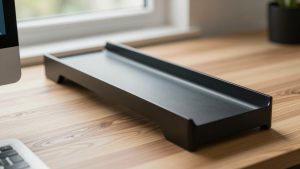
If you prefer a freestanding setup, a monitor riser raises the screens and creates storage underneath. Basic risers with a drawer or pen holders commonly cost about $25 to $35. Allow roughly 10 to 12 inches of front-to-back depth for the riser itself, plus enough space in front for your keyboard.
How to Measure Your Space
- Measure the available wall or floor width. Measure from the actual edges of the usable area, not just the open-looking portion of the room. For a corner, measure both walls and note where the desk legs or drawers can fit.
- Measure each monitor’s physical width. Look up the product dimensions or measure from the outer edge of one bezel to the other. Do not use the diagonal screen size as the width.
- Add a spacing allowance. Add at least 1 to 2 inches (2.5 to 5 cm) beyond the combined monitor width. Add more if you want speakers, a desk lamp, or space beside the screens.
- Measure the monitor bases or mounting points. Traditional stands can be 8 to 12 inches wide and 7 to 10 inches deep each. A monitor arm usually needs less desktop area but requires a clear rear edge for its clamp.
- Reserve keyboard and mouse depth. Keep at least 10 to 12 inches (25 to 30 cm) in front of the monitors for a keyboard and mouse. Add 3 to 6 inches if you use a wrist rest or full-size desk mat.
- Check viewing distance. A practical starting point is about 20 to 30 inches (51 to 76 cm) from your eyes to the screen. If the desk is too shallow, the monitors may feel uncomfortably close even when they technically fit.
- Account for cables and outlets. Leave 2 to 4 inches behind the screens for power and video cables unless the desk has a built-in cable tray. Check that the power strip’s cord can reach an outlet without crossing a walkway.
- Measure legroom and drawer clearance. A desktop that fits may still be uncomfortable if a drawer unit blocks your knees. Aim for approximately 24 to 27 inches of clear leg width and at least 24 inches of leg depth.
By Room or Use Case
Small bedroom or apartment office
Choose a desk around 48 inches wide by 24 inches deep for two 21.5- or 24-inch monitors. Use a dual monitor arm to preserve surface area for a notebook and lamp. If the room is especially tight, a 40- to 42-inch desk may work with two small monitors, but expect limited mouse space and little room for accessories.
Home office
A 55- to 60-inch-wide desk with a 27- to 30-inch depth is the most versatile choice. It can hold two 24- or 27-inch monitors, a keyboard, mouse, speakers, and paperwork without making the desktop feel crowded. A monitor riser priced around $25 to $35 can add storage for a keyboard or office supplies when the screens are not in use.
Gaming setup
For two 27-inch displays, start with 60 inches wide and 30 inches deep. This gives you room for a large mousepad and lets you position the screens at a slight angle. If you use a desktop tower on top of the desk, add at least 8 to 10 inches of width or place the tower on the floor. Verify that the desk can support the monitors, arms, speakers, and any accessories; a total load of 50 to 80 pounds is common for a substantial setup.
Corner workstation
A corner desk can provide more usable surface without extending as far into the room. For two 24- or 27-inch monitors, look for a center span of at least 48 to 55 inches and side wings about 18 to 24 inches deep. A 48-inch corner desk with drawers, LED lighting, and a power strip may cost roughly $130 to $180, depending on materials and features. Measure the corner’s baseboards and outlet locations before buying.
Creative or professional work
Video editing, spreadsheets, coding, and design benefit from two 27- or 32-inch monitors. Plan for at least 63 inches wide by 30 inches deep, and preferably 72 inches wide if you also use a laptop, drawing tablet, speakers, or reference materials. A sturdy monitor arm is especially useful, but confirm the arm’s weight limit for larger displays.
Common Sizing Mistakes
- Confusing diagonal size with desk width: Two 27-inch monitors are not 54 inches wide; their actual combined width is usually closer to 48 to 51 inches.
- Buying the exact minimum: A desk that barely fits the monitors leaves no room for cables, speakers, or a comfortable mouse sweep. Add 4 to 8 inches of width when possible.
- Ignoring stand depth: Large factory stands can push the screens forward and consume most of a shallow desktop.
- Forgetting the rear clamp area: Monitor arms need a clear, strong edge. A rear shelf, modesty panel, or cable channel may prevent proper installation.
- Overlooking weight capacity: Add the weight of both monitors, the arm or stands, and accessories. Do not rely on a thin desktop that flexes under a clamp.
- Leaving no space for posture: The monitors should sit directly in front of you, with the primary screen centered and the top edge near eye level. More desk space is not useful if the screens are pushed too far to one side.
FAQ
Is a 48-inch desk big enough for two monitors?
Yes, a 48-inch desk can comfortably fit two 21.5- or 24-inch monitors, especially with a dual monitor arm. It may also fit two 27-inch monitors if their bezels are narrow and you do not need speakers or a desktop computer on the surface. For two 27-inch screens, 55 to 60 inches is more comfortable.
How deep should a desk be for dual monitors?
Choose at least 24 inches of depth. That allows space for the monitors, keyboard, and mouse while maintaining a reasonable viewing distance. Choose 27 to 30 inches for large monitors, deep monitor stands, a full-size keyboard, or a substantial desk mat.
Should dual monitors be flat or angled?
Two monitors can be flat, but a slight inward angle usually makes both screens easier to view. Angling them may increase the total front width by a few inches, so leave extra clearance. A curved arrangement is particularly useful on a 60-inch or wider desk.
Can a monitor riser replace a monitor arm?
A riser can replace an arm when you want a simple, freestanding setup and your desk is deep enough for its base. It also creates storage underneath. A monitor arm is better when you need to reclaim desk depth, adjust screen height frequently, or position the monitors close together. In either case, verify the product’s size and weight limits before purchase.
Related Reviews & Guides

6 Best Electric Standing Desks 2026

Best Office Gaming Desk in 2026: Compared and Ranked