Last Updated: October 18, 2026
- Why low light is hard for webcams
- What Reddit keeps recommending and why
- Best plug-and-play for work: large-sensor 1080p/4K hybrid
- Best if you will tweak settings once: manual-control camera
- Best for moving around in a dim room: gimbal tracking camera
- When the cheaper option is fine
- Mac and laptop notes
- FAQ
If you work late, face a north-facing window, or take calls from a dim bedroom office, most webcams fall apart. Faces go grainy, backgrounds smear, and autofocus hunts every time you lean back. That is why “best webcam for low light” comes up on Reddit so often — and why the answers are more nuanced than just buy the most expensive 4K camera.
I have tested this problem in real home offices, not a studio. Here is what actually matters for work calls, Zoom, Teams, and Meet, and which types of cameras Redditors keep coming back to for good reason.
📄 In This Review
- Why low light is hard for webcams
- What Reddit keeps recommending and why
- Best plug-and-play for work: large-sensor 1080p/4K hybrid
- Best if you will tweak settings once: manual-control camera
- Best for moving around in a dim room: gimbal tracking camera
- When the cheaper option is fine
- Mac and laptop notes
- FAQ
Why low light is hard for webcams
Webcam sensors are tiny. In good daylight they are fine. In dim room light they have to crank up gain (digital brightness), which creates noise, soft detail, and that watercolor skin effect. Manufacturers then add aggressive noise reduction, which makes you look waxy and laggy at 15 fps instead of 30 fps.
Bigger sensor + wider aperture + good processing beats raw resolution every time. A good 1080p camera with a 1/2-inch type sensor will look cleaner at 7pm than a cheap 4K camera with a tiny 1/3-inch sensor. This is the core thing Reddit threads on r/workfromhome, r/Zoom, and r/macsetups get right: do not shop by 4K alone.
What Reddit keeps recommending and why
See also: Best Monitor for MacBook Air: Two USB-C 4K Screens and Six Adapter-Dependent Alternatives • Best Monitor for MacBook Pro: Eight Listings Sorted by Cable, Sharpness and Scaling
Across dozens of threads, the same three patterns appear for people on laptops and Macs who need reliable low-light video for work:
1. A larger-sensor Logitech Brio-type camera for plug-and-play work calls. 2. An Elgato Facecam-type camera for unlit rooms where you want manual control. 3. An OBSBOT Tiny-type gimbal camera if you move around or present standing up.
None is perfect. Here is how they trade off:
| Camera type | Low-light strength | Trade-off / failure mode | Best for |
|---|---|---|---|
| Large-sensor work webcam (e.g. Logitech Brio 500 / 505 class) | Good auto exposure, HDR, usable at 15-25 lux desk light | Auto mode can over-brighten background window; colors go flat in very warm lamps | Zoom / Teams all-day use on Windows and Mac |
| Manual-control video webcam (e.g. Elgato Facecam / Facecam Pro class) | Cleaner image with fixed shutter, less noise if you tune it | Requires Elgato software to look good; out-of-box auto can be too dark; heavier CPU load on older MacBooks | Night-shift workers, streamers, people who will tweak settings once |
| AI-tracking webcam (e.g. OBSBOT Tiny 2 class) | Large 1/1.5-in sensor, very bright f/1.9 lens, good in lamps-only rooms | Gimbal motor noise, occasional hunting; privacy concerns for some offices; pricier | Presenters, teachers, anyone pacing in a dim room |
| Budget 1080p office webcam with ring light built in | Better than laptop camera, face is lit even in dark room | Harsh frontal light, small sensor still noisy, poor dynamic range | Dorms, travel, late calls where cheaper is fine |
Best plug-and-play for work: large-sensor 1080p/4K hybrid
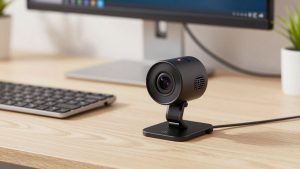
If you want to plug it into a MacBook or work laptop and forget it, get a mainstream work-focused camera with HDR and a larger pixel size. In practice, that means shopping for a Logitech Brio low light webcam for work rather than a no-name 4K webcam.
Why it wins for offices: drivers are built into macOS and Windows, Teams and Zoom recognize it instantly, and auto white balance handles mixed lamp + monitor light better than manual cameras. On M1/M2 Macs I have seen far fewer disconnects with this class than with creator cameras that need background apps running.
Failure modes to know: in a really dark room under 10 lux (one warm lamp behind you), it will drop to 20 fps and soften detail. If you have a bright window behind you, HDR helps but your face can still look gray. Fix that by closing blinds or adding a $25 desk lamp in front, not by buying a more expensive camera.
Who should skip it: if you do YouTube or need shallow depth of field, you will find the image a bit flat and corporate. That is fine for work — it is built to keep your face readable, not cinematic.
Best if you will tweak settings once: manual-control camera
Redditors who complain “my Brio looks washed out at night” often end up happier with an Elgato-style camera because you can lock shutter speed to 1/30, cap ISO, and turn off auto. Once set, a dim home office looks noticeably cleaner, with less pulsing brightness when you share screen.
Look at options in this category with a search for Elgato Facecam low light streaming webcam and check that it supports your OS without admin-install software if you use a locked work laptop. That is the catch: many corporate laptops block Camera Hub utilities, so you are stuck with default exposure, which can be darker than a Brio.
On Macs, expect 10-15% higher CPU use if you run the camera at 1080p60 with noise reduction on. For 30 fps work calls, drop to 1080p30 — you will get better low light anyway because the sensor gets twice the light per frame.
Best for moving around in a dim room: gimbal tracking camera
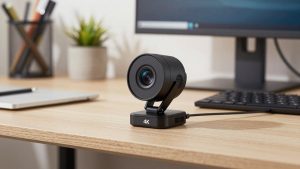
If you teach, demo, or stand at a whiteboard with only ceiling lights, a fixed webcam will leave you as a dark blob in the corner. This is where the OBSBOT Tiny series earned its Reddit reputation. The 1/1.5-inch sensor and f/1.9 lens gather roughly twice the light of a typical office webcam, and auto-tracking keeps exposure locked on your face.
Browse current models via OBSBOT Tiny auto tracking low light webcam if that is your use case. Be honest about trade-offs: the gimbal whirs faintly when it pans, which sensitive mics pick up, and gesture control can misfire during a meeting. I would not buy it just to sit at a desk — a fixed camera is more reliable and cheaper.
When the cheaper option is fine
If your room is not that dark — you have a monitor plus an overhead light — a $60-$90 1080p office webcam or even a recent MacBook Pro camera is fine for internal standups. Spend the $40 difference on lighting instead. Reddit is blunt about this and correct: a cheap camera + $30 key light beats a $300 camera in the dark.
A simple setup that works: place a 4000K-5000K LED panel or desk lamp at 45 degrees, 2 feet from your face, at monitor height. Turn off a bright lamp directly behind you. Set your camera to 1080p30, turn off RightLight-style auto low-light boost if faces look glow-y, and manually set exposure -1 step if needed. That alone removes 70% of grain.
Avoid 4K mode for low-light calls. It crops the sensor, increases noise, and eats upload bandwidth. Most companies downscale you to 720p anyway. Use 4K only if you need digital zoom for whiteboard capture.
Mac and laptop notes
On MacBook Air M1/M2 and locked-down Windows work laptops, prioritize UVC plug-and-play cameras with no required app. Check for USB-C to USB-C cable in the box and a physical privacy shutter — IT departments prefer it. If you use Continuity Camera with iPhone, it is surprisingly good in low light, but it overheats on long calls and drains battery. For 2+ hour meeting days, a dedicated USB webcam is still more stable.
FAQ
What specs actually predict low-light performance?
Sensor size (1/1.5-inch beats 1/2.8-inch), lens aperture (f/2.0 or wider is better than f/2.8), and pixel size. Ignore digital “low-light correction” marketing and focus on real 1080p30 samples in dim rooms.
Is 4K better for dark home offices?
Usually no. Most 4K webcams use heavy noise reduction to hide grain, which makes motion blurry. For Teams and Zoom, a clean 1080p30 feed looks sharper than a noisy 4K feed that gets compressed to 720p anyway.
Why does my webcam look good on Reddit but bad on my calls?
Three common reasons: you are backlit by a window, your conferencing app is capping bandwidth and adding compression, or corporate laptop USB ports are underpowered through a dock. Plug direct, face your light, and test in the native camera app first.
Do I need a light if I buy a low-light webcam?
Not a big studio light, but yes for best results. Even a small 10-inch panel lets any sensor drop ISO and gain, which removes grain instantly. It is the cheapest upgrade for night calls.
Related Reviews & Guides
Best Camera for TV Video Calling
Best standing desk for teachers