Last Updated: October 18, 2026
If you take calls all day, the microphone matters more than 4K. People will forgive slightly soft video. They will not forgive buzzing, echo, or that distant hollow sound where you have to repeat everything twice. A webcam with a good microphone can replace both your laptop mic and a separate USB mic, but only if you pick the right type and set it up correctly.
After testing webcams in real home offices — hardwood floors, keyboard clatter, furnace kicking on — the pattern is clear: most built-in mics are just okay at 2-3 feet. The good ones cut background noise without making your voice sound robotic, and they handle echo on Zoom, Teams, and Meet without constant fiddling.
📄 In This Review
What makes a webcam mic actually good
Almost every modern webcam has two microphones for stereo pickup. What separates the usable ones from the frustrating ones is processing, not the number of mics. Look for noise reduction that works on steady background sound like fans, typing, and traffic, plus echo cancellation so you do not feed your speakers back into the call.
Pickup pattern matters too. Most work webcams use omnidirectional mics that hear the whole room. That is fine if you sit close in a quiet room. In a shared space or echoey room, it becomes a problem. Better work-focused models use beamforming to focus pickup in a cone in front of the camera, usually 3 to 6 feet. Sit outside that cone and you will sound thin and distant.
The biggest failure mode we see: people buy a wide-angle 4K webcam, sit 5 feet back to show their whole office, then wonder why they sound far away. If you sit far back, no webcam mic will save you. Move closer or use a headset.
When a webcam mic is enough — and when it isn’t
See also: Best Monitor for MacBook Air: Two USB-C 4K Screens and Six Adapter-Dependent Alternatives • Best Monitor for MacBook Pro: Eight Listings Sorted by Cable, Sharpness and Scaling
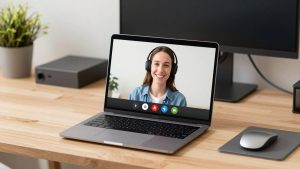
A webcam mic is enough if you work alone in a reasonably quiet room, sit 1.5 to 3 feet from the camera, and do not mind light keyboard noise. For 1:1 calls, standups, and interviews, a decent 1080p webcam with dual microphones is often the simplest setup. No extra device, no charging, nothing to mute by accident.
It is not enough if you present to 20+ people, record training videos, work in a noisy living room, or share an office. In those cases you will pick up other voices, chair squeaks, and room echo. A $30-50 USB headset will beat even an excellent webcam mic for clarity because the mic sits an inch from your mouth. Be honest about your room before you spend more on a camera.
What to look for before you buy
Prioritize noise reduction and echo cancellation over “studio mic” claims. Vendors love to say “dual stereo mics” — that tells you almost nothing. Look in specs and reviews for noise-canceling, noise reduction, beamforming, or AI noise removal. If the listing does not mention any of those, assume it is a basic mic.
For video, 1080p is still fine for work. A good 1080p sensor with autofocus and decent low-light handling will look better on calls than a cheap 4K sensor that gets noisy in a dim office. Choose 1440p or 4K only if you crop, whiteboard, or want sharper image when you sit farther back. You will pay more and need more USB bandwidth and light.
Check Mac compatibility specifically. Most UVC webcams are plug-and-play on Mac for video and mic, but companion apps for noise tuning, firmware updates, and auto-framing are often Windows-only. If you use a MacBook with an external monitor, also check the mount — some wide bases do not sit well on thin laptop lids or curved Studio Display backs.
Types compared
| Type | Typical video | Mic approach | Best for | Watch out for |
|---|---|---|---|---|
| Basic 1080p work webcam | 1080p/30, fixed or basic autofocus | Dual omni mics, light noise reduction | Quiet home office, daily 1:1 calls | Picks up typing and room echo; thin sound past 3 feet |
| Mid-range noise-reducing webcam | 1080p/60 or 1440p, better low light | Beamforming + stronger noise reduction | Most remote workers, shared apartments | Can clip first syllable; voice can sound processed on high setting |
| Premium 4K business webcam | 4K/30, auto-framing, light correction | Longer pickup range, echo cancellation | Presenters, managers, small conference desk | Needs good light and USB 3.0; overkill if you use headset anyway |
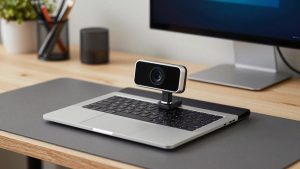
| Compact laptop clip-on | 1080p, wide angle | Basic mics, minimal processing | Travel, hot-desking, as laptop mic upgrade | Not for noisy rooms; cable and mount can be fiddly |
Which should you buy
For most people working from home: get a mid-range 1080p or 1440p model with advertised noise cancellation. That is the sweet spot. You get clearer voice on Teams and Zoom without the price and bandwidth demands of 4K. A well-reviewed webcam with noise cancelling microphone for meetings will handle furnace hum, light traffic, and keyboard taps in the next room, as long as you sit close.
If you present, teach, or lead calls: step up to a business-oriented 4K model with echo cancellation and auto-framing. The mic will hold up better at 4-5 feet and in slightly echoey rooms. Just do not expect miracles — if your room has bare walls and hardwood floors, a rug and curtains will improve your sound more than a $200 camera.
If you travel or switch desks: a small clip-on is fine, and honestly better than most built-in laptop mics which pick up fan noise. Keep expectations low for the mic and sit close. Pair it with earbuds when the office gets loud.
When the cheaper option is fine: if you already wear a headset for focus or privacy, do not pay extra for a premium webcam mic. Buy for video quality and autofocus, mute the webcam mic in your meeting app, and use the headset mic. Similarly, if your room is quiet and you sit close, a basic dual-mic 1080p camera sounds surprisingly good.
Setup tips that matter more than specs
Place the webcam at eye level, 18 to 30 inches away, and select it as both speaker and mic in only one app at a time to avoid echo. On Windows, turn off “listen to this device.” On Mac, check System Settings > Sound > Input and set input volume so your voice peaks around 70% when you speak normally.
In Zoom and Teams, leave noise suppression on Low or Auto if your webcam already does noise reduction. Running both at max can make you sound underwater and chop words. Do one quick test recording before an important call. Type for 10 seconds while talking — that reveals whether noise reduction actually works or just dulls everything. If you sound distant, move the camera closer before you buy anything else.
FAQ
Are webcam mics better than laptop mics?
Usually yes, if you sit close. Laptop mics sit next to fans and keyboards and often pick up more hiss. An external 4K webcam with dual microphones for laptop and Mac placed on top of a monitor gets the mics away from the keyboard and closer to your mouth, which alone helps a lot.
Why do I sound echoey even with a good webcam?
Echo usually comes from room reflections or from speakers feeding back into the mic. Use earbuds or a headset, lower speaker volume, add soft surfaces to the room, and sit within 3 feet. Also make sure only one app is using the mic.
Do I need 4K to get a good mic?
No. Mic quality does not track with resolution. Plenty of excellent 1080p work webcams have better noise handling than cheap 4K models. Buy 4K for video framing and sharpness, not for audio.
Will these mics work on Mac without software?
For basic calls, yes. Video and mic work over USB without drivers on recent macOS. You may lose access to noise level sliders, blur, or framing controls if the vendor app is Windows-only, so check that before you buy if you want to tweak settings.