Last Updated: September 27, 2026
Within FlexiSpot’s lineup, the E7 and the E7 Plus look similar but serve different jobs. The E7 is the all-rounder for typical home offices; the E7 Plus is the heavy-duty version built for large tops and heavy equipment. Because the Plus costs more, the question is whether your setup genuinely needs its extra muscle. This comparison helps you answer that with numbers.
📄 In This Review
Key differences
| Feature | FlexiSpot E7 | FlexiSpot E7 Plus |
|---|---|---|
| Motors | Dual | Dual, heavier-duty |
| Columns | Three-stage | Three-stage, larger section |
| Load rating | Roughly 350 lb class | Roughly 500 lb class |
| Top size sweet spot | 48 to 72 in wide | 60 to 80 in wide, deeper tops |
| Maximum height | High 40s in (frame) | Slightly taller |
| Frame weight | Heavy | Heavier |
| Price tier | Mid | Upper mid |
Figures are approximate and based on FlexiSpot’s published listings; confirm current specifications before buying.
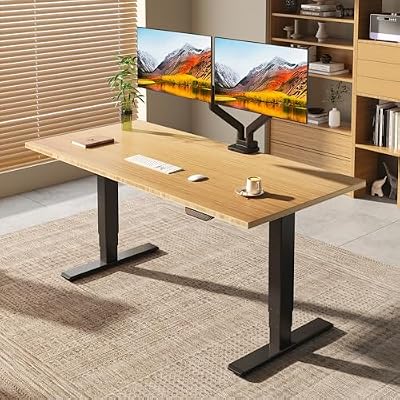
FLEXISPOT E6 MAX 55" x 28" Bamboo Standing Desk, Dual Motor 3-Stage
Included for 'Flexispot E7 vs Flexispot E7 Plus' because the listing specifies Dual Motor 3-Stage, details this guide uses to compare options.
View on Amazon
FlexiSpot E6 Bamboo 3-Stage Dual Motor Electric Standing Desk 55 x 28 Sit Stand Up Desk, Holds 220 lbs, Adjustable Height w/ Memory Presets, Solid Bamboo Desktop & White Frame, Ships in 2 Boxes
Included for 'Flexispot E7 vs Flexispot E7 Plus' because the listing specifies Holds 220 lbs and Adjustable Height w/ Memory Presets, details this guide uses to compare options.
View on Amazon
FLEXISPOT E6 3-Stage Dual Motor Electric Standing Desk 55 x 28 Sit Stand Up Desk, Holds 220 lbs, Adjustable Height w/Memory Presets, One-Piece Black Desktop & Black Frame, Ships in 2 Boxes
Included for 'Flexispot E7 vs Flexispot E7 Plus' because the listing specifies Holds 220 lbs and Adjustable Height w/Memory Presets, details this guide uses to compare options.
View on AmazonCalculate your real load
See also: 1440p vs 4K Monitor for Gaming: Which Resolution Fits Your GPU, Desk and Budget • Best Monitor for MacBook Air: Two USB-C 4K Screens and Six Adapter-Dependent Alternatives
Most people overestimate how much capacity they need. Add up your setup:
- 27 inch monitor: about 10 to 15 lb each; 34 inch ultrawide: about 15 to 25 lb.
- Dual monitor arm: about 10 to 20 lb.
- Desktop PC tower: about 20 to 40 lb.
- Speakers, lamp, dock, peripherals: about 10 to 20 lb.
- Top: laminate 60 by 30 inches about 35 to 45 lb; solid wood 72 by 30 inches about 60 to 90 lb.
A heavy dual-monitor setup with a PC and a solid wood top can reach 150 to 200 lb, still well within the E7’s rating. It is large tops, triple monitors plus a PC, and heavy studio gear that push toward the Plus.
When the E7 is enough
Typical home office
A single or dual-monitor setup on a 55 to 63 inch laminate top is comfortably within the E7’s capacity. The E7’s three-stage legs already provide a wide height range for short and tall users.
Moderate stability needs
For most typing at standing height on a 30 inch deep top, the E7 feels steady. Keep heavy arms near the legs and it performs well.
Budget priority
The price difference can buy a monitor arm or a better chair, which often improves ergonomics more than extra frame capacity.
When the E7 Plus is worth it
Large or heavy tops
For tops of 72 to 80 inches, deeper tops of 32 inches or more, or solid wood slabs, the Plus’s larger columns reduce corner flex and give the motors headroom.
Heavy multi-monitor or studio rigs
Triple monitors, a PC on the desk, studio monitors and audio interfaces benefit from the Plus’s stability headroom, especially when typing or mixing at standing height.
Tall users
The slightly taller maximum can help users over about 6’3″ reach an ideal standing height with a thick top.
Stability in practice
Both frames are stable at sitting height. At standing height with a standard 60 inch top, the difference is modest. The gap widens with larger, heavier tops: the E7 Plus’s bigger columns resist sway better when the top overhangs the legs significantly. If your desk will be 72 inches or wider, that is the strongest reason to step up.
Planning for future upgrades
Think two or three years ahead. Many home offices grow: a second monitor becomes a third, a laptop becomes a desktop tower, a small top becomes a wider one when you move to a bigger room. If you can see that path clearly, buying the E7 Plus now avoids replacing the frame later, and the extra cost is usually smaller than the price of a second frame. If your setup has been stable for years and you work mainly on a laptop with one screen, there is no reason to pay for capacity you will never use. Frames last a decade, so buy for the setup you expect, not only the one you have.
Decision summary
- Top 63 inches or narrower, one or two monitors: choose the E7.
- Top 72 inches or wider, or solid wood: lean toward the E7 Plus.
- Triple monitors plus a PC on the desk: choose the E7 Plus.
- Budget-limited: choose the E7 and invest in monitor arms and a chair.
FAQ
Is the E7 Plus quieter or faster than the E7?
Both use dual motors and move at similar speeds with similar noise under typical loads. The Plus’s advantage is capacity and stiffness rather than speed.
Can the E7 handle a butcher block top?
Yes for typical sizes, provided your total load stays well within its rating. For very large or thick slabs, the E7 Plus offers more margin.
Bottom line
Choose the FlexiSpot E7 for the majority of home offices with standard tops and one or two monitors. Choose the E7 Plus when your desk is large, heavy or loaded with triple monitors and studio gear, where its bigger columns and higher rating deliver real stability benefits. Calculate your load first; most people find the E7 is plenty.
Related Reviews & Guides
Best Graphics Cards for Ryzen 5 5600G

Best Webcam for Cam Models