Last Updated: October 18, 2026
- The short answer for work calls
- Why real optical zoom is rare in webcams
- Your four real options compared
- Best for most home offices: 4K webcam and leave it alone
- Best for across-the-room: small PTZ conference camera
- Best image quality with zoom: camcorder or camera plus capture
- Failure modes to check in the first week
- What I would buy
- FAQ
If you want a normal desk webcam with true optical zoom for Zoom and Teams, here is the short version: it basically does not exist. What brands call zoom on a home-office webcam is almost always digital zoom, which is just cropping the sensor.
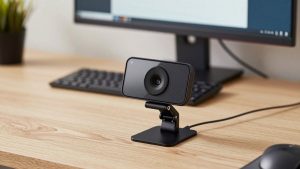
That matters because digital zoom looks fine at 1.5x and falls apart at 3x to 4x, especially in a dim home office. True optical zoom needs moving glass elements, a larger lens barrel, autofocus motors, and room for heat. That does not fit in a $80 clip-on bar that sits on top of a laptop.
📄 In This Review
- The short answer for work calls
- Why real optical zoom is rare in webcams
- Your four real options compared
- Best for most home offices: 4K webcam and leave it alone
- Best for across-the-room: small PTZ conference camera
- Best image quality with zoom: camcorder or camera plus capture
- Failure modes to check in the first week
- What I would buy
- FAQ
The short answer for work calls
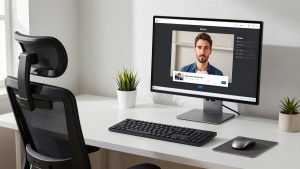
For 95 percent of home-office workers, the right buy is not optical zoom at all. It is a sharp 4K fixed-lens webcam where you can crop in to frame head-and-shoulders without going soft, then leave the setting alone. That gives you the practical effect of 2x to 3x zoom with no extra remote, no fan noise, and no IT headache.
You should only chase true optical zoom if you have a specific distance problem: teaching from across a room, filming a whiteboard, running a conference room, streaming a demo bench, or sitting 10 to 15 feet from the camera in a large office. At a normal desk, 2 to 3 feet from the screen, optical zoom adds bulk and failure points for no visible benefit.
Why real optical zoom is rare in webcams
See also: Best Monitor for MacBook Air: Two USB-C 4K Screens and Six Adapter-Dependent Alternatives • Best Monitor for MacBook Pro: Eight Listings Sorted by Cable, Sharpness and Scaling
A webcam lens is designed to be small, cheap, fixed-focus or simple autofocus, and always in frame. An optical zoom lens has to move while staying sharp, stay quiet while it moves, and not hunt for focus on your face during a call. That is a camcorder problem, not a webcam problem.
That is why true optical zoom lives in three other categories: PTZ conference cameras that hang on a wall, camcorders used as webcams over HDMI, and mirrorless or compact cameras with a zoom lens used as webcams. All three are bigger, need more power, and need more setup than a USB webcam.
There is also a software trap. Many webcam apps show a zoom slider that looks impressive in the preview and then looks mushy to everyone else. If you test one, record a 30-second clip in your actual meeting app at your actual evening light, then watch faces, text, and hair edges at 2x. That is the only zoom test that counts.
Your four real options compared
Think of this as a distance decision. Close desk work favors a simple 4K webcam. Across-the-room work favors PTZ or a camcorder.
| Option | True optical zoom? | Complexity | Best for | Main downside |
|---|---|---|---|---|
| 4K fixed-lens USB webcam with crop zoom | No, digital crop | Low, plug and play on Mac and Windows | Desk at 2 to 4 feet, head-and-shoulders framing | Soft past about 2.5x, worse in low light |
| Small PTZ conference camera | Yes, usually 10x or more | Medium, needs mounting, remote or presets | Conference room, classroom, whiteboard across room | Bulky on a desk, fan noise, flat colors, focus hunting |
| Camcorder plus HDMI to USB capture | Yes, usually 12x to 20x or more | Medium-high, needs power, HDMI, audio plan | Demo table, workshop, long continuous calls | Extra cables, battery or dummy battery, audio routing |
| Mirrorless or large-sensor compact as webcam | Yes, if you mount a zoom lens | High, needs capture, power, heat management | High-end presenter, training videos plus live calls | Overheating, 30-minute limits on some bodies, expensive |
Best for most home offices: 4K webcam and leave it alone
If you sit at a desk, buy sharpness and exposure, not zoom range. A good 4K sensor lets you set a 1.5x to 2x crop once in the camera software or in OBS, Zoom, or Teams, and keep full HD output that still looks clean. You get a stable frame with no motor noise and no autofocus pulsing.
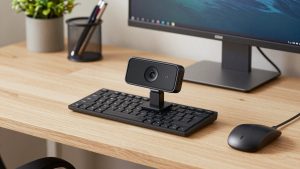
When you shop, look for a wide but not fisheye field of view, around 75 to 90 degrees, honest 4K30 or 1080p60, and manual exposure and white balance controls that work on Mac. Mac support is where cheap webcams fail: the hardware is fine, but the Windows-only tuning app locks you out of zoom presets, framing, and flicker control. Check that before you buy if you use a MacBook.
A practical starting point is to browse current 4K webcams for video conferencing and filter for models with a Mac-compatible app and tripod thread. Mount it at eye level, set your crop once, and stop touching it.
Best for across-the-room: small PTZ conference camera
If you need to read a whiteboard from 12 feet away or follow a speaker, you need glass that actually moves. That is what a PTZ conference camera with optical zoom is built for. You mount it high, save two or three presets like wide, speaker, and whiteboard, and switch with a remote instead of dragging a digital slider.
Trade-offs are real. On a small desk a PTZ head looks huge and distracting. Many units have small sensors, so faces look contrasty and waxy compared to a good desk webcam. Autofocus can breathe during a call as it hunts between you and the background. Fans and motors are usually quiet, but in a silent home office you will hear them when the room mics are open.
Who suits this: hybrid teams with a dedicated room, tutors who pace, makers who demo from a bench, and anyone who presents standing 8 feet or more from the lens. Who should skip it: solo laptop workers, renters who cannot mount anything, and Mac users who need perfect plug-and-play. Driverless UVC models are usually fine on Mac, but preset and firmware tools are often Windows-only.
Best image quality with zoom: camcorder or camera plus capture
If you want both optical reach and a pleasant face image, a camcorder used as a webcam beats every PTZ webcam I have tested. The lens is designed for smooth zoom, continuous autofocus is far better, and it can run for hours without overheating. Pair it over HDMI with a basic USB capture stick and it shows up in Zoom and Teams like a webcam.
You will need to solve three things: power, audio, and light. Run the camcorder on AC power or a dummy battery, not an internal battery that dies mid-call. Do not rely on the camera mic from 10 feet away. Use a USB mic or wireless lav at your desk. And give it light; even a good zoom lens goes noisy when you push telephoto in a dark room because the aperture narrows as you zoom in.
Most people only need this if video is the product: paid workshops, YouTube live plus meetings, product demos where you punch in on small parts. For that setup, search for a compatible HDMI to USB video capture card and confirm your camcorder outputs clean HDMI with no menus or autofocus boxes burned in.
Failure modes to check in the first week
Focus hunting is the most common complaint with zoom-capable cameras. Test by leaning forward and back, holding up paper, and walking across frame. If the image pulses every few seconds, lock focus, reduce zoom, or add light. Low light makes every autofocus system worse.
Second is audio mismatch. People buy a zoom camera for distance, then keep using the camera mic from across the room. You will sound hollow and distant no matter how sharp the video is. Keep the mic close even if the camera is far.
Third is mount shake. At 5x zoom and beyond, a wobbly shelf, cheap tripod, or desk bump turns into visible wobble. Use a solid clamp or wall mount, shorten the tripod center column, and route cables so they do not tug the head when you move.
Fourth is app lock-in. Some zoom, tracking, and noise-reduction features only run in the vendor app, not in Zoom or Teams. Set framing in the vendor app, save it to the device if possible, then verify it persists after reboot and after unplugging on both Windows and Mac.
What I would buy
Desk worker on laptop or Mac: get the best simple 4K webcam you can afford, mount it correctly, and use 1.5x to 2x digital crop. The cheaper option is genuinely fine here. Spend the savings on light and a mic.
Small room or classroom: get a small wall-mounted PTZ camera with presets and wired network or USB. Do not try to make a desk webcam do a 15-foot job.
Presenter who needs beautiful reach: use a camcorder plus capture. It costs more and needs cables, but it is the only option that stays sharp, quiet, and stable at real zoom distances without looking like security footage.
FAQ
Is there any normal webcam with true optical zoom?
Not in the usual clip-on home-office form factor. If the spec sheet says 3x or 5x zoom with no lens movement described, assume digital crop. True optical zoom is listed as 10x optical, 12x optical, or similar, and it comes in PTZ, camcorder, or interchangeable-lens bodies.
How much digital zoom is usable on a 4K webcam?
About 1.5x to 2x is safe for 1080p meetings in good light. Past 2.5x faces smear, text softens, and noise becomes obvious. If you need tighter than that every day, you are too far away or you need a longer lens, not more software zoom.
Will a PTZ optical zoom camera work with Mac and laptop docks?
Usually yes for basic video over USB, but preset apps, tracking controls, and firmware updates are often Windows-only. If you use a MacBook through a dock, test with the dock in the chain, confirm 1080p without drops, and avoid USB hubs that share power with drives.
Does optical zoom help in low light?
Often the opposite. Zoom lenses let in less light at the long end, so the image gets darker and noisier as you zoom in. If your room is dim, add a soft key light first, then use less zoom and move the camera closer if you can.